
Introduction
The Flux 2 family by Black Forest Labs represents a significant leap in AI image synthesis, offering state-of-the-art prompt adherence and visual fidelity. On Scenario, we provide three distinct variations of this architecture: Max, Pro, Flex, and Dev. Each model is tailored to specific workflows, ranging from rapid iteration to granular control.
Here is a breakdown of each model, their specific settings, and how to choose the right one for your project.
Flux 2 (Max)
Best for: Cinematic masterpieces, high-end commercial photography, and ultimate detail.
Cost: 11 Credits / image
Flux 2 (Max) is the undisputed powerhouse of the family. Built on the full-scale 32B parameter architecture, it is designed for creators who refuse to compromise. While other models optimize for speed or versatility, Max optimizes for raw visual truth. It excels in rendering complex textures—like skin pores, fabric weaves, and intricate architectural details—with a level of photorealism that sets a new industry standard.
Key Settings:
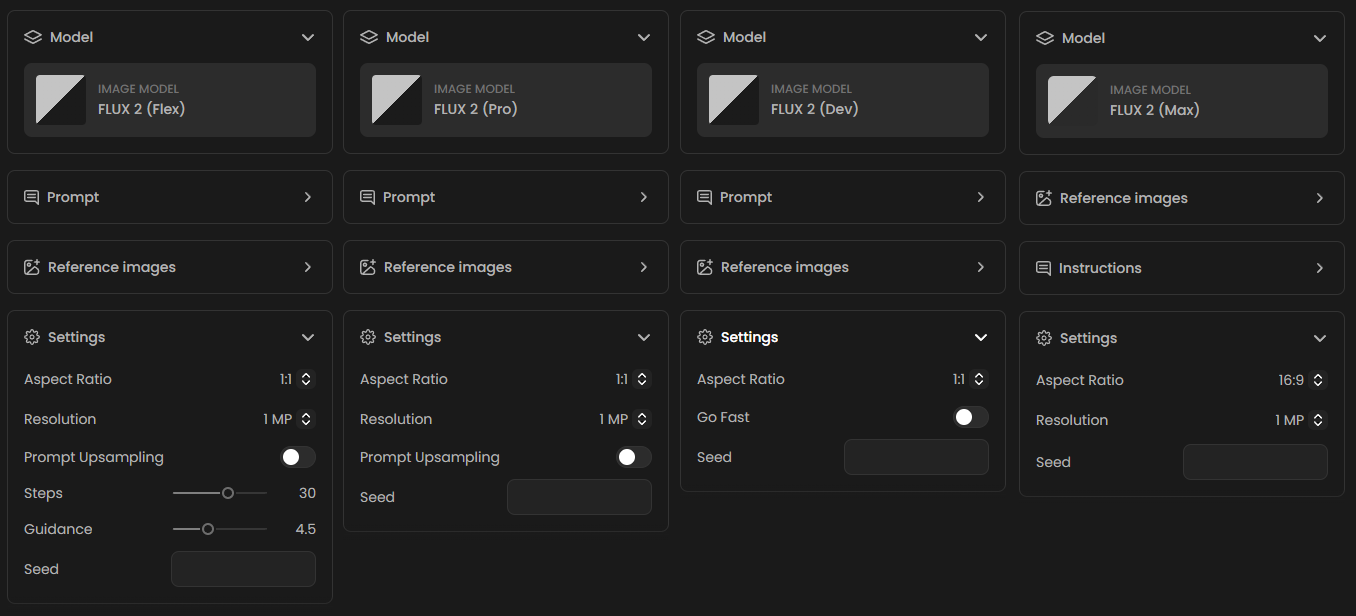
Optimized Pipeline: The Steps and Guidance are fixed to optimal internal values to ensure consistent, high-quality output every time.
Flux 2 (Flex)
Best for: Power users and detailed customization.
Cost: 9 Credits / image
Flux 2 (Flex) is the most robust version available. As the name suggests, it offers maximum flexibility, allowing you to manually tune the generation process. It is the only model in this family that exposes advanced sliders for precise control over the diffusion process.
Exclusive Settings:
Steps: Controls the number of denoising iterations. Higher values (e.g., 30) result in higher quality and detail but take longer to generate.
Guidance: Adjusts how strictly the model follows your text prompt. The default is set to 4.5. Increasing this forces stricter adherence, while lowering it allows the model more "creative freedom."
Prompt Upsampling: An AI-assisted feature that automatically enhances your prompt to add detail before generation.
Flux 2 (Pro)
Best for: High-fidelity production assets and simplicity.
Cost: 5 Credits / image
Flux 2 (Pro) is the flagship model designed for superior visual quality without the need for complex parameter tweaking. It is optimized to deliver the best possible aesthetic results out of the box, making it ideal for users who want "finished" looking images immediately.
Key Settings:
Prompt Upsampling: Like the Flex model, Pro includes the optional Prompt Upsampling toggle to enrich your descriptions automatically.
Optimized Pipeline: Unlike Flex, the Steps and Guidance are fixed to optimal internal values to ensure consistent, high-quality output every time.
Flux 2 (Dev)
Best for: Speed, experimentation, and layout testing.
Cost: 3 Credits / image
Flux 2 (Dev) is an efficient, open-weight variant of the architecture. It is the most cost-effective option, making it perfect for developers testing pipelines or creators who need to generate a large volume of concepts quickly before committing to the higher-cost Pro or Flex models.
Exclusive Settings:
Go Fast: A unique toggle available only on the Dev model. When enabled, this optimizes the generation speed, delivering results significantly faster—ideal for rapid prototyping.
Common Configuration & Specs
While the models differ in control and cost, they share the powerful core capabilities of the Flux architecture regarding output formats.
Resolution & Detail
All Flux 2 models allow you to select the level of detail (Megapixels) for your generation. Higher resolutions require more compute power but deliver sharper results.
0.5 MP
1 MP (Standard)
2 MP
4 MP (High Detail)
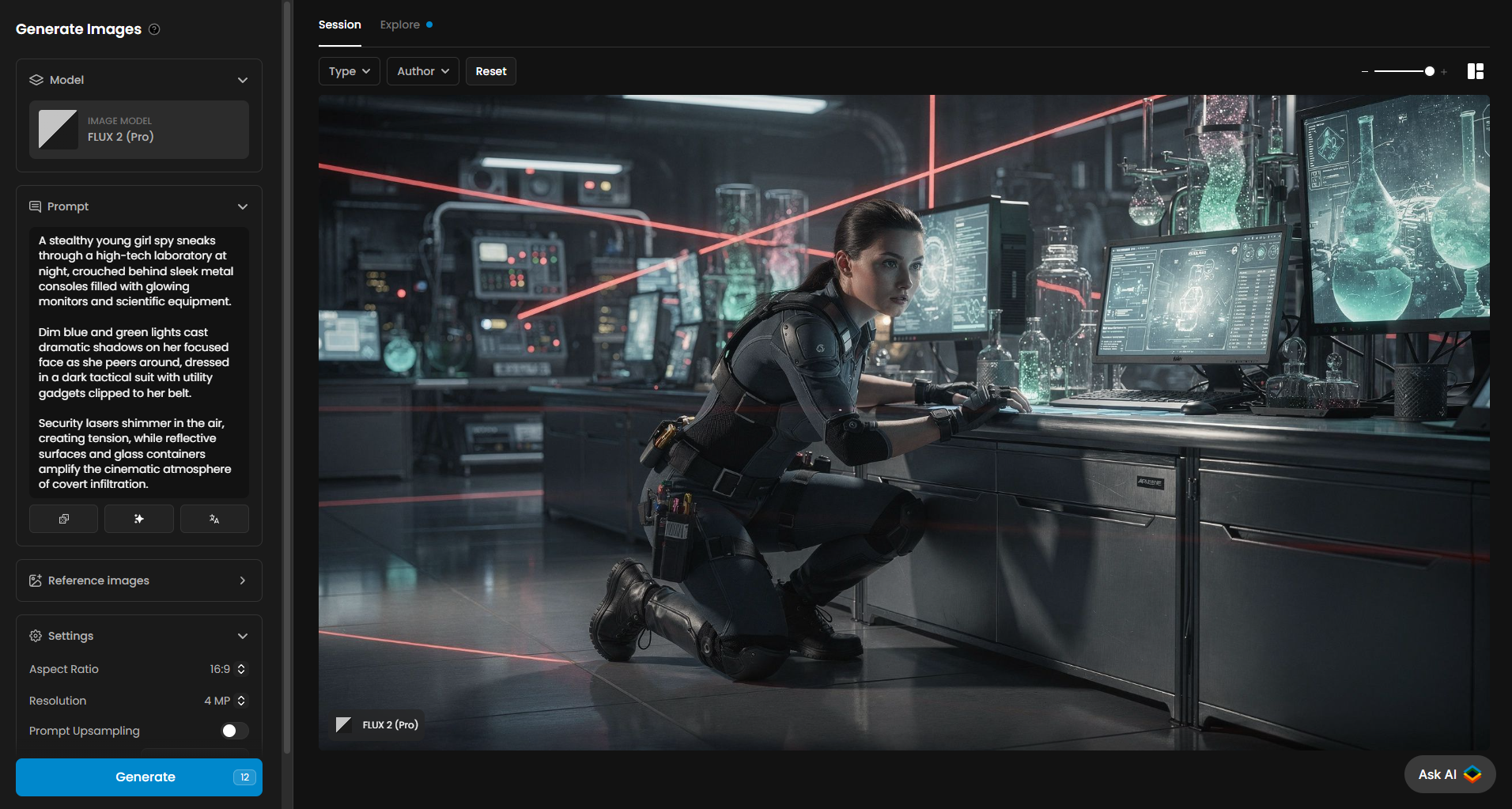
A stealthy young girl spy sneaks through a high-tech laboratory at night, crouched behind sleek metal consoles filled with glowing monitors and scientific equipment.
Dim blue and green lights cast dramatic shadows on her focused face as she peers around, dressed in a dark tactical suit with utility gadgets clipped to her belt.
Security lasers shimmer in the air, creating tension, while reflective surfaces and glass containers amplify the cinematic atmosphere of covert infiltration.
Aspect Ratios
Flux 2 offers a comprehensive suite of aspect ratios to match your platform needs, ranging from social media formats to cinematic widescreens:
Square: 1:1
Landscape: 16:9, 3:2, 4:3, 5:4
Portrait: 9:16, 2:3, 3:4, 4:5
Auto: Matches the ratio of your input image (for image-to-image tasks).
Editing & Image-to-Image Capabilities
The Flux 2 models are not limited to text-to-image generation; they are also powerful editing tools.
By opening the Reference Images section or uploading an image, you can perform variations and edits on existing visuals. This allows you to:
Guide Composition: Use a sketch or photo to dictate the structure of the final image.
Modify Scenes: Upload an image and provide a prompt to alter specific elements (e.g., changing the time of day, style, or specific objects) while maintaining the original composition.
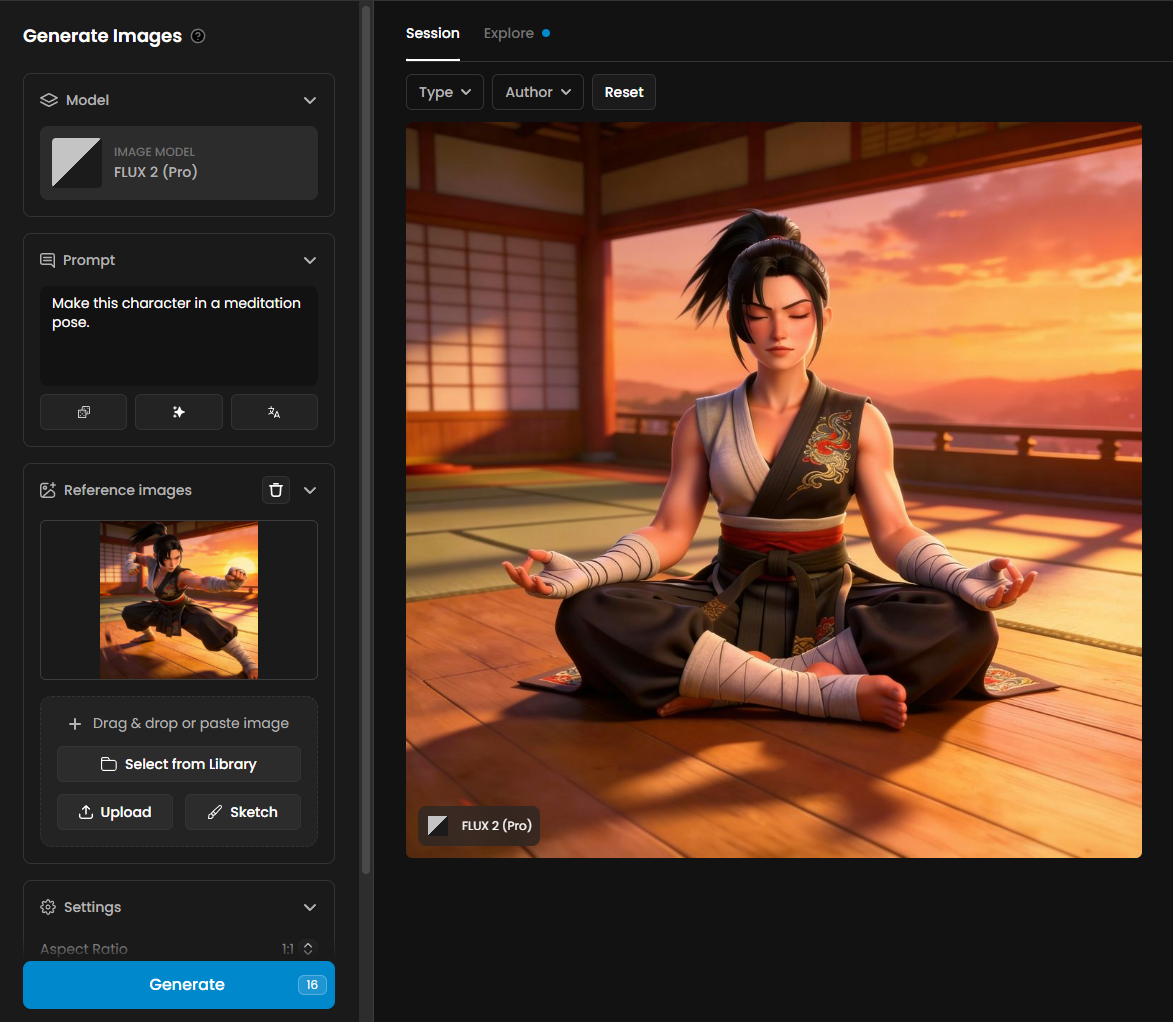
Make this character in a meditation pose.
Use Prompt Spark for Faster Results
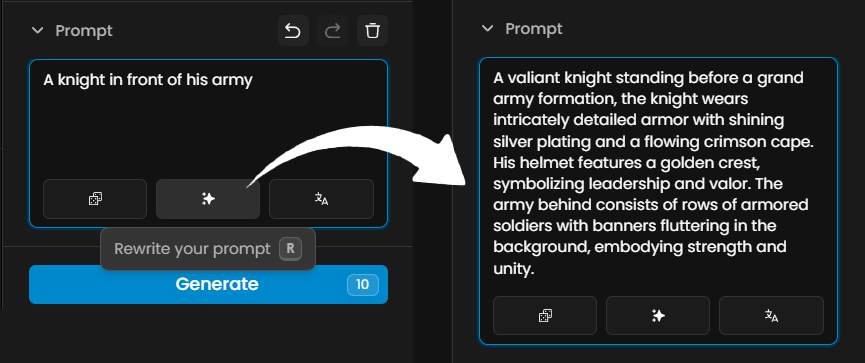
Writing the perfect prompt can be challenging. Prompt Spark is a unique Scenario tool designed to help you generate high-quality prompts seamlessly. It feeds on your model's training dataset captions and pinned images to ensure relevance.
You will find four main features in Prompt Spark (accessible via the icons near the prompt box):
Generate a New Prompt: Creates a completely new prompt from scratch, influenced by captions and any pinned images on the model.
Rewrite Your Prompt: Simply type a few words, and the Rewrite function will expand them into a comprehensive, structured prompt.
Translate: If you prefer writing in a language other than English, use the "Translate" feature to instantly convert your ideas to English. You can then refine the result using "Rewrite."
Image-to-Prompt: You can import or drag and drop an image into the prompt box. Prompt Spark will analyze the visual and automatically generate a descriptive, ready-to-use prompt.
Tip: For more in-depth advice on writing prompts, check out our guide on How to Craft Effective Prompts.
Summary Table (Default Settings)
Model | Cost (Credits) | Best Use Case | Unique Features |
Flux 2 (Dev) | 3 | Speed & Iteration | "Go Fast" Mode, Low Cost |
Flux 2 (Pro) | 5 | Final Production Quality | Prompt Upsampling, High Fidelity |
Flux 2 (Flex) | 9 | Fine-tuning & Control | Steps, Guidance, Upsampling |
Flux 2 (Max) | 11 | High-End Commercial & Photorealism | Hyper-Detail, Raw Mode, 32B Power |
Conclusion
Choosing the right model depends on your specific project needs. We recommend starting with Flux 2 (Dev) to iterate on your prompts and composition efficiently at a lower cost. Once you have captured your vision, switch to Flux 2 (Pro) or Flux 2 (Flex) for high-resolution production. For your most ambitious projects, scale up to Flux 2 (Max)—the ultimate choice for cinematic photorealistic images and high-end commercial assets that demand the absolute pinnacle of detail.
With its industry-leading prompt adherence and versatile configuration options, the Flux 2 family provides a powerful toolkit for creators of all levels.
Ready to create? Head over to Scenario and select a Flux 2 model to get started.
Was this helpful?