
What Are Scenario Apps?
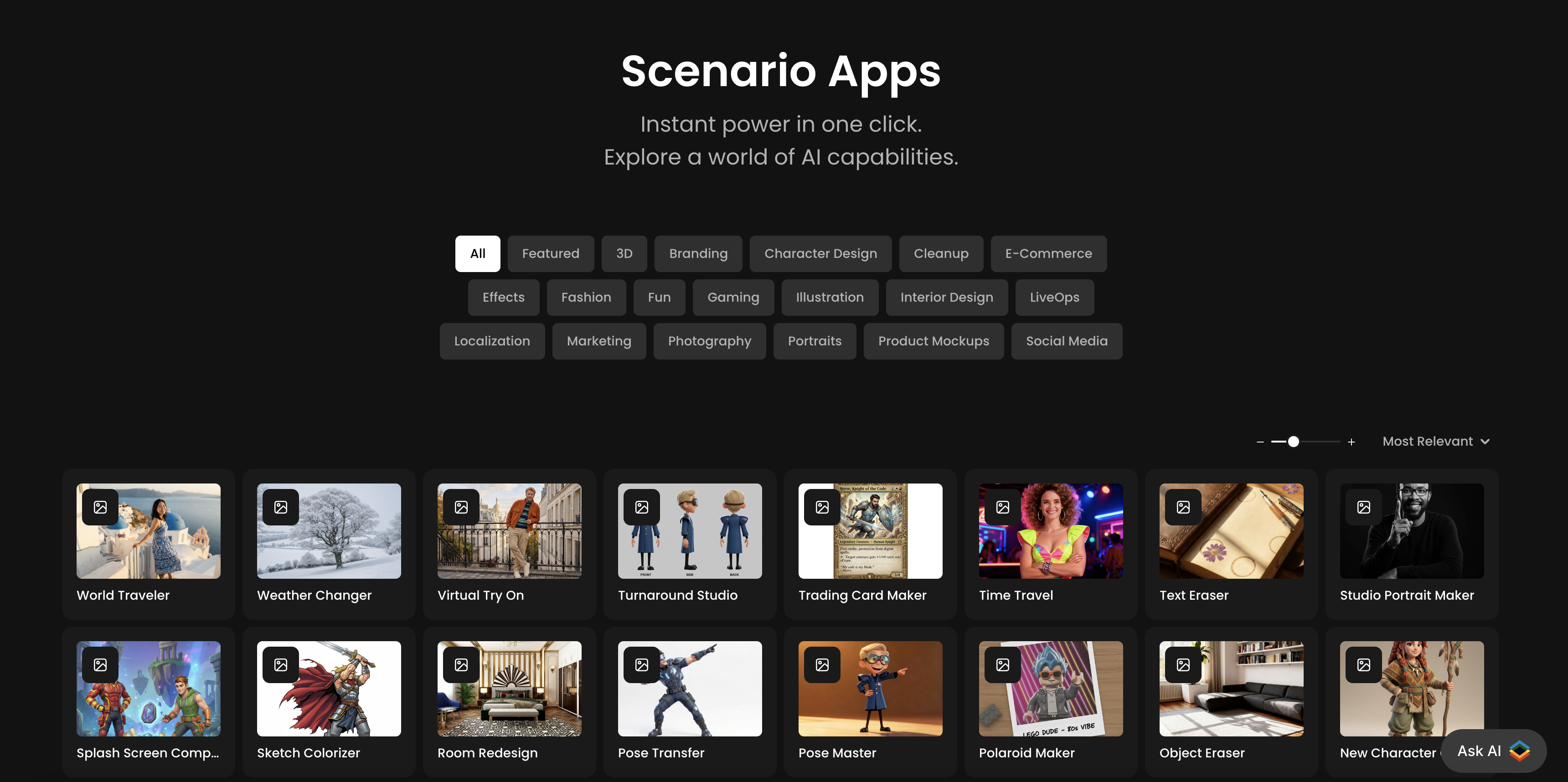
Scenario Apps are pre-configured workflows designed to simplify common creative tasks using AI. They provide a direct way to achieve specific outcomes, such as changing a background or creating a character portrait, without requiring users to build a manual workflow from individual components. Each App is a self-contained tool for a defined purpose.
How Apps Work
The interface for an App is designed for clarity and ease of use, centered around a few key components:
Upload Section: This area is for inputting source images. The interface specifies the type of image required, for example, a character portrait, a full scene, or a product photo.
Prompt Field: In many Apps, a text field is available to guide the AI's output. For instance, a user can specify a location in the World Traveler App or a weather condition in the Weather Changer App. This field is often optional.
Generate Button: After uploading one or more image(s) and, if desired, entering a prompt, the "Generate" button initiates the generation. The App runs a pre-set sequence of operations in the background and presents the final image in a preview pane.
Pre-Configured Workflows
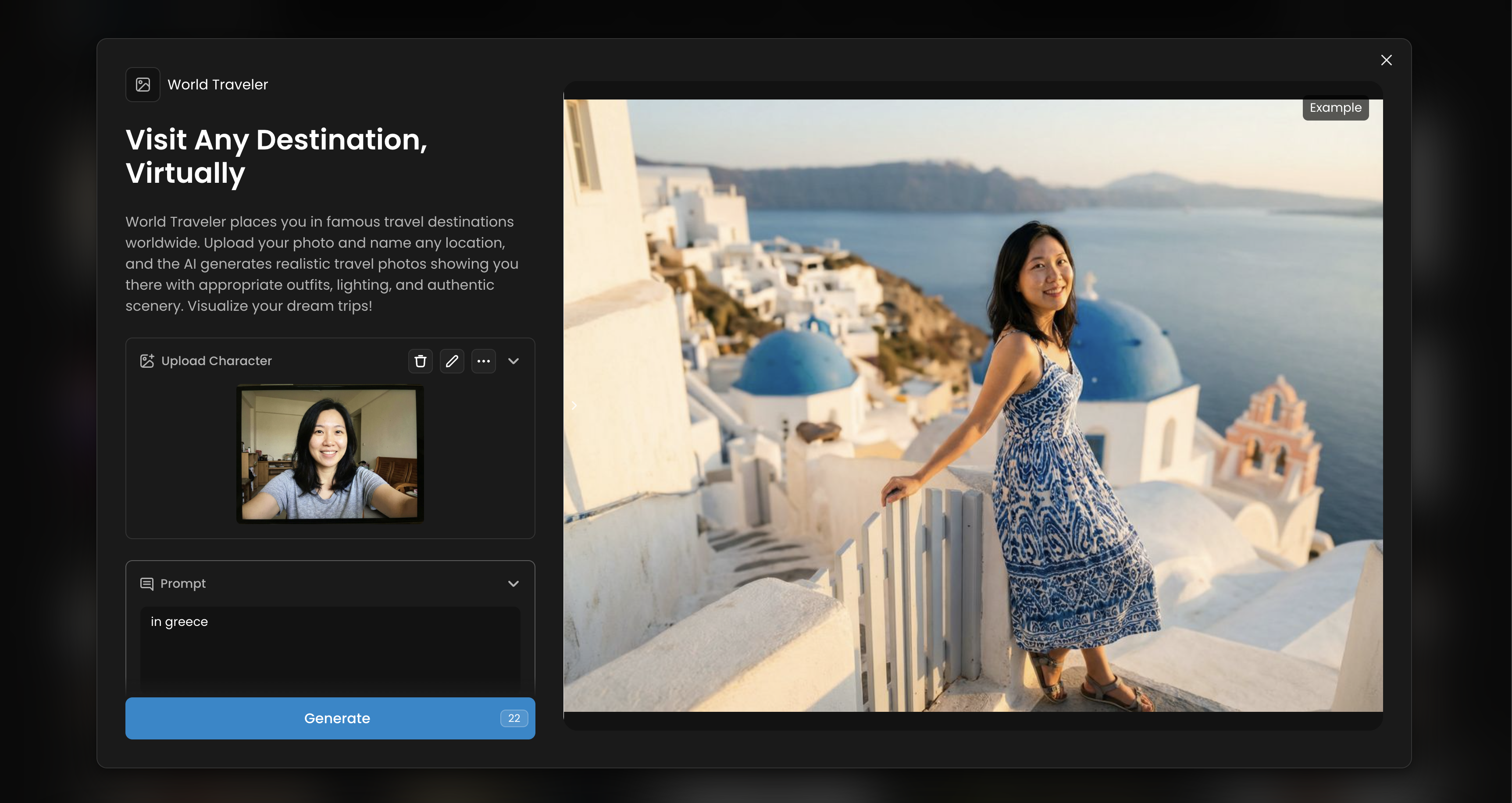
Each App uses a workflow or prompts that have been configured for a specific task, yet keeping enough flexibility to be generic for most cases. The parameters, model(s), and post-processing steps are pre-set to produce consistent and high-quality results for that task. This allows users to access the capabilities of the AI without needing to manage technical settings.
For example, the “Virtual Try On” App is configured to account for factors like perspective and lighting to create a realistic composite of a person and an outfit. Similarly, other Apps are optimized for their specific functions, such as maintaining visual consistency in character design or accurately removing objects from a scene.
Use Cases for Apps
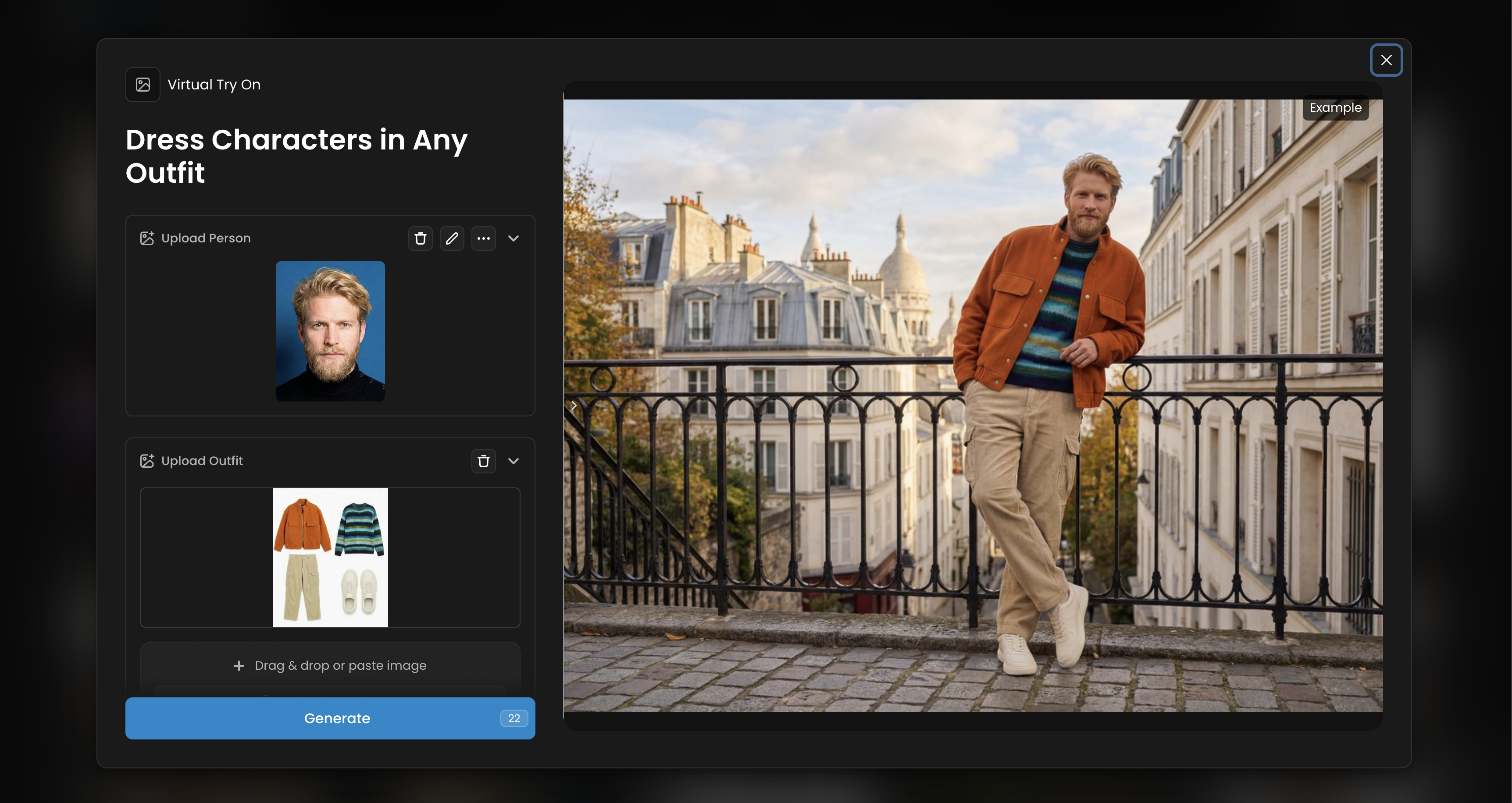
Apps are designed to be useful for both new and experienced users. For those new to the platform, Apps offer a way to see the capabilities of the AI. For experienced users, they can serve as a tool for rapid prototyping and generating ideas quickly.
Once an image is generated, it can be used as a final result or as a starting point for further work. The system allows users to access additional tools to refine the image, such as upscaling, converting to 3D, or simply examining the generation parameters.
App Categories (Tags)
Apps are organized by categories to help you find the right tool for your task. Here is a condensed overview:
Branding & Marketing: Create visuals for promotional campaigns, e-commerce, and social media, including product mockups and branded content.
Gaming & Character Design: A suite of tools for game developers to create characters, 3D assets, sprites, and content for live game events (LiveOps).
Photography & Enhancement: Enhance photos, create professional portraits, and clean up images by removing unwanted objects or text.
Fashion & Style: Visualize clothing, hairstyles, and accessories with virtual try-on experiences and style modifications.
Illustration & Art: Assist with artistic workflows, such as coloring sketches or creating stylized artwork.
Creative Effects & Fun: Apply distinct visual styles, playful transformations, and creative filters for social media and entertainment.
Interior Design: Visualize and redesign indoor spaces with different styles and materials.
Localization: Adapt content for different regions, such as translating text within an image.
Featured Apps
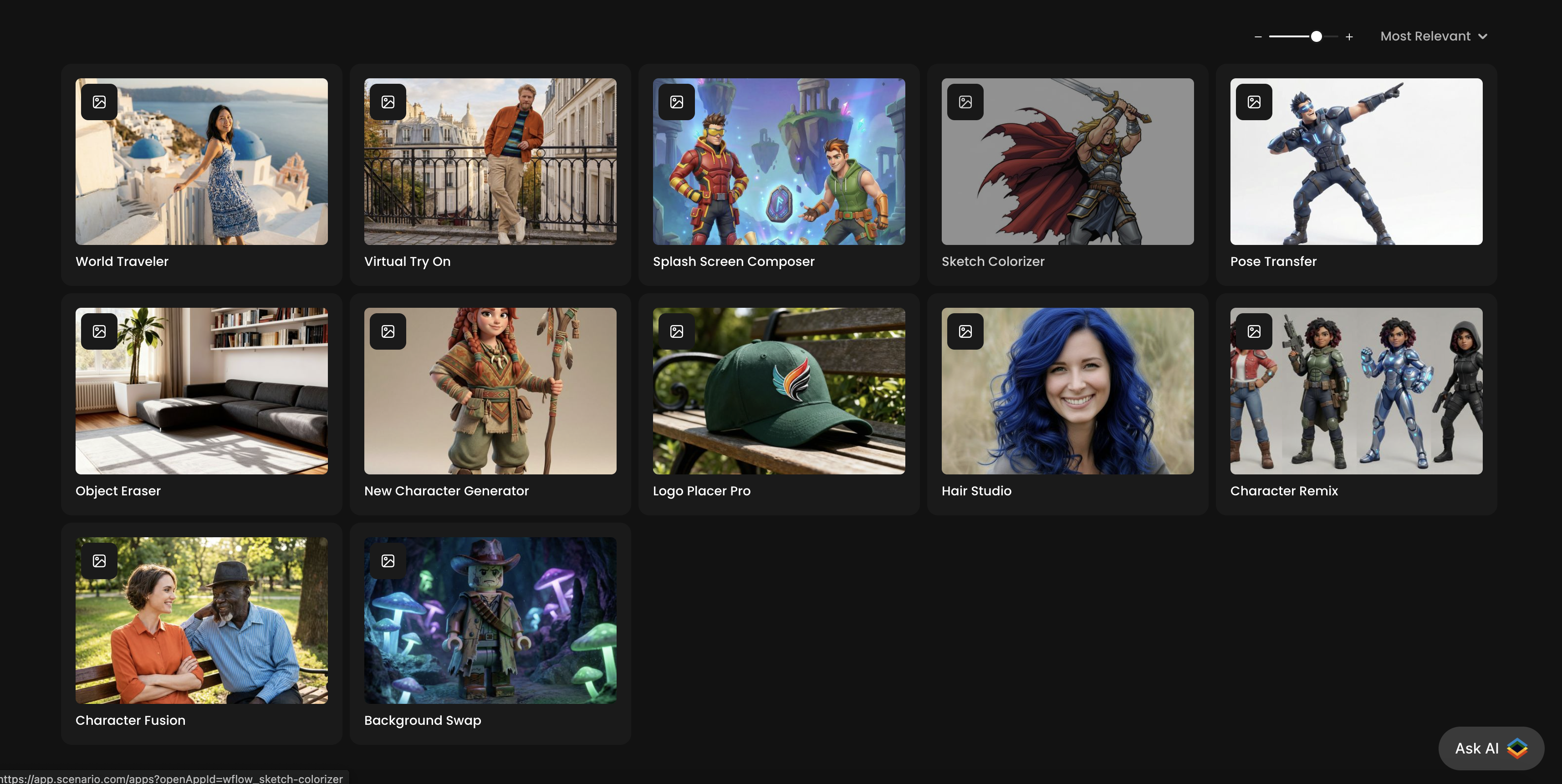
Sketch Colorizer
Categories: Character Design, Effects, Illustration
Sketch Colorizer transform a sketch by adding color, shading or textures. It helps artists visualize rendering options faster without manually painting all elements.
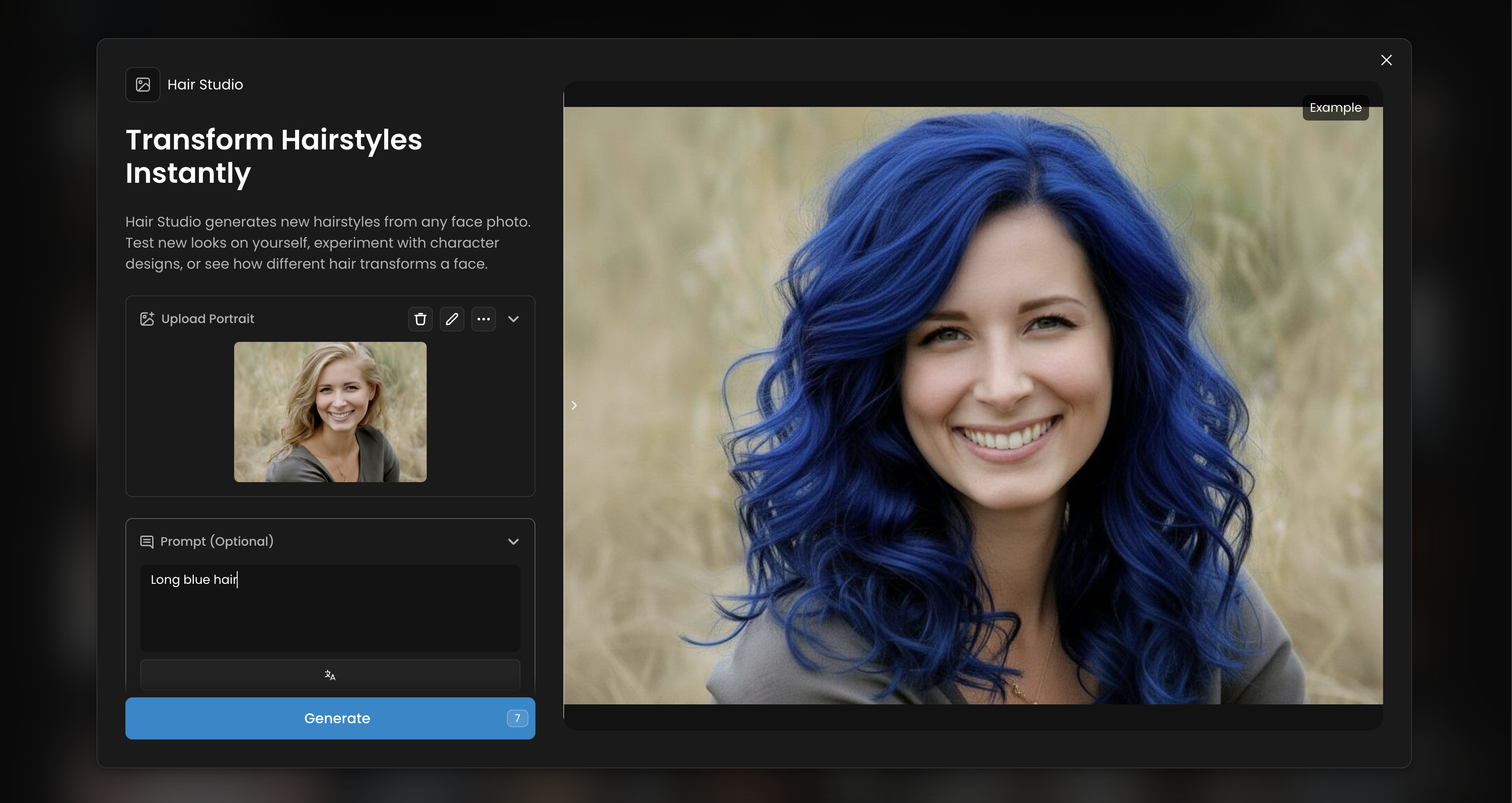
Hair Studio
Categories: Character Design, Fashion, Portraits
Hair Studio generates new hairstyles from any face photo. Test new looks on yourself, experiment with character designs, or see how different hair transforms a face.
Character Fusion
Character Fusion merges people from different photos into one scene. It adjusts poses and backgrounds so they fit together naturally.
Object Eraser
Categories: Cleanup, E-commerce, Photography
Object Eraser removes the specified objects or elements from photos, digital art, or illustrations and will fill the remaining gap. All you need is simply describe the object(s) to remove.
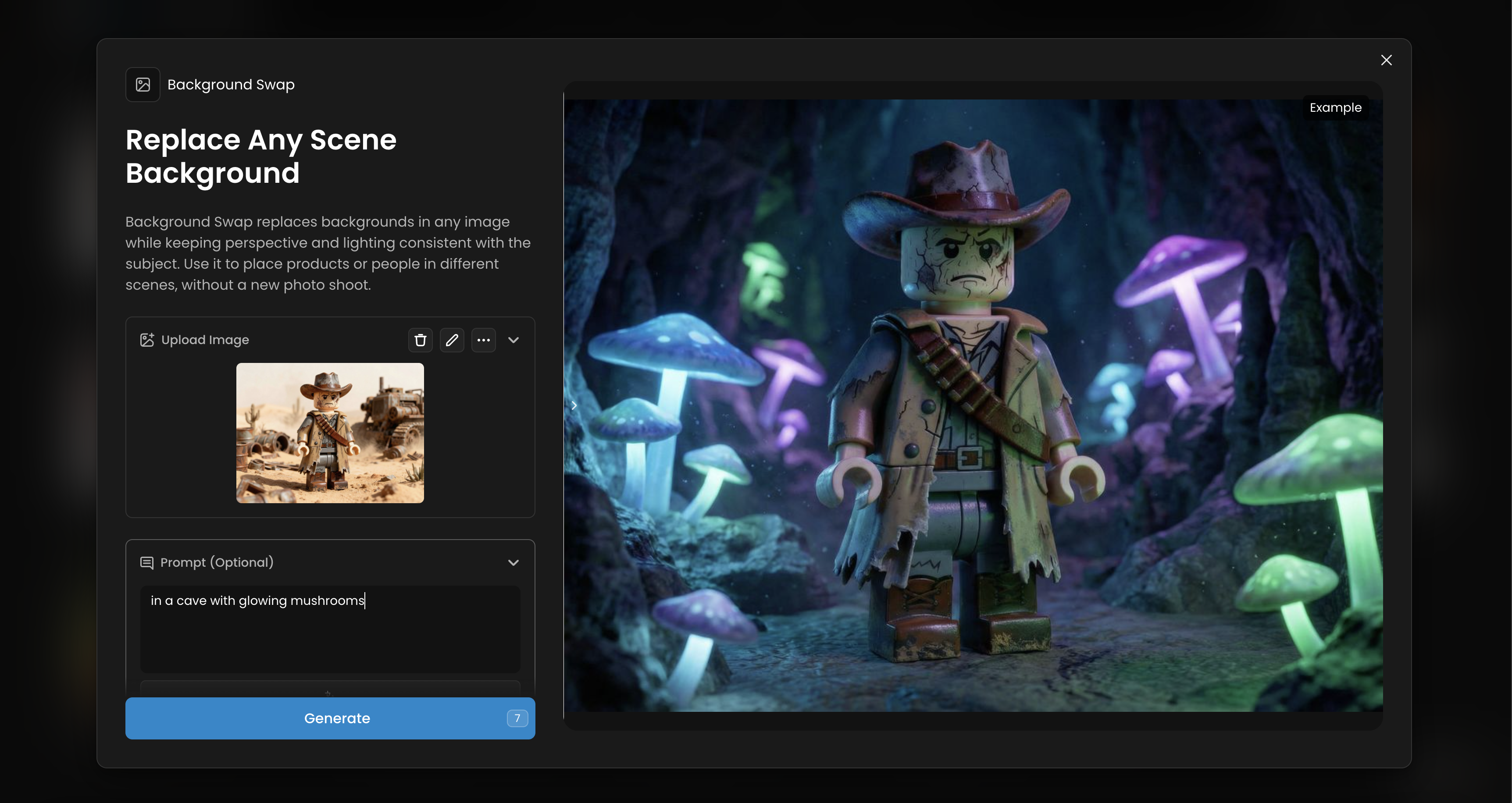
Background Swap
Categories: E-commerce, Effects, Marketing, Photography
Background Swap replaces backgrounds in any image while keeping perspective and lighting consistent with the subject. Use it to place products or people in different scenes, without a new photo shoot.
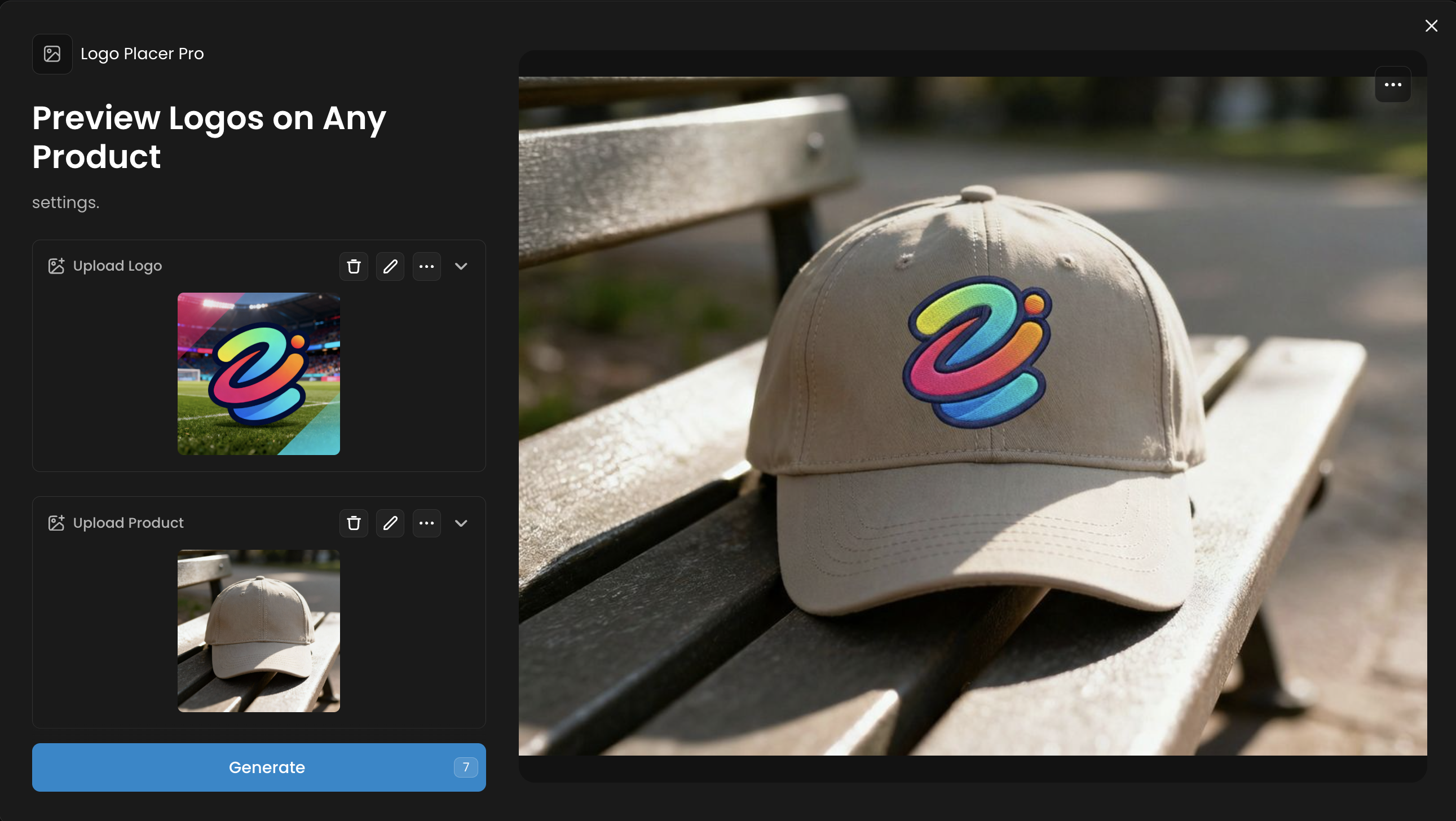
Logo Placer Pro
Categories: Branding, E-commerce, Marketing, Product Mockups
Logo Placer put your logo onto products while matching perspective, lighting, and materials. It adapts to surfaces for a realistic preview, and automatically places your products in the most relevant realistic settings.
Virtual Try On
Categories: E-commerce, Fashion, Marketing
Virtual Try On puts any clothing onto any character. Upload a character photo (portrait or full body) and clothing images, and the AI dresses your character in that outfit with realistic fit and draping, on the same background, on a white background or in a set up that you can define.
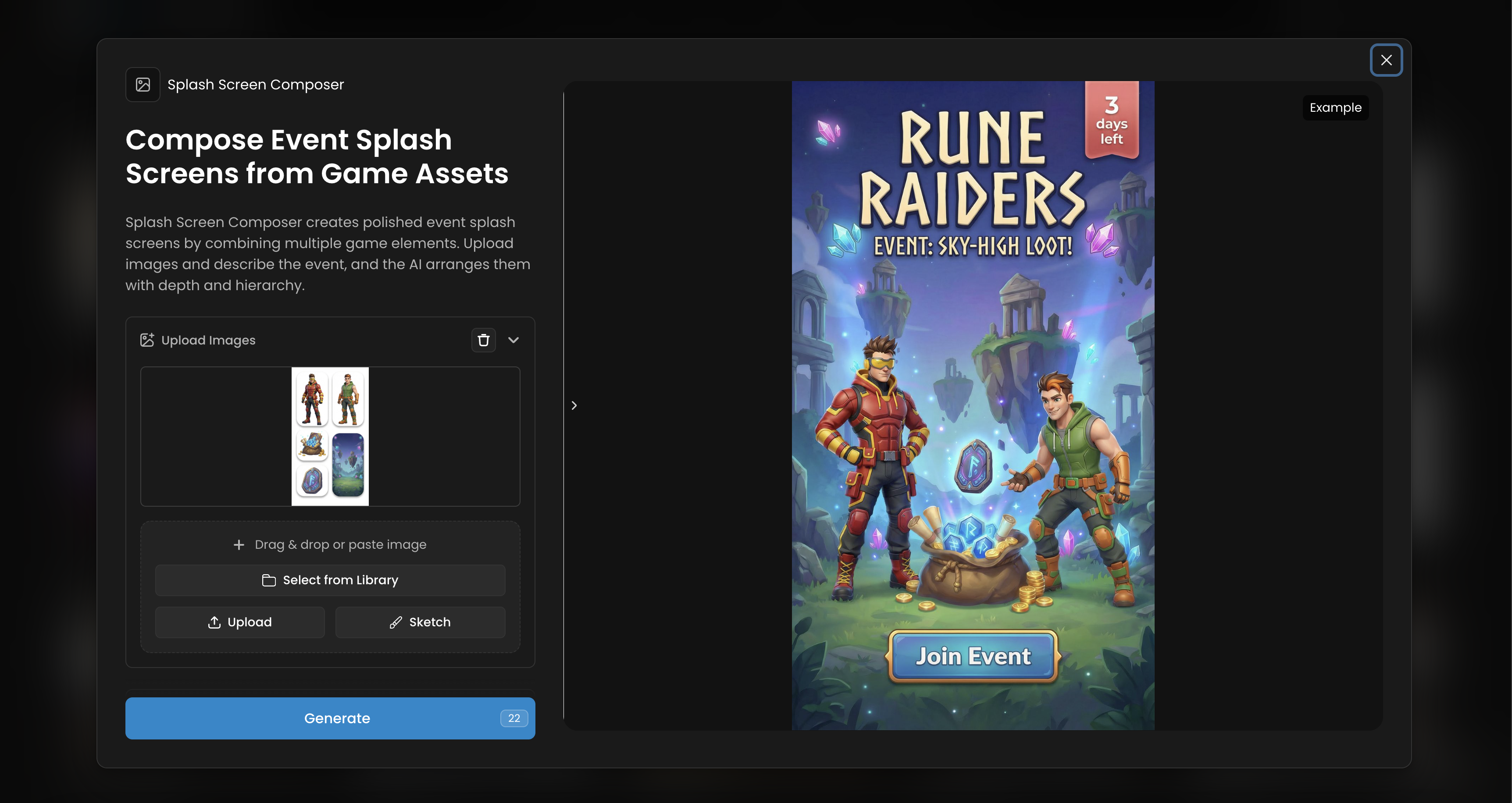
Splash Screen Composer
Categories: Gaming, LiveOps
Splash Screen Composer creates polished event splash screens by combining multiple game elements. Upload images and describe the event, and the AI arranges them with depth and hierarchy.
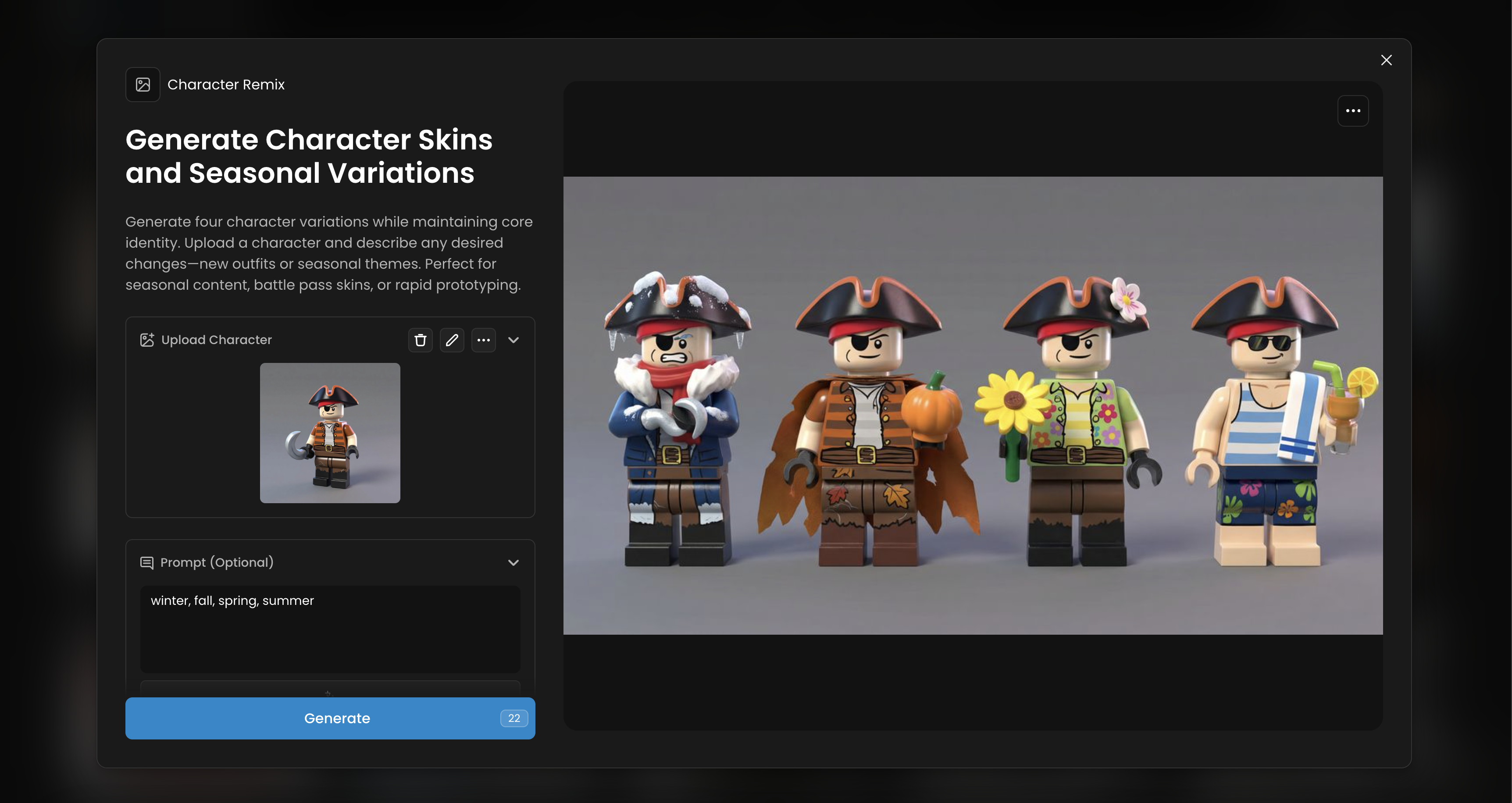
Character Remix
Categories: Character Design, Gaming, Illustration
Generate four character variations while maintaining core identity. Upload a character and describe any desired changes—new outfits or seasonal themes. Perfect for seasonal content, battle pass skins, or rapid prototyping.
Pose Transfer
Categories: Character Design, Fashion, Gaming
Transfer any pose to your character. Upload a pose reference image and your character, and the AI applies that pose while maintaining the character's appearance. Perfect for animation, character sheets, and consistent pose creation across multiple characters.
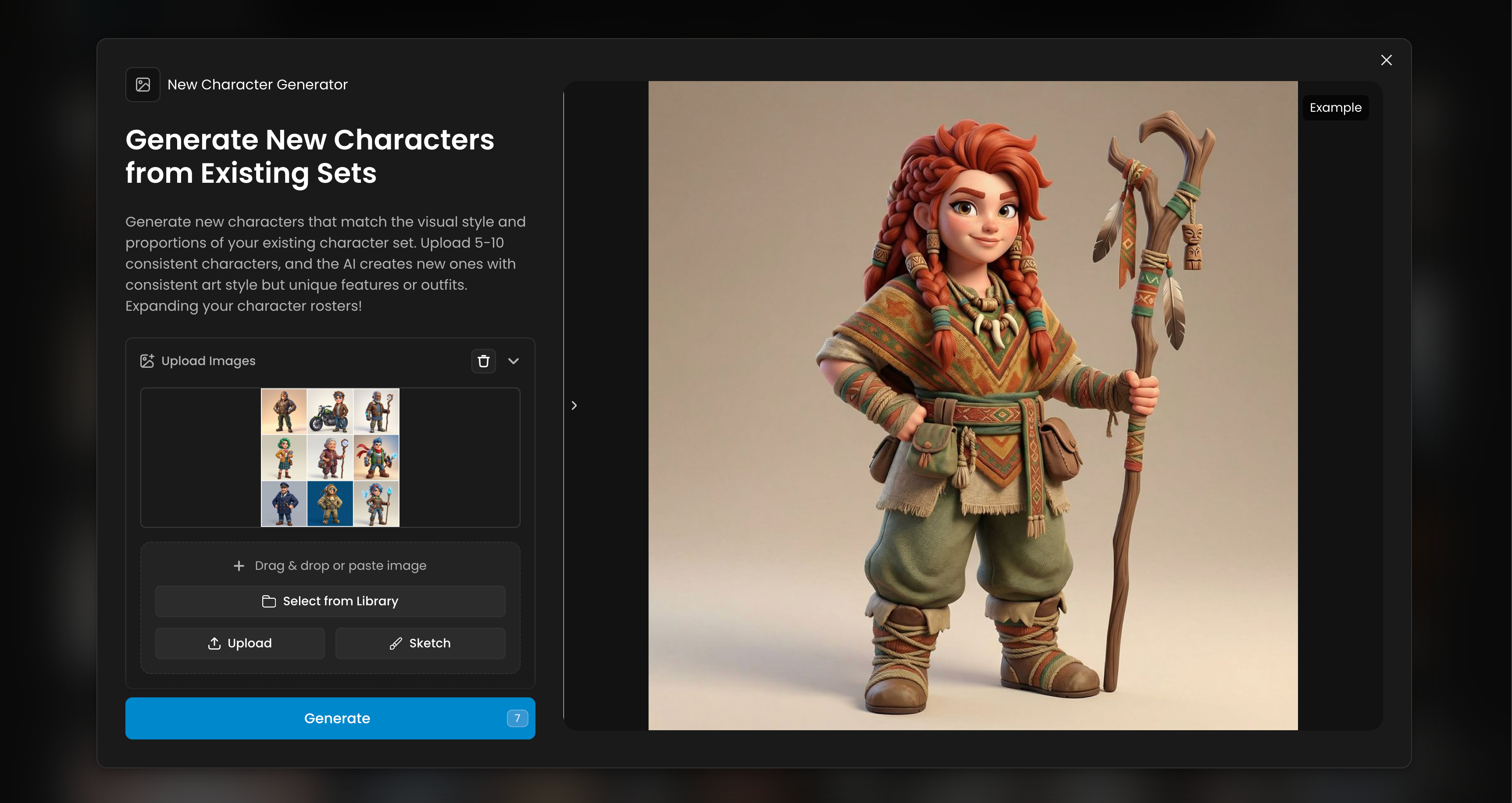
New Character Generator
Categories: Character Design, Gaming
Generate new characters that match the visual style and proportions of your existing character set. Upload 5-10 consistent characters, and the AI creates new ones with consistent art style but unique features or outfits. Expanding your character rosters!
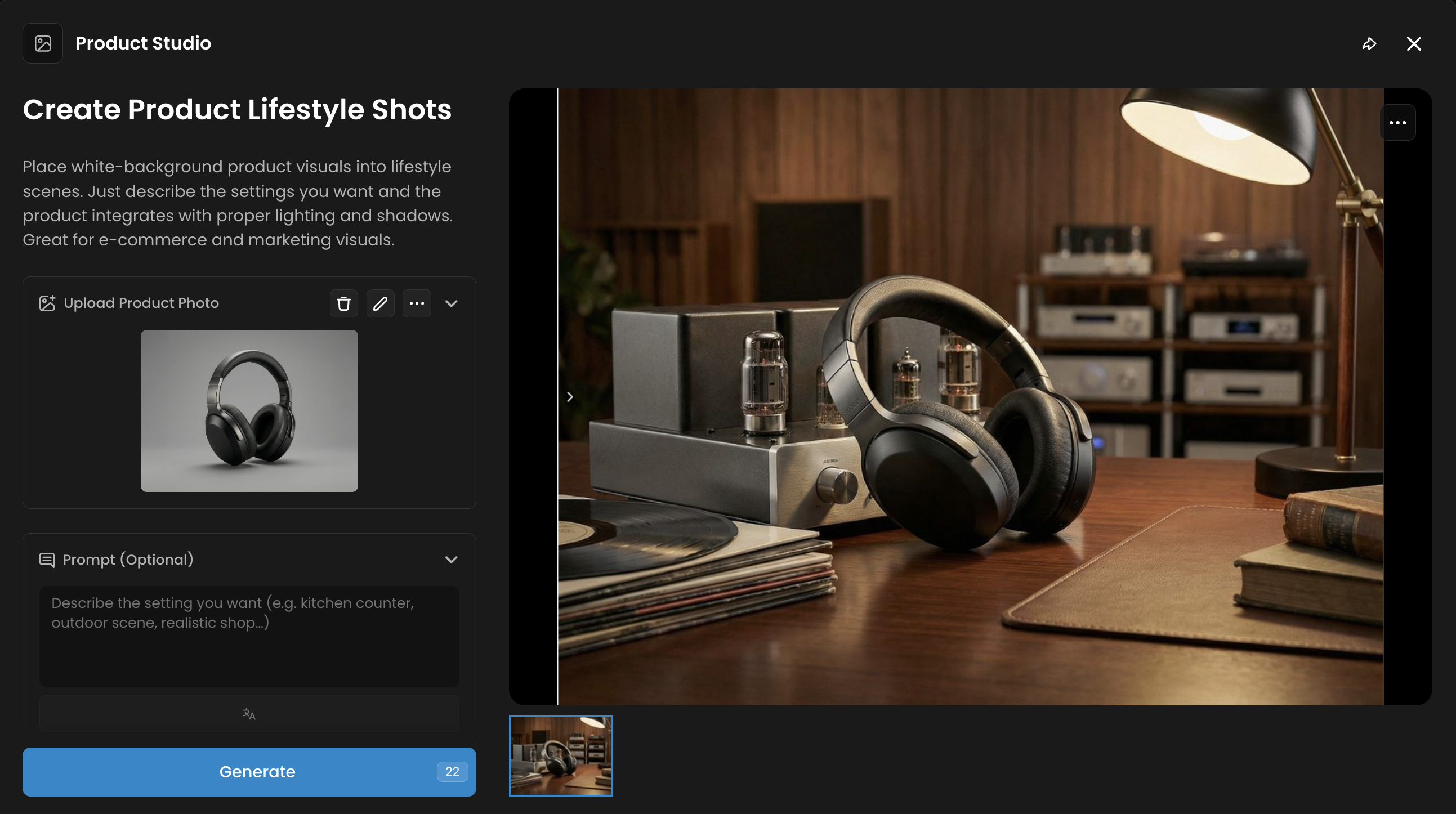
Product Studio
Categories: E-commerce, Marketing, Photography
Product Studio creates professional product photos using preset lighting, framing, and backgrounds. It is useful for catalog pages, store listings, and promotional visuals where products need to look consistent and polished.
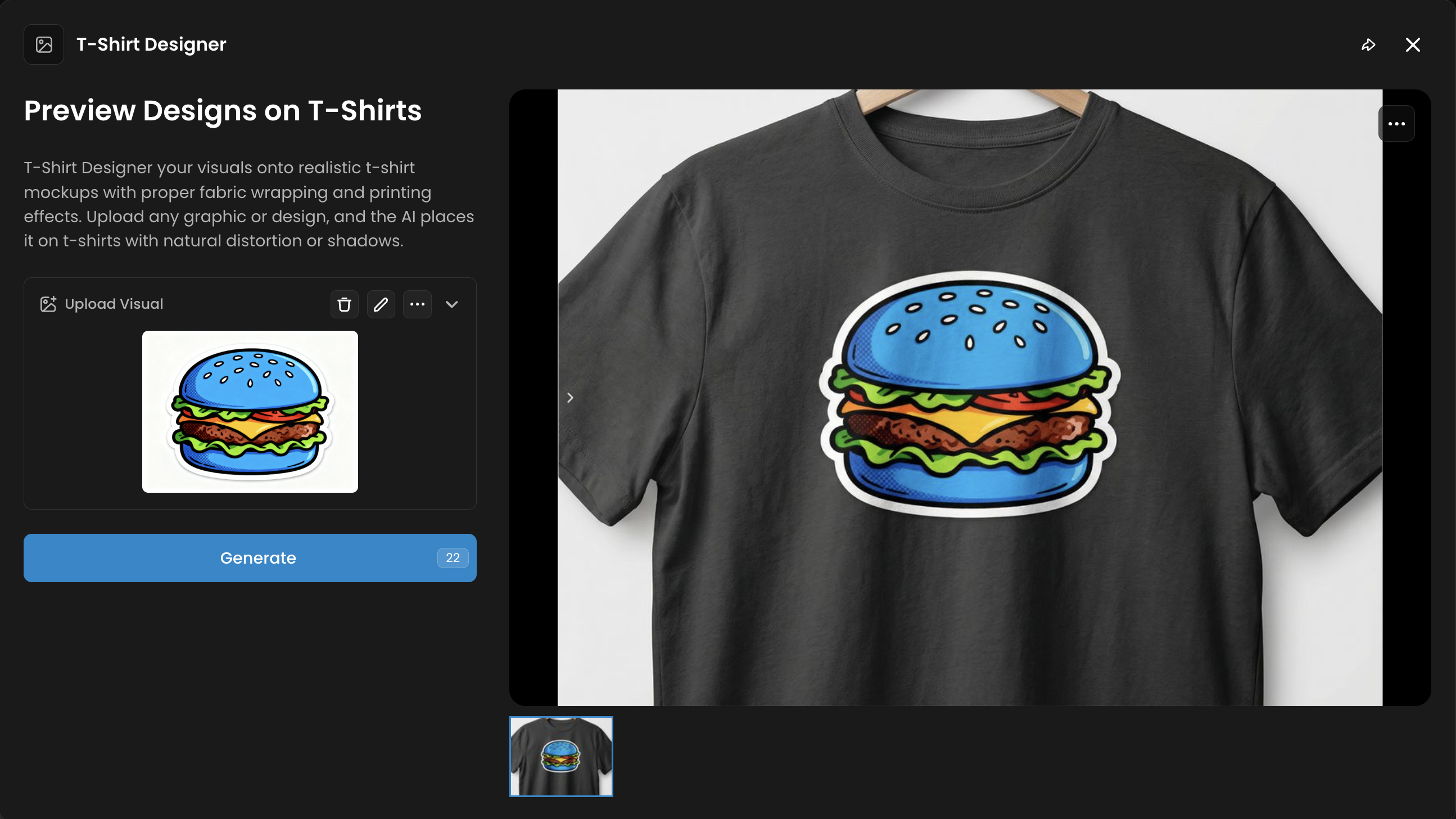
T-Shirt Designer
Categories: Branding, E-commerce, Product Mockups
T-Shirt Designer previews artwork on realistic t-shirt models. It allows clothing brands to see how a graphic or logo will appear on a final product before production.
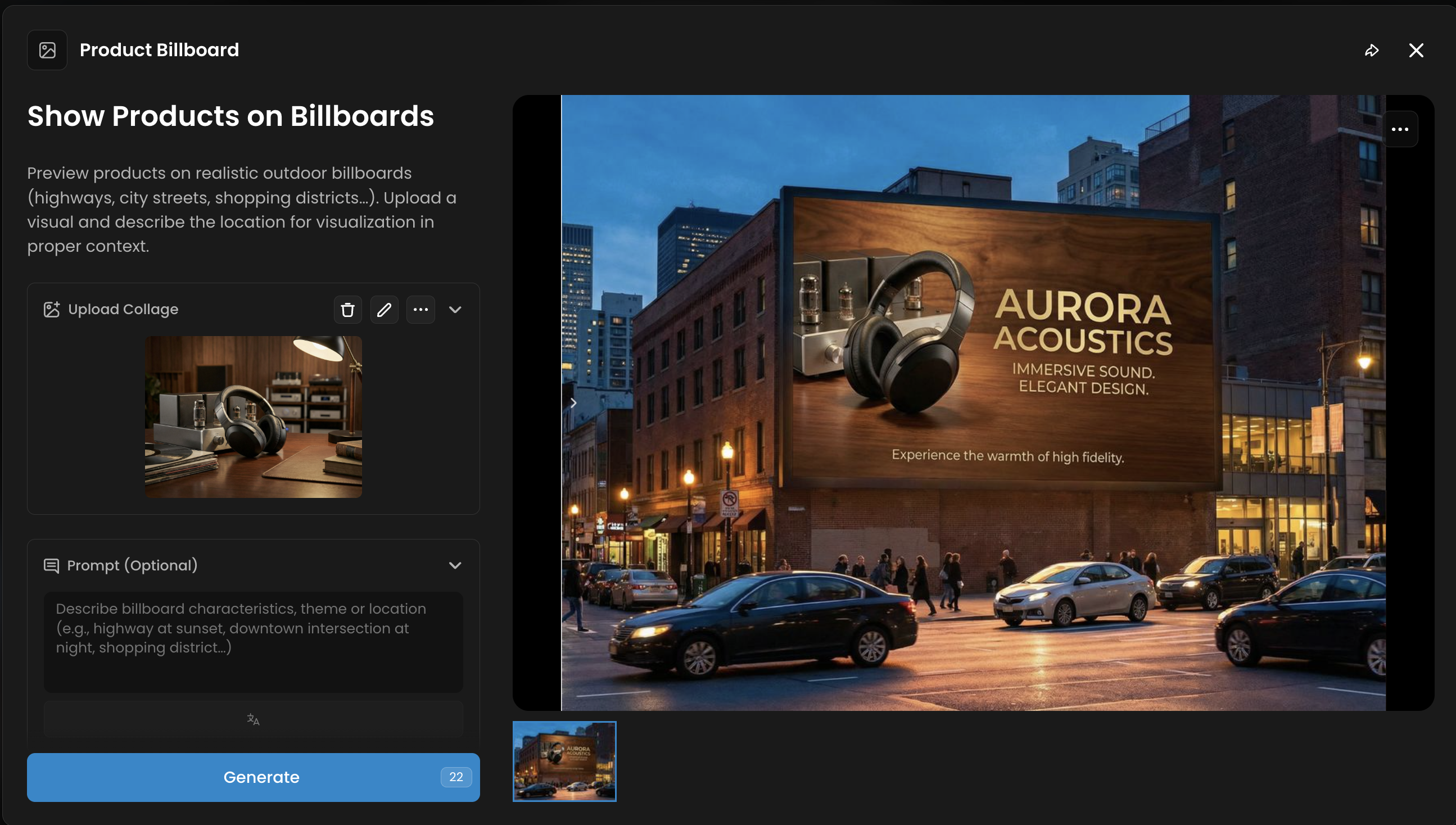
Product Billboard
Categories: Marketing, E-commerce, Effects
Product Billboard places products on outdoor billboards in urban or rural scenes. This App is designed for promotional campaigns and gives a sense of scale and placement in real settings.
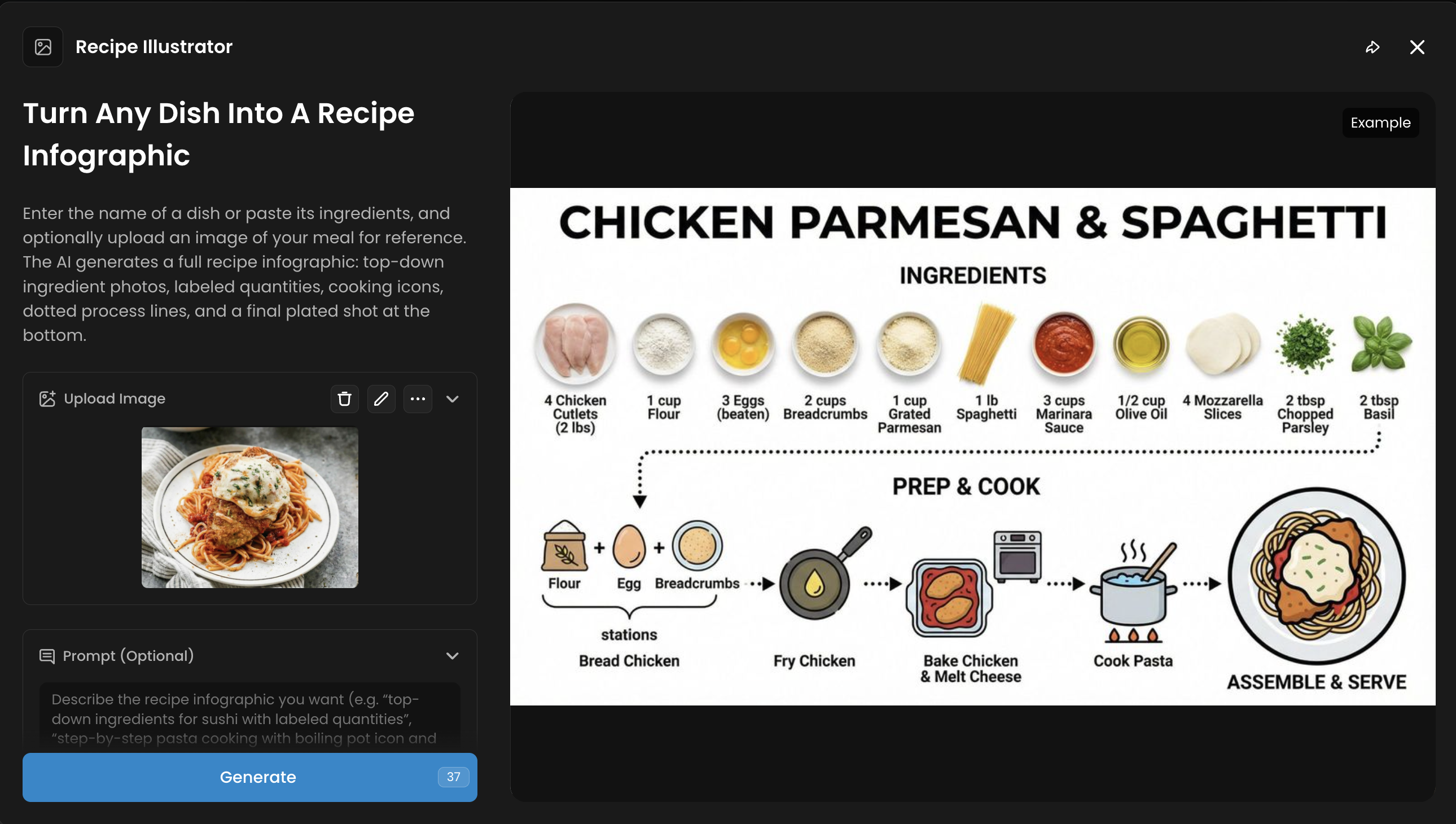
Recipe Illustrator
Categories: Cooking, Food Content, E-commerce, Marketing
Enter the name of a dish or paste its ingredients, and optionally upload an image of your meal. The App generates a full recipe layout: top-down ingredient photos, labeled quantities, cooking icons, dotted process lines, and a final plated shot at the bottom.
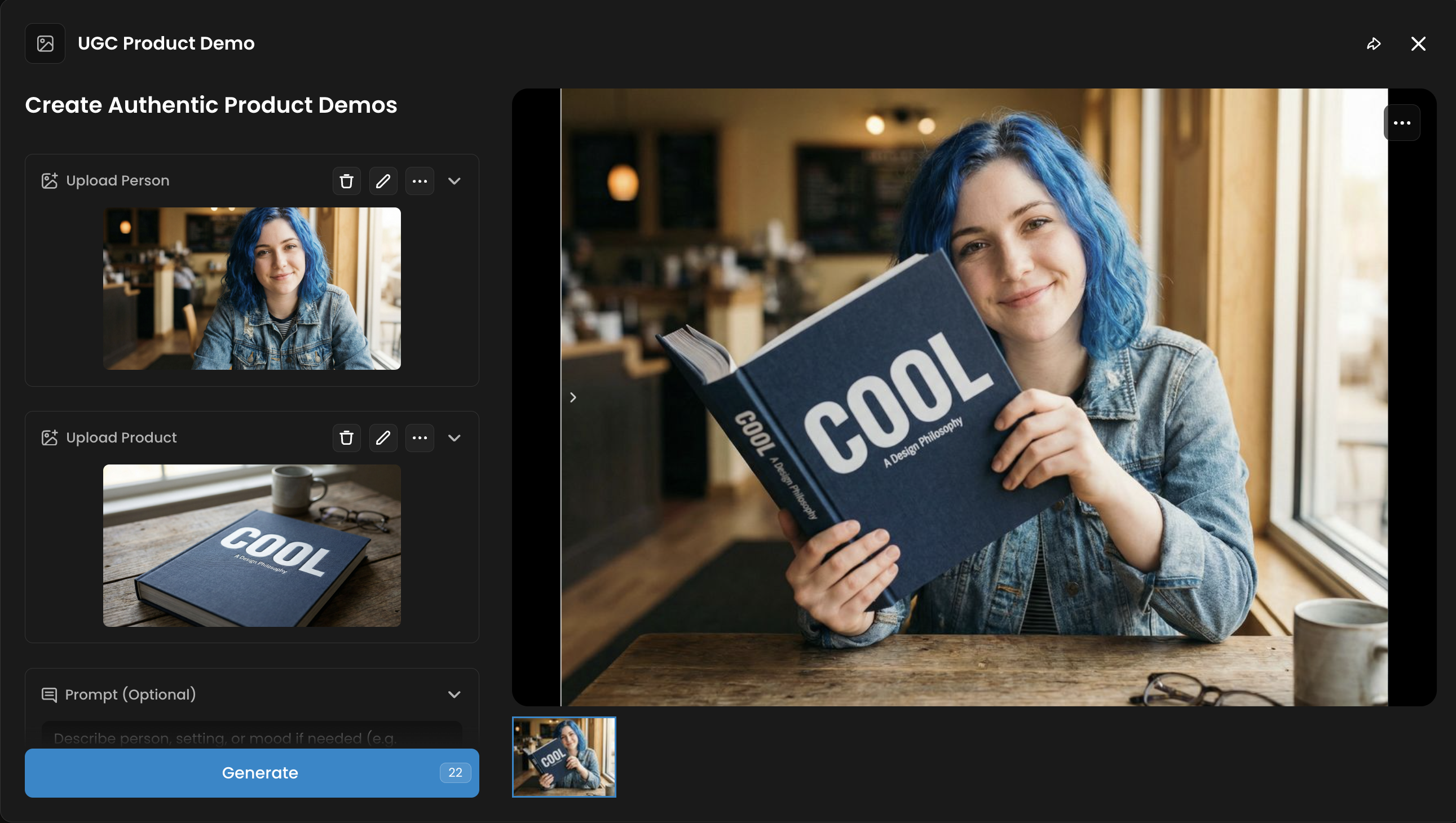
UGC Product Demo
Categories: Marketing, Social, Photography
UGC Product Demo produces visuals that look like user-generated content. It shows people interacting with a product in everyday environments, helping brands build authenticity and social proof.
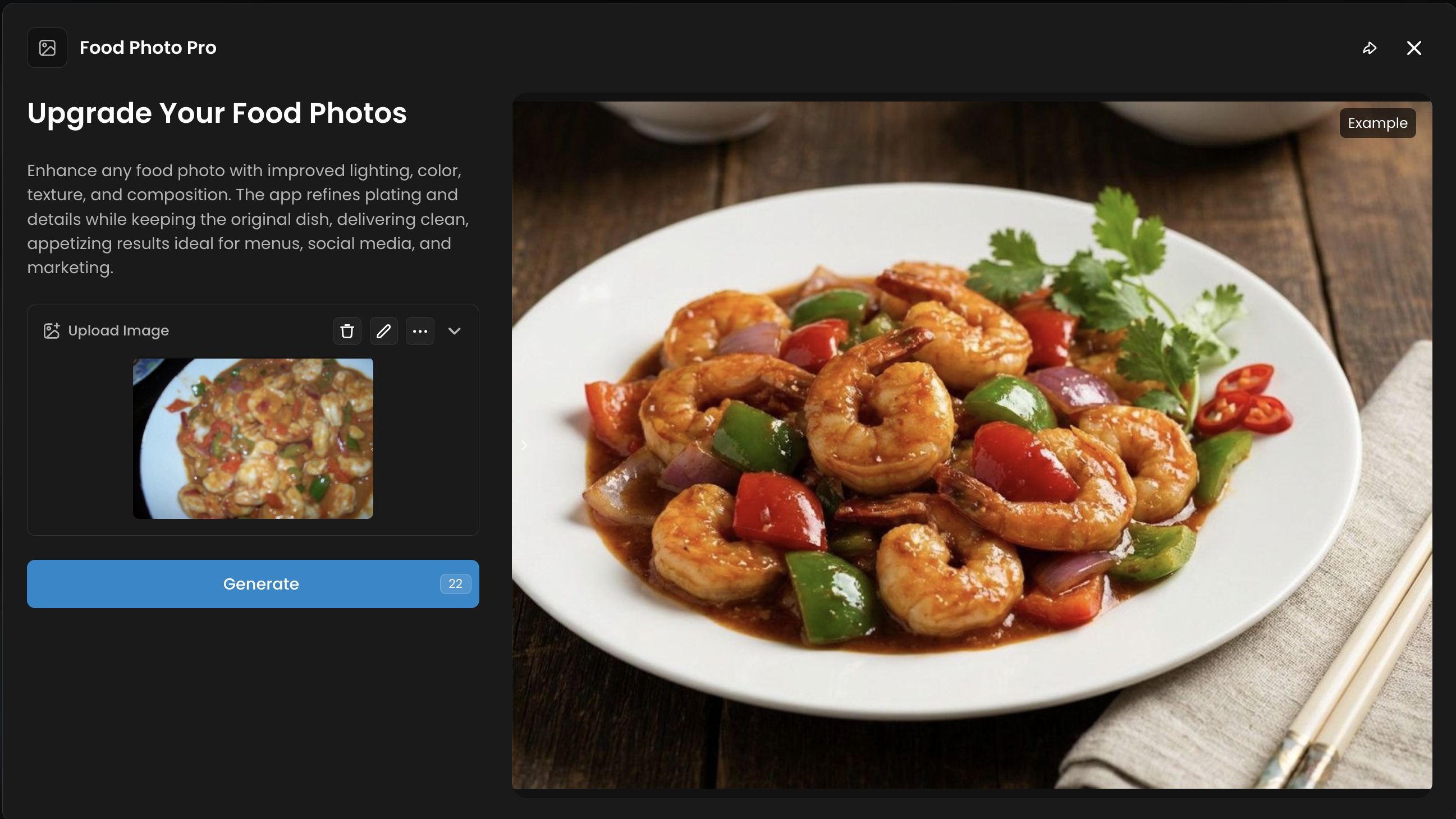
Food Photo Pro
Categories: Photography, E-commerce, Enhancement
Food Photo Pro enhances food images by improving lighting, sharpness, and presentation. It is suitable for restaurants, food brands, and online stores that require appetizing visuals.
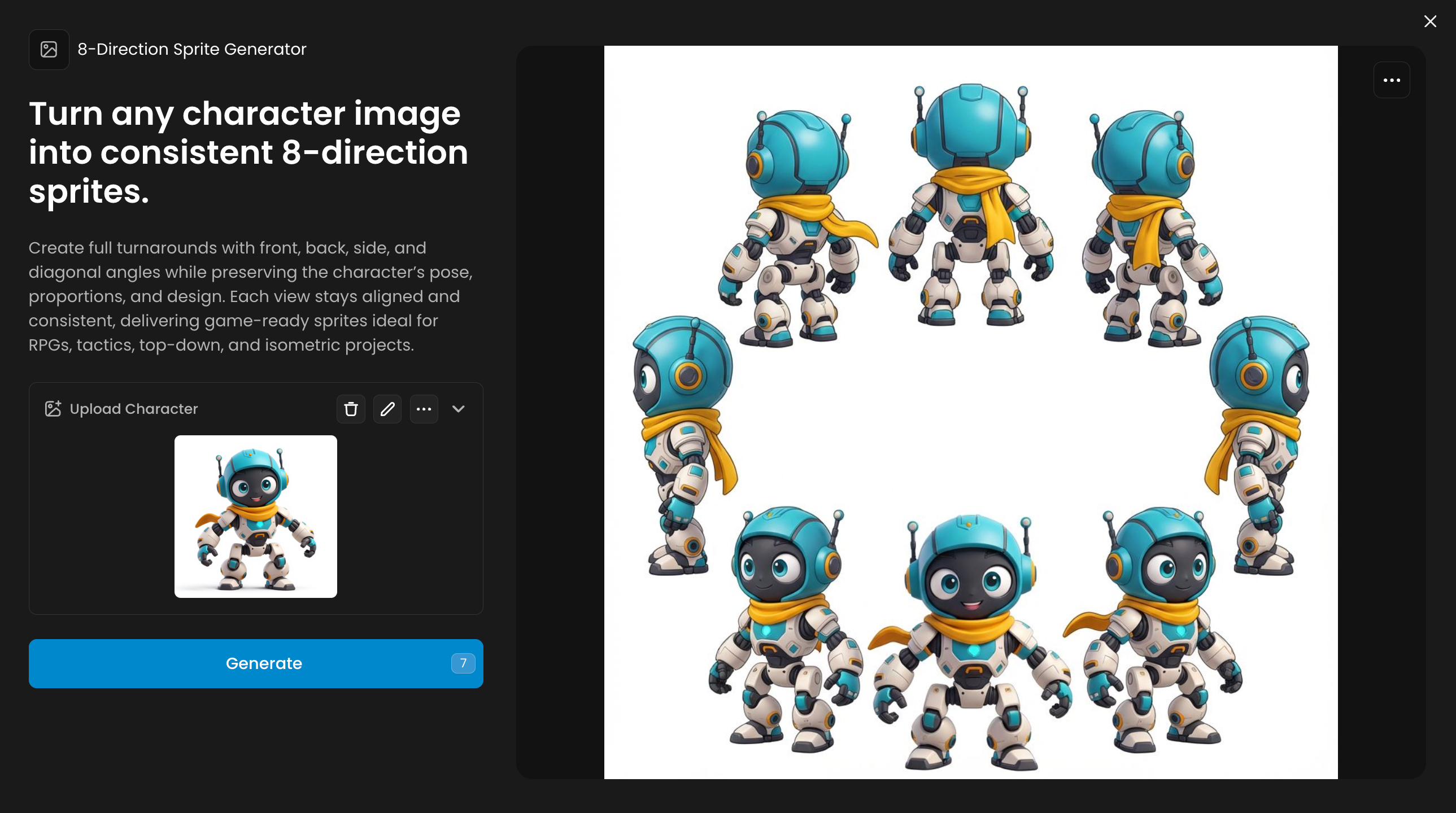
8-Direction Sprite Generator
Categories: Gaming, Character Design
Creates eight aligned views of a character for use in top-down, isometric, or tactics games. The pose, proportions, and design stay consistent across all directions.
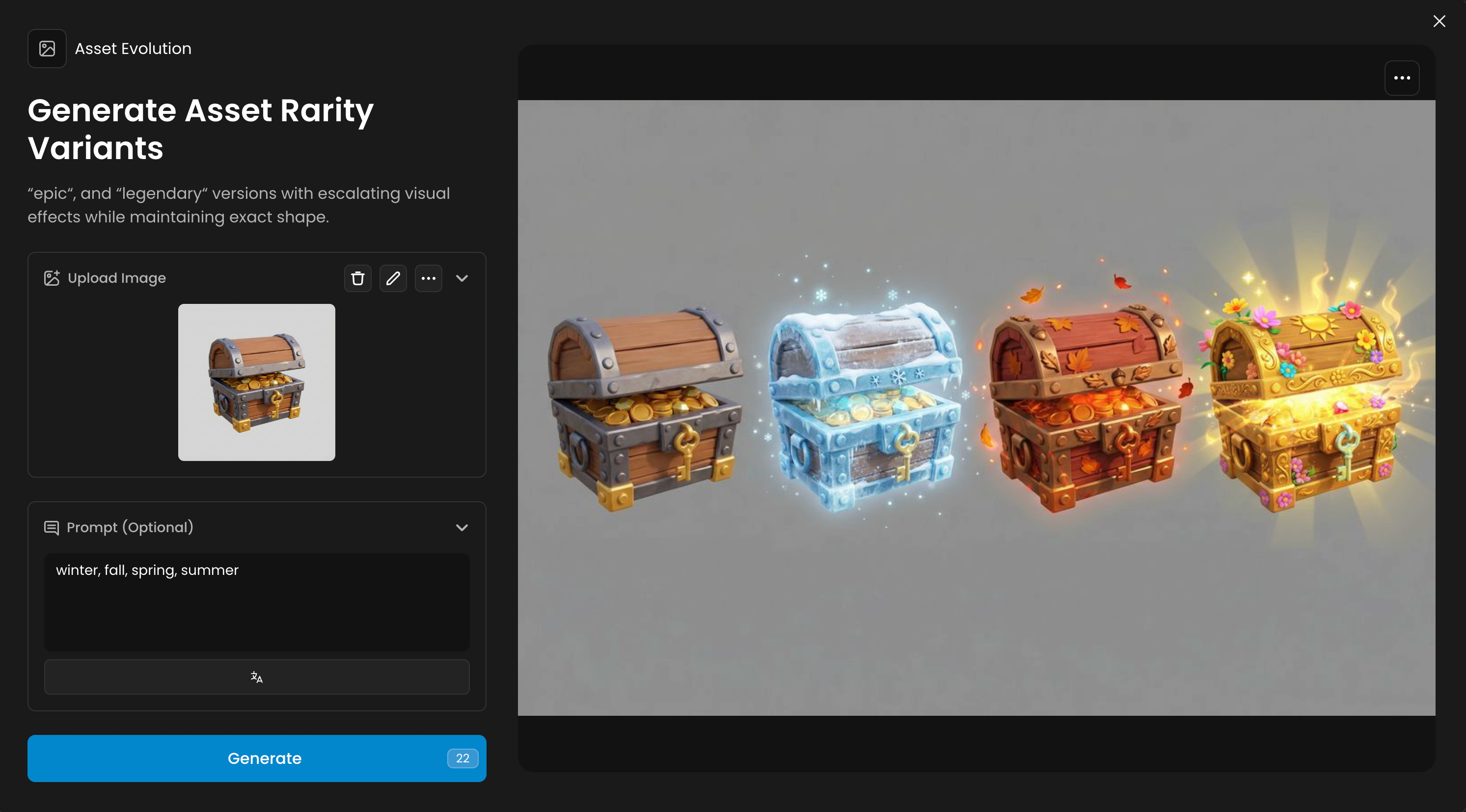
Asset Evolution
Categories: Gaming, Effects
Generates rarity variants for any object in a sequence. The shape remains the same while visual effects increase, which is useful for inventories, progression systems, or collectibles.
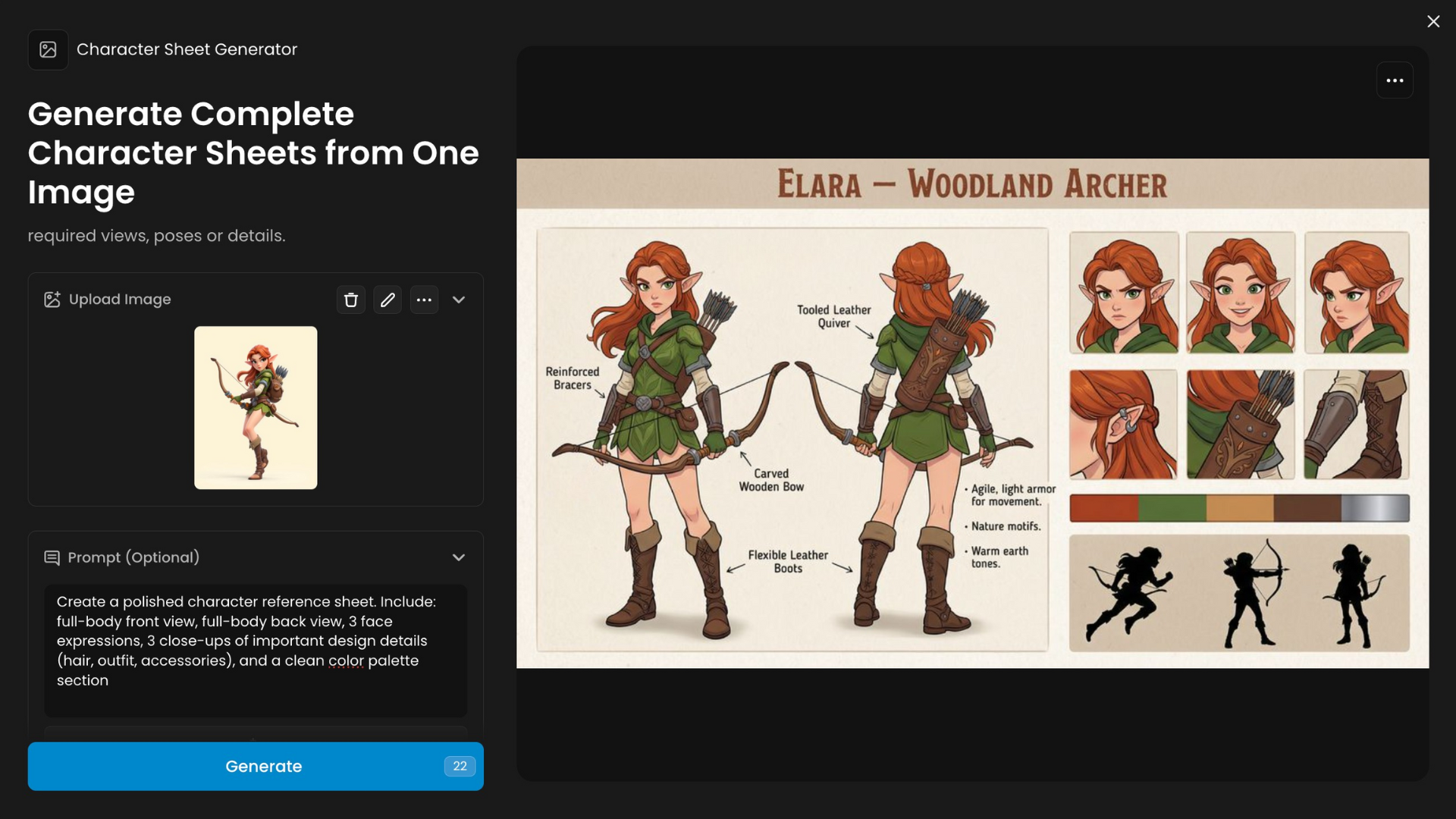
Character Sheet Generator
Categories: Gaming, Character Design
Produces character sheets from a single input image. Users can request additional poses, angles, or details to support animation or game documentation
Turnaround Studio
Categories: Character Design, Gaming
Generates front, side, and back views of a character. The results maintain style and proportions, helping with modeling, rigging, or reference sheets.
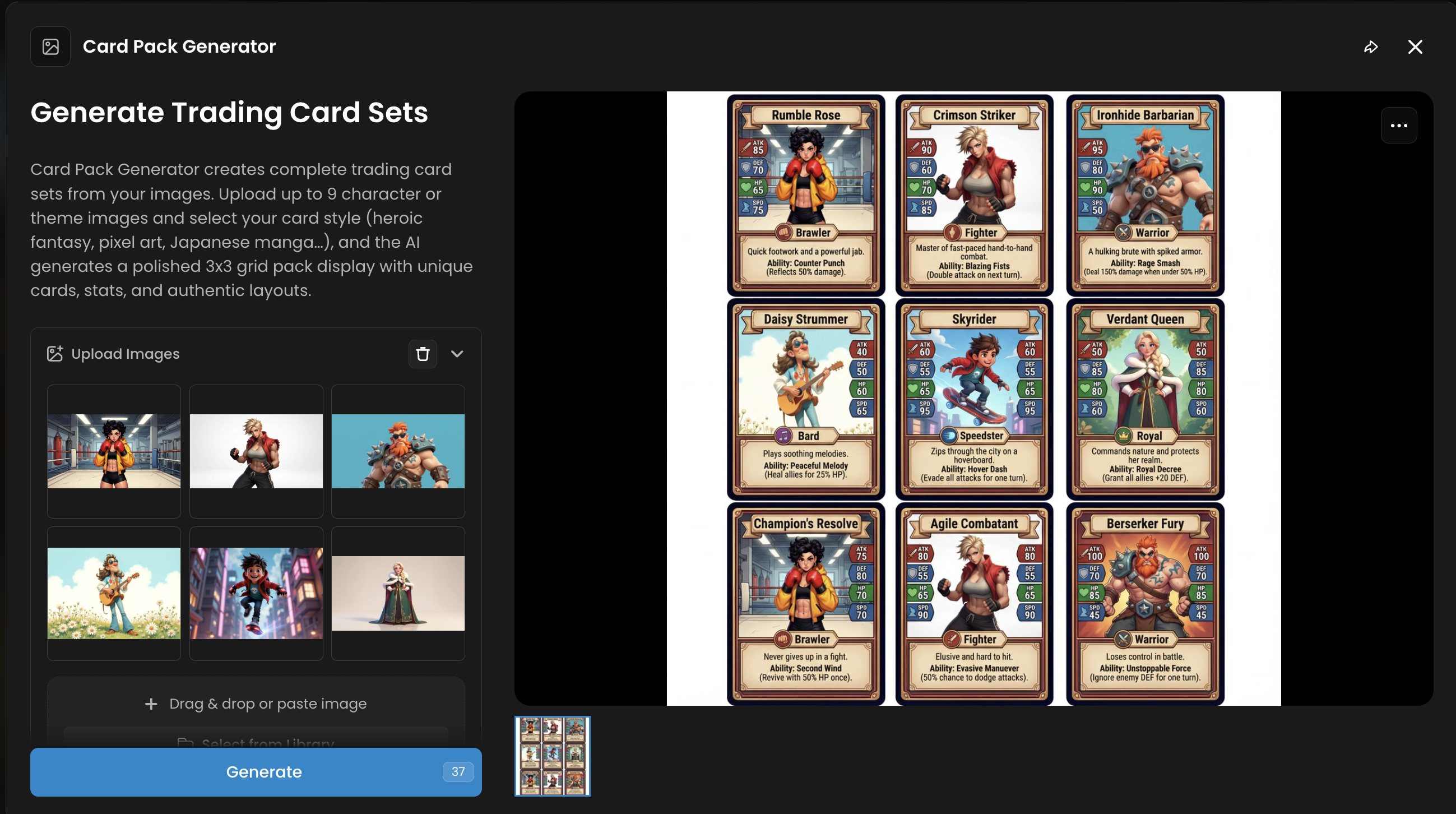
Card Pack Generator
Categories: Gaming, Illustration
Designs collectible card visuals with art and text. It supports trading card games and in-game collectibles.
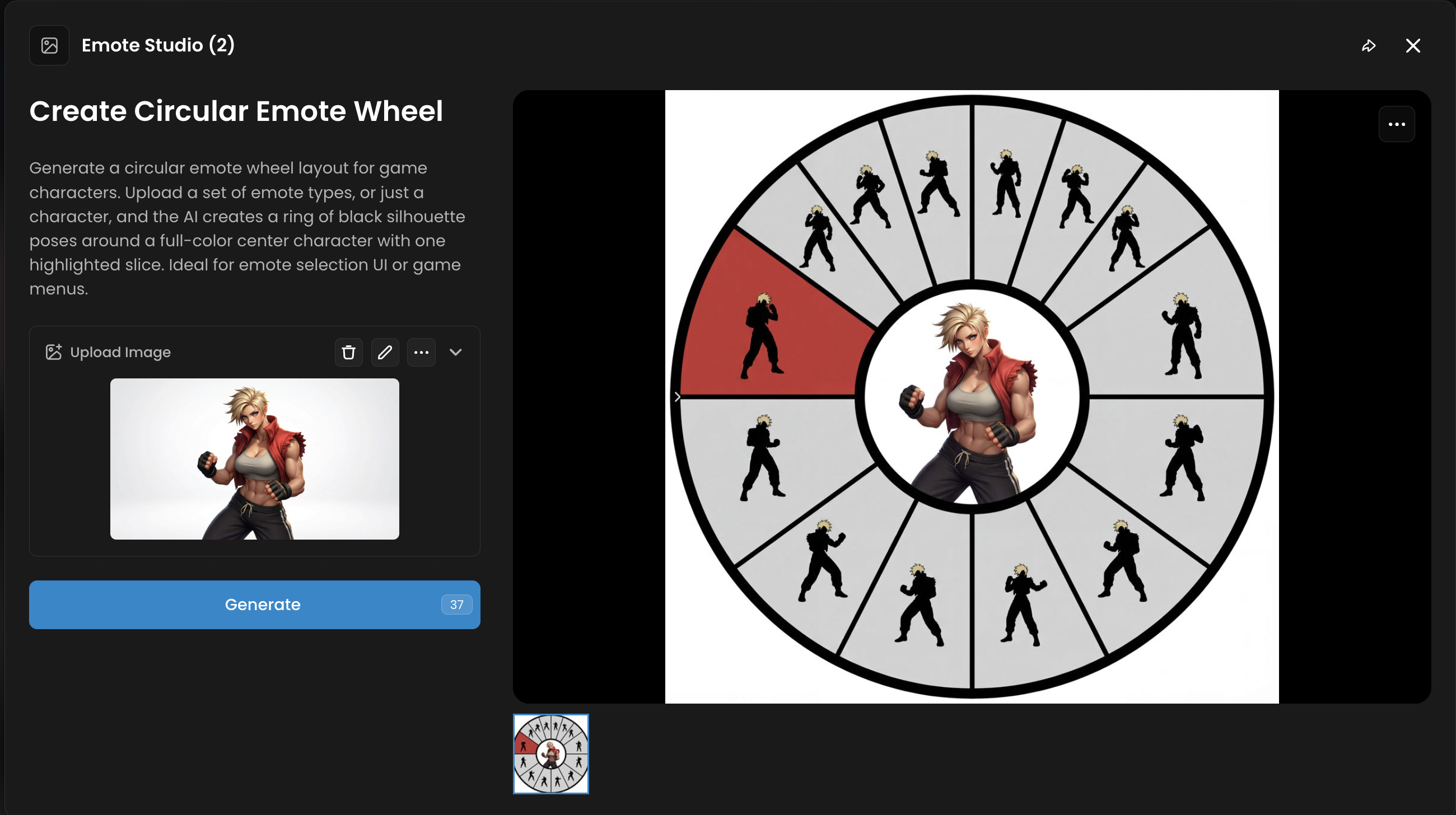
Emote Studio 3
Categories: Gaming, Social, Character Design
Creates three emotional expressions for a character. These emotes are suitable for in-game chat or community features.
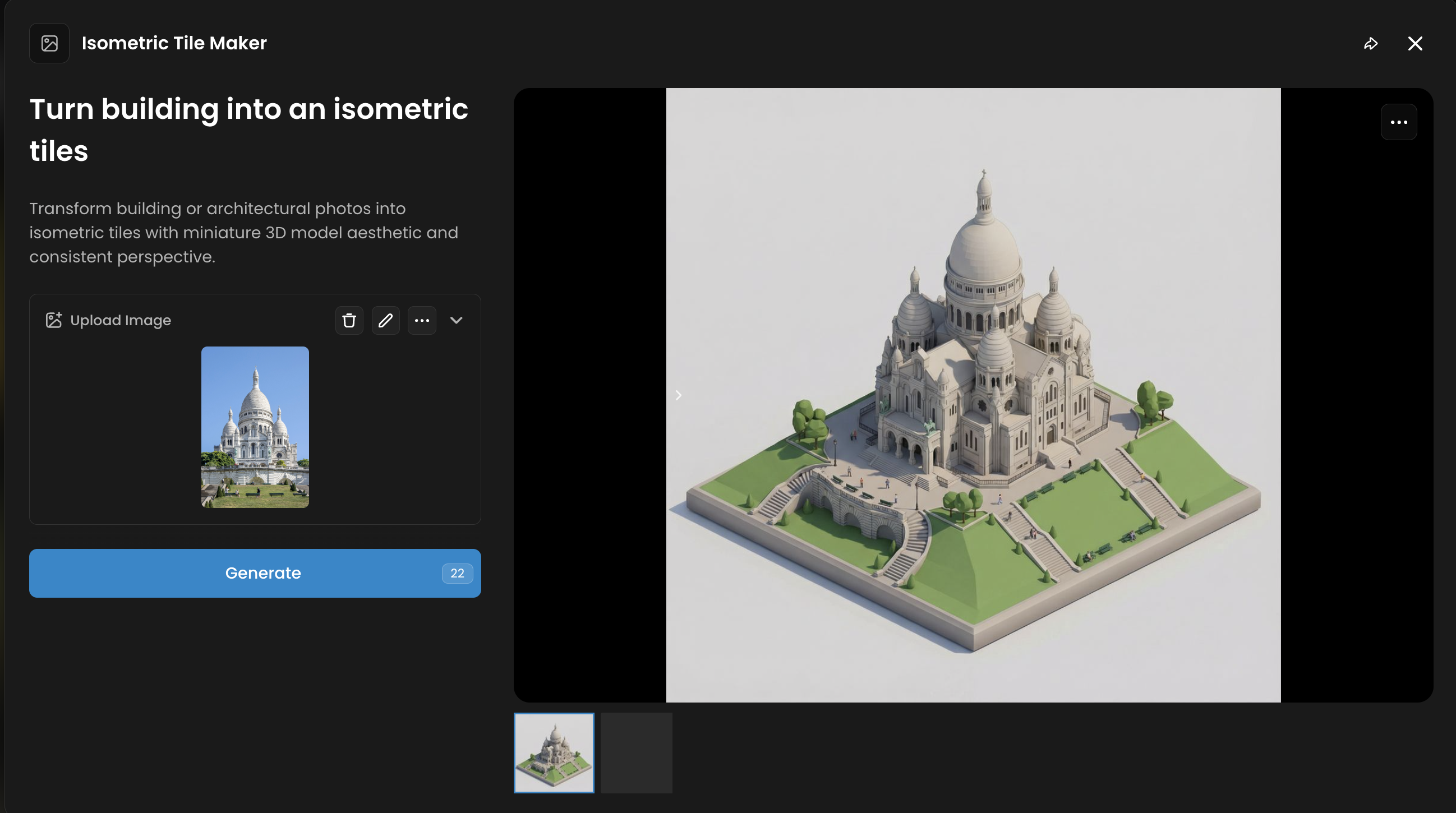
Isometric Tile Maker
Categories: Gaming, Environments
Generates seamless tiles for building isometric maps. All tiles share perspective and style, making it easy to construct levels.
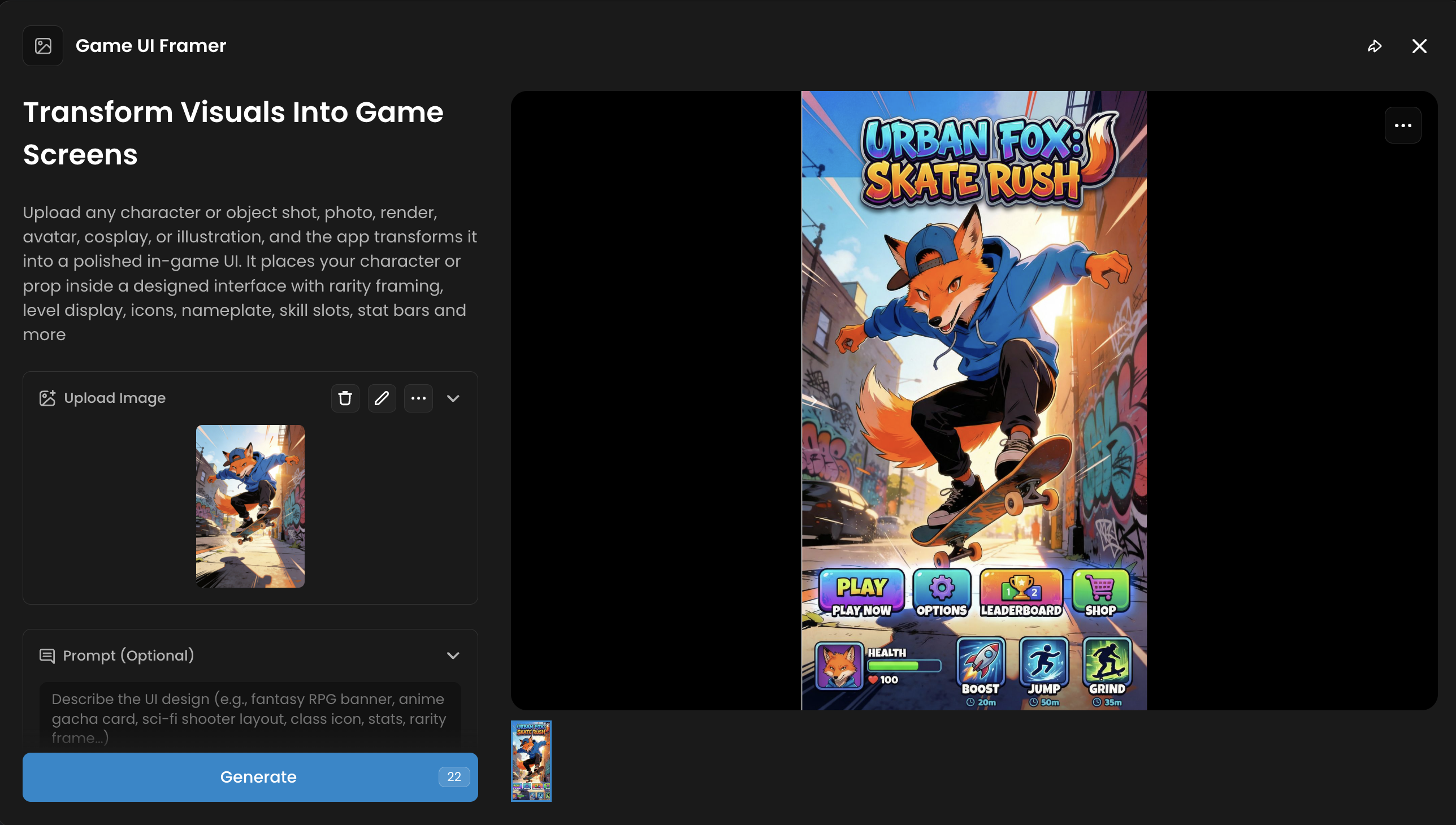
Game UI Framer
Categories: UI, Design
Provides layouts and frames for interface elements such as menus and buttons. Styles can be matched to a game’s visual direction.
Was this helpful?