
Introduction
AI lip sync technology allows the synchronization of a character’s or person’s lip movements with an audio track or written text converted into speech. Depending on the model, you can upload an image or video together with audio, or simply provide text to generate both the voice and the synchronized lip movement. Different models focus on specific strengths, such as realism, speed, creative control, or avatar generation.
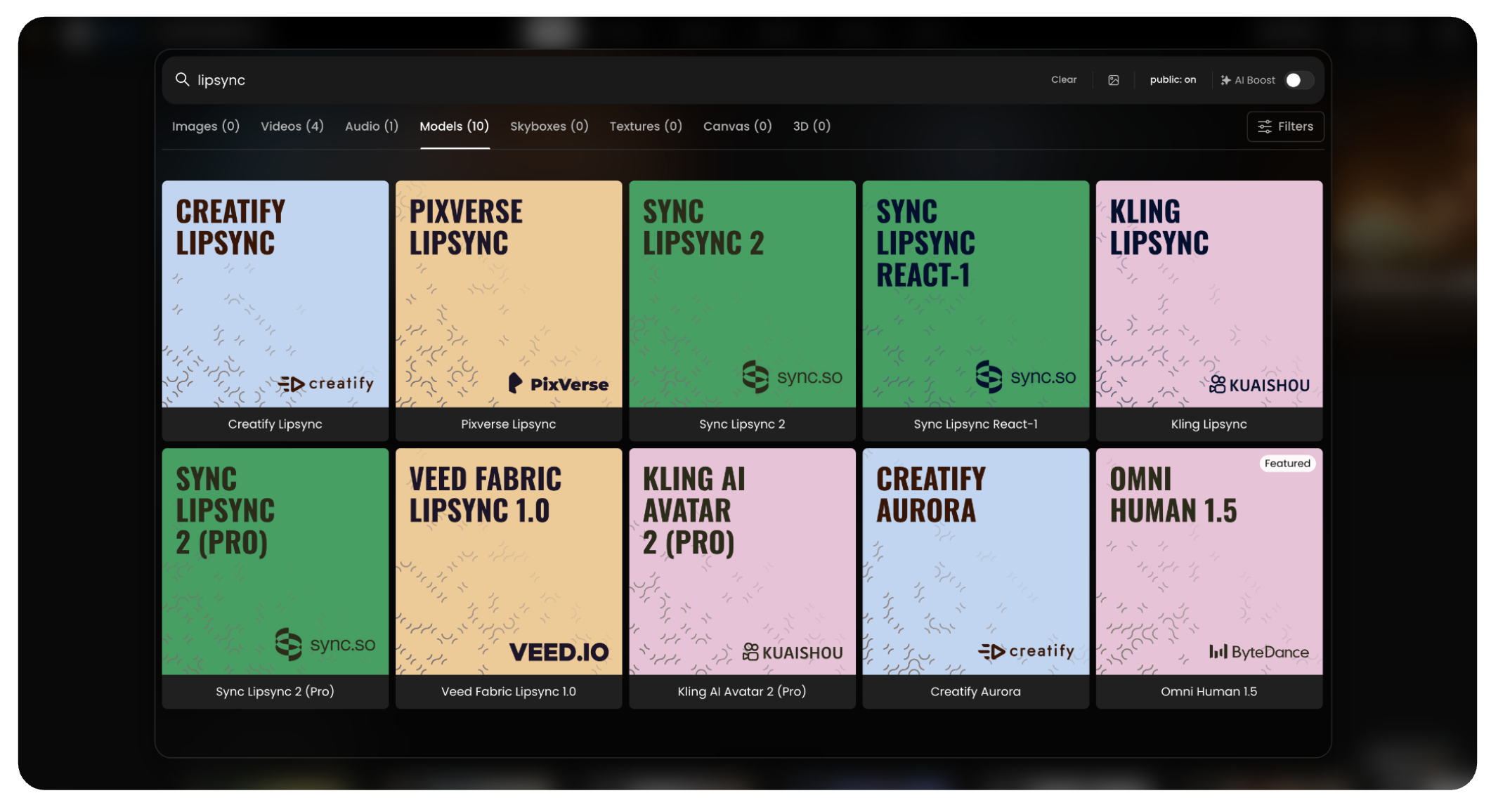
This article introduces several available models and their key features.
This example shows how it is possible to achieve high-quality lip sync. The video was generated with OmniHuman, where the character not only speaks in sync with the audio but also moves naturally, adding personality and expressiveness.
Tips and Best Practices
Use images or videos where the mouth is clear and visible.
Avoid fast camera movements to keep tracking accurate.
OmniHuman, Creatify, Kling, and Pixverse handle both realistic and stylized/cartoon characters very well.
Sync Lipsync is more limited to realistic characters.
Match video and audio length to avoid cutoffs.
In text-to-speech, use capital letters and exclamation marks for stronger expression.
High-quality, front-facing inputs give the best results.
Try different voices and speeds to improve naturalness.
Always render the video to check the final lip sync quality.
You can also create audio directly in the platform ([link here]).
Lip Sync Models
1. OmniHuman 1.5
General description:
Advanced evolution of OmniHuman for realistic digital human video generation from a single image and audio.
Key Features:
Image + Audio input for creating full video outputs with natural gestures and emotion
Higher lip sync accuracy and more expressive motion compared to previous versions
Supports photorealistic and stylized character styles
2. Creatify Aurora
General description:
A video generation model focused on creative avatar animation and cinematic effects.
Key Features:
Image + Audio input for stylized animated results
Integrated creative controls for look and motion
Note: This article retains the entry for reference, but this model will be removed soon
3. Sync Lipsync React-1
General description:
A foundational lip sync model for synchronizing video with audio.
Key Features:
Video + Audio input to edit mouth movements of an existing video
Fast generation and broad compatibility
4. Kling AI Avatar 2 (Pro)
General description:
Next-generation version of Kling’s avatar lip-sync, optimized for both speed and quality.
Key Features:
Image + Audio and Video + Audio input support for flexible workflows
Professional presets and enhanced mouth articulation
5. Veed Fabric Lipsync 1.0
General description:
A beginner-friendly model that animates photos into talking videos with speech-driven motion.
Key Features:
Image + Audio input for quick talking-head video generation
Preserves original image style and offers fast processing
6. Sync Lipsync v2 PRO
Description: An advanced lip-syncing model designed to achieve high-fidelity mouth animation by synchronizing existing video footage with a new audio track.
Key Features:
Input: Video + Audio input to accurately alter the lip movements of a source video.
Advanced generation controls including Temperature for expressiveness and Sync Mode options (e.g., Loop).
Active Speaker detection to isolate and animate only the primary face in the video.
7. Pixverse Lipsync
Description: Part of the Pixverse ecosystem, this model supports audio upload and text-to-speech, maintaining the cinematic quality and style of the original input video. Key features:
Input: Video + Audio
Style Preservation: Maintains the cinematic look of the input video.
Stable Sync: Provides solid lip tracking with minimal artifacts on the surrounding face area.
8. Kling LipSync
General description
Focused on short, fast lip sync generation from uploaded video and audio or text.
Key features
Video + Audio input for quick iterations
Supports both audio upload and text-to-speech.
Adjustable voice speed and type.
Simple workflow, best for quick clips.
9. Sync Lipsync v2
General description
A “zero-shot” model that aligns any video with new audio while preserving the original speaking style.
Key features
Video + Audio input with better realism and improved speaker identity preservation
Preserves speaker identity and expression.
Multi-speaker support with active speaker detection.
How to Compare Models
When choosing a lip sync model, consider:
Realism vs. Creativity – some focus on lifelike results, others on stylistic effects.
Input types – image-based avatars, video re-dubbing, or mixed workflows.
Limitations – video length, resolution, or face detection accuracy.
Conclusion
AI lip sync tools are rapidly evolving, offering a wide range of options for creators, marketers, and developers. Whether the goal is hyper-realistic avatars from images, cinematic video generation, fast and simple clips, multi-speaker dubbing, or image-to-video animation, each model brings unique strengths. By understanding the trade-offs in realism, flexibility, and technical requirements, users can select the model that best fits their creative or professional needs.
Was this helpful?