
Deep Dive: Using Scenario Apps for Gaming
Scenario Apps provide a powerful toolkit for game developers, accelerating asset creation and enabling rapid prototyping. By simplifying complex AI workflows into one-click solutions, developers can generate high-quality, consistent game assets in a fraction of the time. This deep dive explores the key Apps in the Gaming category and their specific applications in game development.
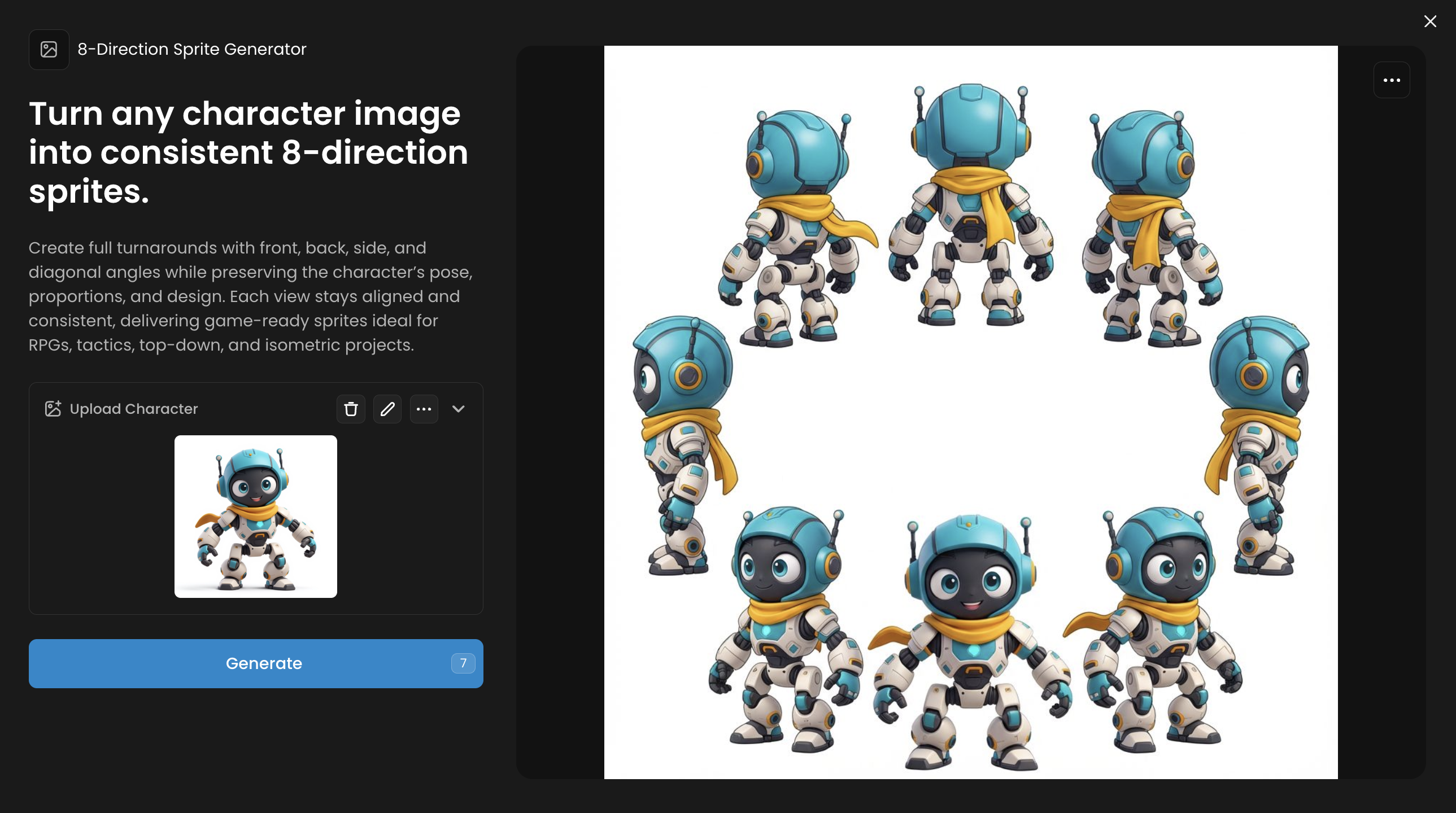
8-Direction Sprite Generator
Core Function: Turn any character image into consistent 8-direction sprites.
Create full turnarounds with front, back, side, and diagonal angles while preserving the character’s pose, proportions, and design. Each view stays aligned and consistent, delivering game-ready sprites ideal for RPGs, tactics, top-down, and isometric projects.
Workflow: Upload a single, front-facing image of a character. The App automatically generates a full 8-direction sprite sheet (front, back, sides, and diagonals).
Pro-Tip: Start with a character designed with a simple, symmetrical base to ensure consistency across all eight angles.
Use Case Example: Quickly create top-down or isometric sprite sheets for characters in a 2D RPG or adventure game.
Asset Evolution
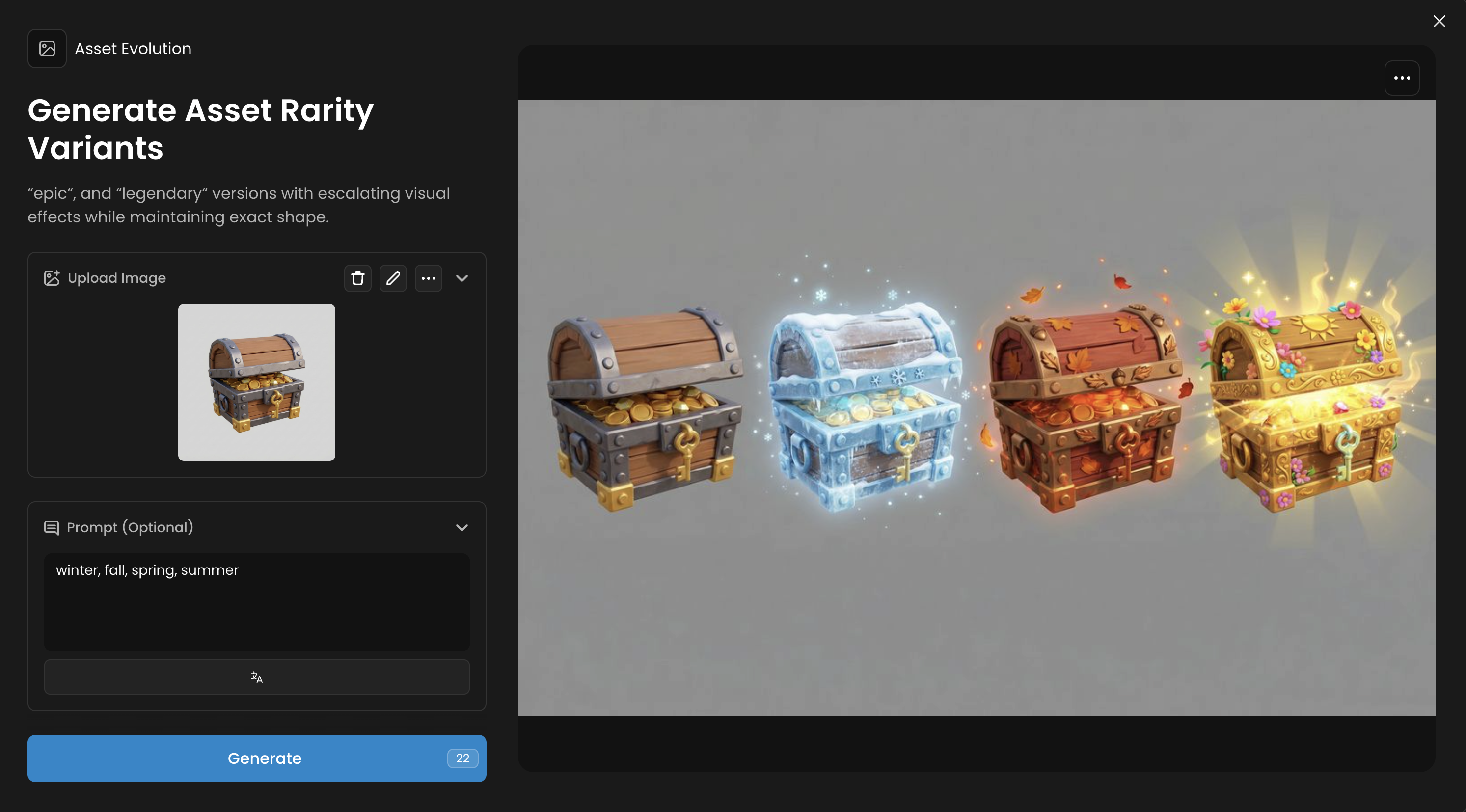
Core Function: Generate Asset Rarity Variants
Create rarity variants for any game asset in a 4-item sequence. Upload any game object and optionally describe variant themes, and the AI generates the “rare”, “epic“, and “legendary“ versions with escalating visual effects while maintaining exact shape.
Workflow: Upload a base asset (like a sword or shield) and use a prompt to describe the evolution (e.g., "level 1 to level 5," "common to legendary"). The App generates rarity or power variants.
Pro-Tip: Use simple numerical or rarity-based prompts for clear progression. For example, just ‘variant A, variant D, variant C, variant D" works well. Or leave the prompt empty.
Use Case Example: Create the full set of loot drops for an enemy, showing the visual progression from a common item to a rare and legendary version.
Character Remix
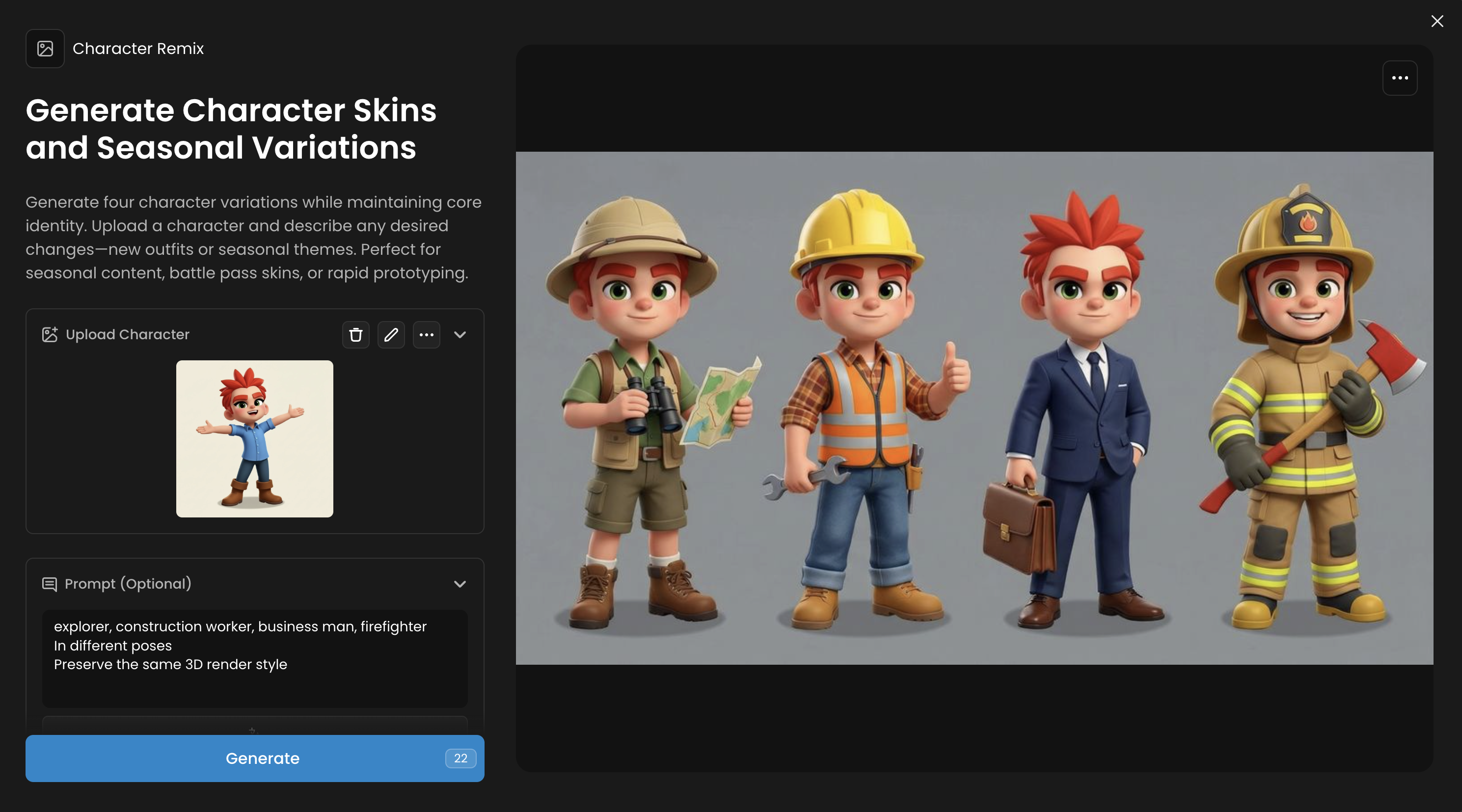
Core Function: Generate Character Skins and Seasonal Variations
Generate four character variations while maintaining core identity. Upload a character and describe any desired changes—new outfits or seasonal themes. Perfect for seasonal content, battle pass skins, or rapid prototyping.
Workflow: Upload a base character image and use a text prompt to describe the desired transformation (e.g., "ice king skin," "sci-fi armor"). The App generates four variations based on your input.
Pro-Tip: Use clear and descriptive keywords in your prompt for more accurate results. Mentioning specific colors, materials, or themes works best.
Use Case Example: Rapidly create a full set of elemental skins (fire, water, earth, air) for a character to be included in a new battle pass.
Character Sheet Generator
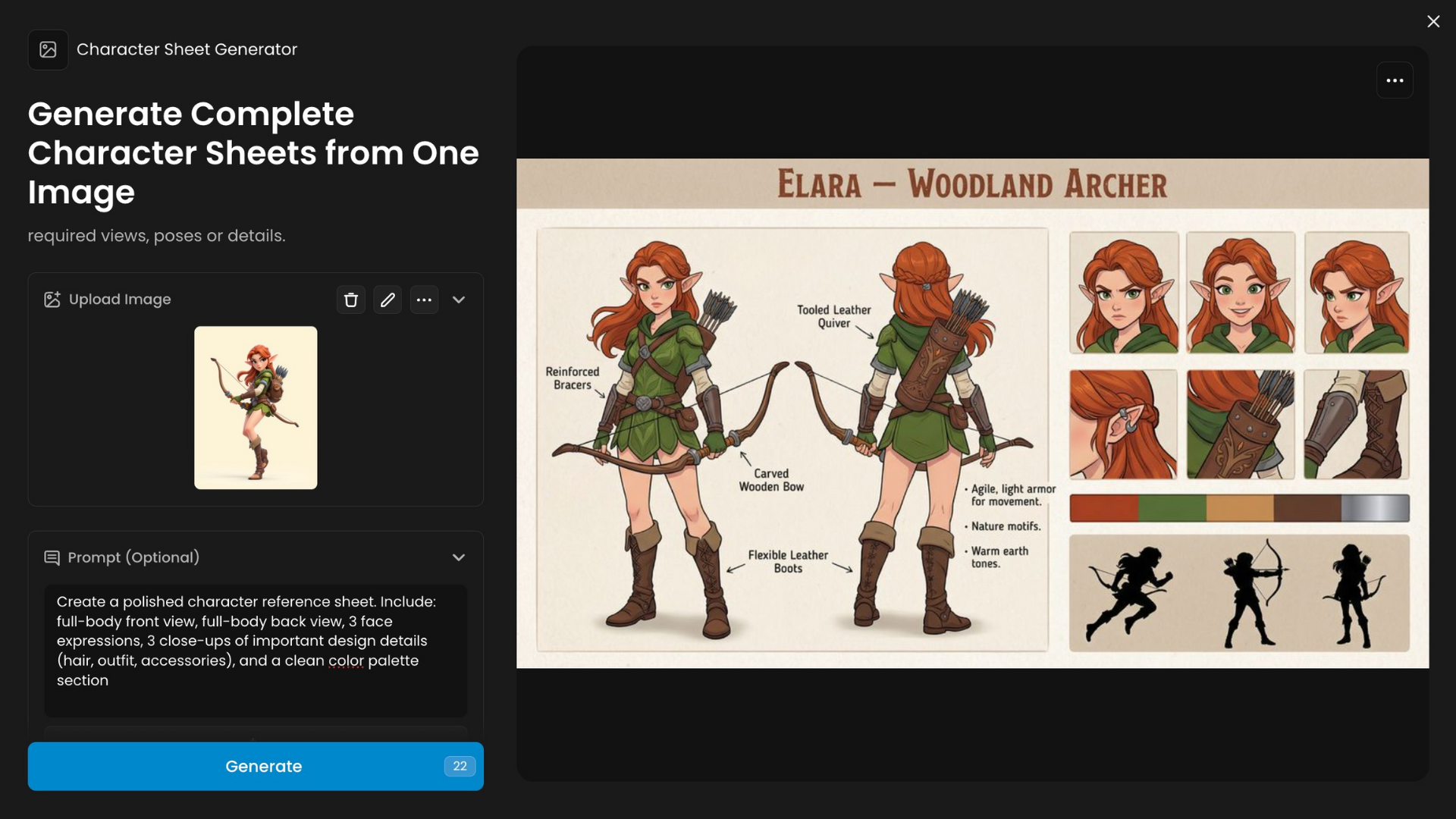
Core Function: Generate Complete Character Sheets from One Image
Character Sheet Generator produces character documentation visuals from a single image or concept. Upload one image of the character and describe required views, poses or details.
Workflow: Provide a single full-body image of your character. The App generates a complete character sheet including a front view, back view, and detailed close-ups.
Pro-Tip: A high-resolution input image with the character in a neutral 'T-pose' or 'A-pose' will yield the most accurate and detailed results.
Use Case Example: Standardize character designs for a 3D modeling team or create reference sheets for animators and artists.
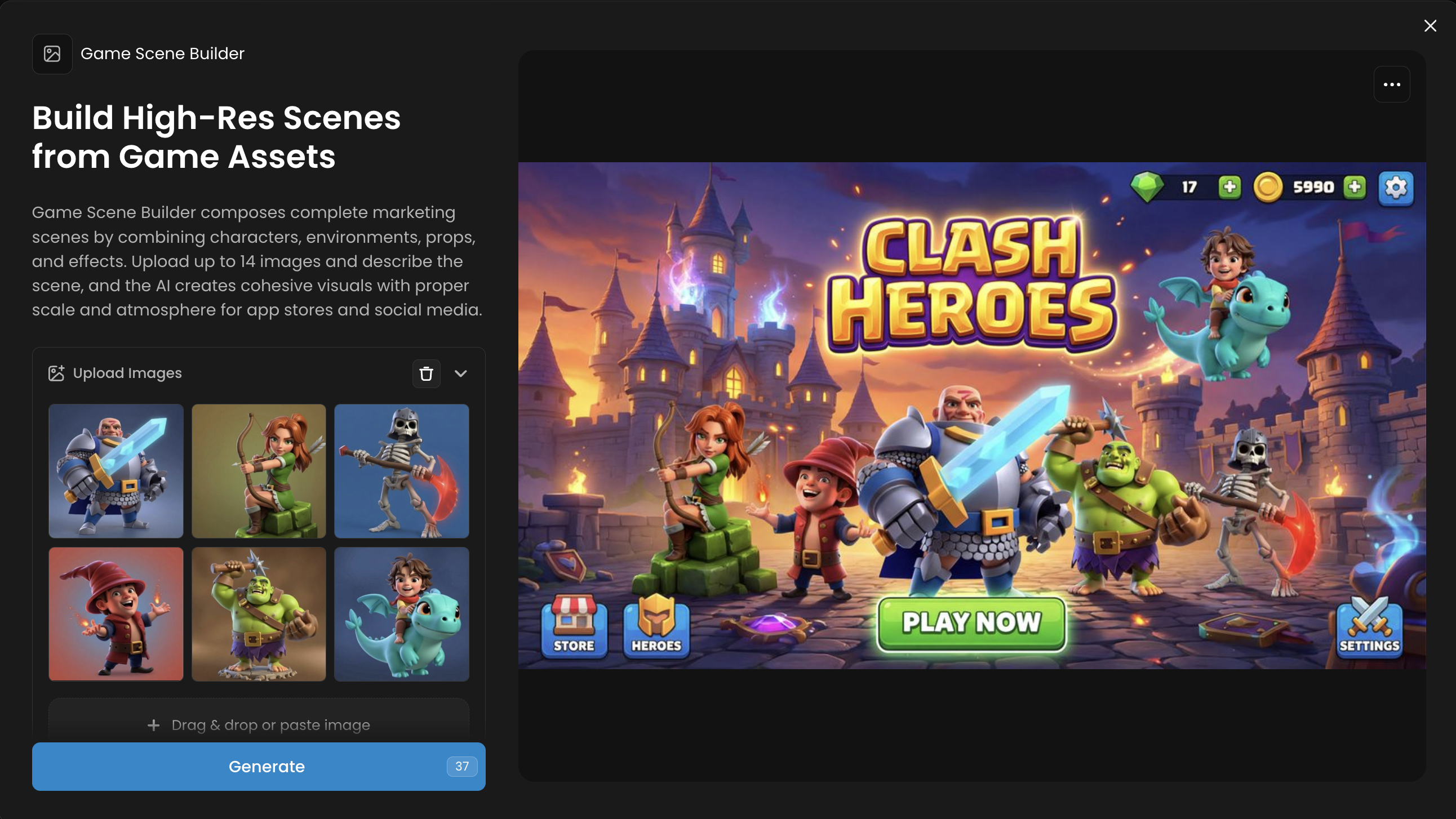
Game Scene Builder
Core Function: Build High-Res Scenes from Game Assets
Game Scene Builder composes complete marketing scenes by combining characters, environments, props, and effects. Upload up to 14 images and describe the scene, and the AI creates cohesive visuals with proper scale and atmosphere for app stores and social media.
Workflow: Upload a collection of game assets (props, characters, background elements) and describe the scene you want to build. The AI arranges the assets into a cohesive, high-resolution scene.
Pro-Tip: Label your assets with clear filenames (e.g., "tree.png," "rock.png") to help the AI understand and place them correctly.
Use Case Example: Build a level mockup or a promotional background scene for your game's website using existing in-game assets.
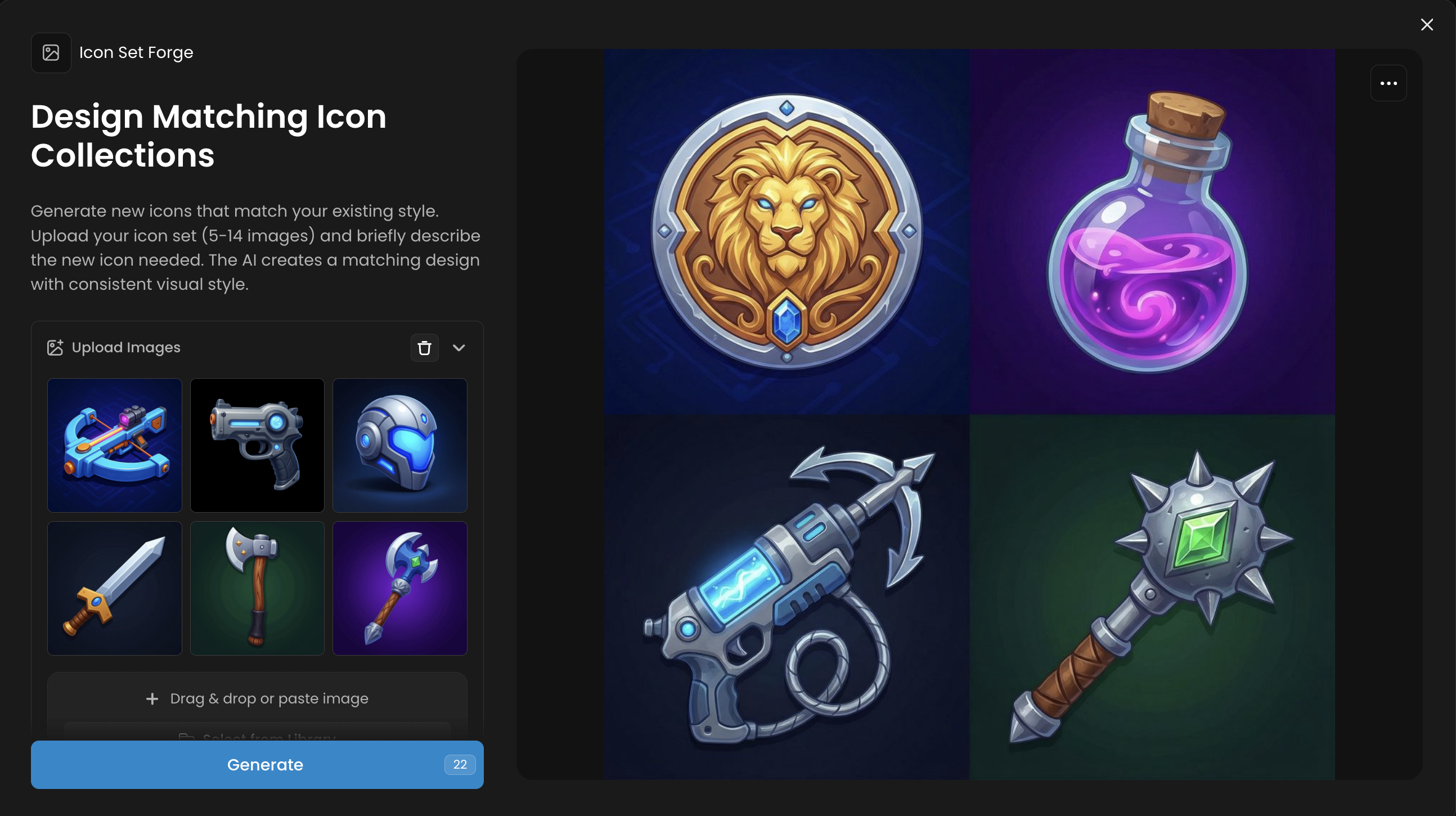
Icon Set Forge
Core Function: Design Matching Icon Collections
Generate new icons that match your existing style. Upload your icon set (5-14 images)n either in individual images, or as a grid. And briefly describe the new icon needed. The AI creates a matching design with consistent visual style.
Workflow: Briefly bescribe the style and subject for your icons (e.g., "fantasy potion icons in a painterly style"). The App generates a full set of matching icons.
Pro-Tip: Specify both the theme and the desired artistic style in your prompt to guide the AI toward a consistent and unique icon set.
Use Case Example: Create a complete set of skill icons, inventory items, or UI buttons for a new mobile game.
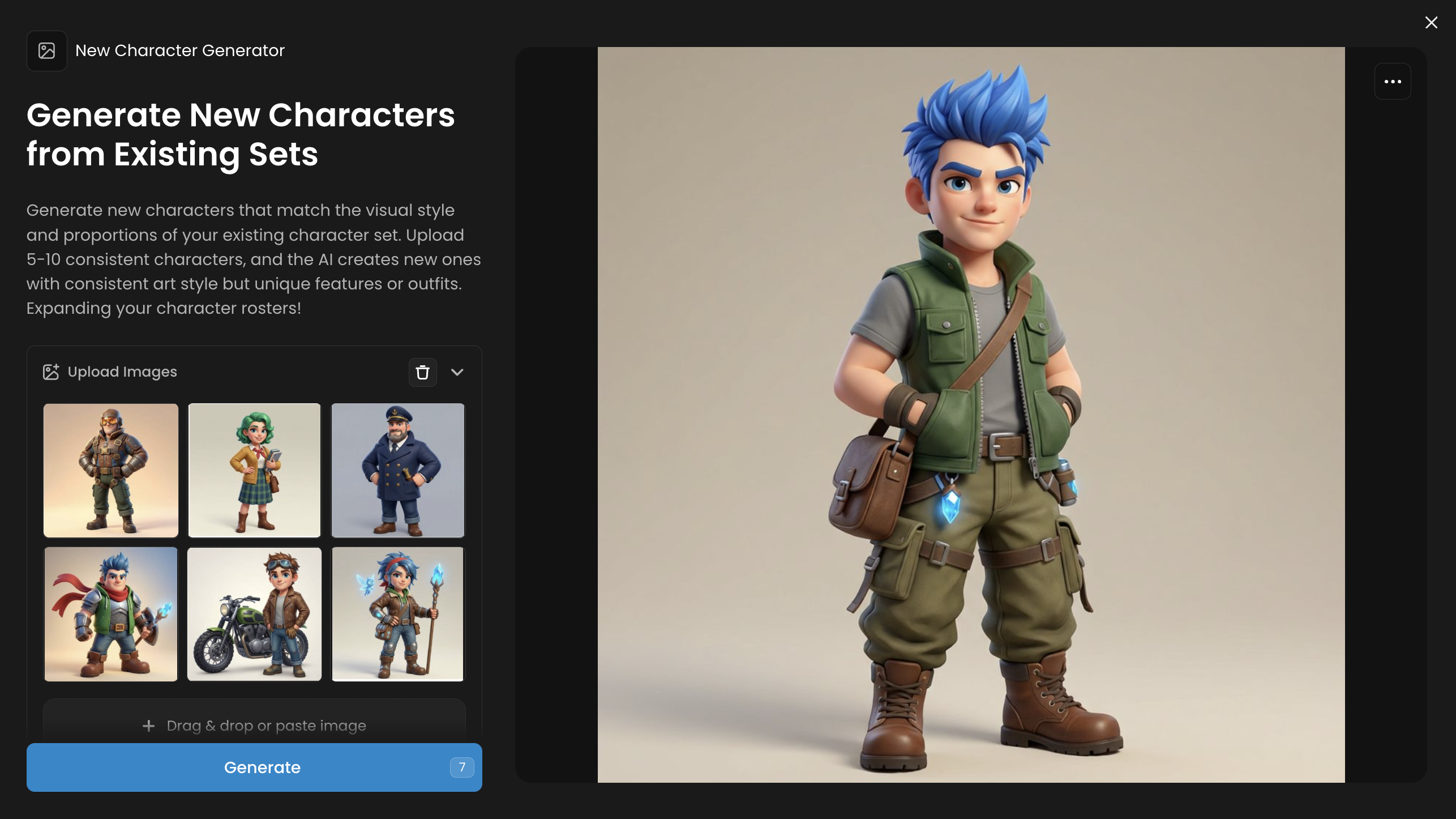
New Character Generator
Core Function: Generate New Characters from Existing Sets
Generate new characters that match the visual style and proportions of your existing character set. Upload 5-10 consistent characters, and the AI creates new ones with consistent art style but unique features or outfits. Expanding your character rosters!
Workflow: Provide a set of 5-10 existing characters that define your game's art style. The App learns the style and generates entirely new, unique characters that fit seamlessly into your roster.
Pro-Tip: Ensure the input character images are consistent in their lighting, perspective, and style for the best results. Clean, forward-facing shots work well.
Use Case Example: Expand the roster of a mobile RPG with new heroes and villains that match the established visual identity, without needing to commission new art for each one.
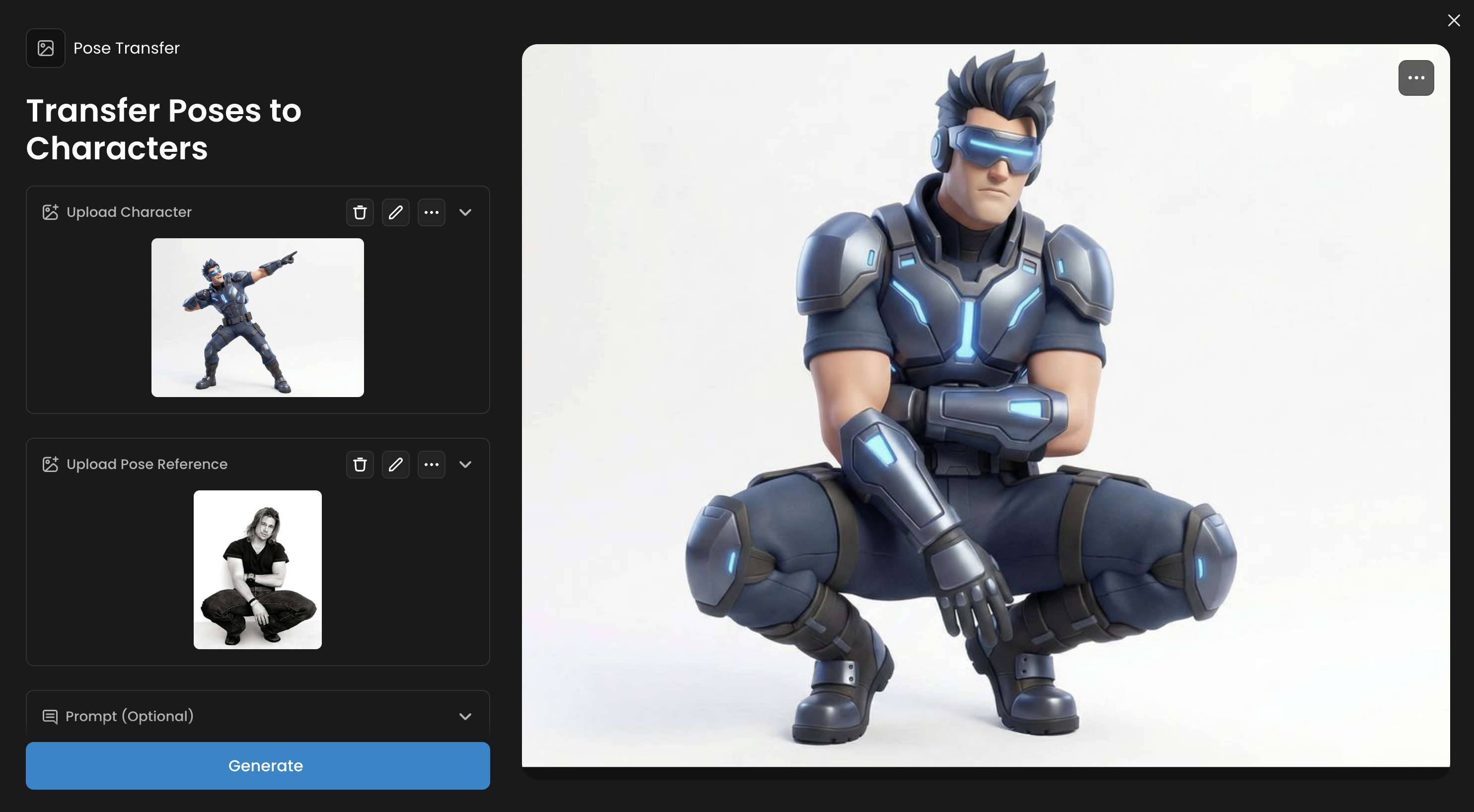
Pose Transfer
Core Function: Transfer Poses to Characters
Transfer any pose to your character. Upload a pose reference image and your character, and the AI applies that pose while maintaining the character's appearance. Perfect for animation, character sheets, and consistent pose creation across multiple characters.
Workflow: Upload your source character and a reference image containing the desired pose. The App applies the pose to your character while preserving its design and proportions.
Pro-Tip: Reference images with clear silhouettes and distinct limb positions produce the most accurate pose transfers. Also, matching the body proportions (size, gender) of the “pose reference“ and character will work best
Use Case Example: Create a consistent set of character animations (idle, run, jump, attack) by applying poses from a single reference sheet to multiple characters
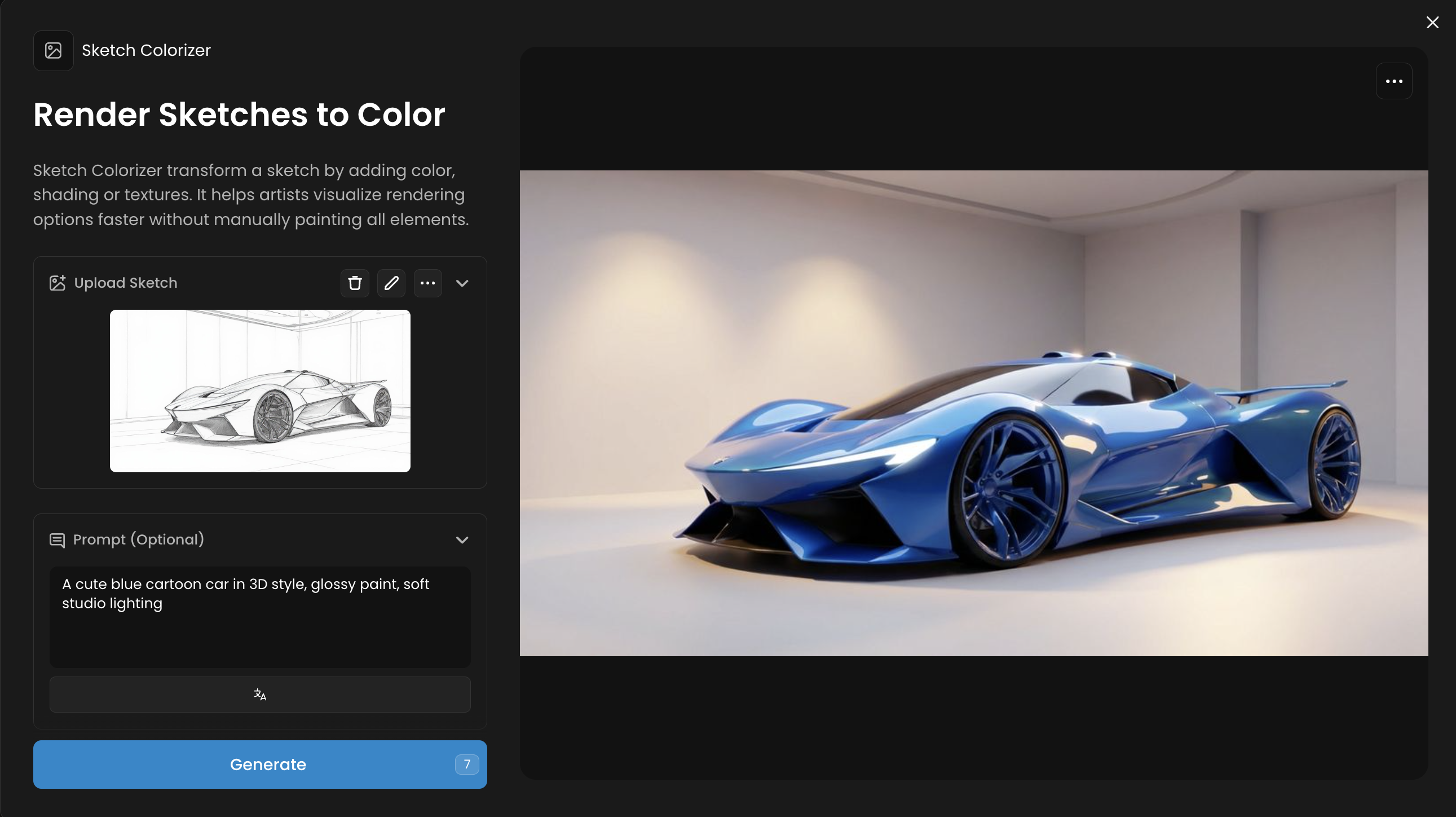
Sketch Colorizer
Core Function: Render Sketches to Color
Sketch Colorizer transform a sketch by adding color, shading or textures. It helps artists visualize rendering options faster without manually painting all elements.
Workflow: Upload a black-and-white sketch and use a prompt to describe the desired color palette or mood. The App applies color, shading, and texture.
Pro-Tip: Clean line art with closed shapes will produce the best results, as it helps the AI distinguish different areas to color.
Use Case Example: Quickly iterate on color concepts for a new character or environment design before committing to a final palette.
Splash Screen Composer
Core Function: Compose Event Splash Screens from Game Assets
Splash Screen Composer creates polished event splash screens by combining multiple game elements. Upload images and describe the event, and the AI arranges them with depth and hierarchy.
Workflow: Upload multiple game assets (characters, items, logos) and provide a text prompt describing the scene or event. The AI composes these elements into a polished splash screen.
Pro-Tip: For better compositions, upload assets with transparent backgrounds (PNGs). This allows the AI to layer them more effectively.
Use Case Example: Generate a promotional splash screen for a seasonal in-game event, like a "Summer Festival" or "Halloween Special," in minutes.
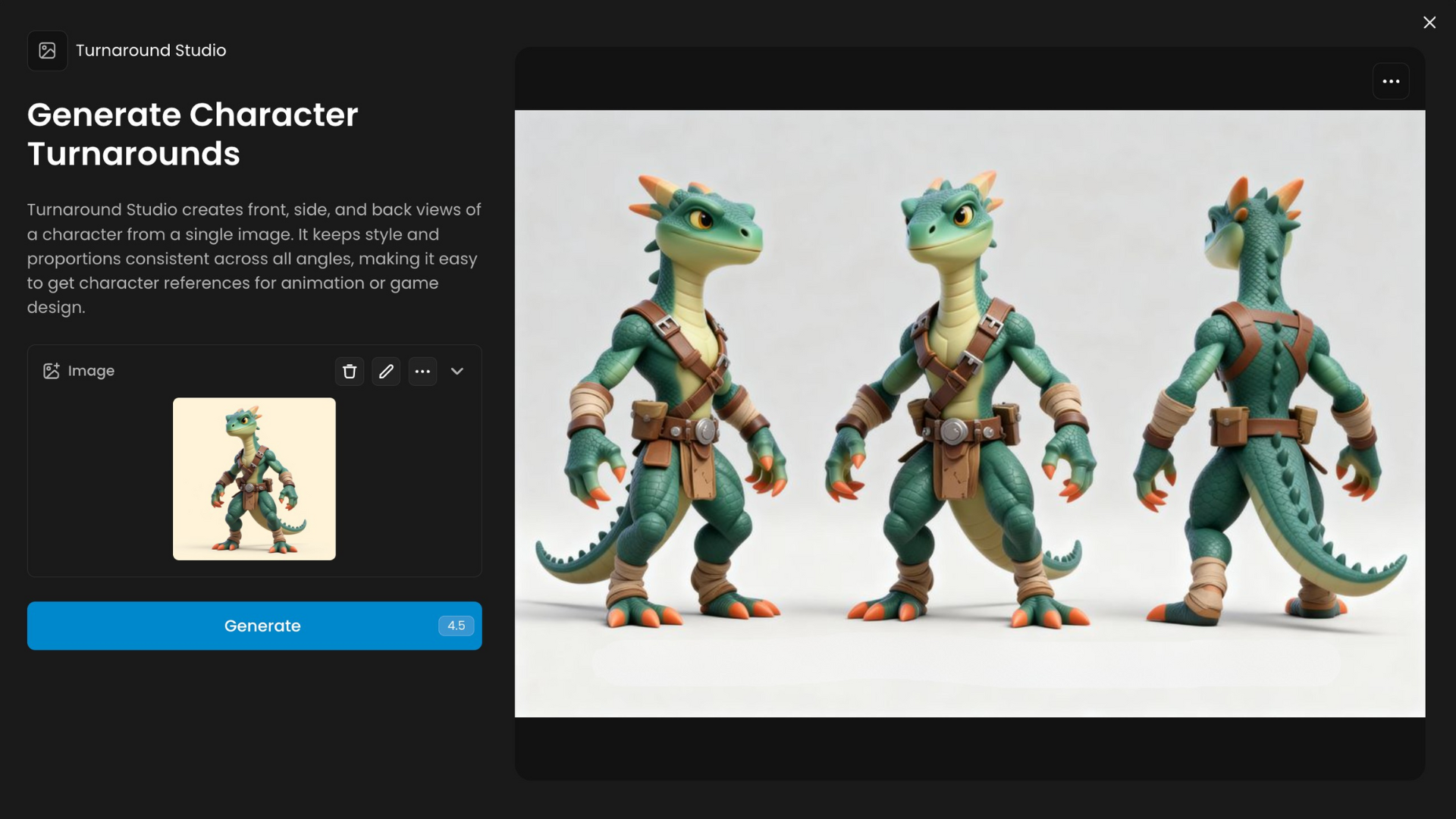
Turnaround Studio
Core Function: Generate Character Turnarounds
Turnaround Studio creates front, side, and back views of a character from a single image. It keeps style and proportions consistent across all angles, making it easy to get character references for animation or game design.
Workflow: Upload a single image of a character or object. The App generates a full turnaround view, showing the front, back, and side profiles.
Pro-Tip: This works best with characters or objects that have a relatively simple and symmetrical design.
Use Case Example: Create a 3D modeler-ready reference sheet from a single piece of concept art.
Was this helpful?