
Deep Dive: Using Scenario Apps for Marketing
Scenario Apps offer streamlined apps for creating high-quality marketing visuals, enabling teams to produce promotional content, social media assets, and product showcases with speed and consistency. By leveraging pre-configured AI workflows, marketers can generate compelling imagery without needing deep technical expertise.
Background Swap
Core Function: Replace Any Scene Background
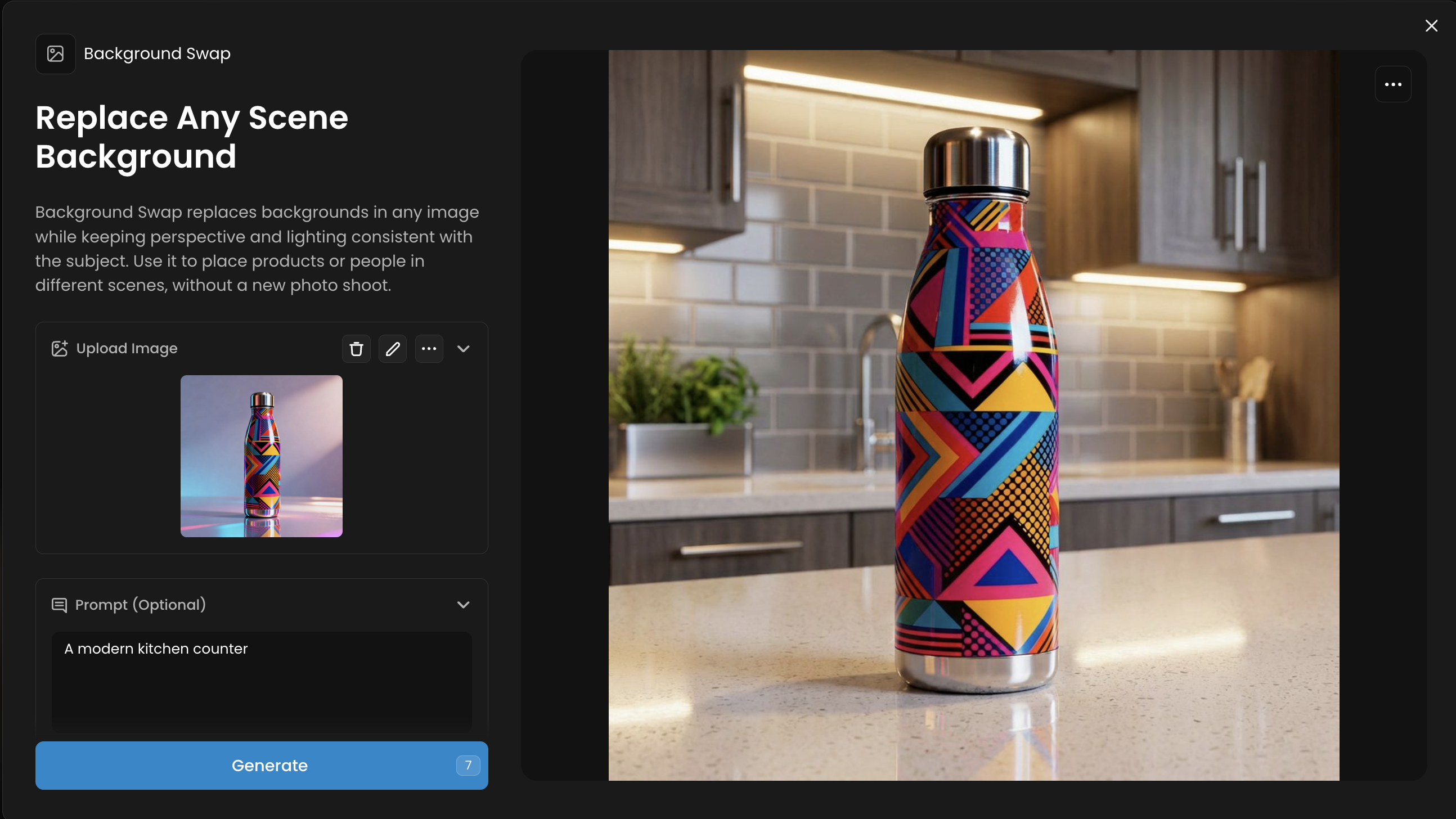
Background Swap replaces backgrounds in any image while keeping perspective and lighting consistent with the subject. Use it to place products or people in different scenes, without a new photo shoot.
Workflow: Upload an image with a subject and use a text prompt to describe the new background (e.g., "a busy city street," "a serene beach at sunset" or anything more details). The App seamlessly replaces the background.
Pro-Tip: Use subjects with clearly defined edges for the cleanest swaps.
Use Case Example: Take a single product photo and place it in multiple lifestyle settings (e.g., a kitchen, a workshop, a backpack) to target different customer segments.
Logo Placer Pro
Core Function: Preview Logos on Any Product
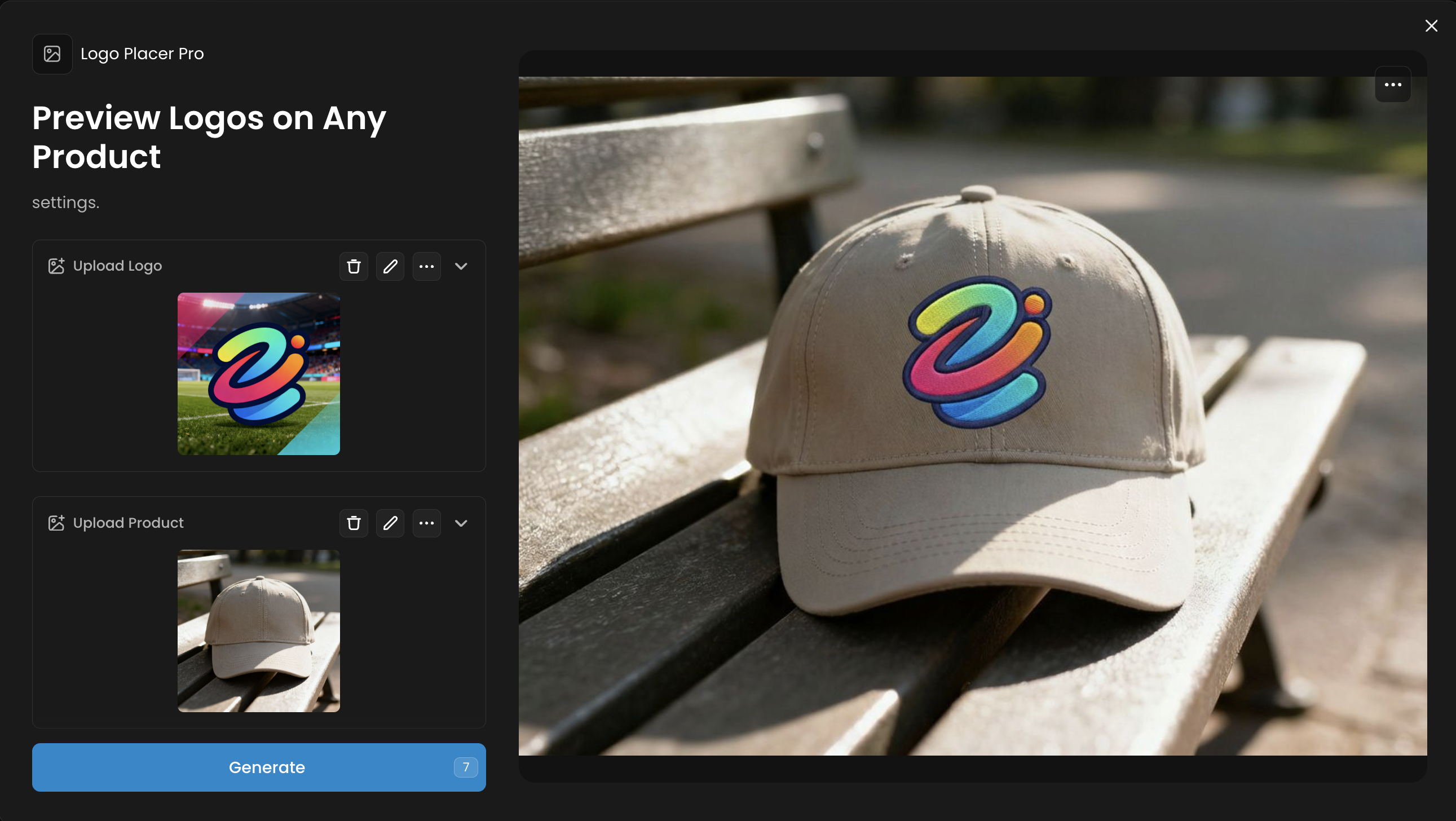
Logo Placer put your logo onto products while matching perspective, lighting, and materials. It adapts to surfaces for a realistic preview, and automatically places your products in the most relevant realistic settings.
Workflow: Upload your logo and a product image. The App automatically places the logo on the product, matching perspective and lighting for a realistic mockup.
Pro-Tip: Use a high-resolution logo with a neutral background for the cleanest results. The App works best on well-lit product photos.
Use Case Example: Generate a full catalog of branded merchandise (t-shirts, mugs, hats) for a new marketing campaign without producing physical samples.
Studio Portrait Maker
Core Function: Create Studio-Quality Portraits
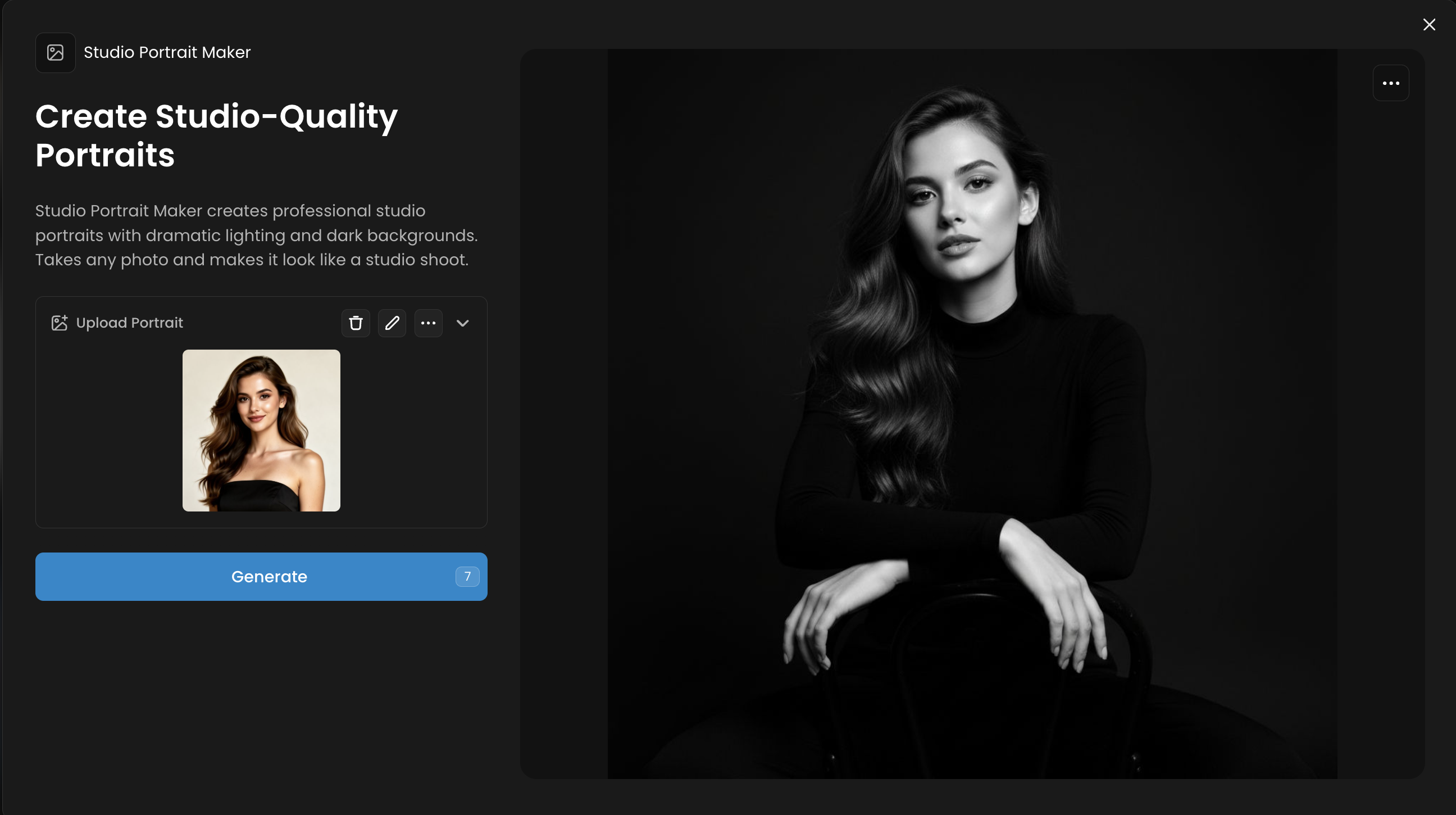
Studio Portrait Maker creates professional studio portraits with dramatic lighting and dark backgrounds. Takes any photo and makes it look like a studio shoot.
Workflow: Upload a casual photo of a person. The App transforms it into a professional studio-quality portrait with balanced lighting and a neutral background.
Pro-Tip: A forward-facing photo does the best results. The App can often correct minor lighting issues.
Use Case Example: Create consistent, professional headshots for an entire team for the company website or LinkedIn profiles from their own casual photos.
Virtual Try On
Core Function: Dress Characters in Any Outfit
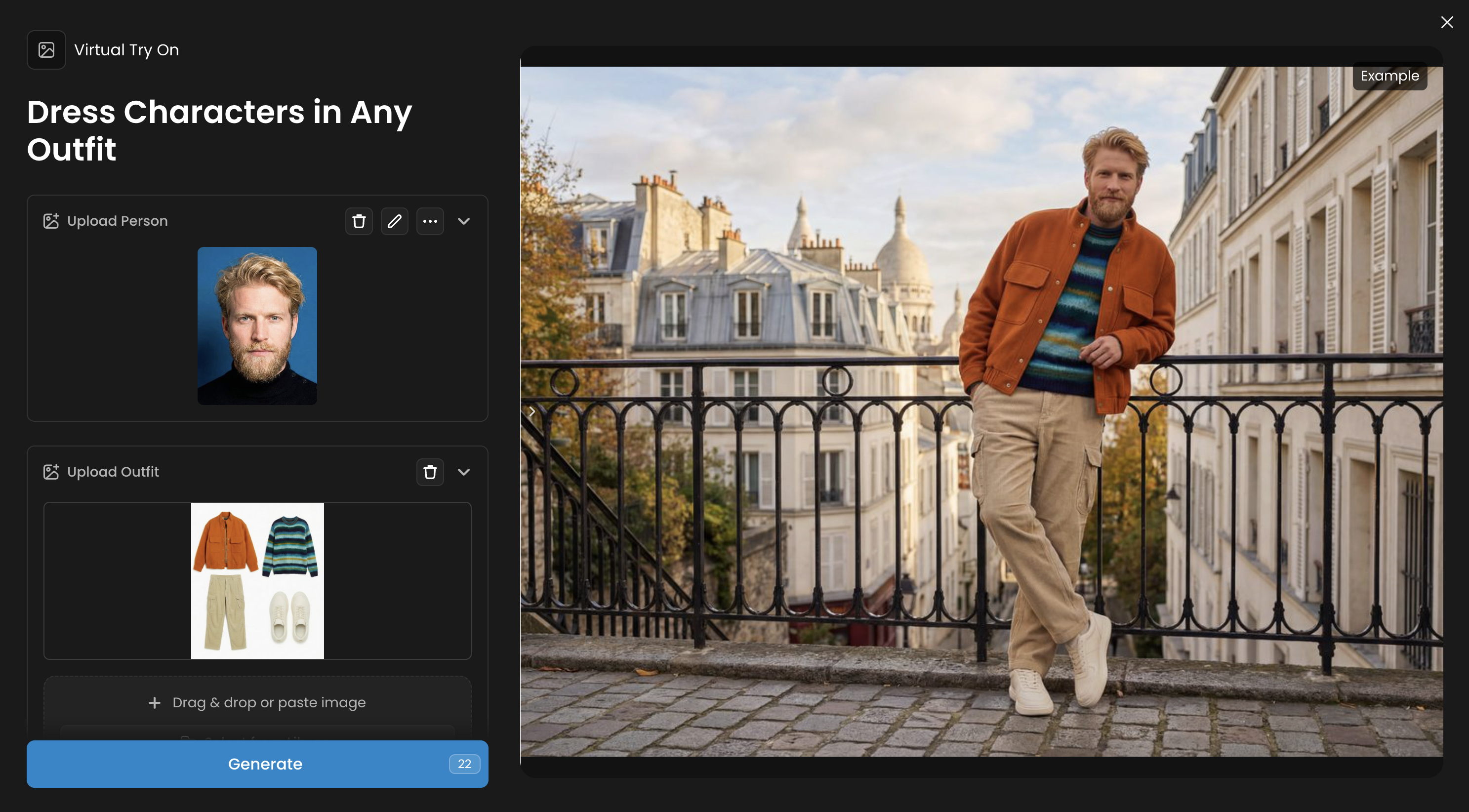
Virtual Try On puts any clothing onto any character. Upload a character photo (portrait or full body) and clothing images, and the AI dresses your character in that outfit with realistic fit and draping, on the same background, on a white background or in a set up that you can define
Workflow: Upload a photo of a model and an image of a clothing item. The App realistically dresses the model in the outfit, adjusting for fit and drape.
Pro-Tip: Use a model in a neutral pose and clothing items on a clean, contrasting background. Then use the prompt for the pose and background.
Use Case Example: Create a series of social media posts showing influencers wearing your new fashion line, all from a single photoshoot.
Was this helpful?