
The launch of Seedream 5.0 Lite on Scenario.provides a high-performance alternative for creators who prioritize efficiency. Positioned as a versatile "workhorse" model, it combines professional-grade fidelity with a low-cost, high-speed architecture, making it perfect for both individual designers and studio-scale production.
1. High-Resolution Versatility
Despite its "Lite" designation, this model offers a technical framework that rivals premium engines. It provides extensive control over final dimensions and layout:
2K & 3K Outputs: Choose from high-density presets, including 2K (e.g., 2048x2048) and ultra-sharp 3K (e.g., 3072x3072) resolutions.
Comprehensive Aspect Ratios: Supports every standard industry format, including cinematic 21:9, traditional 4:3, square 1:1, and vertical 9:16.
Dynamic Matching: Includes a "match_input_image" feature to automatically align generation dimensions with your uploaded reference assets.
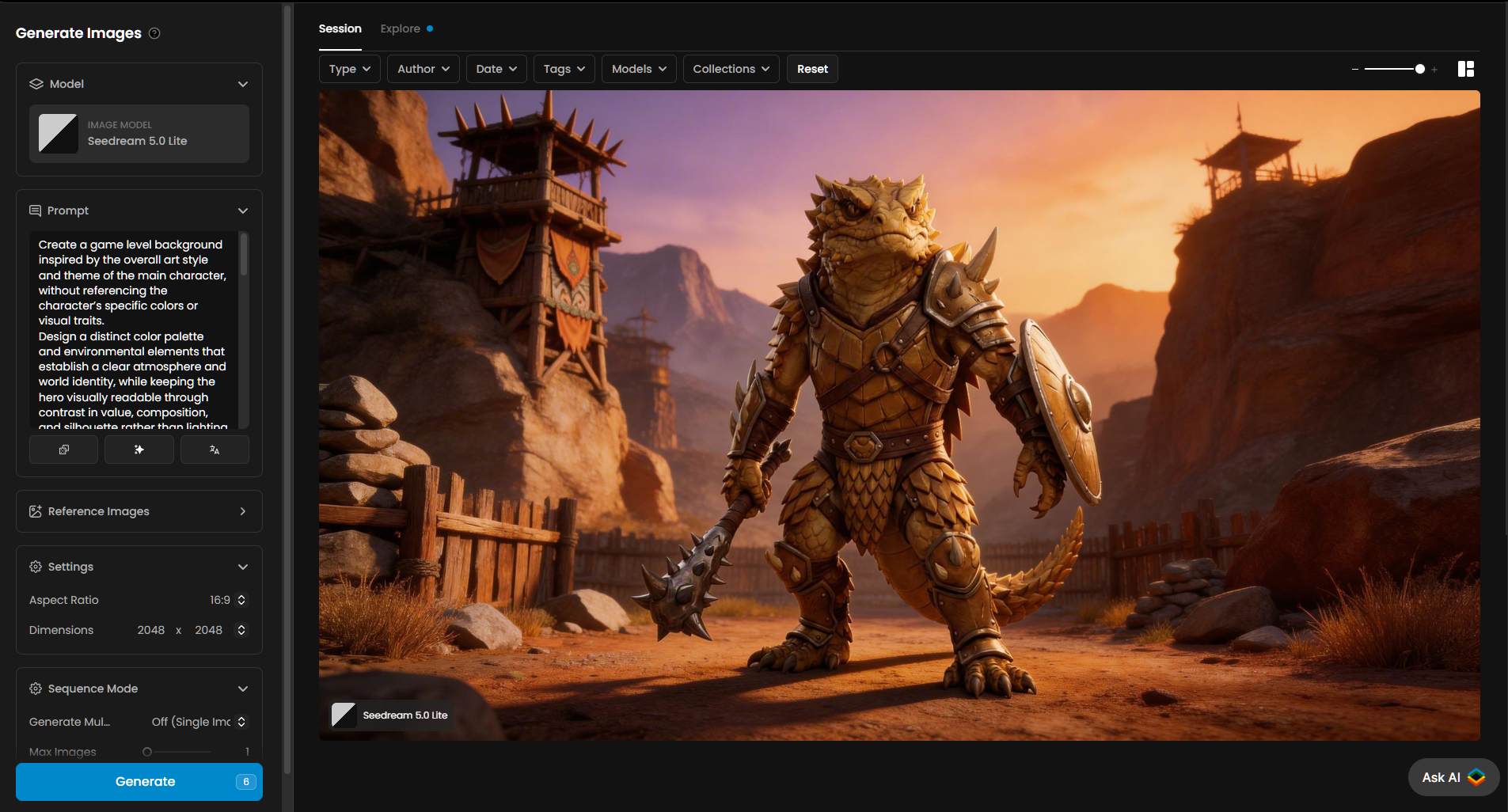
2. The Seedream 5.0 Prompting Strategy
To unlock the full potential of Seedream 5.0 Lite, your prompts should focus on descriptive depth and atmosphere. While the model is "Lite," its understanding of complex instructions is surprisingly robust.
Describe the Lighting: Instead of "a forest," try "a dense coniferous forest at dawn, with volumetric sunbeams piercing through the mist".
Specify Texture and Material: The 3K resolution allows for incredible detail; guide the AI by mentioning "brushed metal surfaces," "intricate velvet patterns," or "weathered stone".
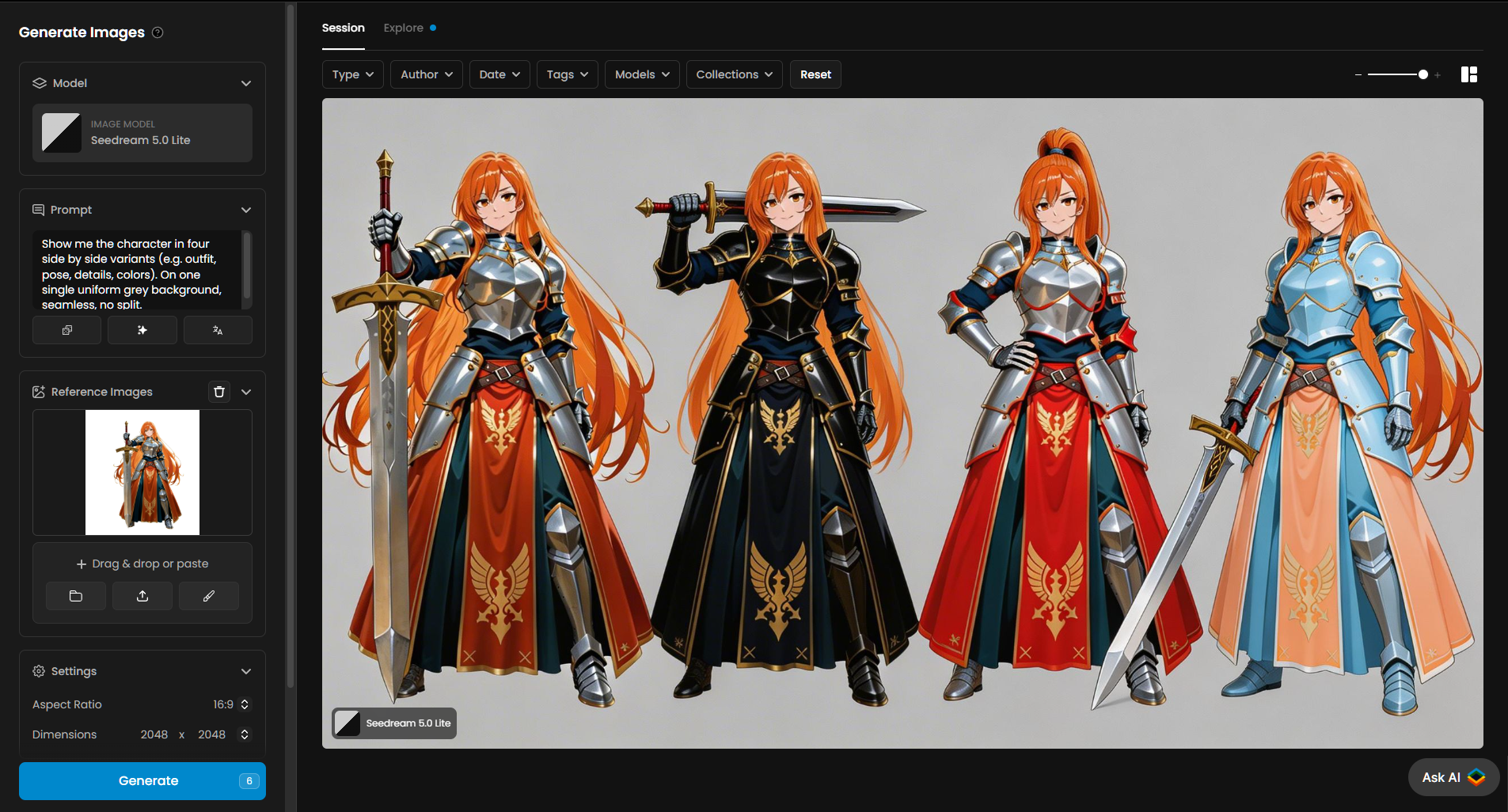
Leverage Reference Images: Don't let the prompt do all the heavy lifting—use the Reference Images slot to lock in your desired style or composition before refining with text.
Atmospheric Directives: Use keywords like "cinematic lighting," "hyper-realistic textures," or "depth of field" to signal the model to utilize its full 3K fidelity.
3. Batch Generation: The Efficiency Advantage
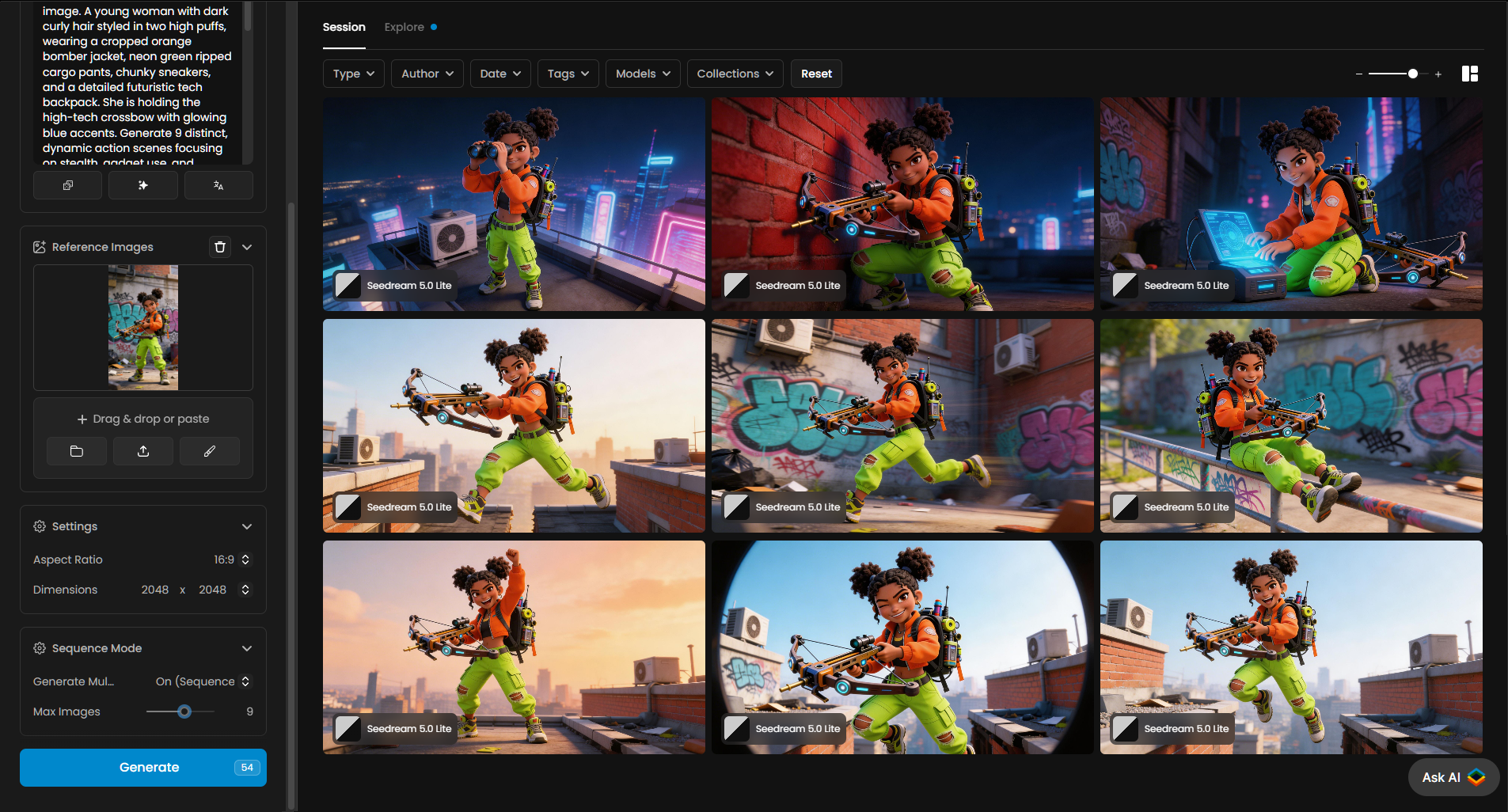
The real magic of Seedream 5.0 Lite happens when you stop thinking in single images and start thinking in Sequences.
Activate Sequence Mode: Switch the Generate Multi... dropdown to "On (Sequence)" to transform your workflow.
Max Volume Iteration: Adjust the slider to generate up to 15 images per click.
Rapid Comparison: Use this mode to test different prompt modifiers across a batch, allowing you to quickly identify the best lighting, color palette, or composition.
Low-Cost Exploration: Because the model is optimized for speed, batching 15 images is an incredibly cost-effective way to brainstorm without waiting for multiple individual renders.
4. Conclusion
Seedream 5.0 Lite is more than just a "fast" model; it is a professional-grade solution for creators who demand both quality and quantity. By mastering its 3K resolution capabilities and leveraging the high-speed Sequence Mode, you can drastically reduce your production time while maintaining a premium visual standard.
Whether you're building out a full marketing campaign or generating a diverse set of game assets, this model provides the speed and versatility required to stay ahead of the creative curve.
Was this helpful?