Uthana: The Essentials
Last updated: September 23, 2026
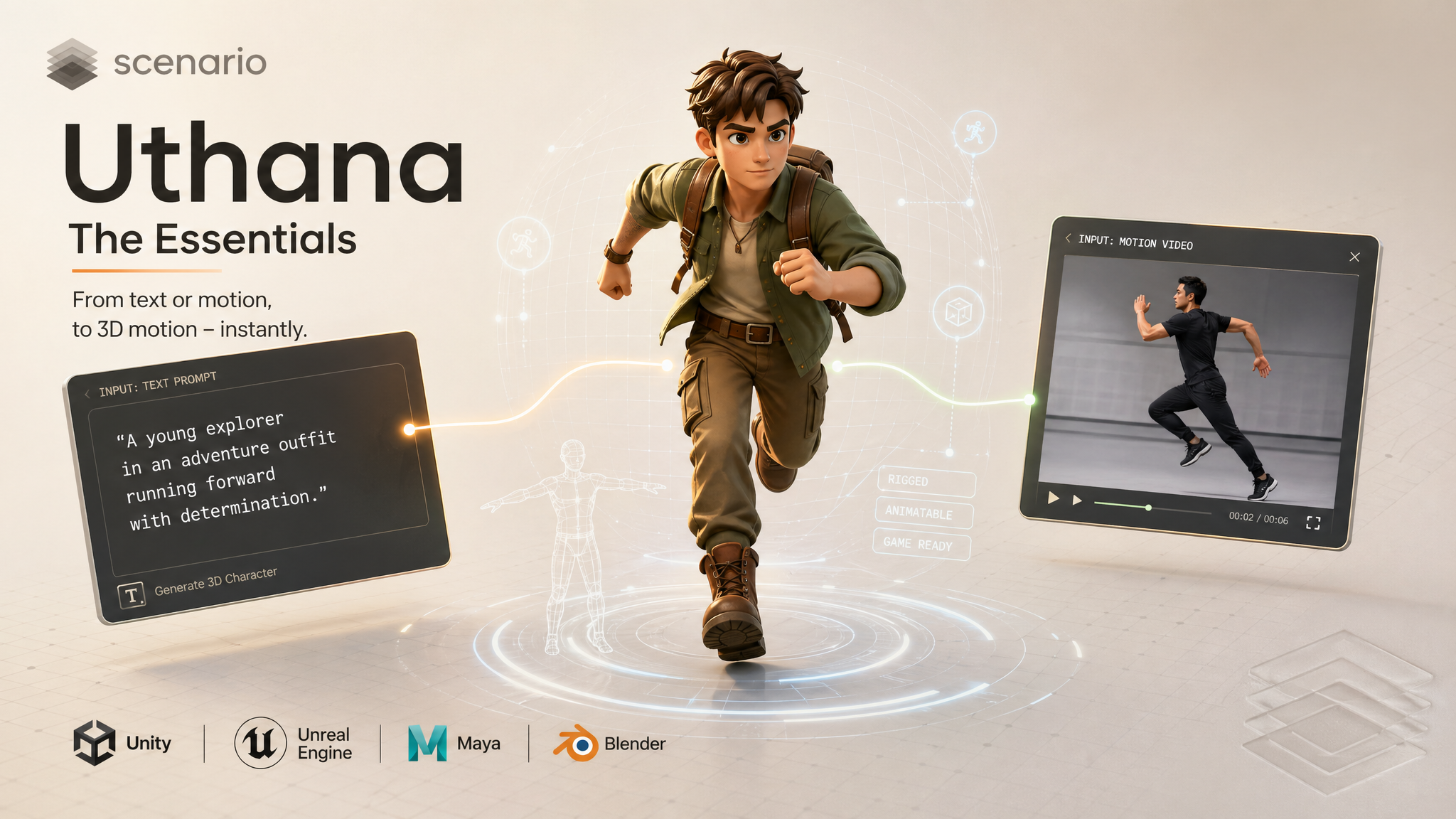
Uthana brings markerless human motion and automatic rigging to Scenario as three current tools. Uthana Text to Motion 3.0 generates rigged 3D character animation from a text description. Uthana Video to Motion 2.1 extracts motion from reference footage and converts it into a 3D animation file. Uthana Character Rigging takes a static humanoid mesh you already have (for example from another 3D generator or sculpt) and returns the same mesh with a skeleton inside it, as GLB or FBX, so you can animate or retarget in Unity, Unreal, Maya, or Blender. The earlier Uthana Text-to-Motion and Uthana Video-to-Motion models are still available as legacy versions (see Legacy Models below).
Overview
Uthana's motion models are built on foundation training from human motion capture. They produce biomechanically realistic, anatomically sound human motion. Locomotion, combat, gestures, athletics, and character performance are all well within range for Text to Motion 3.0 and Video to Motion 2.1. Output is a rigged animation file you can retarget to any biped character, or apply directly to your own mesh if you upload it during generation. Both motion models export GLB or FBX at 24, 30, or 60 fps.
Character Rigging solves a different problem: your mesh exists but has no bones yet. It does not read prompts or video. It reads geometry only, then writes a skeleton that matches a biped layout. Use it before motion when your pipeline has a naked mesh, or when a high-poly export from another tool needs a first pass rig before motion.
Which Model Should I Use?
Model | ID | Input | Best for |
|---|---|---|---|
| Text prompt, optional character mesh | Describing an action when you have no reference footage: idles, combat, locomotion, gestures | |
| Reference video, optional character mesh | Capturing a specific performance from real footage without a mocap suit | |
| Humanoid mesh (OBJ, GLB, or FBX, 30 MB max) | Adding a skeleton to a static biped mesh before animating it, with no prompt or video | |
| Text prompt, optional character mesh | Existing projects that rely on manual diffusion controls (steps, CFG, foot IK, seed) or clips shorter than 4 seconds | |
| Reference video, optional character mesh | Existing projects already built on the earlier version |
Rule of thumb: use Text to Motion 3.0 when you can describe what the body should do. Use Video to Motion 2.1 when you already have footage of the movement and want that timing preserved. Use Character Rigging when you have a humanoid GLB or FBX and need a skeleton placed automatically. Upload a Character 3D model on either motion model when the motion must land on your own rig. For new work, prefer the current versions over the legacy ones.
Uthana Text to Motion 3.0
With Uthana Text to Motion 3.0 you describe the motion you want in plain language and the model generates a 3D animation clip from it. The prompt is everything: what the body does, how it moves, and the emotional quality of the action. With rewritePrompt on (the default), everyday phrasing is expanded into precise physical motion directions. Optionally upload a biped GLB or FBX and the motion is retargeted to your skeleton automatically.
Text to Motion 3.0 · asset_yY8PKy3JcvFcEKwLAgokZG51
Writing a good prompt
The more specific you are about what the body actually does, the better the result. Describe actions and limb movement rather than narrative context.
A prompt like "a person walks" works, but "a tired person walks slowly, shoulders slumped, each step dragging slightly" gives the model much more to work with. Mention which limbs are involved, the pace, and the energy level of the motion. Emotional descriptors like confident, cautious, exhausted, or aggressive translate directly into how the character moves.
Avoid describing appearance or story: "a warrior prepares to fight" is vague. "A warrior plants their feet wide, raises a sword with both hands, and leans forward into a ready stance" is a motion description the model can actually use.
Example settings
prompt: performs a fluid capoeira sequence, ducking low then sweeping into a cartwheel kick
length: 8
fps: 30
rewritePrompt: true
characterFile: (optional GLB or FBX)
outputFormat: glb
prompt: draws a sword, performs a three-strike combo, then sheathes it
length: 8
fps: 30
rewritePrompt: trueprompt: stumbles backward, catches their balance, and shakes it off
length: 6
fps: 30Examples
Walk cycle for a game character: "A person walks forward at a relaxed pace, arms swinging naturally at their sides, head level." Set length to 4 seconds (the minimum) for a couple of full gait cycles.
Combat idle: "A fighter stands in a low defensive stance, weight shifting slightly from foot to foot, fists raised, eyes forward." Length 4 seconds.
Victory celebration: "A person jumps with both arms raised above their head, lands, and pumps one fist in the air with excitement." Length 4 seconds, 60 fps for the fast jump.
Tired character entering a room: "A person pushes open a door slowly, steps through, pauses, and leans against the wall with a long exhale, head dropping forward." Length 6 seconds.
Uthana Video to Motion 2.1
With Uthana Video to Motion 2.1, you upload a video of a person performing a motion and the model extracts that movement as a 3D animation file. There is no prompt: the motion comes directly from what is visible in the footage. Like Text to Motion 3.0, you can upload your own character mesh to have the extracted motion retargeted to your skeleton.
Video to Motion 2.1 · asset_ap4ZAbubDx1qe6ynjoMHh71i
Example settings
video: (required: full body, one person, fixed camera, textured or grid floor, background a different tone than the floor)
fps: 30
characterFile: (optional GLB or FBX)
animationOnly: false
outputFormat: glb
What makes a good input video
The output quality depends entirely on the input video. These are the exact framing choices behind the example clip above. Follow them and the captured skeleton stays upright instead of tilting or leaning forward:
Full body in frame: head to toe visible for the whole clip, with margin above the head and below the feet. Cropped legs or arms means the model cannot track those joints.
Textured floor, not pure white: give the floor a visible texture (a printed grid is the easiest example) so the tracker has a clear ground plane. A blank white floor is the most common cause of a character that comes out tilted or bent forward.
Background a different color or tone than the floor: strong separation between the subject, the floor, and the background lets the tracker lock the figure and the ground cleanly. A real room whose walls differ from the floor, or a green screen wall over a blue grid floor, both work well.
One person, fixed camera, even lighting: a single subject on a static, locked-off camera under soft even light gives the cleanest output. Multiple people confuse the tracker, fast camera movement introduces artifacts, and heavy shadows or silhouettes reduce accuracy.
Trim to the motion you want: upload only the segment you need. Idle frames before or after the action appear in the output clip.
For locomotion, let the subject travel across the floor: a walk or run should actually cover ground. Walking “in place” reads as a treadmill and gives the tracker little root motion to capture.
Generating the clip with AI? Bake these into the first frame: build the start frame with a textured floor and a contrasting background (for example with GPT Image 2), then animate it (for example with Seedance 2.0 Fast) so every frame keeps the same clean ground plane and separation.
See the pinned examples on Uthana Video to Motion 2.1 for clips captured exactly this way: a clean grid floor, a contrasting background, and the full body moving across the ground.
Examples
Capture a specific jump from a sports video: Trim the clip to the jump only, ensure the athlete is fully in frame, upload. The extracted animation can be retargeted to any game character.
Record a custom gesture with a phone: Stand in front of a plain wall in good light, record the gesture at normal speed, trim to the action, upload. Good for custom idles, emotes, or interactions that would be hard to describe in text.
Previs from actor reference: Film a director or actor blocking a scene, upload the footage, and use the extracted motion as a 3D previs base to evaluate timing and staging.
Uthana Character Rigging
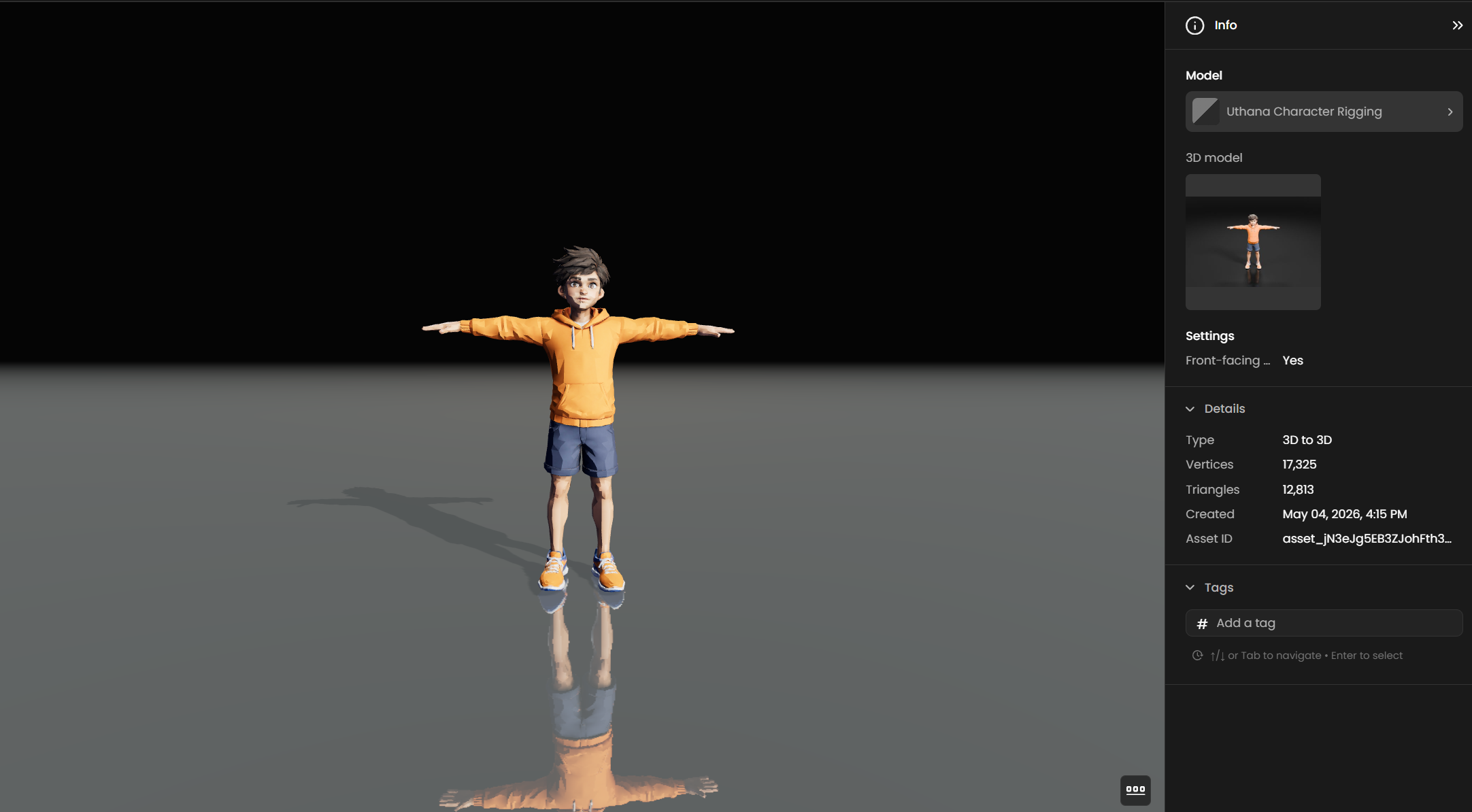
Uthana Character Rigging adds a skeleton to a biped humanoid mesh you upload. There is no prompt and no video. The model looks at your geometry and places bones so you can animate or send the file to Text to Motion 3.0 or Video to Motion 2.1 with the same character slot.
Important: Text to Motion 3.0 and Video to Motion 2.1 already auto-rig your character when you upload a mesh on those screens: motion and rigging happen in one job. Character Rigging is the path when you want rig output only first (inspect bones, fix in Blender, reuse the same rig across several motion tests, or keep motion and mesh prep as separate steps). Both approaches are valid on Scenario.
Hard limit in Scenario: each upload must be 30 MB or smaller. The provider rejects larger files with an explicit size error. High-resolution outputs from image-to-3D tools often exceed this until you decimate or re-export. Plan a quick size check before batching.
What you upload
Formats: OBJ, GLB or FBX, as accepted in the Scenario picker.
Pose: Use a T-pose or A-pose with feet on the ground so shoulders, hips, and spine read clearly to the auto-rigger.
Topology: Humanoid proportions work best. Quadrupeds, creatures with extra limbs as arms, or props welded as limbs are outside what this pass targets.
How it fits the motion tools
Rigging does not create motion by itself. It prepares the mesh so Text to Motion 3.0 and Video to Motion 2.1 can drive it cleanly. Typical flow: Character Rigging on your mesh, then run motion with that same character file attached so retargeting happens at generation time.
Examples
Mesh from Tripo or Hunyuan: Export a lighter copy under 30 MB, run Character Rigging, then attach the rigged asset to Text to Motion 3.0 for a walk line you already trust.
Class or jam asset: Students deliver rough humanoids. Rigging first gives everyone the same skeleton layout before animation homework.
Blocked hero: Art locks a sculpt export. You rig once, validate shoulder line in your DCC, then feed the same file into motion passes without redoing joints.
Character Retargeting and Export
Text to Motion 3.0 and Video to Motion 2.1 both support uploading your own biped GLB or FBX as characterFile. When you provide a character file, Uthana auto-rigs it there and applies the generated or extracted motion to your skeleton. Without one, you get motion on a default figure.
Character Rigging is the same auto-rig quality path, but exposed as its own step: mesh in, rigged mesh out, with no prompt or video. Use it when you want the skeleton first, then motion later. You can still upload either the raw mesh or the rigged mesh on the motion models; they will rig on the fly if needed.
Choose GLB or FBX in the UI. Turn on Animation only when you only need the motion data to apply to an existing skeleton in your DCC or engine.
Parameters
Uthana Text to Motion 3.0
prompt
Required. Up to 4096 characters. Describe the motion: actions, posture, pacing, and energy.
characterFile
Optional. GLB or FBX biped to auto-rig and retarget onto.
length
Optional. Default 8 seconds. Range 4 to 10 seconds (rounded to whole seconds).
fps
Optional. Default 30. Allowed values: 24, 30, or 60. Match your edit timeline or engine.
rewritePrompt
Optional. Default true. Expands everyday phrasing into precise physical motion directions. Turn off to use your exact wording.
animationOnly
Optional. Default false. When true, download animation without the character mesh.
outputFormat
GLB or FBX, selected in the Scenario UI.
Uthana Video to Motion 2.1
video
Required. Reference footage of the movement to capture.
characterFile
Optional. Same as Text to Motion 3.0: retarget onto your biped mesh.
fps
Optional. Default 30. Allowed values: 24, 30, or 60.
animationOnly
Optional. Default false. Export motion data only when applying to an existing skeleton.
outputFormat
GLB or FBX, selected in the Scenario UI.
Uthana Character Rigging
characterFile
Required. The humanoid mesh to auto-rig (OBJ, GLB, or FBX), 30 MB maximum.
autoRigFrontFacing
Optional. Default true (shown as Front-facing model). Leave this on when the mesh faces the camera like a sheet turntable, which improves auto-rig accuracy. Turn it off if the bind pose is rotated and you want the solver to interpret that layout.
outputFormat
GLB or FBX, selected in the Scenario UI to match the next stop in your pipeline.
Tips for Better Results
Describe motion, not story. Every word in the prompt should describe something the body physically does. Cut context, setting, and narrative, and focus entirely on movement.
One clear action per prompt. Complex multi-beat sequences work best when each beat is named in order.
Leave rewrite prompt on unless you need exact wording. It translates casual phrasing into motion-accurate directions.
Match duration to the action. A single gesture needs fewer seconds than a full combo or walk cycle.
Use 60 fps for fast actions. 24 or 30 fps is fine for walks, gestures, and dialogue beats.
For video capture, trim aggressively. The model captures everything in the video. Any idle, setup, or unintended motion appears in the output.
Upload your character when you know the target. Default-figure output is fine for blocking. Retargeting at generation time is faster and cleaner than doing it manually after the fact, and aligns motion to your game's proportions.
Start with a short test clip before committing to a long generation. Run a 4 to 5 second clip first to verify the motion concept works, then re-run at the final duration you need.
Check mesh size before rigging. Decimate or re-export anything over 30 MB before sending it to Character Rigging.
Known Limitations
Human biped motion only. The motion models are trained on human motion capture. Non-human creatures, quadrupeds, and highly stylized or mechanical motion are outside the intended use case and may produce poor results. Character Rigging likewise targets biped humanoid meshes.
Text to Motion 3.0 clips are 4 to 10 seconds. The previous model allowed very short clips; v3.0 enforces a minimum of 4 seconds. Longer sequences need to be assembled from multiple clips in your DCC.
Video to Motion 2.1 has no prompt or quality controls. There are no steps or guidance parameters. Output quality depends entirely on input footage quality and framing. Improving the result means improving the input.
Fine details need cleanup. Complex hair, loose clothing, and partially occluded limbs are challenging for the motion models. Expect to do some cleanup in a DCC for production assets.
Character Rigging uploads are capped at 30 MB. High-resolution outputs from image-to-3D tools often exceed this until you decimate or re-export.
Use Cases
Game development: Generate locomotion, combat, idle, emote, NPC reaction, and interaction animations without a mocap session or keyframing from scratch. Use Text to Motion 3.0 for common actions, Video to Motion 2.1 to capture specific movements from reference footage.
Film, previs, and virtual production: Block out character performance and staging from a text description, or turn on-set actor reference or phone footage into 3D motion for timing and staging reviews, before committing to keyframe animation or full mocap.
Indie film and motion graphics: Capture a specific gesture or dance and retarget it onto a stylized character.
Virtual humans and avatars: Build motion libraries for social platform avatars, virtual presenters, or interactive characters quickly from prompts or reference clips.
Rapid prototyping: Iterate on action descriptions in text, then refine with video capture once blocking is approved, without needing an animator for every iteration.
Pipeline with 3D generators: Generate a character in Rodin Gen-2.5 Fast or Tripo, rig it with Character Rigging, then animate with the Uthana motion models.
Legacy Models
Text to Motion 3.0 replaces Uthana Text-to-Motion (model_uthana-text-to-motion-bucmd), and Video to Motion 2.1 replaces Uthana Video-to-Motion (model_uthana-video-to-motion-v2). The older models are deprecated and point to these versions, but they remain available for existing projects. Version 3.0 drops the manual diffusion knobs (steps, CFG, foot IK, seed) in favor of simpler controls and the new rewritePrompt option.
Uthana Text-to-Motion (legacy)
Same prompt-driven workflow as Text to Motion 3.0 (the prompt guidance above applies), with manual quality controls and shorter minimum clips.
length
Optional. Default 5 seconds. Range 0.25 to 10 seconds. A single gesture or pose can be 1 to 2 seconds; a walk cycle or combat sequence needs 4 to 6 seconds or more.
footIk
Optional. Turn this on when the character needs to plant their feet on the ground, like walking, running, or a landing. Leave it off for aerial or floating motions.
steps
Optional. Default 50, range 1 to 150. Diffusion iterations. Increase toward 80 to 100 for production-quality output.
cfgScale
Optional. Default 2, range 0 to 10. Prompt adherence. Keep between 2 and 4 for natural-looking motion.
seed
Optional. 1 to 99999. Fix the seed when iterating on steps or CFG so you can compare settings without random variation.
retargetingIk
Optional. Default true. Enables inverse kinematics when retargeting onto your character.
It also accepts prompt, characterFile, fps (24, 30, or 60), and animationOnly, as in version 3.0.
Uthana Video-to-Motion (legacy)
Same inputs as Video to Motion 2.1: video, optional characterFile, fps (24, 30, or 60), and animationOnly. The input video guidance above applies to both versions.