Sparc3D: The Essentials
Last updated: April 30, 2026
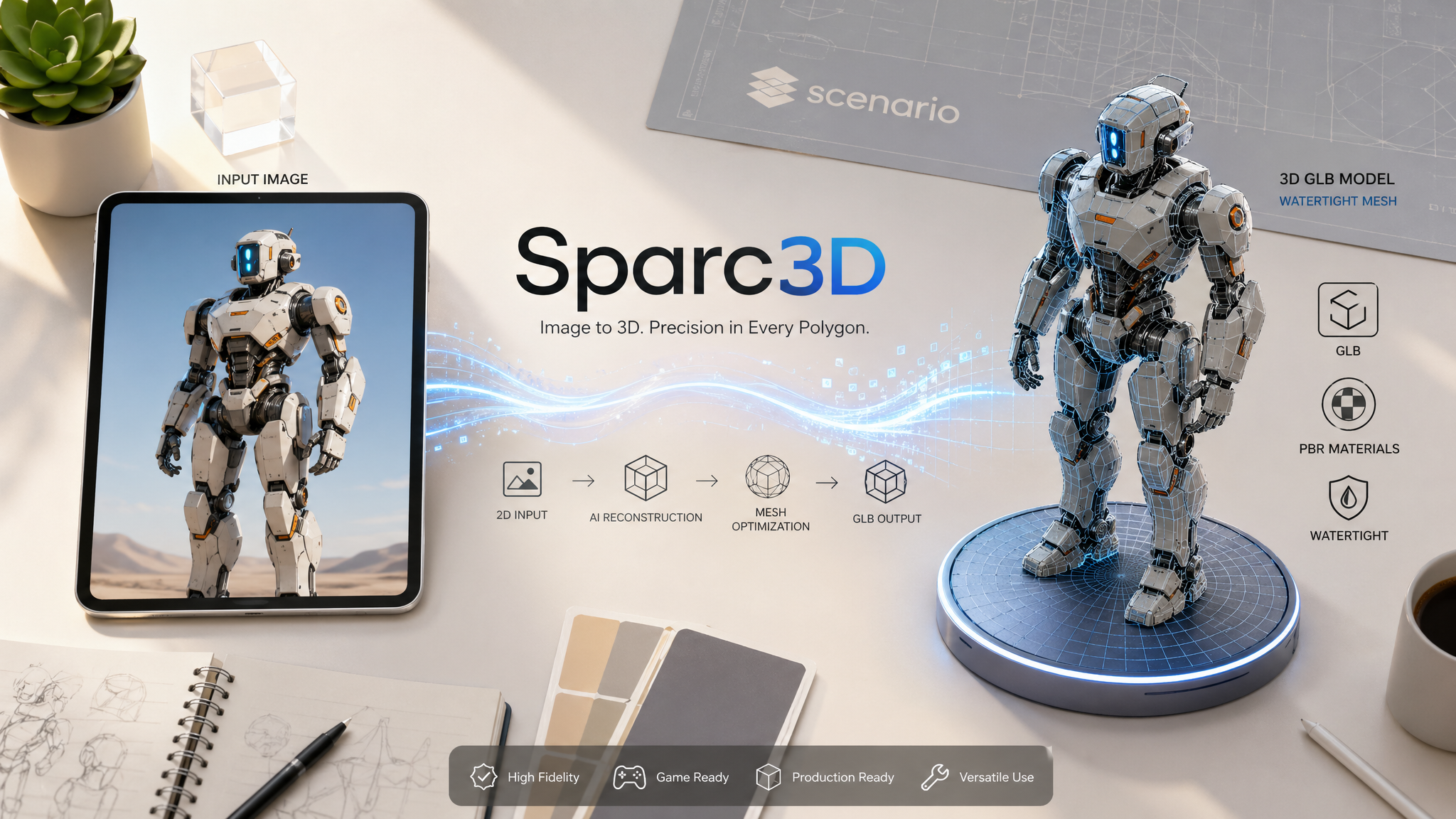
Sparc3D is a family of image-to-3D models by Hitem3D, available on Scenario. All versions convert one or more photos into clean, watertight 3D meshes output as GLB files. The family has two tracks: a general-purpose track for objects, props, vehicles, and environments, and a portrait track optimized for humanoid subjects, characters, and faces. Choosing the right model comes down to your subject type and the output quality you need.
Overview
All Sparc3D models share the same core workflow: provide one or more images of a subject, choose your output settings, and receive a watertight 3D mesh in GLB format. No text prompt is used. The reconstruction is driven entirely by the input images. All models accept up to four images of the same subject, with each additional view from a different angle improving geometry accuracy and texture coverage.
The family has evolved across three generations. The original Sparc3D introduced multi-resolution voxel reconstruction with four resolution tiers. Sparc3D 2.0 added a dedicated portrait variant and improved mesh quality at the top resolution tier. Sparc3D 2.1 added face count control, a PBR material toggle, and a faster default resolution tier, making it the most flexible and efficient option for production workflows.
For most new work, Sparc3D 2.1 is the recommended starting point for general objects and Sparc3D 2.1 Portrait is recommended for characters and humanoid subjects. Earlier versions remain available and may be appropriate for existing pipelines or specific resolution requirements.
The Models
Sparc3D 2.1
The latest general-purpose model and the recommended starting point for new work. Accepts 1 to 4 images, adds explicit face count control (100K to 2M polygons), a fast/pro resolution toggle, and a PBR material generation toggle. The default resolution is 1536fast, which is faster and lower cost than the 1536pro tier while still delivering high-quality output suitable for most use cases. Use this model for game assets, 3D printing, product visualization, and rapid prototyping.
Sparc3D 2.1 Portrait
The latest portrait model and the recommended starting point for character work. Identical parameter structure to Sparc3D 2.1, with reconstruction tuned for facial structure, skin texture, and hair. Unlike Sparc3D 2.1, it defaults to the higher-quality 1536pro tier rather than 1536fast. This means a default Portrait 2.1 textured job costs 240 CU versus 120 CU for a default Sparc3D 2.1 textured job. Set resolution to 1536profast explicitly when iterating.
Sparc3D 2.0
The second-generation general-purpose model. Accepts 1 to 4 images and reconstructs at 1536 (default) or 1536 Pro. Improved mesh quality over the original, with better handling of surface detail and topology at the top tier. Use this model if you need 1536-tier output and are on a pipeline built around the 2.0 generation.
Sparc3D 2.0 Portrait
The portrait-focused variant of Sparc3D 2.0. Accepts 1 to 4 images and runs at a fixed resolution tuned for human subjects. Produces more stable and accurate head geometry compared to the general 2.0 model when the subject is humanoid. Use this model for character reconstruction in 2.0-generation pipelines.
Sparc3D
The original general-purpose model. Accepts 1 to 4 images and reconstructs at four resolution tiers: 512, 1024, 1536, and 1536 Pro. The default is 1024, which balances quality and speed. Use this model if you need the lower resolution tiers for lightweight assets or if your pipeline was built around the original generation. Sparc3D is the only model in the family that supports 512 and 1024 resolution output.
Sparc3D (Portrait)
The portrait-focused variant of the original Sparc3D. Accepts 1 to 4 images and runs at a fixed high resolution optimized for humanoid facial anatomy and expressions. No resolution parameter is exposed. Use this model for character heads, avatars, and portrait subjects when working with the original generation pipeline.
Multi-View Input
All Sparc3D models accept up to 4 images of the same subject in a single job. Providing multiple views from different angles gives the model more geometric information and reduces reconstruction errors that occur when the model must infer surfaces it cannot see in the primary image.
Multi-view input is most useful when:
The subject has meaningful geometry on all sides: characters with back armor or capes, vehicles with undercarriage detail, props with complex depth.
You need accurate texture coverage on surfaces not visible from the front, such as the back of a character's head or the underside of a vehicle.
The output will be viewed from all angles in real-time and reconstruction artifacts on non-visible faces are not acceptable.
When using multiple images, all images must show the same subject from different angles. Mixing different subjects produces incoherent output. Use clearly distinct views: front, back, left, and right are the most informative combination for most subjects. Keep all input images at similar scale and zoom level so the model can align them correctly.
A single frontal image is sufficient for initial testing and concept validation and costs the same as a multi-view job at the same settings.
Tips for Better Results
Start with a clean, isolated subject. Subjects on plain or neutral backgrounds reconstruct more accurately than subjects embedded in complex environments. The model needs to identify the subject boundary to build the mesh. Cluttered backgrounds can be incorporated into the geometry.
Use 1536fast or 1536profast to validate before committing to 1536pro. Run a fast-tier job on your input first to verify the subject reconstructs cleanly. If the mesh topology and basic shape look correct, proceed to 1536pro for the final asset. This avoids spending 240 CU on a subject that does not reconstruct well from the input images.
Use requestType 1 for topology-first workflows. If your pipeline requires retopology or manual UV work, start with requestType 1 to get the mesh without paying for texture generation. Inspect and clean the mesh, then generate a textured version when satisfied with the geometry.
For Sparc3D 2.1 Portrait, set resolution explicitly when iterating. Portrait 2.1 defaults to 1536pro (240 CU for textured output). Always set resolution to 1536profast for iteration runs to avoid unintended high-cost jobs.
Add a back view for characters and complex props. A frontal image alone leaves back and side surfaces estimated from the front. For subjects that will be viewed from all angles, providing a front and back image pair dramatically reduces reconstruction errors.
Use the face parameter in Sparc3D 2.1 to control output weight. The default 2M polygon count produces high-fidelity output but may need decimation before use in real-time engines. Set face to 500K for direct game-ready output. Set face to 100K for mobile or lightweight real-time assets.
Input image quality determines output quality. Low-resolution, blurry, heavily compressed, or highly stylized inputs produce lower-quality geometry and textures. Use the highest-quality reference images available.
Known Limitations
Non-visible surfaces are estimated, not reconstructed. With a single frontal image, the back and sides of the subject are inferred from the front view. The inference is often plausible but may not match the actual rear geometry of the subject. Multi-view input is the only way to reduce this.
Transparent and reflective surfaces reconstruct poorly. Glass, mirrors, clear plastics, and highly specular materials confuse the reconstruction because their appearance changes with viewing angle. These surfaces often reconstruct with artifacts or missing geometry.
1536pro is not available for requestType 1 (mesh only). On all models, mesh-only output is only available at the fast or standard resolution tier. To get pro-quality results, requestType must be set to 3.
Portrait models are not suited for non-humanoid subjects. Sparc3D (Portrait), Sparc3D 2.0 Portrait, and Sparc3D 2.1 Portrait use reconstruction pipelines tuned for humanoid geometry. For vehicles, props, creatures, or general objects, use the general-purpose model for the same generation.
Complex hair reconstructs with limitations. Fine strands, voluminous hairstyles, and transparent hair accessories are difficult surfaces for image-to-3D reconstruction. Artifacts in these areas are expected across all portrait models.
Maximum 4 input images per job. Multi-view reconstruction is limited to 4 images. Select the 4 most distinct and informative views when more reference angles are available.
No text prompt is supported on any Sparc3D model. All reconstruction is driven entirely by input images. The model cannot be guided by text description.
Custom training is not available. All Sparc3D models are third-party models on Scenario. LoRA training and fine-tuning are not supported.
High concurrency can extend 1536pro processing times. The provider processes pro-tier jobs with limited parallelism. Under high concurrency, some jobs queue and take significantly longer than the typical 20 to 30 minute window. Avoid firing more than 2 to 3 pro-tier jobs simultaneously if turnaround time matters.