
As of December 2025, Scenario’s library of generative 3D models includes the Hunyuan 3D family. The name covers a family of text‑ or image‑to‑3D systems developed by Tencent that have quickly become some of the most capable AI 3D generators available. This article explains the key models available in Scenario, highlights their differences and provides practical tips to help you choose the right tool for your project.
Overview of the models
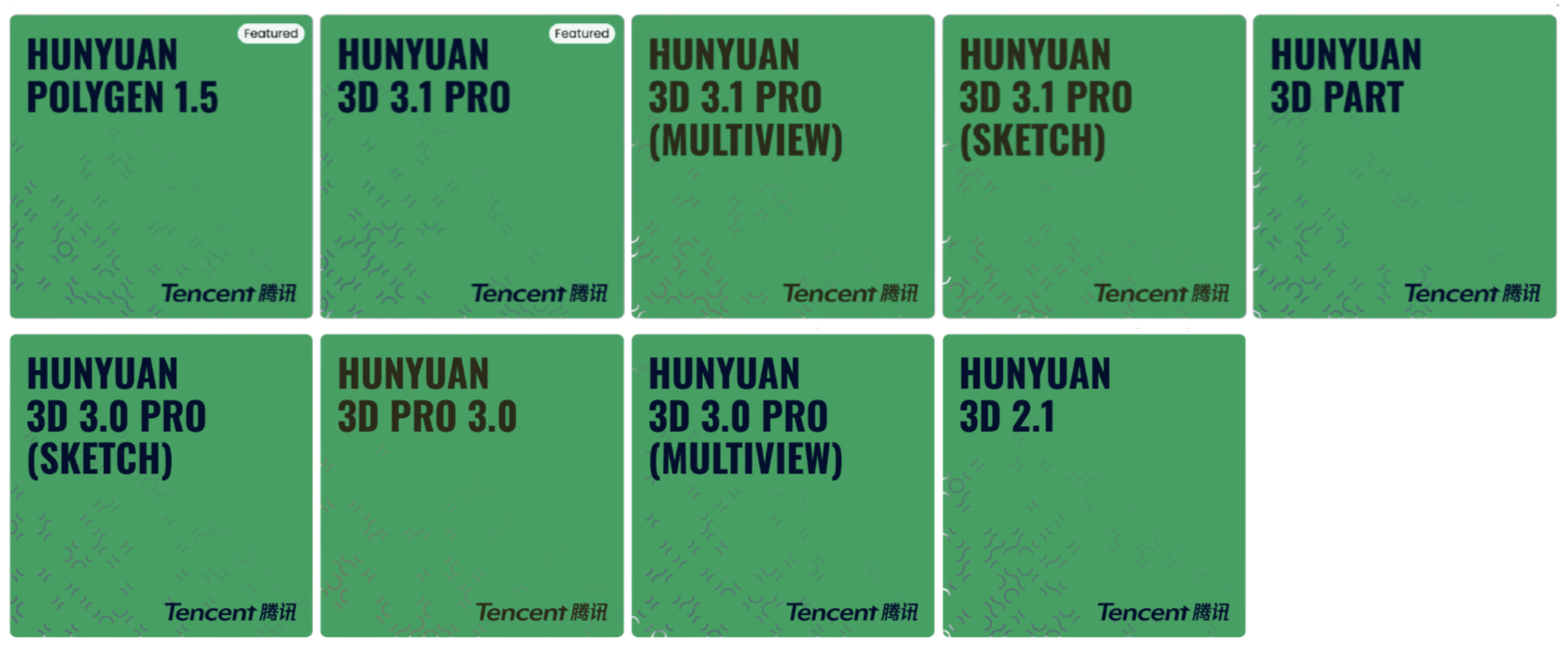
To help you visualize the full spectrum of versions available on Scenario, the following table outlines the complete Hunyuan 3D model family, ranging from the advanced Polygen 1.5 retopology tool and the 3.1 Pro series to the specialized Part model and the foundational 3.0 and 2.1 versions:
Model & Input | Key Strengths | Recommended Use |
3D model (GLB, OBJ) | Intelligent Retopology. Uses an autoregressive mesh generation approach to learn clean quad topology end-to-end. Employs BPT (Blocked and Patchified Tokenization) to maintain structural detail during compression. | Perfect for transforming high-polygon 3D meshes into optimized, game-ready geometry. |
Hunyuan 3.1 (Pro, MultiView, Sketch) Single Image, Multi-View, or Sketch | Performance Leader. Building on the 3.0 architecture, this version offers improved geometric precision and faster inference. It is highly optimized for generating "water-tight" meshes, reducing artifacts in complex joints and thin structural details. | Best for top-tier production assets where speed and high-fidelity precision are both required. |
3D Model (GLB, OBJ, PLY) | Automated Segmentation. Automatically identifies and separates distinct components of a mesh, such as gears, connectors, or screws. Outputs organized sub-meshes ready for rigging or engineering workflows. | Perfect for mechanical asset cleanup, kitbashing, or preparing models for physics simulations. |
Hunyuan 3.0 (Pro, MultiView, Sketch) Single Image, Multi-View, or Sketch | Professional Fidelity. Uses a hierarchical 3D-DiT carving process to build coarse shapes before refining details. Supports up to 1.5 million polygons and includes the Optimized Mesh (Polygen) mode for cleaner topology. | Best for high-fidelity assets when you need specific polygon count control from 50k to 1.5M faces. |
Single Reference Image | Open-Source Baseline. Features improved texture resolution up to 4K and cleaner surfaces compared to legacy versions. It provides a solid geometric starting point for standard characters and mechanical shapes. | Ideal for rapid prototyping, research, or static assets that will undergo further manual retopology. |
Hunyuan 3D Pro (3.1) - Standard, MultiView and Sketch
Single image, multiple views, or sketch (depending on variant)
Latest Pro generation with improved geometry precision and more accurate texture color reproduction. Uses a 10B-parameter 3D-DiT hierarchical carving process with refinement up to 1536³ voxels. Supports 50k to 1.5M polygons and generates high-resolution 4K PBR textures with better handling of lighting interference.
Best for highest-fidelity assets where geometry accuracy and material color consistency matter.
Hunyuan PolyGen 1.5
Polygen is a high-poly 3D model (GLB or OBJ)
Intelligent retopology model that converts dense meshes into clean, game-ready geometry. Uses an autoregressive approach to generate structured quad-dominant topology with continuous edge flow. Supports multiple reduction levels for different performance targets.
Ideal for turning high-poly generations into optimized assets for animation, games, and real-time engines.
Hunyuan 3D Pro (3.0) – Standard, MultiView, Sketch and Part
The Pro family represents Tencent’s third‑generation model. It uses a 3D‑DiT hierarchical carving process that builds a coarse shape before adding fine details. Compared to previous versions, Pro models triple modeling accuracy and support resolutions up to 1536³ voxels. The interface lets you choose a polygon count – 50 k, 500 k or up to 1.5 M – depending on your quality needs
Hunyuan 3D Pro – Standard
This variant takes a single reference image and an optional text prompt. It’s ideal when you only have a front view of your subject. In Scenario, you can control the face count with a slider and select between the following modes:
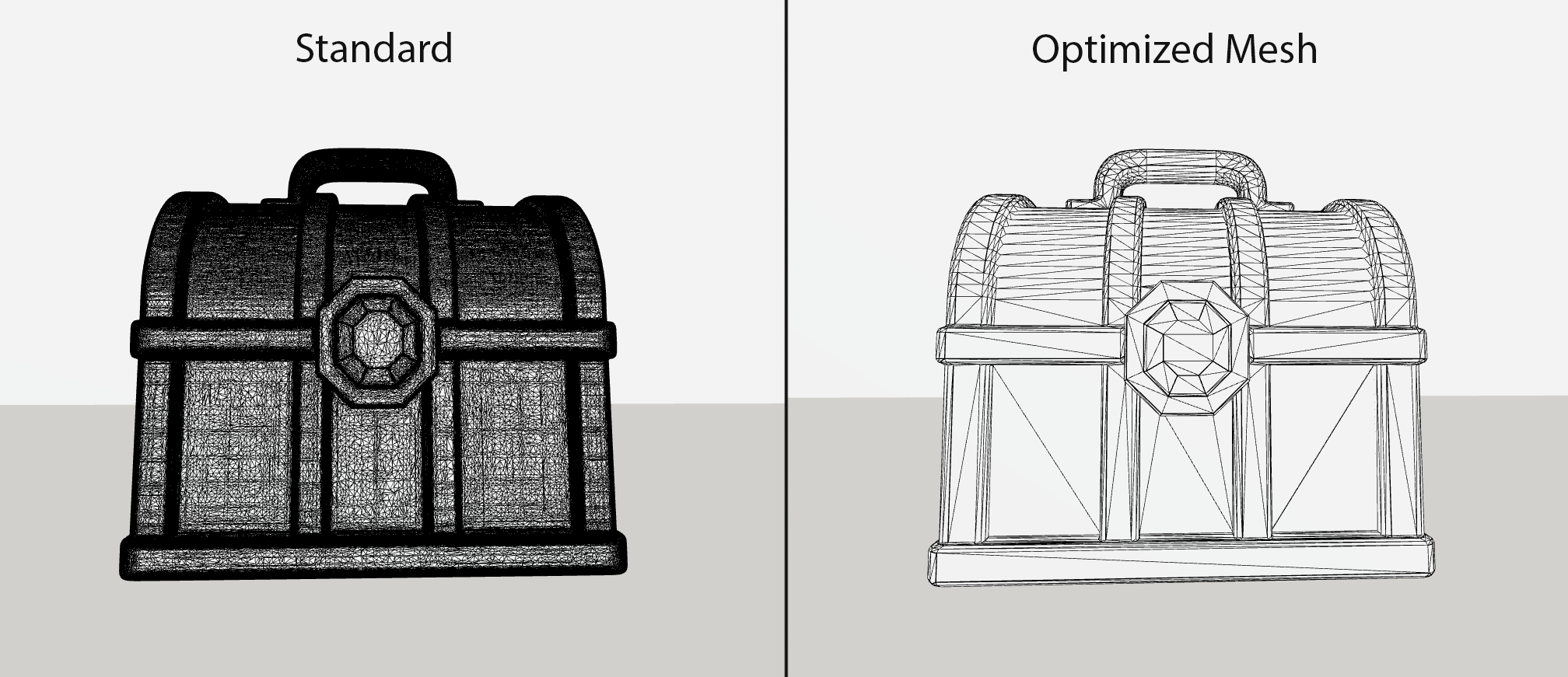
Standard (High Poly) – outputs the most detailed mesh and textures. Suitable for sculpting, film‑quality renders or when you plan to decimate the mesh yourself.
Optimized Mesh – uses Tencent’s PolyGen retopology system to produce a cleaner, lower‑poly mesh ready for animation or real‑time engines. PolyGen compresses 3D data without losing critical detail and generates meshes with quadrilateral and triangular faces, improving compatibility
Mesh Only (High Poly) – outputs only the geometry. Use this when you want to texture the mesh elsewhere or need a quick base mesh.
Hunyuan 3D Pro – MultiView
MultiView accepts up to four images (front, left, right and back) and optionally a prompt. By providing multiple angles, it produces more accurate and symmetrical geometry than the Standard mode. The workflow is straightforward: upload each view, set the face count and choose a mode (Standard, Optimized Mesh, Mesh Only). MultiView is perfect for characters or objects where side‑view details matter.
Hunyuan 3D Pro – Sketch
This variant transforms line drawings into fully textured 3D models. Simply upload your drawing and optionally describe the subject or materials using a prompt. You can also adjust the face count to balance detail and performance. It is a powerful tool for turning concept art or rough doodles into prototyped assets without traditional modeling.
Hunyuan 3D Part
Hunyuan3D-Part is a specialized model designed to break down a 3D mesh into clean, meaningful sub-parts. It automatically analyzes your geometry, identifies distinct components (such as screws, gears, housings, shafts, connectors, etc.), and outputs neatly separated sections ready for editing or reuse.
You can upload GLB, PLY or OBJ files, and the system generates organized sub-meshes ideal for engineering workflows, kitbashing, asset cleanup, or targeted re-texturing. It is particularly effective for mechanical objects, hard-surface designs or any model that needs structural segmentation.
Use it when:
you need to split a complex model into individually manipulable parts;
you want to edit, replace or reorganize specific sections of a mesh;
preparing an asset for rigging, physics simulation or downstream DCC refinement;
you need a clear breakdown of a model’s internal structure for technical or production purposes.
Hunyuan 3D 2.1
Version 2.1 is a robust, fully open-source model. While it has been technologically superseded by the Hunyuan 3D 3.0 (Pro) family, it remains a reliable option for specific use cases. It builds on the 2.0 architecture, releasing the complete training code and weights.
Geometric Detail – Represents a step up from the initial 1.0 architecture, capable of generating standard characters and mechanical shapes.
Texture Output – Delivers improved texture clarity compared to previous generations, providing a solid starting point for 3D assets.
Use it when:
You are conducting research or need a baseline for comparison.
Note: For production-quality meshes, optimized topology, and higher detail, the 3.0 Pro models are now the recommended standard.
Generation Parameters
To get the most out of this model, you can fine-tune two key settings:
Step Count: Determines the number of denoising iterations. Higher values (30–50) significantly improve texture quality and detail but increase processing time. A setting of 30 is a recommended starting point.
Guidance Scale: Balances how strictly the model follows the reference image versus allowing for 3D geometric interpretation. A medium range (5.0–7.5) typically offers the best compromise between image fidelity and plausible shape generation.
Why “Optimized Mesh” (PolyGen) Matters
Game assets require clean topology for successful rigging and efficient rendering. Tencent’s PolyGen framework addresses this challenge by using an autoregressive mesh generation model that converts dense point-cloud data into structured, production-ready geometry.
Note: This advanced topology feature is exclusively available on Hunyuan 3D 3.0 (Pro) and Hunyuan 3D 3.0 (Multiview).
Structured Topology: Performs explicit vertex and patch modeling, handling both triangular and quadrilateral faces to create clean flows.
Intelligent Compression: Drastically reduces mesh density while preserving critical visual details.
Production Speed: Tencent’s internal tests report efficiency gains of over 70% in asset creation pipelines.
When you select Optimized Mesh in Scenario, you are leveraging this PolyGen architecture directly under the hood to produce assets ready for animation or real-time engines.
Input Images
You can provide one to four input images for 3D generation, depending on the selected model. For optimal results, use high-resolution images with no background. Images that resemble 3D renders or have dimensional qualities produce significantly better reconstruction results than flat, illustrative artwork. The model interprets depth cues, lighting, and form more effectively when the source material already suggests three-dimensional structure.
Face Count
Determines the polygon density of the generated mesh. This directly affects both the geometric detail level and file size of your 3D model.
Low (1K-10K faces): Suitable for prototyping, mobile games, VR, or distant background objects
Medium (10K-40K faces): Ideal for most game assets and real-time applications
High (40K+ faces): Best for hero character, close-up viewing, or high-fidelity renders
Important: Higher face counts create more detailed geometry but result in larger files and increased rendering costs. Consider your target platform's performance requirements when selecting face count.
You can create Low Poly models by reducing the polygon count, selecting a lower mesh density in the settings, and using options such as “Max Faces”, “Target Face Count”, or “Face Limit”.
Supported Export Formats: GLB & OBJ
Once your model is generated, Scenario offers two industry-standard formats for download, catering to different workflows:
GLB (.glb): Known as the "JPEG of 3D," this is a single, compact file that embeds both geometry and textures (including PBR maps). It is ideal for direct import into game engines (Unity, Unreal), web viewers, and AR experiences.
OBJ (.obj): Best for post-processing in DCC tools like Blender, Maya, or ZBrush. This format usually separates the mesh geometry from the texture files, offering greater flexibility if you plan to manually edit the UVs or materials.
Workflows and tips
Choose the right generation: For quick prototypes, use 2.1. Use Pro (with Optimized Mesh) when you need higher resolution and faster turnaround, or near-production‑ready assets with retopologized meshes.
Prepare your images: For Standard and MultiView, upload clear, well‑lit photos. Ensure the subject occupies most of the frame and avoid cluttered backgrounds. MultiView models perform best when the front, side and back images share scale and lighting. Front + Back also works just fine.
Adjust face counts: Use 40-50 k faces for previews, or 500K - 1.5 M for high‑end renders. Remember that higher counts increase generation time and file size.
Iterate: If the output isn’t right, tweak the prompt, adjust the guidance slider or provide additional reference images.
Leverage prompts (optional) For Hunyuan 3D Pro – Sketch, prompts are essential to define the style and material (e.g., “weathered bronze statue” or “cute plush toy, felt texture”), as the line drawing lacks color information. For the Standard and MultiView models, prompts remain optional but can be used to help guide the general aesthetic.
Conclusion
Tencent’s Hunyuan 3D family offers a complete spectrum of capabilities, from rapid prototyping and intelligent component segmentation to high-fidelity production assets.
Scenario integrates these distinct tools to maximize your flexibility. Choose the 3.0 Pro series for top-tier geometry and PolyGen optimization, Hunyuan Part for clean mesh decomposition, or version 2.1 for experimentation. By leveraging the specific strengths of each model, you can streamline your workflow and unlock the full potential of AI-assisted 3D creation on Scenario.
Was this helpful?