
Overview and Interfaces
You can upload PNG or JPG images up to 10 MB and the tool instantly aligns off‑grid pixels to a consistent grid while quantising colours.
Key Strengths
Perfect pixel grid: AI models often generate “pixel art” with irregular pixel sizes and drifting grid alignment. Pixel Snapper snaps every pixel to a consistent grid so your sprites can be scaled cleanly without jittering or distortion.
Consistent resolution: The tool normalises the grid resolution and ensures the output can be scaled to any pixel resolution without losing the pixel‑perfect look.
Quantised palette: Colours are reduced to a strict, quantised palette, eliminating stray shades and banding issues. This helps keep assets cohesive and ready for engines that limit colour counts.
Detail preservation: Despite the quantisation and resampling, Pixel Snapper preserves fine details such as dithering and curved lines. Your art retains its characteristic texture while adhering to a perfect grid.
Open source and free: Pixel Snapper is released under the MIT licence and can be used for both hobby and commercial projects at no cost.
Use Cases
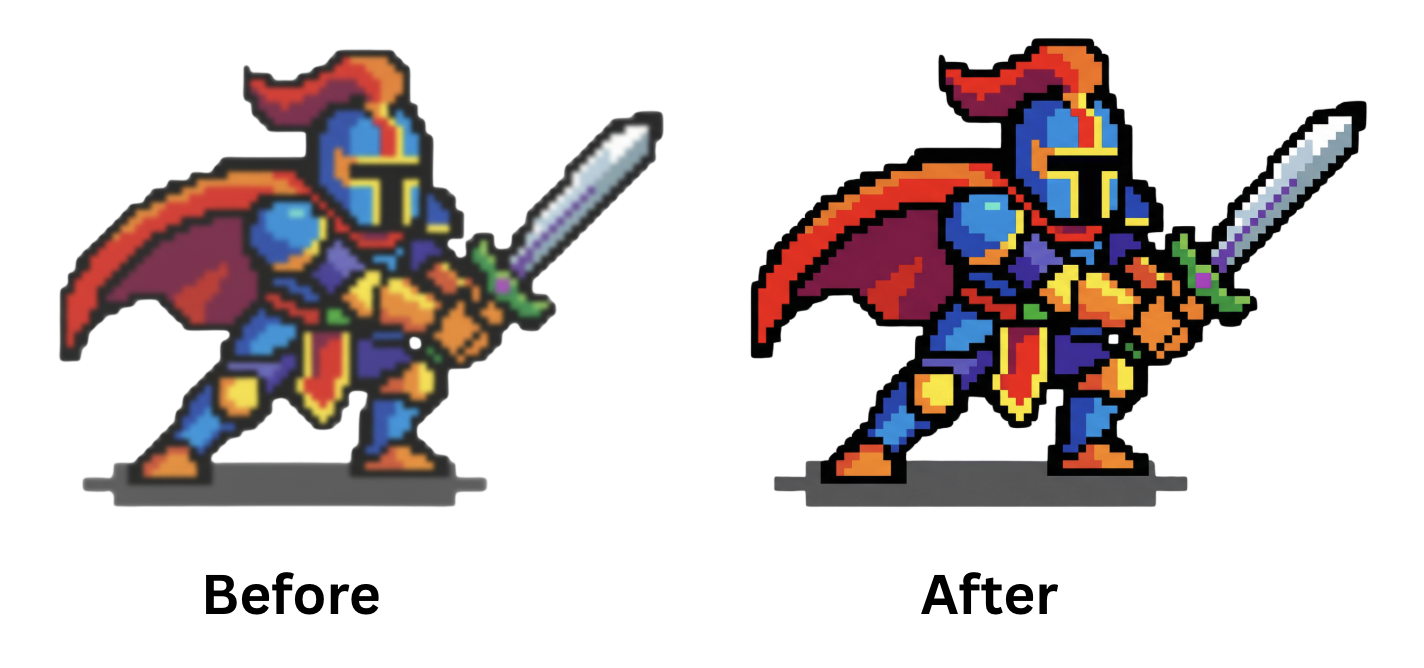
AI‑generated pixel art cleanup: Many modern image generators struggle with pixel‑precise grids. Pixel Snapper is ideal for snapping those images onto a grid and reducing the palette to true 8‑bit style colours.
Procedural art and tilemaps: If your procedural 2D art or tilemaps don’t neatly fit a grid, use the tool to align tiles before importing them into engines like Unity, Godot or Defold.
Game textures: Pixel‑based textures and sprites benefit from quantised colours and consistent grids, ensuring crisp results when scaled or rotated in game engines.
3D texture baking: The tool can clean up pixelated textures baked from 3D models, making them usable in pixel art games or retro‑themed projects.
Workflow and Tips
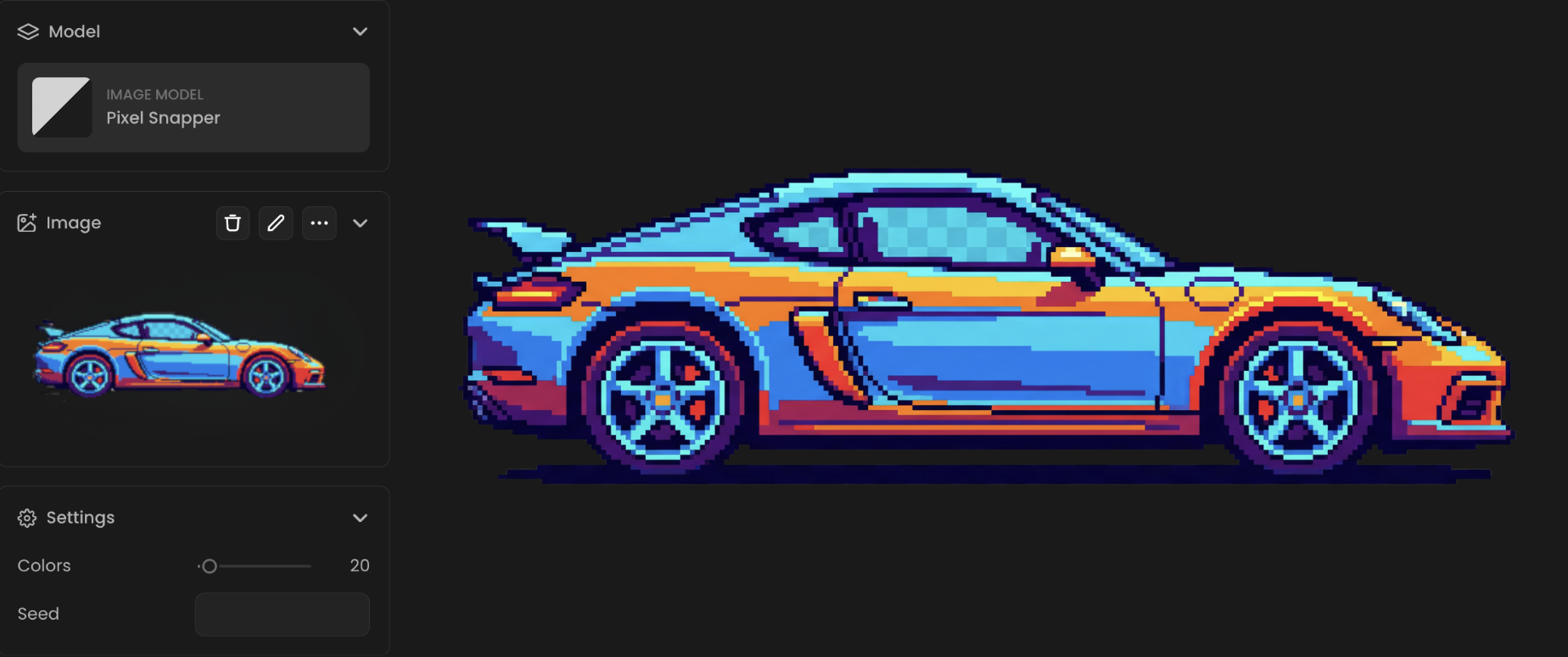
Prepare your input: Upload a PNG or JPG image up to the size limit. For best results, start with art that already has reasonably defined pixels, very blurry or continuous‑tone images may not benefit from snapping.
Choose your palette: The CLI version allows you to specify how many colours to keep. Reducing the palette can help match old console limitations or unify a set of assets.
Check the results: Pixel Snapper is a time‑saver, not a magic wand. After processing, open the output in your preferred pixel art editor (e.g., Aseprite) to touch up any remaining artefacts or refine details.
Limitations and Considerations
Manual refinement may be needed: Complex or heavily blurred images may still require manual touch‑ups after processing. The tool doesn’t understand the intent behind your art; it only aligns and quantises pixels.
Limited to pixel‑style images: Continuous‑tone photos or illustrations won’t benefit from the snapping process. Pixel Snapper is tailored for low‑resolution, grid‑based images.
Conclusion
Pixel Snapper bridges the gap between AI‑generated or procedural art and production‑ready game assets. By snapping off‑grid pixels to a consistent grid, quantising colours and preserving fine details, it transforms “faux” pixel art into crisp, scalable sprites. Whether you’re cleaning up Nano Banana output or polishing textures for a retro game, Pixel Snapper provides an efficient, open‑source solution that fits into any workflow.
Was this helpful?