
Start creating in seconds
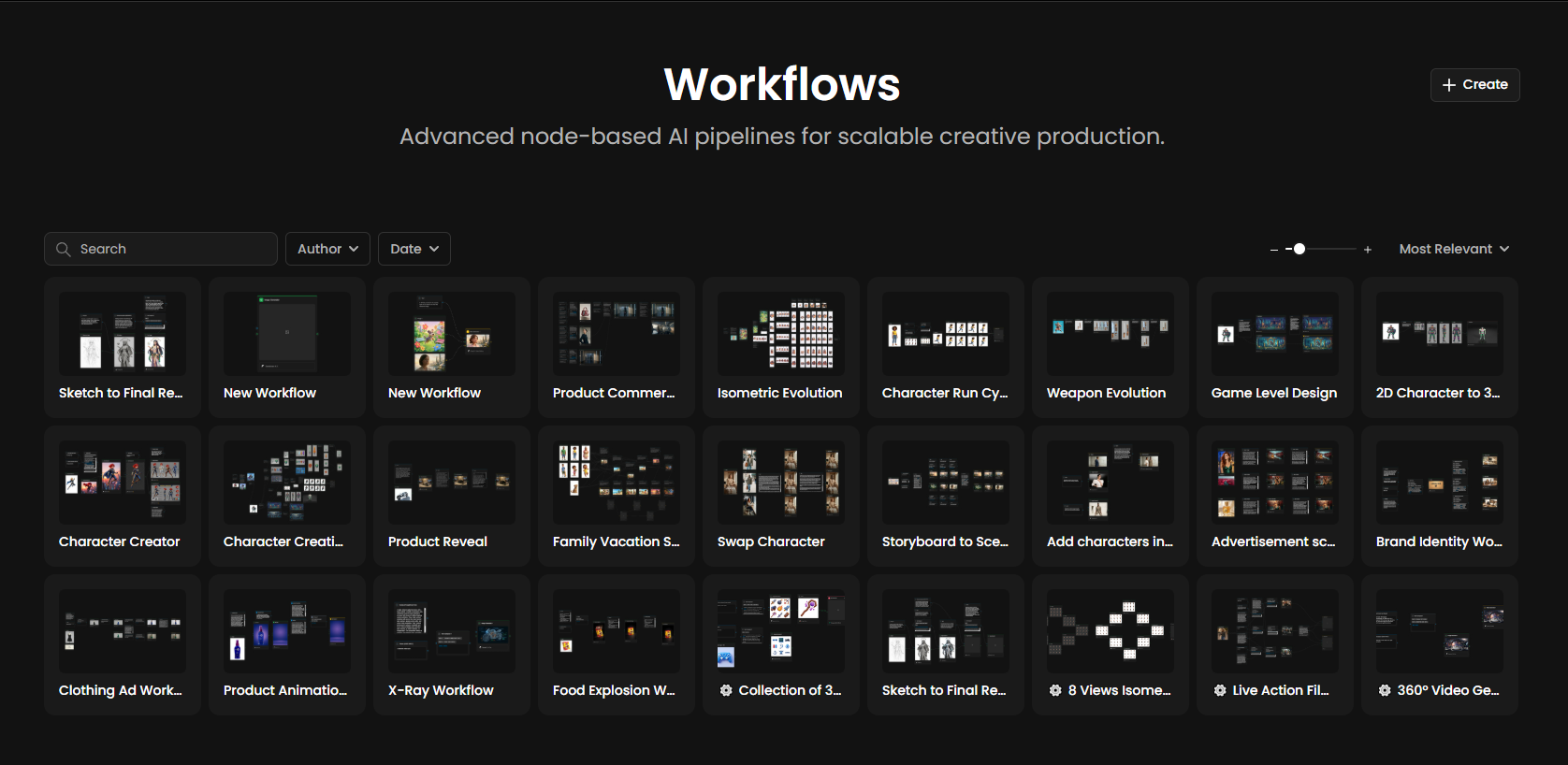
Not sure where to begin? Platform Workflows are pre-built pipelines designed by Scenario, ready to use and easy to customize.
Each workflow combines the right nodes, and calibrated settings to accomplish specific creative tasks. No setup required, just add your inputs and run.
Think of them as starting points: use them as-is to save time, or duplicate them to learn how they work and make them your own.
Find what you need
The library allows you to browse 50+ workflows, filtered to match your needs:
By Complexity:
Simple (2-3 steps): Perfect for single-task operations like removing a background or upscaling.
Intermediate: Multiple models working together (e.g., generation + refinement).
Advanced: Professional multi-step pipelines involving logic and branching.
By Category:
Image Enhancement
Gaming & Character Design
Video & Motion
3D & Immersive
E-commerce & Product
Brand & Advertising
Popular Workflows
Here are the essential pipelines visualized in your studio's references, ready to launch:
Asset & Weapon Production
Workflow Name | Description | Complexity |
Weapon Evolution | Generate elemental variations (Fire, Lightning, Ice) from a single base weapon design using parallel prompting and batch background removal. | Intermediate · 5 steps |
Isometric Evolution | Create level-based building progressions (e.g., Level 1 Hut → Level 3 Fortress) while strictly maintaining isometric perspective and architectural style. | Intermediate · 4 steps |
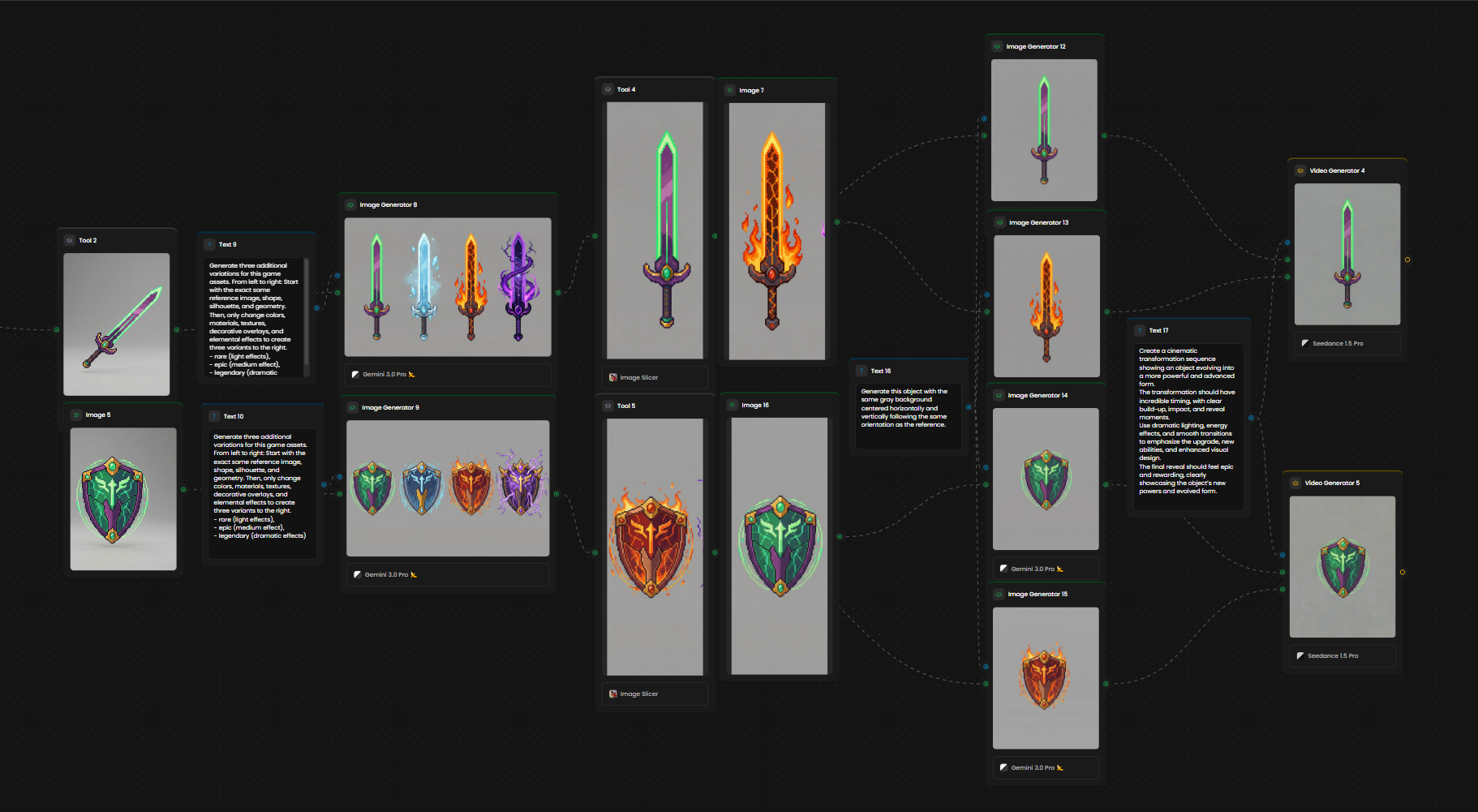
The image above illustrates a weapon evolution workflow, where multiple weapon variations are generated and then transformed into videos that showcase their evolution over time.
Character & Concept Art
Workflow Name | Description | Complexity |
Sketch to Final Render | Transform rough pencil sketches or "greybox" meshes into polished, high-fidelity character illustrations using ControlNet structure guidance. | Intermediate · 3 steps |
Character Creator | Generate consistent character sheets, outfit variants, and transparency-ready assets from a single hero reference image. | Advanced · 6 steps |
The video above illustrates the Sketch to Final Render workflow as it executes, transforming a sketch into a final rendered result.
Animation & Environment
Workflow Name | Description | Complexity |
Character Run Cycle | Generate consistent multi-frame spritesheets for 2D animation loops, ensuring limb consistency across frames. | Advanced · 4 steps |
Game Level Design | Create matching environmental assets and background elements derived directly from your main character's style and palette. | Intermediate · 3 steps |
3D & Technical Art
Workflow Name | Description | Complexity |
2D Character to 3D | Convert a 2D character concept into a textured 3D mesh (GLB/OBJ), including automatic generation of turnaround views. | Advanced · 5 steps |
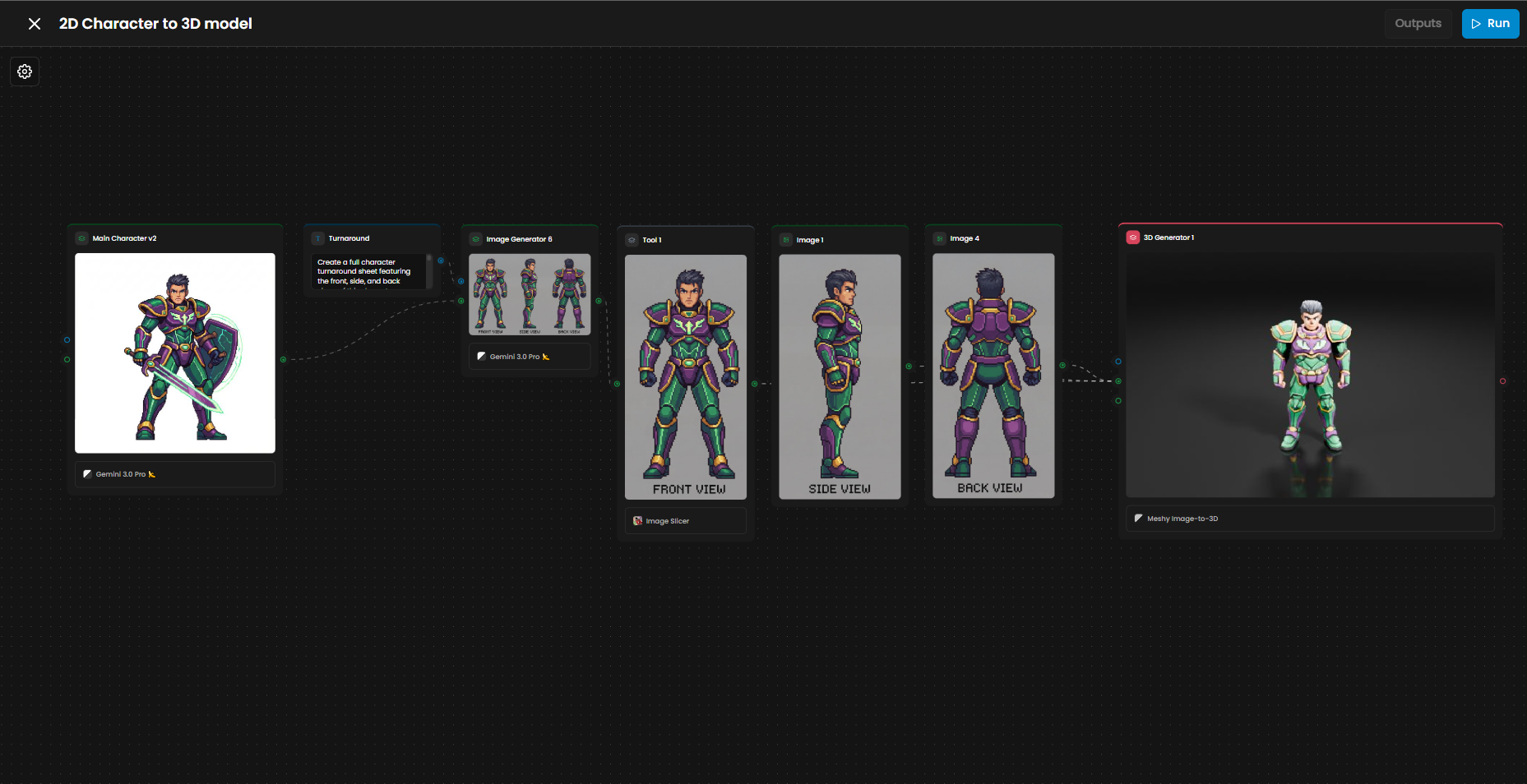
The image above shows the 2D Character to 3D Model workflow, where a 2D character is expanded into multiple views and then converted into a fully realized 3D model.
How to use a Platform Workflow:
Browse & Select: Choose a workflow from the "Platform Workflows" tab.
Open in Editor: Click to load the entire graph onto your canvas.
Add Inputs: Drag and drop your images, video, or type your text into the blue "Input" nodes.
Adjust (Optional): Tweak settings in the panel if you need specific results.
Run Workflow: Hit the "Run" button and watch the data flow through the nodes.
Download: View your final results in the Output nodes and save them.
Apps to Workflows: For any App on the platform, you can click the Edit Workflow button to open its underlying node structure. This allows you to study professional pipelines and build your own solutions on top of them.
Pro Tip: Want to customize? Duplicate any Platform Workflow. It becomes a new custom workflow in your library that you can edit, expand, and break apart.
Your Launchpad
Platform Workflows are designed to get you creating immediately. But they are also powerful learning tools.
Each one reveals how experienced creators structure their pipelines, which models work well together, and how to chain operations effectively. Use them to deliver results today—and study them to build better custom workflows tomorrow.
Was this helpful?