ElevenLabs Music v2: The Essentials
Last updated: June 22, 2026
Covers ElevenLabs Music v2 and ElevenLabs Music Advanced v2
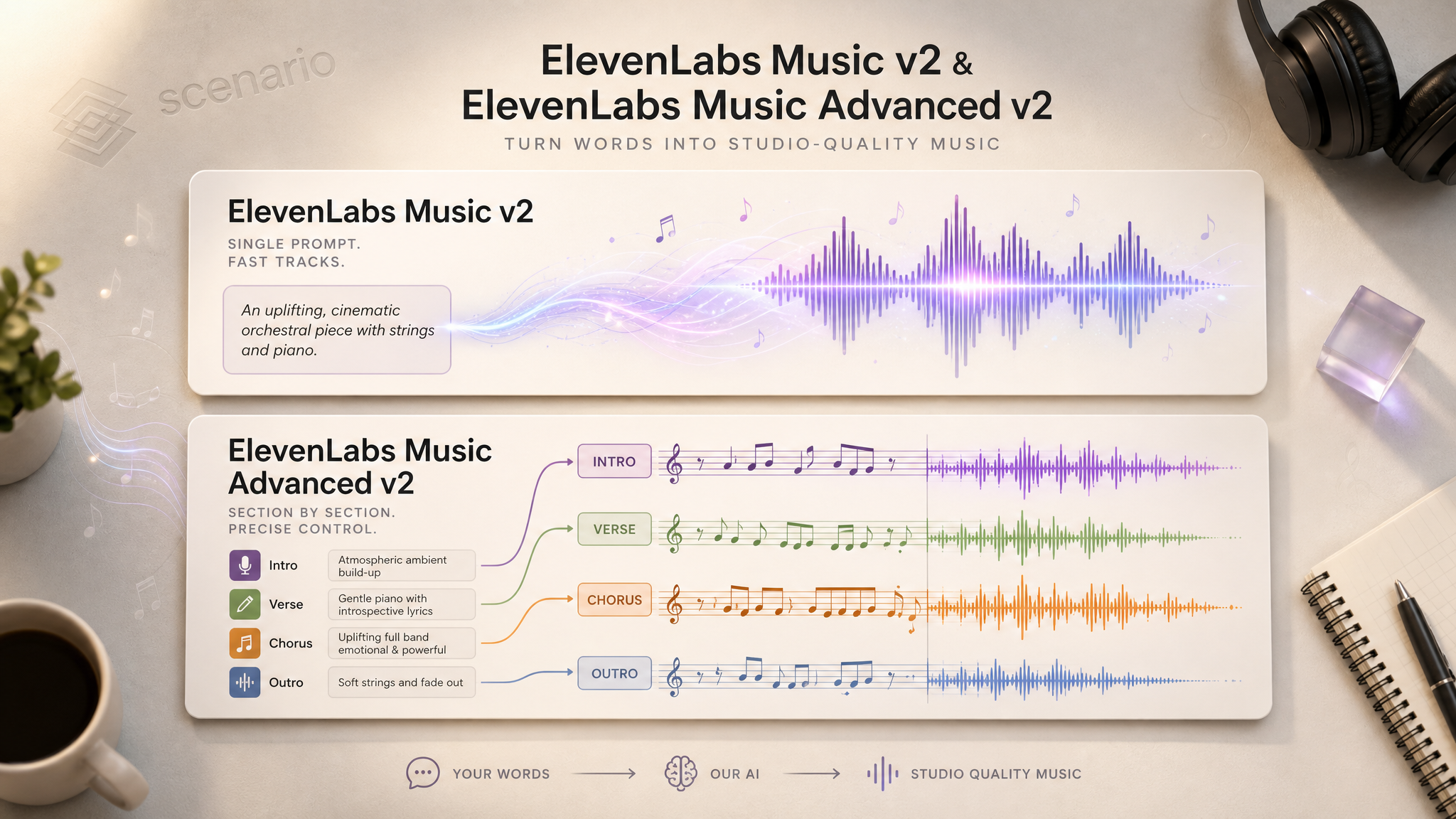
ElevenLabs Music v2 generates original, studio-quality music from your words. Two models share the same engine: one takes a single text prompt and writes a whole track, the other lets you build a song section by section with precise control over structure, lyrics, and style. Both are trained on licensed data and cleared for commercial use.
30 s lo-fi instrumental bed from Music v2.
Which Model Should I Use?
Model | ID | How you drive it | Best for |
|---|---|---|---|
ElevenLabs Music v2 Prompt |
| One text prompt + duration | Fast, complete tracks: beds, loops, song sketches, background music |
ElevenLabs Music Advanced v2 Composer |
| Ordered list of sections | Full songs with defined structure, lyrics, and section-level control |
Rule of thumb: reach for Music v2 when you want a great track fast from one description. Reach for Advanced v2 when you need to control how the song is built, intro into verse into chorus into bridge into outro, with different styles or lyrics in each part.
How to Use the Models
Music v2: one prompt, one track
Write one prompt that names the genre, mood, instruments, and tempo, then set how long you want it. The model composes and produces the full track, including vocals unless you turn them off. Listen the music.
prompt: Warm, mellow lo-fi hip-hop with dusty vinyl crackle, soft Rhodes piano,
        laid-back boom-bap drums and upright bass. Relaxed study mood, around 75 BPM.
durationSeconds: 30
forceInstrumental: true
outputFormat: mp3_44100_192
For songs with singing, leave forceInstrumental off and the model writes and performs its own topline. Naming a tempo in BPM and listing specific instruments gives tighter, more predictable results than vague adjectives alone.
prompt: Upbeat indie-pop with jangly electric guitars, punchy live drums,
        warm bass, bright female vocals about summer nights
durationSeconds: 30
outputFormat: mp3_44100_192Advanced v2: section-by-section songs
On ElevenLabs Music Advanced v2:
Advanced v2 builds a song from an ordered list of sections. The text field uses three kinds of content:
[Square brackets]mark structure:[Intro],[Verse],[Chorus],[Bridge],[Outro].Plain text is treated as sung lyrics. Anything without brackets will be sung.
{Curly braces}are performance directions that guide the music without being sung.
For an instrumental section, do not write arrangement notes as plain text. Put them in {curly braces} and add "vocals" to that section's negativeStyles. Plain text will be sung aloud.
sections:
  - text: "[Intro] {soft solo piano, sparse, rubato}"
    durationSeconds: 8
    positiveStyles: ["acoustic pop", "warm", "fingerpicked guitar"]
    negativeStyles: ["drums", "vocals"]
    contextAdherence: "high"
  - text: "[Verse] Morning light spills through the open door, I'm chasing dreams I've never had before"
    durationSeconds: 20
    positiveStyles: ["acoustic pop", "gentle female vocals", "singer-songwriter"]
    contextAdherence: "high"
  - text: "[Chorus] So I'll run, run, run toward the rising sun, this is just the start of something we've begun"
    durationSeconds: 20
    positiveStyles: ["uplifting", "catchy", "full band", "vocal harmonies"]
    contextAdherence: "high"
  - text: "[Outro] {soft fade with gentle humming}"
    durationSeconds: 12
    positiveStyles: ["gentle", "acoustic", "warm"]
    contextAdherence: "medium"
60 s acoustic-pop song with intro, verse, chorus, and outro. asset_oQVoeqnV9gQctTWcmfkXAg1N
Set contextAdherence to high so each section listens to its neighbors and the song flows as one piece. Keep sections inside a single musical identity: this model is for structuring one song, not for blending unrelated genres.
Using both models together
Sketch with Music v2 to find a genre and mood quickly, then rebuild in Advanced v2 with explicit sections so you control where the drop, chorus, or lyrics land. Both accept a seed, so lock a result you like and iterate on the parts around it.
Parameters
ElevenLabs Music v2
prompt
Required. Up to 2048 characters. Describe mood, genre, instruments, tempo, and any vocal direction.
durationSeconds
Optional. Default 30. Range 3 to 180 seconds. Sets the track length.
forceInstrumental
Optional. Default false. Set true to generate music with no vocals.
outputFormat
Optional. Default mp3_44100_128. Twelve MP3 or Opus options up to 192 kbps. Higher bitrates mean better quality and larger files.
seed
Optional. Random by default. Reuse the same seed and settings to reproduce a track exactly.
ElevenLabs Music Advanced v2
Advanced v2 replaces the single prompt with a sections array (1 to 20 ordered sections). It keeps outputFormat and seed from the base model, but has no single global prompt.
sections[].text
Section content. Use [labels] for structure, plain text for sung lyrics, and {directions} for performance notes that should not be sung.
sections[].durationSeconds
Optional per section. Default 10. Range 3 to 120 seconds.
sections[].positiveStyles / sections[].negativeStyles
Up to 10 style tags each. Positive tags steer the section toward a sound; negative tags steer it away (for example "vocals" on an instrumental part).
sections[].contextAdherence
Optional. Default medium. Values: low, medium, high. Controls how closely a section follows its neighbors.
Use Cases
Games: looping level themes, boss-fight builds, retro chiptune, and tension beds tuned to a scene.
Marketing: ad and social music beds, upbeat corporate backing, and short stingers in any genre.
Film and trailers: cinematic orchestral cues, emotional piano scenes, and hybrid trailer builds.
Education: simple sing-along songs and calm background music for lessons and explainers.
Content and e-commerce: lounge, bossa nova, and ambient beds for storefronts, podcasts, and videos.
Tips for Better Results
Name a tempo and real instruments. "Around 120 BPM, jangly guitars, punchy live drums" beats "upbeat song" every time.
Turn off vocals when you want a bed. Use
forceInstrumental: trueon Music v2, or add"vocals"tonegativeStyleson each Advanced section.Keep one identity per Advanced song. Vary structure and dynamics across sections, not the genre. One coherent style sounds far better than a genre mash.
Use
contextAdherence: highby default. Drop to medium only for slow builds. Low adherence with contrasting styles produces incoherent results.Mind the three text types in Advanced.
[labels]for structure,{curly}for directions, plain text only for words you want sung.Match duration to the deliverable. Short stingers need only a few seconds; full songs benefit from 90 to 180 seconds on Music v2 or multiple sections on Advanced v2.
Lock results with
seed. The same prompt, settings, and seed reproduce the same track, which is ideal for A/B variations on one idea.
Known Limitations
Near-silent or minimal content can fail. Compositions built around sub-bass drones, long silences, or "fade to silence" sections sometimes fail to generate. Give every section real musical material.
No global prompt in Advanced v2. Styles are set per section via
positiveStyles, so define the identity in every section or later sections can drift.Genre blending is not the use case. Forcing opposite genres into one song, especially with
contextAdherence: low, produces disjointed output. Keep one identity per track.Per-section duration caps at 120 seconds in Advanced v2, while Music v2 allows a single track up to 180 seconds.
Platform audio auto-captions are unreliable. Ignore them as a QA signal; listen to the output instead.
Open the models: ElevenLabs Music v2 · ElevenLabs Music Advanced v2