Prompt Embeddings
Last updated: June 3, 2026
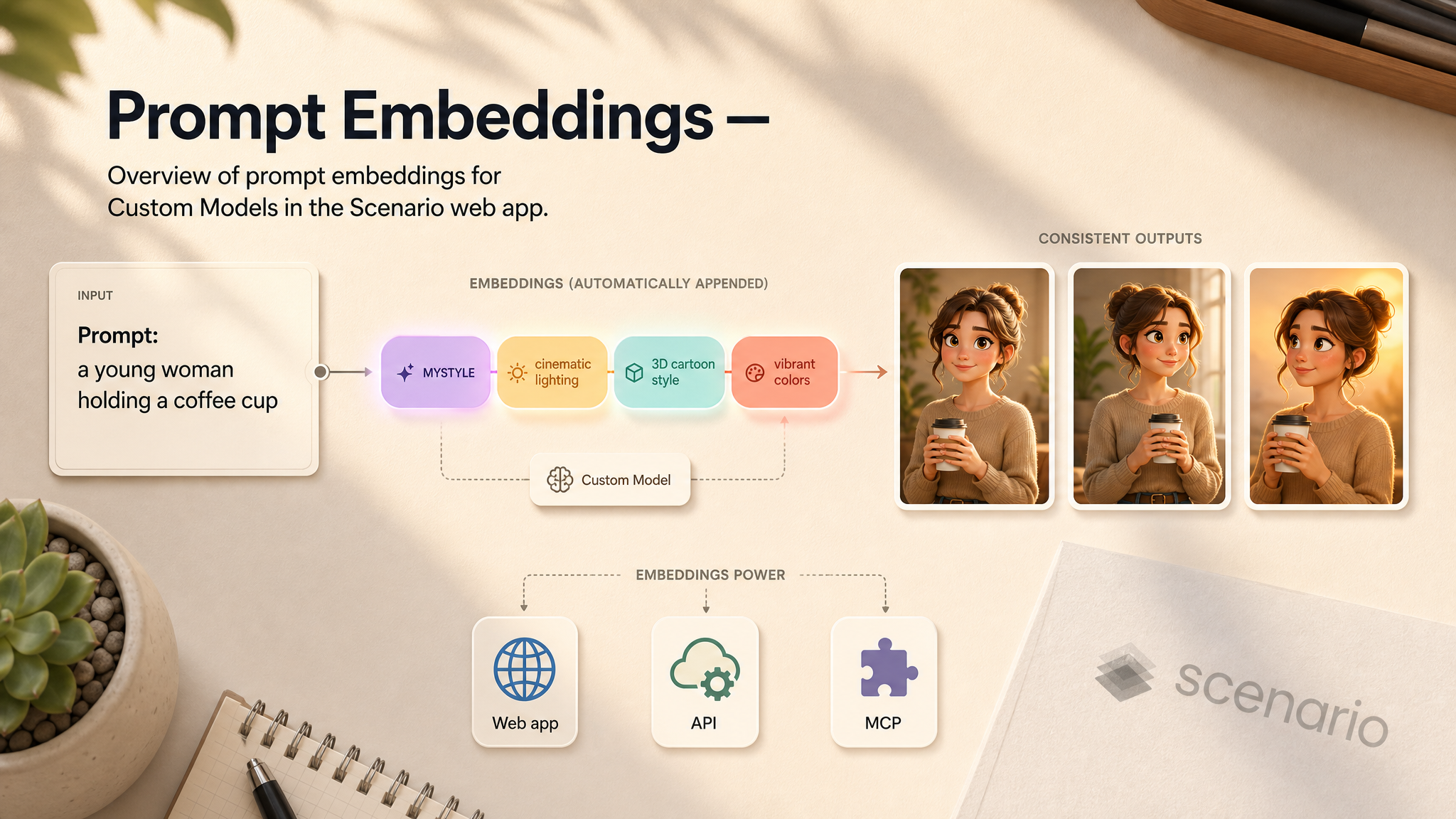
Overview of prompt embeddings for Custom Models in the Scenario web app.
The short version
A prompt embedding appends a fixed set of tokens to every prompt for a trained model — without typing them each time.
Use embeddings for style descriptors, brand language, trigger words, or quality cues across all generations.
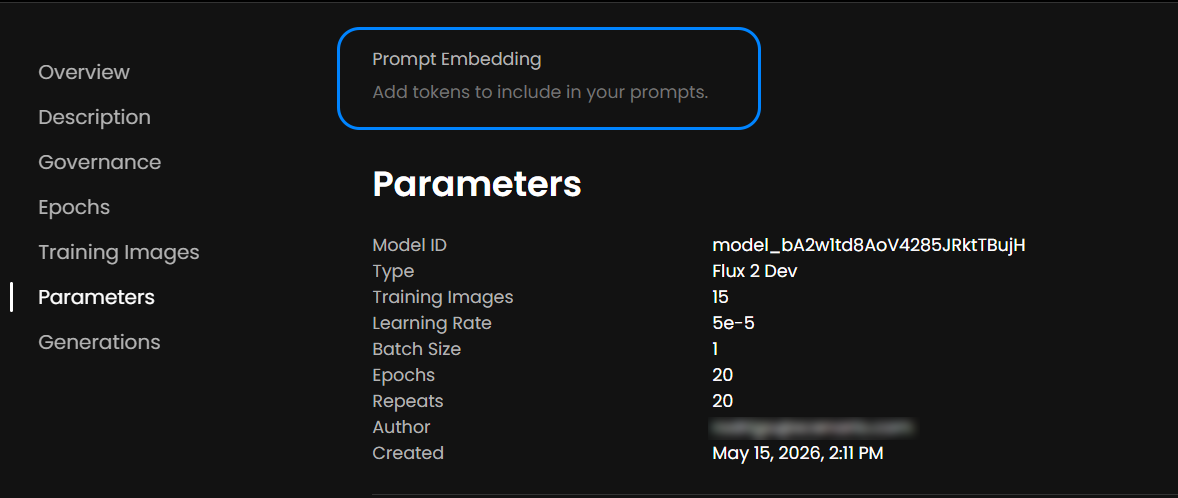
Configure embeddings on the model Details tab under Prompt Embedding.
Embeddings apply to generations in the web app, API, and MCP — for every team member.
A prompt embedding injects tokens into every prompt used with a model. Bake in style descriptors, brand language, or quality cues so they apply across all generations from that model.
This article covers what embeddings do, supported training families, setup, and how they interact with Custom Models.
What prompt embeddings do
When generating from a model with a prompt embedding configured:
The creator types a normal prompt:
a young woman holding a coffee cupThe system appends the embedding tokens — for example,
, MYSTYLE, vibrant colors, soft lightingThe model receives the combined prompt and generates accordingly
The extra tokens run automatically. Embeddings keep output consistent across generations, team members, and API calls.
Purpose | Example tokens |
|---|---|
Steer generation toward a style or brand look |
|
Family support
Prompt embeddings work across all current Scenario training families — single-image and edit LoRAs alike:
FLUX.2 Dev / FLUX.2 Klein 9B / FLUX.2 Klein 4B
FLUX.2 Edit
Qwen Image
Qwen Edit
Z-Image / Z-Image Turbo
FLUX.1 Kontext
Set up a prompt embedding
Open the trained Custom Model in the Scenario web app.
Open the Details tab.
Find the Prompt Embedding field.
Enter the tokens to append automatically — comma-separated, in the order they should apply.
Save. The embedding is active for all generations from this model.
When to use embeddings
Team or brand consistency: every member's outputs share style cues without coordinating prompts.
Public model distribution: the model works without users learning trigger words.
API and MCP integrations: embeddings reduce per-call prompt construction.
Common pitfalls
Too many tokens. Five to ten well-chosen tokens beats twenty. Extra tokens dilute one another.
Conflicting tokens. cinematic plus flat illustration fight each other. Keep the embedding internally coherent.
Trigger word missing from prompts and embedding. Confirm the trigger appears via the embedding or via user prompts — not neither.
Stale embedding after retraining. After a retrain, verify the embedding still matches the new model's vocabulary.
Prompt embeddings are ready to use on the next generation from that Custom Model. For training basics, see the Custom Model Training overview.