Rodin Hyper3D Models: The Essentials
Last updated: June 23, 2026
Covers Rodin Gen-2.5, Rodin Gen-2.5 Text to 3D, Rodin Gen-2.5 Fast, and Rodin Gen-2.5 Text to 3D Fast.
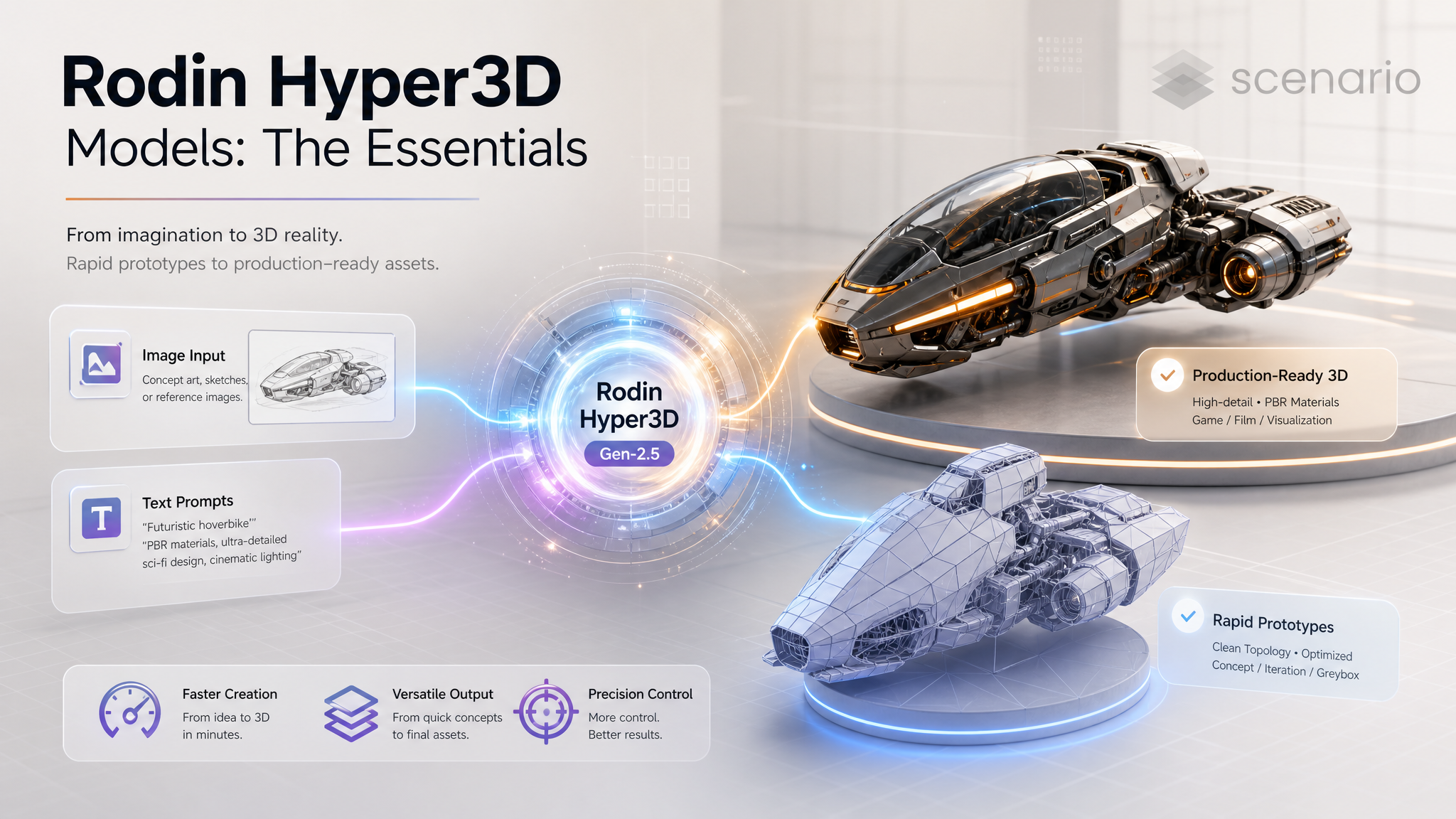
The Rodin Hyper3D family from Deemos Technology (built on the SIGGRAPH 2025 Best Paper research from Hyper3D) generates production-ready 3D models. The current Gen-2.5 generation comes in four variants split along two axes: input type (image or text) and tier (standard or Fast). Standard tiers cover five quality levels from Extreme Low to Extreme High with full control. Fast tiers offer Minimum / Extreme Low / Low at fixed prices for rapid prototyping. All variants output GLB or FBX with triangle or quad topology, optional PBR textures, and HD post-processing.
Note on versioning. Gen-2.5 is the current generation across all four variants. Earlier Gen-2 and Gen-1 (including Gen-1 Highpack) remain available but are legacy and superseded. New projects should start on Gen-2.5; existing assets keep working but new work should migrate.
Which Model Should I Use?
Model | ID | Best for |
|---|---|---|
| Image to 3D, 1 to 5 images, full quality range. Five tiers from Extreme Low to Extreme High. Pick for production deliverables and hero assets. | |
| Same as Gen-2.5 but driven from a text prompt. Use when you do not have reference images. | |
| Image to 3D, fast mode for rapid prototyping. Three tiers (Minimum, Extreme Low, Low) at fixed pricing. Mesh capped at 20K faces. | |
| Text to 3D fast variant. Same trade-offs as Fast Image: fixed pricing, 20K face cap, rapid iteration. | |
Rodin Gen-2 / Gen-1 (legacy) | Legacy generations on the platform | Previous generations. Superseded by Gen-2.5. Existing workflows continue to run; new work should target Gen-2.5. |
The decision matrix: image or text input? (pick the matching variant) and production or prototyping? (standard tiers for production, Fast tiers for iteration). Many projects iterate on Fast Text or Fast Image to lock the direction, then promote the locked input to the standard variant at a higher tier for the final deliverable.
How to Use the Models
Rodin Gen-2.5 — Image to 3D
The minimum call is one image. Up to five are supported for multi-view input. The example below is a real run: a character with tactical uniform built from three reference angles, at the top tier with every quality switch on.
images: [asset_front, asset_side, asset_back]   // 3 multi-view references
tier: "Gen-2.5-Extreme-High"                      // top tier (2x base rate)
addons: "HighPack"                                // 4K textures + high-poly geometry
qualityMeshOption: "500K Triangle"                // max density triangle mesh
material: "All"                                   // PBR + Shaded
textureMode: "high"                               // high-quality textures
hdTexture: true                                   // enhanced texture post-processing
isMicro: true                                     // fine micro-scale geometric detail
TAPose: true                                      // T-pose output, ready for rigging
geometryInstructMode: "faithful"                  // follow the references closely
Five Quality Tiers
Gen-2.5-Extreme-Low: smallest, fastest. Use for ultra-rapid iteration when geometry only needs to be roughly right.
Gen-2.5-Low: light meshes for backgrounds and crowd-fill assets.
Gen-2.5-Medium (default): balanced; right for most production hero assets.
Gen-2.5-High: dense meshes with crisper geometric detail. Use for close-up hero work.
Gen-2.5-Extreme-High: maximum detail. Bills at double the base rate. Required for Micro Detail.
Topology and Mesh Density
The qualityMeshOption combines mesh type (quad or triangle) with face count. Quad options range from 4K to 50K; triangle options from 2K to 500K (default).
Quad topology: cleaner for sculpting, rigging, and downstream animation. Pick 4K, 8K, 18K, or 50K Quad.
Triangle topology: smaller files, faster real-time rendering. Pick 2K, 20K, 150K, or 500K Triangle.
The HighPack add-on bumps texture resolution from 2K to 4K and gives higher-poly geometry. If you also pick Quad in qualityMeshOption, HighPack multiplies the face count by approximately 16x.
Geometry Mode
faithful(default): follows the input image or prompt closely. Use when the source is the target.creative: permits more variation. Use when the input is inspirational and you want the model to interpret.
Material and Texture
material:PBR,Shaded,All(default; both), orNone. PBR for modern engine pipelines; Shaded for traditional baked textures.textureMode: leave blank to let the tier pick. Manual options:legacy,extreme-low,low,medium,high.hdTexture: enhanced texture post-processing for higher visual fidelity.textureDelight: removes baked lighting from textures, so the model looks the same under any in-scene light.
Advanced Controls
isSymmetric:symmetric,balanced,asymmetric, orunknown(auto, default).isMicro: finer micro-scale geometric detail. Only effective with Extreme High tier.useOriginalAlpha: preserve transparency from input images.previewRender: also generate a 2D preview render of the model.TAPose: output characters in T-pose or A-pose for easier rigging.
Rodin Gen-2.5 Text to 3D
Same parameter surface as Gen-2.5, minus the image input. Drive it with a text prompt.
prompt: "A stylized low-poly fantasy potion bottle with a glowing teal liquid
and an ornate cork wrapped in twine."
tier: "Gen-2.5-Medium"
qualityMeshOption: "18K Quad"          // default for the text variant
material: "All"
Default mesh option differs slightly between variants. Text to 3D defaults to 18K Quad (cleaner topology, mid density). Image to 3D defaults to 500K Triangle (highest fidelity, dense triangles for capturing reference detail).
Rodin Gen-2.5 Fast (Image and Text)
The Fast variants are tuned for rapid prototyping. Trade-offs:
Three tiers:
Gen-2.5-Minimum,Gen-2.5-Extreme-Low(default),Gen-2.5-Low. No Medium / High / Extreme High.Fixed pricing: tier choice does not change the generation price (HighPack still adds cost).
20K face cap: meshes are capped lower than the standard variants.
qualityMeshOptiondefaults toAuto(20K Triangle on supported tiers).Creative Mode (
enableCreativeMode): enhanced generative robustness while keeping output consistency. Available only on Fast tiers.
Use Fast tiers to iterate on prompts, reference images, and material settings. Once the direction is locked, promote the same inputs to the standard tier at Medium or higher.
// Fast Image
images: [asset_concept]
tier: "Gen-2.5-Extreme-Low"
qualityMeshOption: "Auto"           // → 20K Triangle on supported tiers
material: "All"
enableCreativeMode: true            // optional, Fast-only

// Fast Text
prompt: "A modular sci-fi crate with hex panels and orange status lights"
tier: "Gen-2.5-Low"
qualityMeshOption: "Auto"
material: "PBR"
Parameters
Shared (all four Gen-2.5 variants)
tier
Standard: Gen-2.5-Extreme-Low, Gen-2.5-Low, Gen-2.5-Medium (default), Gen-2.5-High, Gen-2.5-Extreme-High. Fast: Gen-2.5-Minimum, Gen-2.5-Extreme-Low (default), Gen-2.5-Low.
qualityMeshOption
Combined quality and mesh type. Standard variants: 4K Quad, 8K Quad, 18K Quad, 50K Quad, 2K Triangle, 20K Triangle, 150K Triangle, 500K Triangle. Defaults: Image-to-3D = 500K Triangle; Text-to-3D = 18K Quad. Fast variants add Auto (default) and 1K Quad, 4K Triangle, 8K Triangle, 10K Triangle, 20K Triangle.
material
PBR, Shaded, All (default), or None.
textureMode
Empty (auto), legacy, extreme-low, low, medium, high.
hdTexture
Boolean. Enhanced texture post-processing for higher visual fidelity.
textureDelight
Boolean. Removes baked lighting and highlights from generated textures.
isMicro
Boolean. Finer micro-scale geometric detail. Standard variants: only effective with Extreme High tier. Fast variants: tier-dependent.
useOriginalAlpha
Boolean. Preserve the alpha channel from input images.
previewRender
Boolean. Generate a preview render image alongside the 3D files.
TAPose
Boolean. Output characters in T-pose or A-pose for easier rigging.
seed
Numeric seed (0-65535) for reproducible output.
Standard variants only
addons
Empty (default) or HighPack. HighPack delivers 4K textures and higher-poly geometry; with Quad mesh, multiplies face count by ~16x.
geometryInstructMode
faithful (default) or creative. Faithful follows the input; creative permits more variation.
isSymmetric
symmetric, balanced, asymmetric, or unknown (auto, default).
Fast variants only
enableCreativeMode
Boolean. Enhanced generative robustness while keeping output consistency. Fast-tier exclusive.
highPack
Boolean. 4K textures and high-poly geometry. Adds cost.
Image-only parameters
images
Required for Image variants. 1 to 5 images.
prompt
Optional on Image variants. Auto-generated from images if omitted. Required on Text variants. Up to 1024 characters.
Examples
Rodin Gen-2.5 (Image to 3D)
29 pinned outputs. Four featured here.
Rodin Gen-2.5 Text to 3D
15 pinned outputs. Four featured here.
Rodin Gen-2.5 Fast (Image)
50 pinned outputs. Four featured here.
Rodin Gen-2.5 Text to 3D Fast
26 pinned outputs. Four featured here.
More pinned outputs on each model page.
Use Cases
Production game-ready assets. Hero props, weapons, character heads, environment pieces. Use Gen-2.5 standard at Medium or High with Quad topology and PBR materials, optionally with HighPack for 4K textures.
Rapid concept iteration. Test ideas on Gen-2.5 Fast (Image or Text), lock the direction, promote the inputs to standard tier for the final pass.
Reference-driven 3D from concept art. Run Gen-2.5 Image with 1 to 5 multi-view references for accurate geometry. Use multi-view inputs when one angle is not enough to capture the shape.
Text-only asset generation. No reference image? Gen-2.5 Text to 3D drives the same pipeline from a prompt alone. Use for design exploration.
E-commerce product 3D. Catalog products as 3D viewable assets for web product pages. Standard tier with PBR materials and HD textures.
AR and Snapshot try-on. Quick 3D from photos for AR product placement. Gen-2.5 Fast for prototypes; standard tier for final delivery.
Character pipelines. Generate the head or body in T-pose (set
TAPose: true), then auto-rig with Uthana Character Rigging, then animate with Uthana Text to Motion 3.0 or Video to Motion 2.1.Texture re-light. Run with
textureDelight: trueto remove baked lighting so the model can be re-lit in any scene downstream.
Tips for Better Results
Iterate on Fast, ship on Standard. Use Gen-2.5 Fast (Image or Text) to lock the prompt and reference images. Once the direction is right, run the same inputs through the standard variant at Medium or higher.
Pick topology by downstream use. Quad for sculpting, rigging, and animation pipelines. Triangle for real-time engines and dense capture.
Match tier to scope. Medium is right for most production work. Promote to High or Extreme High only when the close-up requires it. Extreme High doubles the base rate and is the only tier where Micro Detail takes effect.
Multi-view image input outperforms single-view. For Image to 3D, 3 to 5 views from different angles produce dramatically better geometry than a single front shot.
Front-facing references work best. Subject centered, neutral background, clean lighting. Generate references with GPT Image 2 if you do not have photographic source material.
Set
TAPose: truefor character pipelines. The output is ready for auto-rigging in Uthana Character Rigging without manual posing first.Use
textureDelightwhen re-lighting downstream. Baked lighting from the model's generated texture will fight with your scene lights. Delight removes it.HighPack for hero assets only. 4K textures and high-poly geometry add real cost and time. Reserve HighPack for the final hero plate of an asset.
Switch to
creativegeometry mode for design exploration. When the reference image is a starting point rather than a target, creative mode produces interesting variation.
Known Limitations
Fast tier face cap. Fast variants cap meshes at 20K faces (Auto default) regardless of tier choice. For higher density, use the standard variants.
Micro Detail requires Extreme High. On standard variants,
isMicroonly takes effect at the Extreme High tier. Setting it on lower tiers is a no-op.HighPack adds significant cost. Texture goes from 2K to 4K and geometry scales up (especially on Quad), so plan accordingly.
Multi-view inputs need consistent character. If the 5 reference images depict slightly different characters or lighting, the model can produce a mash-up rather than a coherent mesh.
Text prompts cap at 1024 characters. Beyond that, the model truncates.
Legacy Gen-2 / Gen-1 still listed. They remain available but are no longer the recommended path. Migrate new work to Gen-2.5.