Scenario Detection: The Essentials
Last updated: May 7, 2026
Covers model_scenario-detection | Provider: Scenario | Modality: Image to Image
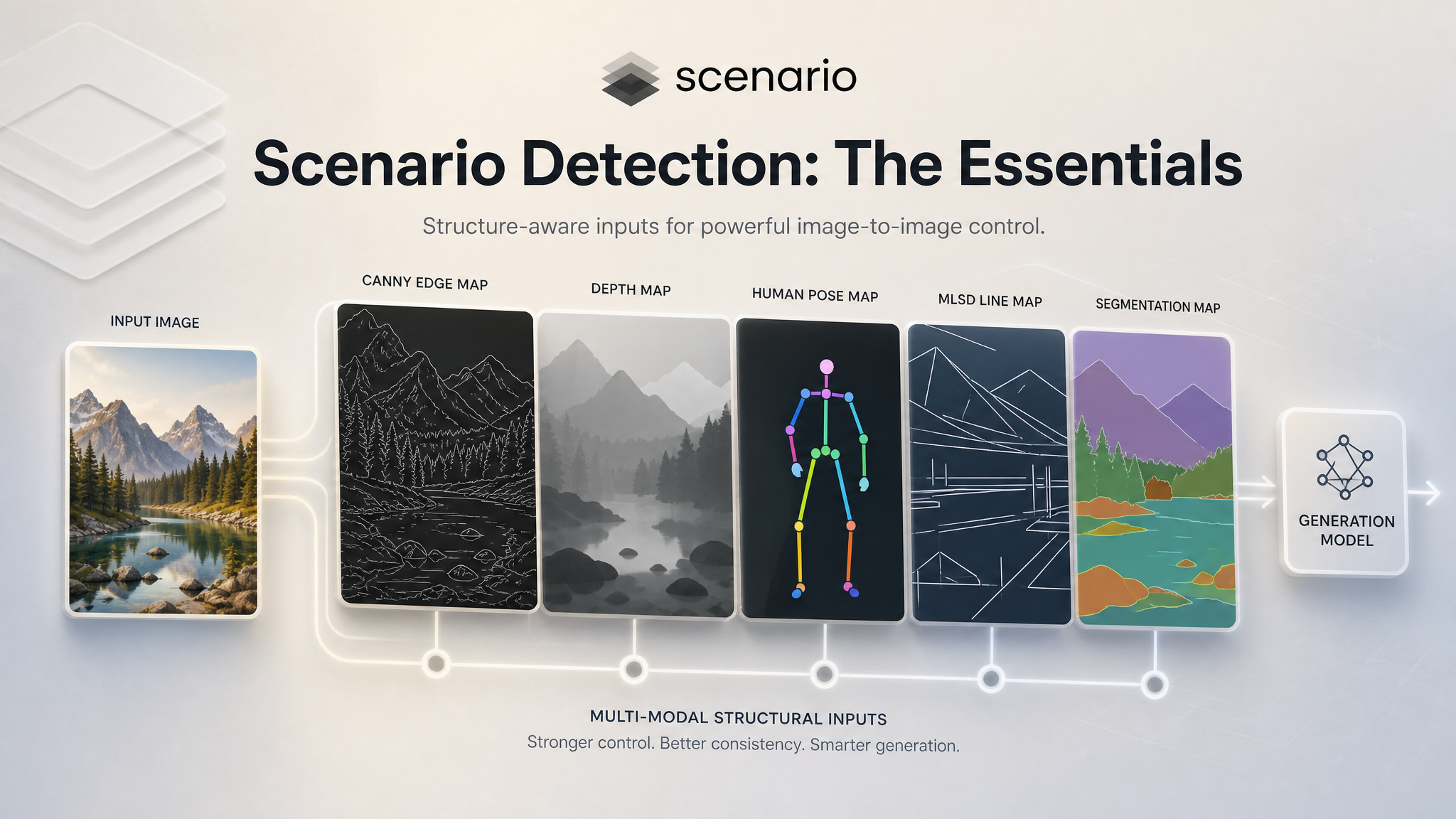
Scenario Detection extracts structured condition maps from any image. These maps are the input that ControlNet-compatible generation models use to constrain the composition, pose, depth, or structure of a new image. You run Detection first, get the map, then feed that map into a generation model as a guide.
Ten preprocessors are available in a single model. You pick the one that matches what you want to preserve: use Canny to hold the edges, Pose to hold a character's body position, Depth to hold the spatial layout, MLSD to hold the architectural lines. Each detector strips out a different layer of structural information, leaving only what the generation model needs to follow.
The Ten Detectors
Detector | What it extracts | Best used for | |
|---|---|---|---|
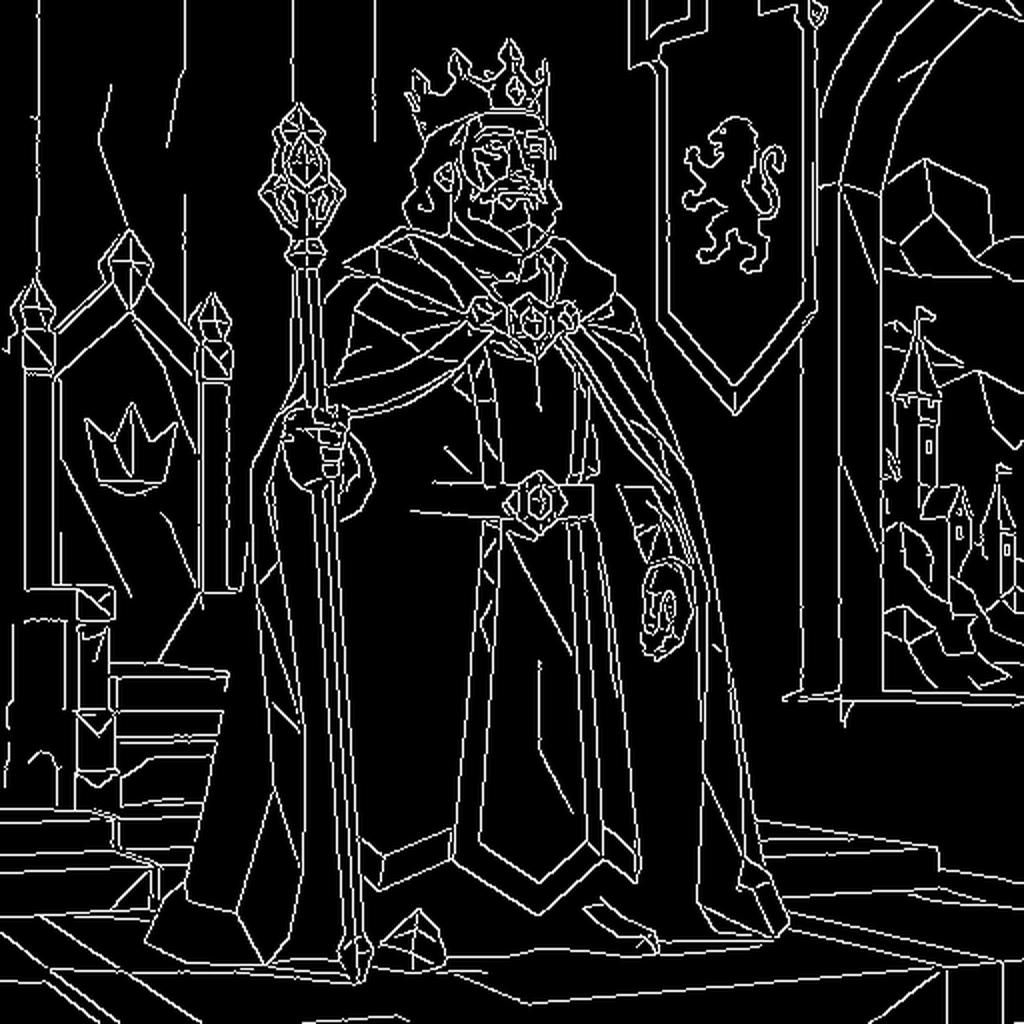 | Canny | Sharp edges and outlines across the full image | Style transfer that preserves layout and composition. Works on any subject. |
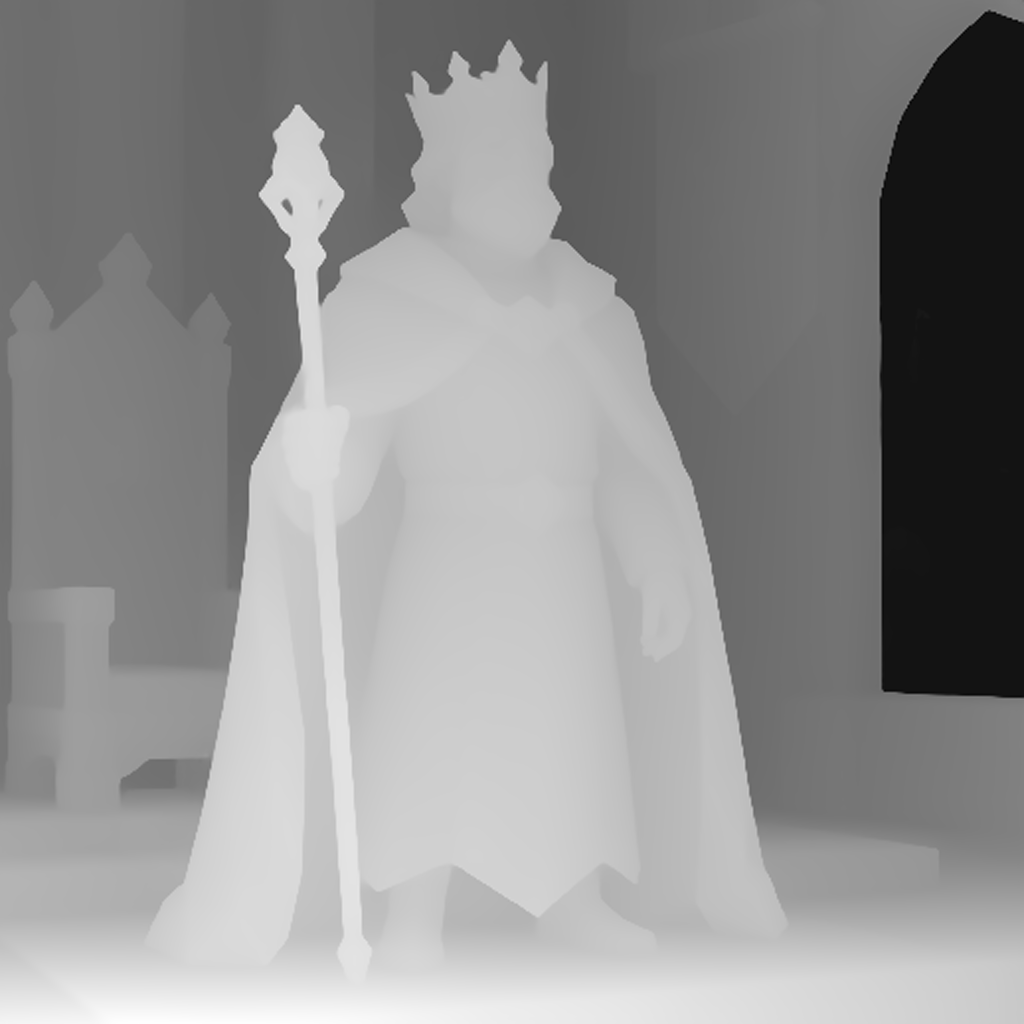 | Depth | Grayscale depth map: bright foreground, dark background | Recomposing a scene while preserving spatial relationships and perspective. |
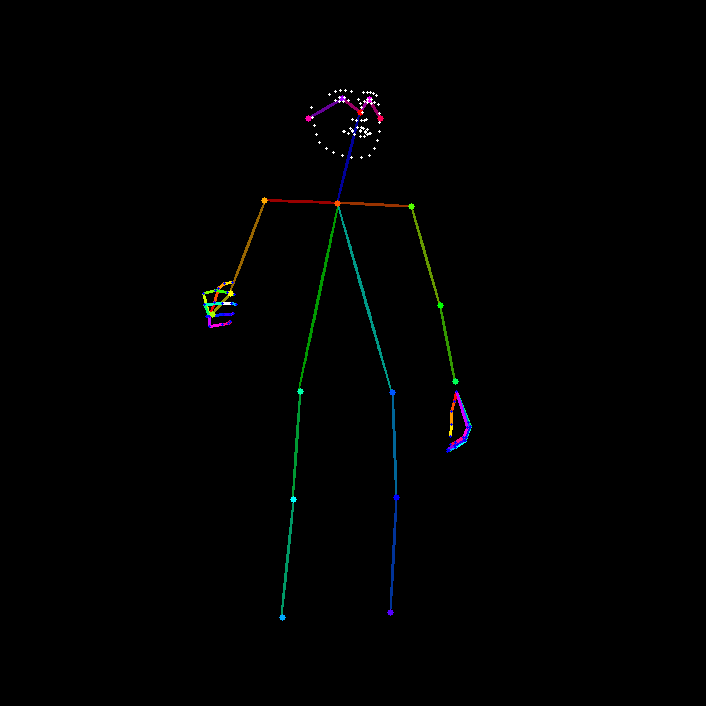 | Pose | Human skeleton with body, face, and joint keypoints | Transferring or replicating a character's pose. Works across different characters and styles. |
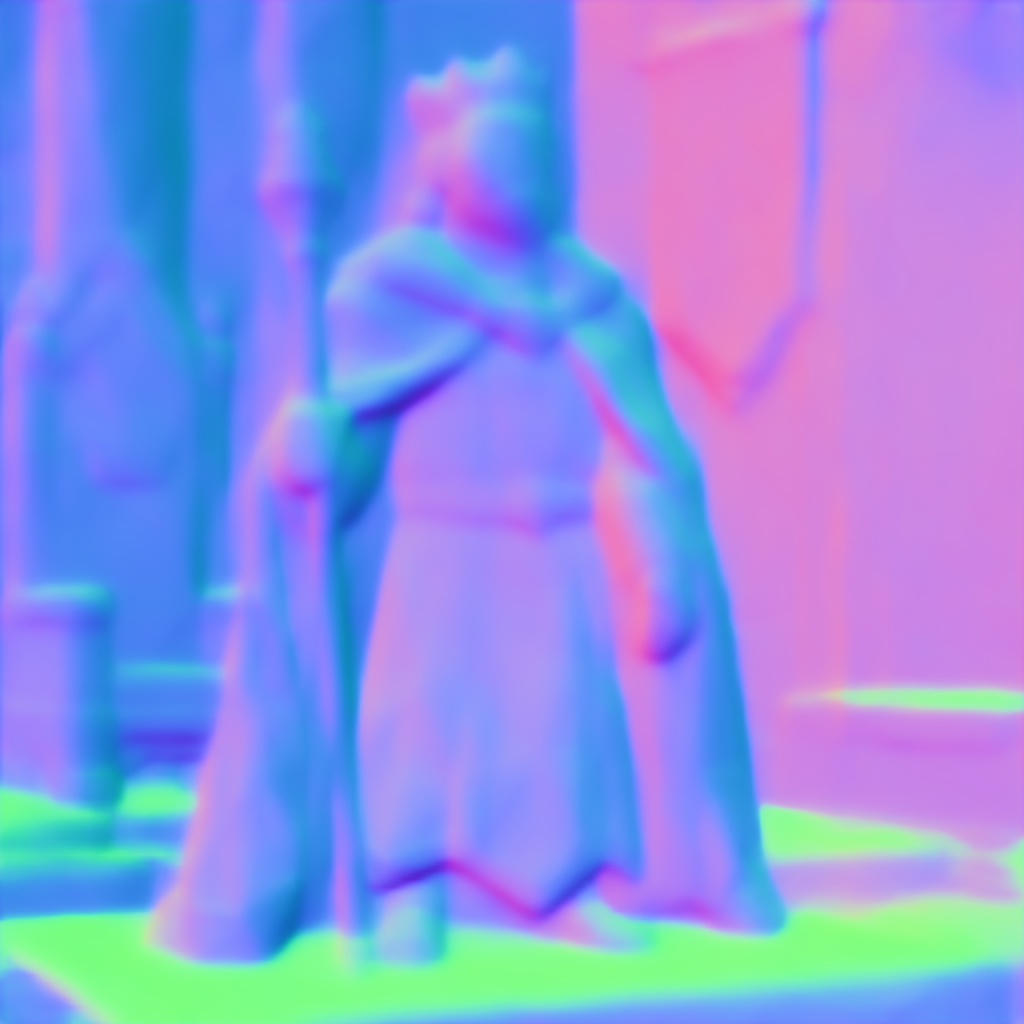 | Normal | Surface orientation encoded as color vectors | Preserving fine surface detail and controlling lighting behavior in the output. |
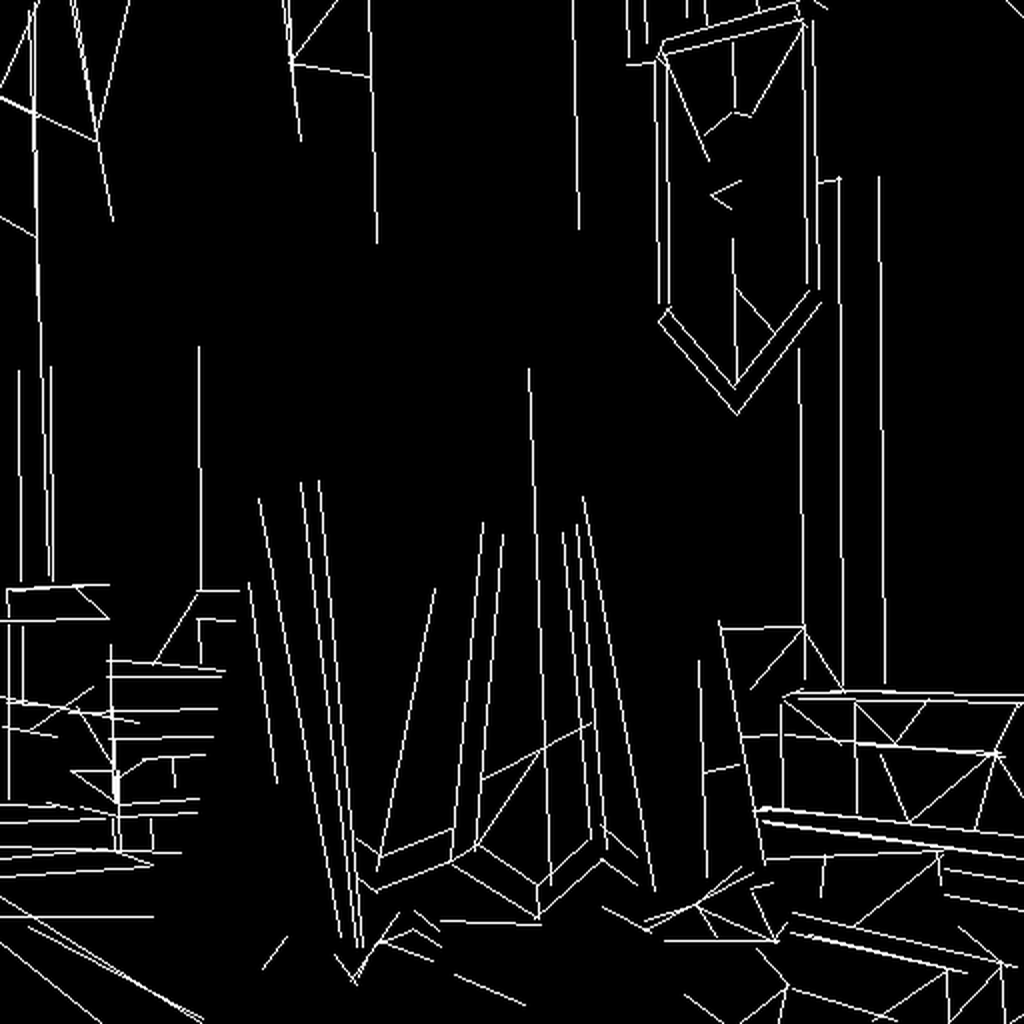 | MLSD | Straight line segments only | Architecture, interior design, and technical drawings with strong geometric structure. |
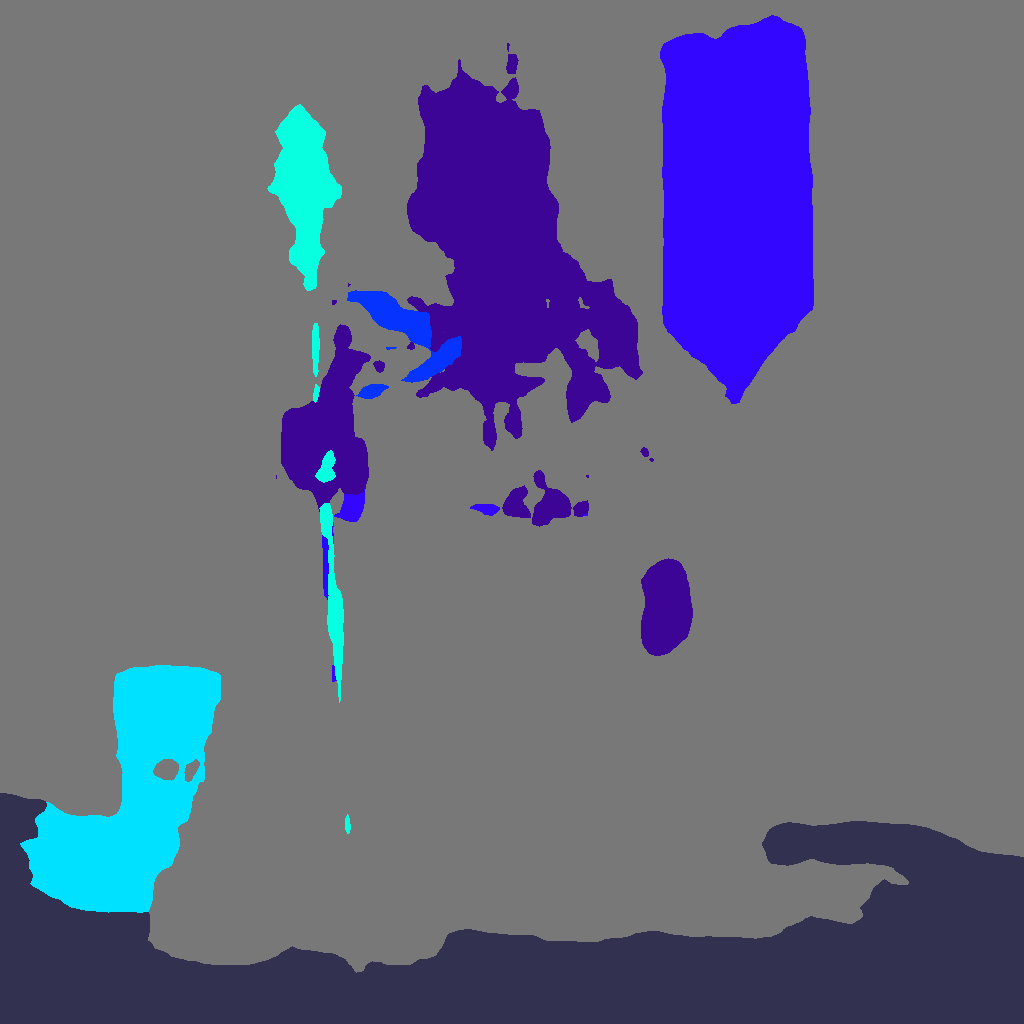 | Segmentation | Semantic color regions: each object type gets its own color | Controlling the layout of a scene while changing style, lighting, or content within each region. |
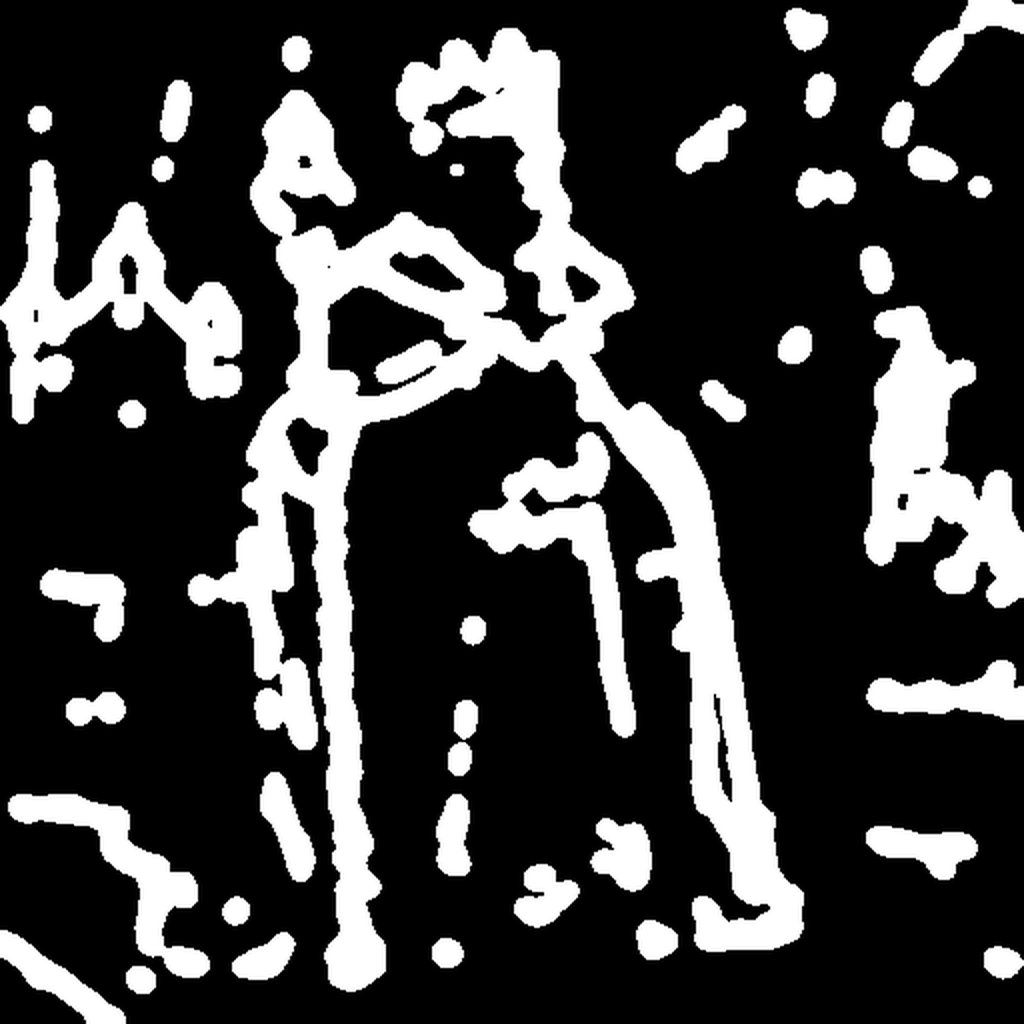 | Scribble | Loose, simplified edge lines, similar to a rough hand sketch | Loose style transfer. Also useful as input when you want the generation model to have more creative freedom. |
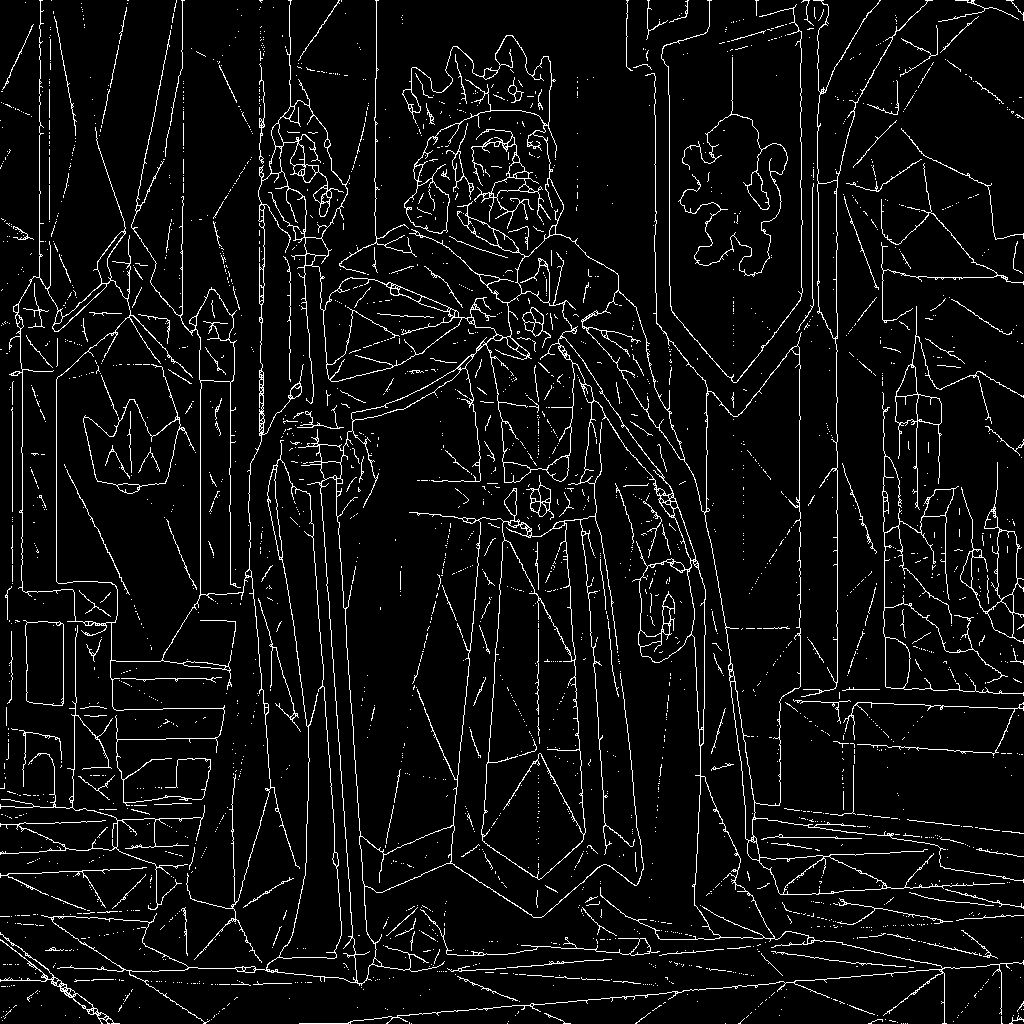 | Sketch | Detailed line drawing preserving more contour information than scribble | Coloring or restyling artwork while keeping the drawn structure. |
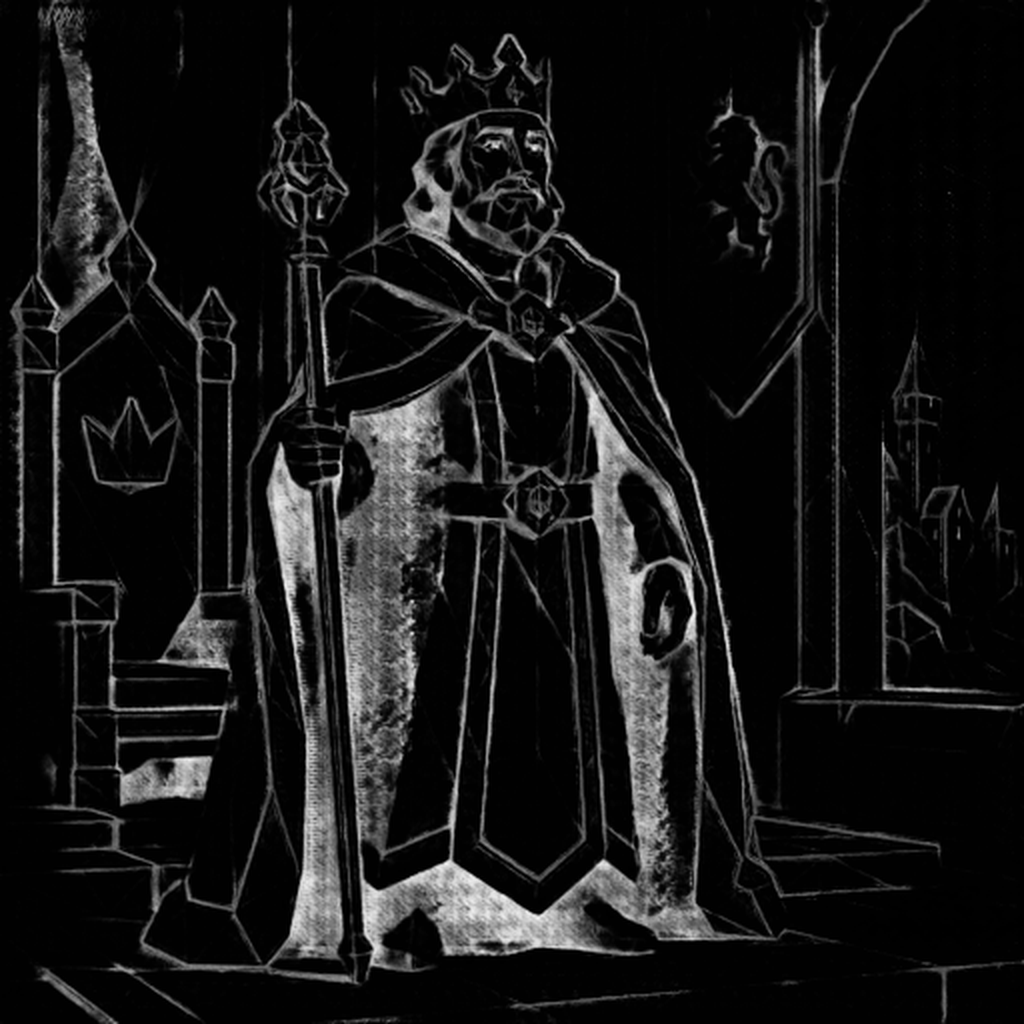 | Line Art (Anime) | Clean, high-contrast anime-style line extraction | Coloring manga or anime line art, and extracting clean linework from illustrated images. |
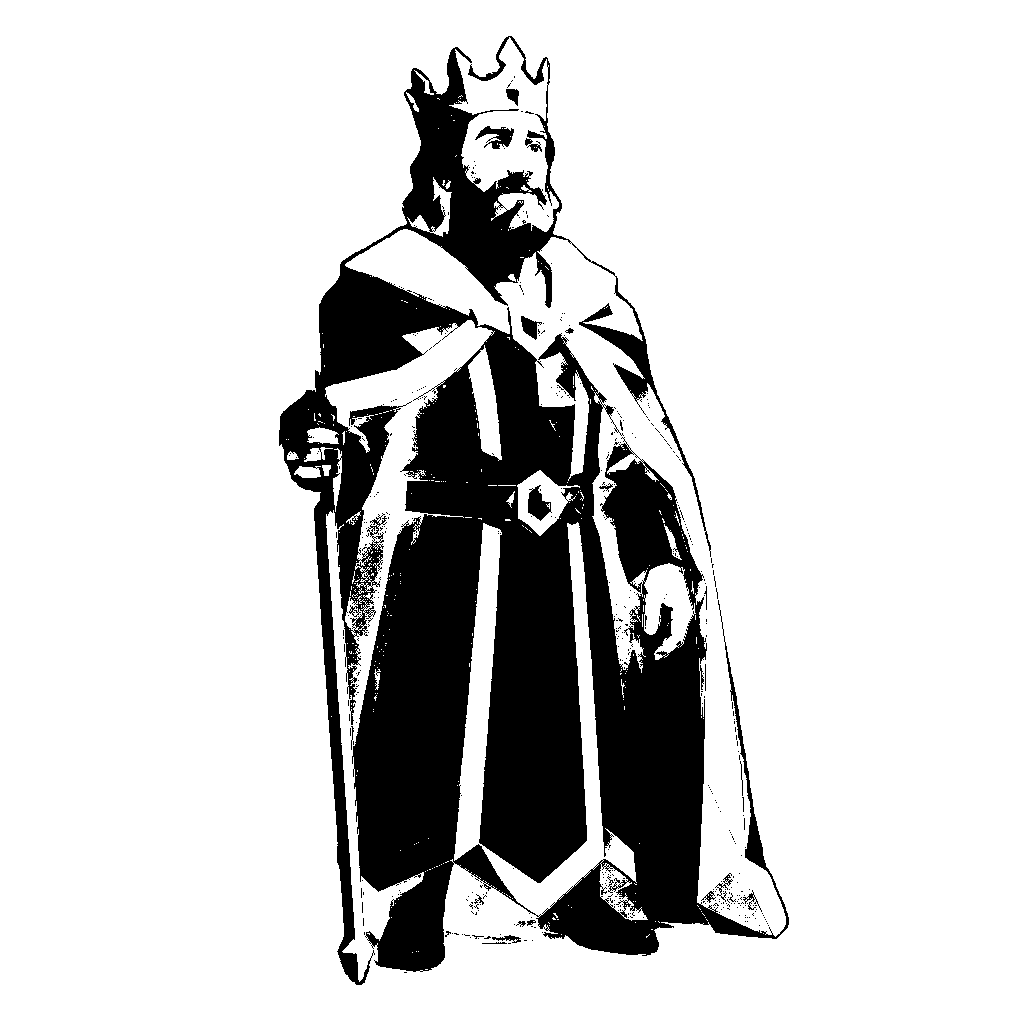 | Grayscale | High-contrast grayscale with optional background removal | Preparing images for inpainting or masking workflows. Subject isolation. |
Which Detector to Use
The right choice depends on how much structural constraint you want and what kind of structure matters for your output.
Preserve the full layout of the image
Use Canny. It captures edges from every element in the scene, including the subject and background, giving the generation model a tight structural template to follow. It works on any image type and is the most universally reliable starting point.
Preserve spatial depth and 3D positioning
Use Depth. The output is a grayscale map where bright areas are close to the camera and dark areas are far away. The generation model uses this to place objects in the right spatial relationship, even if the actual content changes entirely.
Preserve a character's body position
Use Pose. The detector finds the skeleton keypoints of every human figure in the image and outputs them as a simple stick figure map. Feed that map into a generation model and it will produce a character in the same pose, regardless of their appearance, style, or clothing.
Preserve architectural or geometric structure
Use MLSD. It detects only straight lines, which is exactly what you need for building facades, room interiors, floor plans, and any scene dominated by hard edges. It ignores organic shapes entirely, so it will not clutter the map with irrelevant detail.
Preserve the layout of a complex scene with multiple objects
Use Segmentation. It produces a color-coded map where every region is labeled by object type — sky, wall, person, vehicle, plant. The generation model uses this to keep each element in the right place while changing everything else about the visual.
Give the generation model more creative room
Use Scribble. The simplified lines give only a rough outline of shapes, leaving more freedom for the model to interpret the style, texture, and detail. Good when you want the output to feel generative rather than a direct structural copy.
Typical Workflows
Character pose transfer across styles
You have a photograph of a person in a specific pose and want to generate a fantasy illustration character in the same position. Run Detection with Pose to extract the skeleton map. Feed that map into an image generation model alongside a prompt describing the fantasy character. The generated character will match the pose from the original photo.
Architecture restyling
You have a photograph of a building and want to generate an illustration of the same structure in a different architectural style. Run Detection with MLSD to extract the structural lines. Feed the line map into a generation model with a prompt describing the target style. The building's proportions and geometry stay intact while everything else changes.
Scene recomposition with new content
You have an image with a specific spatial layout and want to generate a completely different scene that preserves the depth and positioning of objects. Run Detection with Depth to extract the depth map. Use that map as the ControlNet input for a generation model with a new prompt. The new scene will have objects placed at the same relative distances from camera as the original.
Coloring manga line art
You have a black-and-white manga page and want to generate a colored version. Run Detection with Line Art (Anime) to extract clean linework. Feed the line map into a generation model with a prompt describing the coloring style. The generated image keeps the original linework and adds color within the contours.
Style transfer with full composition lock
You have a reference image and want to generate a new version in a completely different visual style while keeping every element in the same position. Run Detection with Canny to extract all edges. Use the edge map as the ControlNet input with a prompt describing the new style. The composition, framing, and structural layout remain identical.