Train a Voice Clone (IVC and PVC)
Last updated: July 31, 2026

Voice training on Scenario lets you generate speech in the voice of a reference speaker. Two options are available, both powered by ElevenLabs voice cloning: Instant Voice Cloning (IVC), a fast clone built from a short sample for experimentation and prototyping, and Professional Voice Clone (PVC), a higher-fidelity clone for production work that adds a one-time consent verification step.
Both run on the same Voice Clone model. You choose Clone Type (Instant or Professional) when you set up training. This article covers what each option is good for, how to produce a sample that yields a usable clone, and how the Professional verification step works.
IVC and PVC: which to choose
IVC and PVC start from the same audio and the same model. The difference is speed versus fidelity, and whether you need the consent verification step.
Instant Voice Clone (IVC) | Professional Voice Clone (PVC) | |
|---|---|---|
Best for | Prototyping, drafts, rapid iteration | Production voice-over, long-form, commercial delivery |
Speed | Fast: training takes minutes | Slower: a deeper, higher-quality pass |
Fidelity | Good for short, casual lines | Higher fidelity and stability across demanding output |
Consent check | Not required | One-time captcha verification (PVC Verify) |
Controls used | Voice Name, Description | Also uses Language, Gender, and Age to guide the clone |
Relative cost | Lower | Higher: Professional is the more intensive pass |
Selecting the clone type
In Train > New Model, scroll to the Voice Training section and open Voice Clone. Set Clone Type to Instant for a fast IVC clone, or Professional for a higher-fidelity PVC clone. Professional adds the consent verification step described below.
The Voice Clone fields
The same form covers both clone types. A few fields only shape the Professional result.
Field | What it does |
|---|---|
Clone Type | Instant (IVC) or Professional (PVC). Instant is faster; Professional is higher quality and requires consent verification. |
Audio samples | Your reference recordings. If provided here, they override any samples already saved on the model. |
Voice Name | A label for the cloned voice, so you and collaborators know which character or brand it is. |
Description | Optional notes on the voice characteristics (for example, warm, concise, mid energy). |
Language | The language spoken in your samples (ISO 639-1). Set it to match your audio; it guides pronunciation for Professional clones. Over 30 languages are supported. |
Remove Background Noise | Optional cleanup pass. When enabled, every sample must be at least 5 seconds long. |
Gender | Optional hint (male, female, neutral) used by Professional cloning to guide the result. |
Age | Optional hint (young, middle aged, old) used by Professional cloning to guide the result. |
Audio sample requirements
Both clone types learn directly from the audio you provide, so sample quality is the primary driver of clone quality. You can supply one or more samples.
Requirement | Detail |
|---|---|
Amount | Instant works from a short clean sample. Professional benefits from more clean material to learn from. In both cases, clean audio matters more than raw length. |
Format | Standard audio formats (WAV preferred, MP3 acceptable). |
Speaker | One speaker only. No background voices or overlapping audio. |
Background | Quiet environment. Minimal room reverb, no music, no street noise. |
Recording quality | Use a decent microphone if possible. Phone recordings work; lossy compression artifacts hurt the clone. |
Content | Natural conversational speech with varied prosody. Avoid monotone reading. |
Language | Match the Language field to the speech in your samples. |
A clean sample of natural speech outperforms a longer sample with background music every time.
Capturing a good sample
If you control the recording:
Record in a quiet room with soft furnishings (carpet, curtains): these dampen reverb.
Position the microphone 6 to 12 inches from the speaker, slightly off-axis to reduce plosives.
Have the speaker say something natural (describing their day, telling a short story) rather than reading a flat scripted sentence.
Aim for clear consonants and varied intonation. Monotone delivery produces a flat clone.
Record more than you need, then trim to the cleanest material.
If you're sourcing existing audio:
Look for clean studio interviews, podcast segments without music, or audiobook excerpts.
Avoid clips with background music, multiple speakers, phone-call audio, or heavy compression.
Trim to contiguous segments of the target speaker only.
Training and using the clone
Upload your audio samples, or rely on samples already saved on the model.
Set Clone Type: Instant for a fast clone, Professional for higher fidelity.
Set Language to match your samples and add a Voice Name. For Professional, add Description, Gender, and Age if they help.
Start the clone. Instant training is fast (minutes). Professional runs a deeper pass.
For Professional, complete the consent verification when prompted (see below).
Generate test outputs across a few prompts: short conversational lines, longer paragraphs, and emotive deliveries (excited, somber, neutral).
Iterate on the sample if needed (see Common pitfalls below).
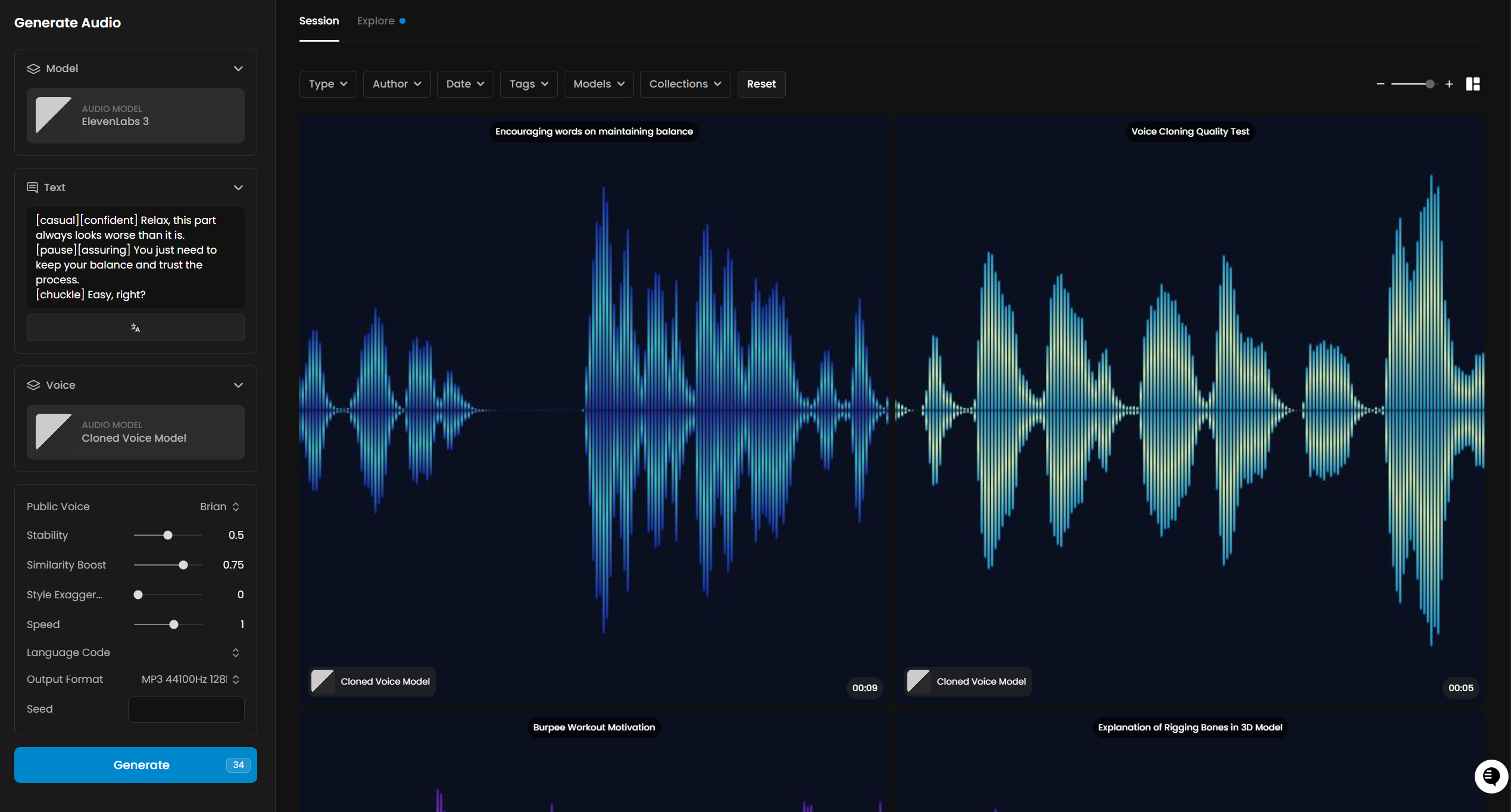
Professional Voice Clone verification (PVC Verify)
Professional Voice Clone adds a consent check before training completes. ElevenLabs shows a short captcha phrase, and the voice owner records themselves reading it. This confirms the person consents to their voice being cloned. Instant Voice Clone does not use this step.
When Scenario prompts for it, use the ElevenLabs Voice Clone PVC Verify step. Record one clean take of the owner reading the phrase exactly as shown, upload that single file to Captcha Recording, and run it. The recording is passed to ElevenLabs for verification and is not stored as a Scenario asset.
Record only the owner of the voice, reading the phrase once. Do not repeat lines in the same take.
Keep it clean: a quiet room, no overlapping voices.
Match the tone of your training samples so the check lines up.
Evaluating the clone
Identity: does the generated voice sound like the reference speaker on a neutral phrase?
Stability: does it stay consistent across longer outputs, or drift mid-sentence?
Range: can it handle different emotional tones, or does it collapse to one mode?
Artifacts: any audible glitches, robotic patches, or unnatural pacing?
Instant is optimized for short, casual outputs, so expect quality to degrade on longer or more demanding lines: that is the trade-off you accept for speed. Choose Professional when those longer, more demanding lines are the point.
Common pitfalls
Background noise in the sample. The clone learns the noise as part of the voice. Re-record in a quieter environment.
Music or other voices. Same problem, worse: the clone may produce hybrid output. Use clean speaker-only audio.
Heavy compression. Phone-call quality or aggressive MP3 compression bakes artifacts into the clone.
Monotone delivery in the sample. Limits the clone's expressive range. Capture varied intonation.
Sample too thin. A few seconds is not enough for the model to lock onto identity. Give it a clean, representative sample.
Multiple speakers in the sample. The clone can only learn one. Trim to a single-speaker segment.
Remove Background Noise on very short clips. With that option enabled, every sample must be at least 5 seconds. Trim or re-record shorter clips first.
A messy verification take. PVC Verify expects one clean read of the phrase. Extra voices or repeated lines can fail the check. Re-record in a quiet space, reading it once.
When to choose PVC over IVC
Reach for Professional Voice Clone when you need any of these. Instant is fine for everything else:
Long-form narration (audiobooks, documentaries, full episodes)
Voice consistency across multi-hour content
Wide emotional range or character acting
Commercial deliverables where minor artifacts are not acceptable
Phoneme-perfect pronunciation across technical or domain-specific vocabulary
Instant Voice Clone remains the fastest way to test a voice, block out timing, or prototype before committing to a Professional pass.