MiniMax Speech: The Essentials
Last updated: April 21, 2026
Covers Speech 2.8 HD (model_minimax-speech-2-8-hd) and Speech 2.8 Turbo (model_minimax-speech-2-8-turbo)
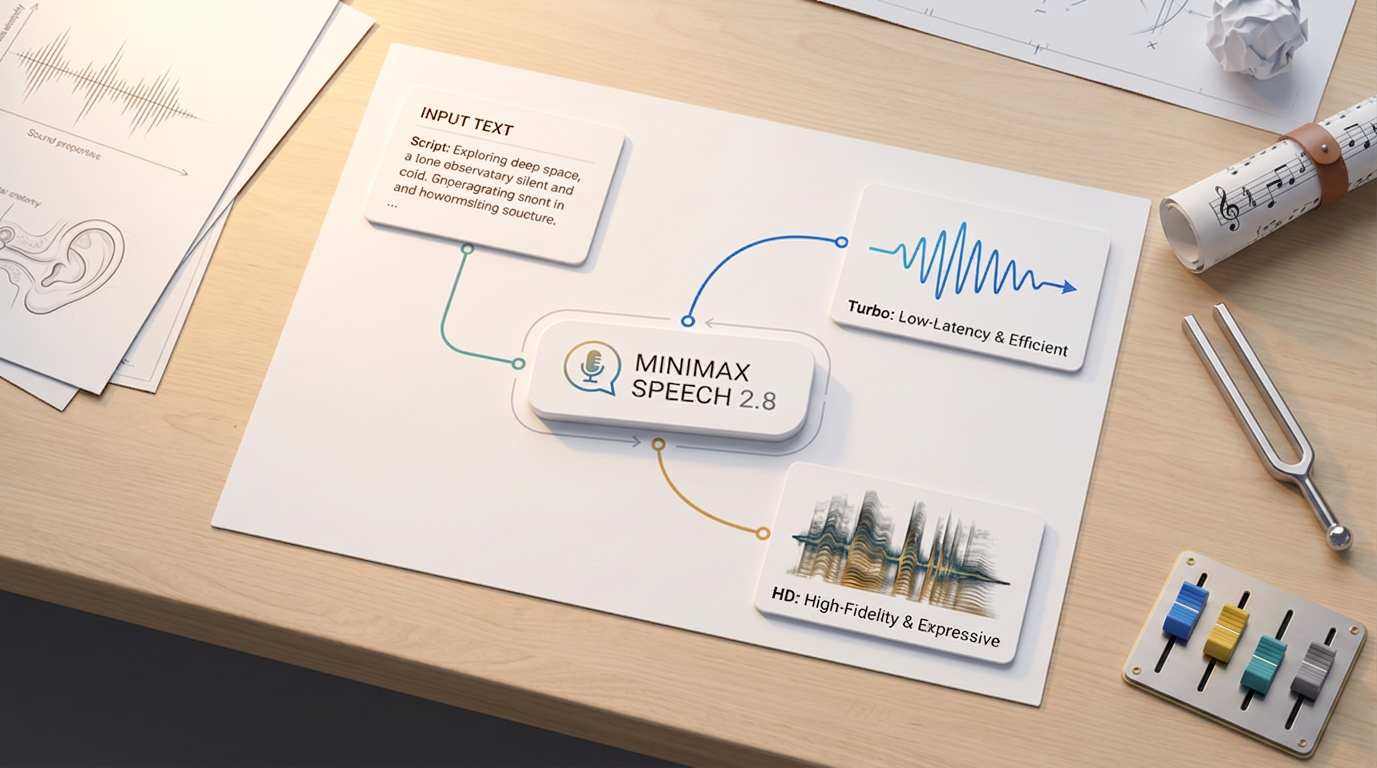
MiniMax Speech 2.8 is a text-to-speech family that converts written text into natural, expressive voice audio. Both variants share the same 17 voices, 10 emotions, and 40+ language support. The difference is quality versus speed: HD renders with higher tonal detail and emotional nuance, Turbo generates faster at lower cost for real-time and high-volume use cases.
Speech 2.6 has been deprecated. If you are using model_minimax-speech-2-6-hd or model_minimax-speech-2-6-turbo, migrate to the 2.8 equivalents. The parameter names and values are identical, so no prompt changes are required. See the migration note at the end of this article.
Which Model Should I Use?
ModelID | Best for | Trade-off | |
| Voiceovers, audiobooks, narration, broadcast delivery, final production assets | Higher cost, slightly more latency than Turbo | |
| Real-time assistants, interactive content, rapid iteration, high-volume pipelines | Slightly less emotional nuance at the high end compared to HD |
A practical workflow: draft and iterate with Turbo, then switch to HD for the final deliverable. Both models accept identical inputs, so no changes are needed beyond the model ID.
Parameters
Speech 2.8 HD and Turbo share the same full parameter set.
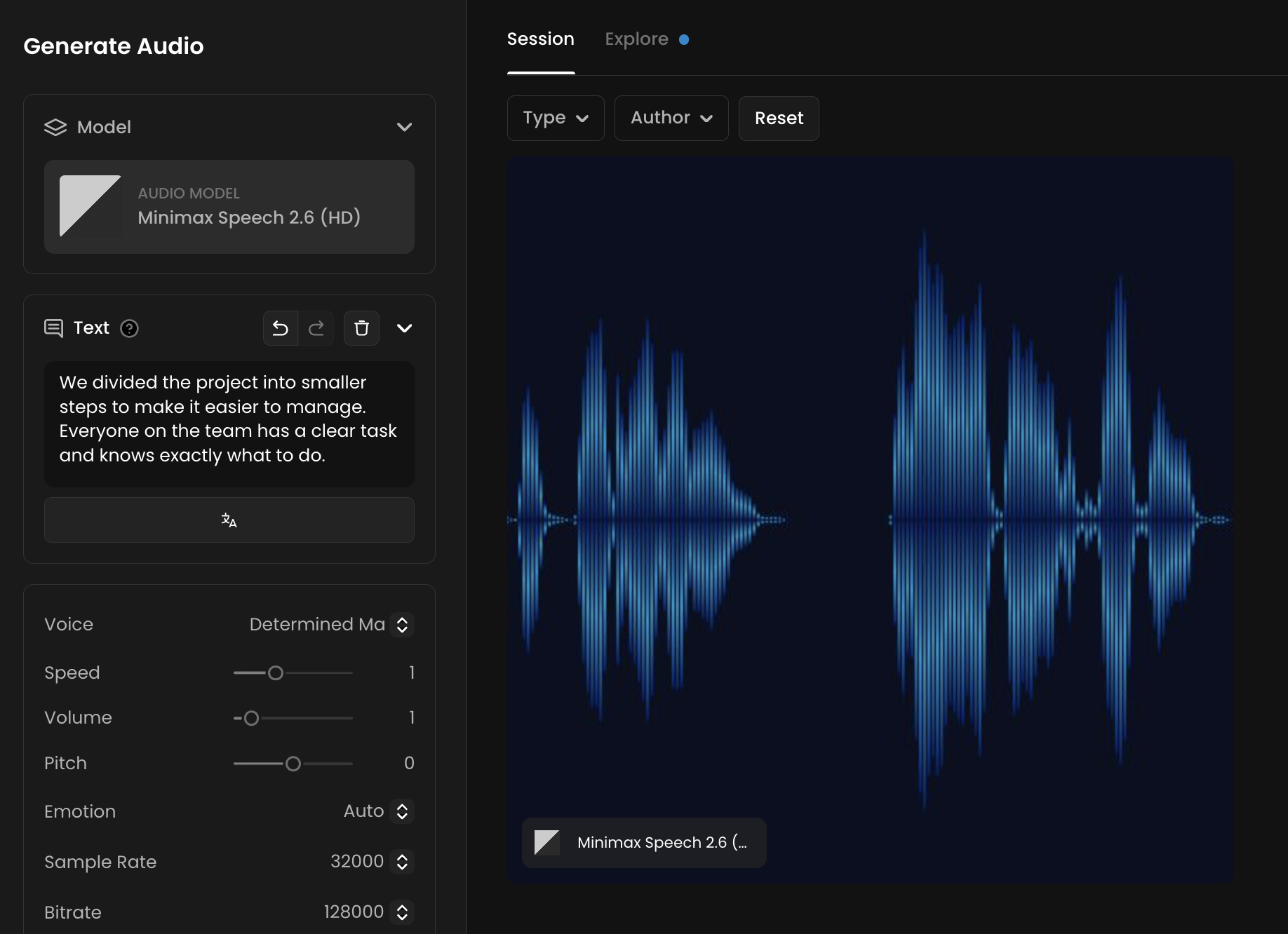
The Text is the only required input, up to 10,000 characters. This is the script the model will read aloud. It supports pause syntax and interjections. See the sections below for details.
Voice selects the voice character for the output. The default is Wise Woman. See the Voice Gallery below for all 17 options.
Emotion sets the delivery style. The default is Auto, which lets the model infer the right emotion from the text. Other options are: Happy, Sad, Angry, Fearful, Disgusted, Surprised, Calm, Fluent, and Neutral.
Speed controls the pace of speech, from 0.5 to 2.0. The default is 1.0, which is natural pace. Going below 0.7 can sound unnatural. Going above 1.5 can reduce clarity.
Pitch shifts the voice up or down in semitones, from -12 to +12. The default is 0. Values beyond ±8 may introduce audible artifacts.
Volume controls output loudness, from 0 to 10. The default is 1.0.
Sample Rate sets the audio quality. Options are 8,000, 16,000, 22,050, 24,000, 32,000, and 44,100 Hz. The default is 32,000 Hz. Use 44,100 Hz for broadcast-quality output.
Bitrate sets the file quality. Options are 32,000, 64,000, 128,000, and 256,000 bps. The default is 128,000 bps. Use 256,000 bps for final production assets.
Channel sets mono or stereo output. The default is stereo.
Language improves recognition accuracy for a specific language. The default is Automatic, which works for most cases. Set this explicitly when generating non-English content for better pronunciation and flow. See the Language Support section below for all options.
English Normalization converts abbreviations, numbers, dates, and currency into speakable forms when enabled. Useful when your script contains formats like "$1,500" or "3/15/2024". Adds slight latency.
Voice Gallery
Speech 2.8 includes 17 distinct voice characters. All voices are available on both HD and Turbo.
Voice IDCharacter | |
| Default. Measured, authoritative female voice. |
| Warm and approachable, gender-neutral tone. |
| Upbeat, motivational young female voice. |
| Rich, low-register male voice. Good for narration and announcements. |
| Smooth, relaxed female voice. Good for meditation and wellness content. |
| Conversational male voice. Good for informal and social content. |
| Energetic, expressive young female voice. |
| Measured, clear male voice. Good for instructional content. |
| Confident young male voice. Good for character roles and games. |
| Assertive, driven male voice. |
| Gentle, pleasant female voice. |
| Neutral young male voice. |
| Commanding, authoritative voice. Good for villains and authority figures. |
| Refined, formal male voice. |
| Serene, dignified female voice. |
| Soft, friendly female voice. |
| High-energy, enthusiastic female voice. |
Pacing Controls: Pauses and Interjections
Speech 2.8 supports two in-text controls that make delivery sound more natural without adjusting the global speed parameter.
Pause syntax
Insert a timed pause anywhere in the text using <#x#>, where x is the pause duration in seconds (0.01 to 99.99).
"Welcome to the product demo. <#1.5#> Let's start with the dashboard."
"Three. <#0.8#> Two. <#0.8#> One. <#0.8#> Launch."
Pauses cannot be placed sequentially without text between them. Place at least one word between two pause tags, or the second pause may be ignored.
Interjections
Parenthetical interjections add human-sounding non-verbal sounds mid-speech. Place them inline where the sound should occur.
InterjectionEffect | |
| Short natural laugh |
| Audible sigh |
| Audible breath intake |
| Sharp intake of breath |
| Subtle sniff |
| Background applause sound |
"I can't believe it worked. (laughs) We actually did it."
"The results were... (gasps) I had no idea it would go this far."
Language Support
Set languageBoost explicitly for non-English content to improve pronunciation accuracy and natural flow. Leaving it on Automatic works for most cases but may produce errors on languages with complex phonetic rules.
Supported values include: Chinese, Cantonese, English, Arabic, Russian, Spanish, French, Portuguese, German, Turkish, Dutch, Ukrainian, Vietnamese, Indonesian, Japanese, Italian, Korean, Thai, Polish, Romanian, Greek, Czech, Finnish, Hindi, Bulgarian, Danish, Hebrew, Malay, Persian, Slovak, Swedish, Croatian, Filipino, Hungarian, Norwegian, Slovenian, Catalan, Tamil, Afrikaans, and more.
Enable englishNormalization when your script contains numbers, abbreviations, dates, or currency values that should be read aloud naturally (e.g. "$1,500" spoken as "fifteen hundred dollars", "Dr." spoken as "Doctor").
Use Cases
Voiceover narration: Use HD with
sampleRate: 44100andbitrate: 256000for documentary, explainer, and advertisement narration. Choose a voice that matches the brand tone and set emotion toneutralorcalmfor professional delivery.Audiobooks and long-form content: Break scripts into 1,000 to 2,000 character chunks for consistent pacing. Use the same
voiceIdandemotionacross all chunks to maintain character continuity.Game character dialogue: Use voices like
Young_Knight,Imposing_Manner, orDeep_Voice_Manfor distinct character personalities. Combine with interjections for reactions that sound organic.E-learning and instructional content:
Patient_ManandWise_Womanwork well for step-by-step instruction. UseenglishNormalizationwhen scripts contain many numbers or codes.Real-time voice assistants: Use Turbo for interactive applications where response latency matters. Mono output at 16kHz or 22kHz reduces bandwidth without noticeably impacting perceived quality.
Multilingual content: Generate the same script in multiple languages by changing
languageBoostand the text content while keeping all other parameters fixed.
Tips for Better Results
Draft in Turbo, publish in HD. The two models accept identical inputs. Use Turbo during scripting and iteration for fast, low-cost feedback. Switch to HD only for the final render.
Use explicit punctuation to guide pacing. Commas, periods, and question marks directly shape how the model breathes and pauses between phrases. A script without punctuation produces rushed, run-on delivery.
Write numbers as words for reliability. "March fifteenth, twenty twenty-four" reads more naturally than "3/15/2024". When you must use numeric formats, enable
englishNormalization.Keep pitch within ±8 semitones. Values beyond ±8 produce audible artifacts. If you need a significantly different pitch, choose a voice that naturally sits in the target range instead of shifting an existing one.
Set languageBoost explicitly for non-English scripts. Auto detection is reliable for single-language content but less consistent when a script mixes languages or uses heavy technical vocabulary in a non-English language.
Use pause tags for dramatic or instructional timing. The global
speedparameter controls the entire clip uniformly. Pause tags let you add breathing room at specific points without changing the overall pace.Use 44100 Hz sample rate and 256000 bps bitrate for final deliverables. Default settings (32000 Hz, 128000 bps) are fine for drafts. For broadcast, streaming, or sync to video, use the highest quality settings.
Known Limitations
10,000 character maximum per request. Long scripts must be split into multiple jobs. Keep chunk boundaries at natural sentence breaks to avoid awkward joins when assembling the final audio.
No sequential pause tags. Two or more
<#x#>tags placed back-to-back without text between them may cause the second pause to be silently dropped.Not designed for singing. The model generates speech, not song. Prompting for sung content produces speech-like melodic approximations, not musical vocals.
Pitch artifacts above ±8 semitones. Extreme pitch shifts introduce audible distortion. This is a hard constraint of the model's pitch processing.
Multi-speaker output is not supported. Each job produces a single voice. To create a dialogue scene, generate each character's lines as separate jobs and edit them together.
No voice cloning. The 17 preset voices are the only options. Custom voice upload and cloning are not available on this model.
Migrating from Speech 2.6
Speech 2.6 HD and Turbo are deprecated and will eventually be removed from the platform. The 2.8 versions are direct replacements with improved quality at the same parameter interface.
To migrate: replace the model ID in your integration and leave all other parameters unchanged.
Old model ID (deprecated)New model ID | |
|
|
|
|
No prompt reformatting is required. All voice IDs, emotion values, and parameter names are identical between versions.