Google Lyria: The Essentials
Last updated: October 6, 2026
Featuring the new Google Lyria 3.5 (model_lyria-3-5). Also covers the previous models Google Lyria 3 Pro (model_lyria-3-pro), Google Lyria 3 Clip (model_lyria-3-clip), and the legacy Google Lyria 2 (model_lyria-2)
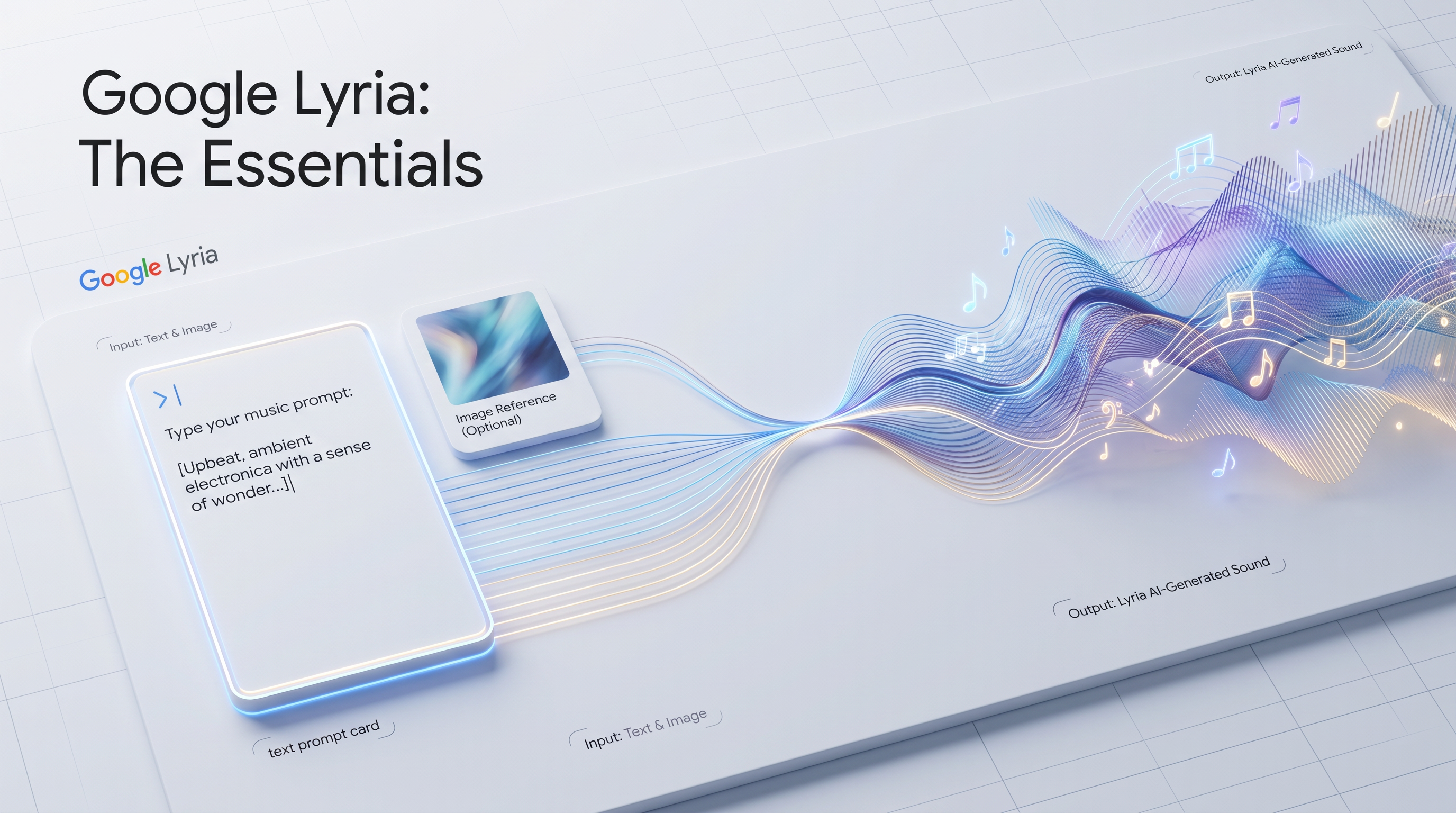
Lyria 3.5 is Google's newest music model, and it is now the one to start with. It writes full-length songs with verses, choruses and a bridge, sings your own lyrics, and lets you set the length in the prompt ("a 2-minute song") or script the song with timestamped sections like [0:00 - 0:15] Intro. You can also add up to 10 reference images. The earlier Lyria models (Lyria 3 Pro, Lyria 3 Clip and the legacy Lyria 2) are still available and are covered further down. All Lyria models embed Google's SynthID audio watermark in their output.
What is new in Lyria 3.5
Sung vocals with your own lyrics. Write the words after a
Lyrics:marker and the model sings them, in the language you write them.Length set in the prompt. Ask for a 90-second piece or a 2-minute song. In our tests, songs came back within seconds of the request, up to about 3 minutes.
Timestamped sections. Script an arrangement with ranges like
[0:00 - 0:25], each with its own instruments, tempo and key.Image-to-music. Up to 10 reference images, with a prompt that says what the music should do with them. Images alone also work.
Lyria 3.5: an indie-folk song with custom lyrics (the full prompt is in the section below) · Open on Scenario
Which Model Should I Use?
Model | ID | Output length | Best for |
| Set in the prompt, up to about 3 minutes in our tests, MP3 | Full songs with sung vocals and your own lyrics, timestamped arrangements, trailer cues, image-driven scores | |
| Up to ~2 minutes, MP3 or WAV | Full songs with verse/chorus structure, film scores, complete background tracks | |
| 30 seconds, MP3 | Ad stings, UI moments, game events, social content, rapid iteration | |
| 30 seconds, 48kHz stereo | Instrumental clips when negative prompt control is needed (only model with negativePrompt) |
Start with Lyria 3.5 for any song, score or soundtrack. Reach for Lyria 3 Clip only when you need a short 30-second clip for fast iteration. Lyria 3 Pro is superseded by Lyria 3.5, and Lyria 2 is a legacy model kept for its negative prompt control.
How Lyria 3.5 Works
Lyria 3.5 turns one prompt into a complete, structured song. Everything is controlled from the prompt: genre, instruments, BPM, key, mood, the length of the song, the arrangement, and the lyrics. Write the sung words after a Lyrics: marker and the model sings them. Put background echoes in parentheses, for example (chasing it). The examples below were all generated on Lyria 3.5 and the prompts are the exact ones that produced each track.
Your own lyrics
Describe the style and arrangement first, then add a Lyrics: block with [Verse] and [Chorus] labels. This indie-folk track came out at 2:02 against a request for about 2 minutes.
A warm indie-folk road-trip anthem, 96 BPM, key of G major, about 2 minutes long. Fingerpicked acoustic guitar, upright bass, brushed drums, harmonica, and a female lead vocal with soft male harmonies on the chorus. [0:00 - 0:15] Intro: solo guitar with harmonica. [0:15 - 0:55] Verse and Chorus. [0:55 - 1:40] Verse 2, Bridge and final Chorus. [1:40 - 2:00] Outro: guitar fades out. Lyrics: [Verse] Gas light blinking on a Tuesday morning / Map folded wrong but we're rolling anyway / Window down and the radio's humming / Nobody knows where we're headed today [Chorus] Oh we're chasing the horizon (chasing it) / Wheels on gold and the dust behind / Oh we're chasing the horizon / Leave the worry, leave it all behind.Indie-folk with custom lyrics · Open on Scenario
Singing in other languages
Lyrics can be written in the language you want sung. This bossa nova uses Brazilian Portuguese lyrics. An automatic transcript of the output confirmed the opening line was sung as written (A tarde cai devagar na beira do mar).
A bossa nova song sung in Brazilian Portuguese by a soft, breathy female vocalist, 108 BPM, key of D major, about 2 minutes. Nylon-string guitar with the classic bossa rhythm, light brushed drums, upright bass, subtle flute and a Rhodes piano. [Verse] intimate and close, [Chorus] flute doubles the melody, [Verse 2] added soft backing voice, [Bridge] modulates up a step, [Final Chorus] gentle and warm. Lyrics: [Verse] A tarde cai devagar na beira do mar / O vento traz um cheiro de saudade no ar [Chorus] Fica comigo, vamos deixar o dia passar / Só o violão e o mar pra nos acompanhar [Verse 2] Os teus olhos guardam o sol que não quer ir / Cada onda que vem me ensina a sorrir [Bridge] Se o tempo é pressa, eu escolho esperar [Final Chorus] Fica comigo, vamos deixar o dia passar / Só o violão e o mar pra nos acompanhar.Bossa nova sung in Portuguese · Open on Scenario
Timestamped sections and long arrangements
Instead of, or alongside, section tags, you can script the song with timestamp ranges such as [0:00 - 0:25]. Each range can carry its own instruments, tempo and key. This progressive rock suite asked for about 3:30 with tempo and key changes. The model returned a 3:00 track.
Instrumental only, no vocals. An ambitious progressive rock suite of about 3 minutes 30 seconds with precise timestamped sections and tempo and key changes. [0:00 - 0:25] Intro: solo analog synth arpeggio, 90 BPM, key of A minor, soft pad. [0:25 - 1:05] Theme A: full band enters, clean electric guitar melody, driving bass and drums at 90 BPM. [1:05 - 1:40] Theme B: tempo accelerates to 132 BPM, odd-meter 7/8 groove with Hammond organ and distorted guitar riffs. [1:40 - 2:15] Interlude: drops to 60 BPM, atmospheric piano and cello in key of F major. [2:15 - 3:00] Climax: modulates to key of D minor at 120 BPM, soaring guitar solo over layered synths and thundering drums. [3:00 - 3:30] Outro: theme A returns at 90 BPM in A minor, fades to a single held synth note.Timestamped progressive rock suite, 3:00 · Open on Scenario
Cues with exact hits
Timestamps also work for scoring. This trailer cue asked for exactly 2 minutes with one second of silence and a single impact at 0:41. The output ran 2:06. Listen for the hit and trim in your editor if you need frame-accurate timing.
Instrumental only, no vocals. A blockbuster hybrid orchestral and electronic trailer cue with exact hits, 100 BPM, key of C minor, exactly 2 minutes. [0:00 - 0:15] quiet ticking clock, low sub drone and a sparse piano motif. [0:15 - 0:40] low strings ostinato builds with taiko drums and rising risers. [0:40 - 0:41] total silence for one second, then one massive impact hit at 0:41. [0:41 - 1:10] powerful brass theme, pulsing synth bass, epic choir-less strings, heavy percussion. [1:10 - 1:25] stripped breakdown with solo violin and heartbeat kick. [1:25 - 1:55] final climax, all elements at full power with tolling bells and cymbal swells. [1:55 - 2:00] one last hit and a long reverb tail.Hybrid trailer cue with a scripted silence and impact · Open on Scenario
Image-to-music with Lyria 3.5
Pass up to 10 images and describe in the prompt what the music should do with them. Here the source is a generated still of a lone figure with a clear umbrella in a rainy neon alley (open the source image). The prompt names what the image shows and maps it to sections of the track.
Instrumental only, no vocals. Score this image: a lone figure with a clear umbrella walking away down a rain-soaked neon alley at night, steam drifting from a vent, pink and cyan signs reflecting in puddles. A moody late-night synthwave and lo-fi track, 84 BPM, key of D minor, about 2 minutes. Warm analog arpeggios, a deep gated bassline, soft electronic drums with a muted snare, rain texture and distant city hum, a lonely lead synth melody. [Intro] rain and soft pads, [Section A] bass and arpeggio walk in with the figure, [Section B] lead synth melody rises like the neon glow, [Outro] drums fade, rain remains.One image to a synthwave score · Open on Scenario
Several images can be treated as scenes of one piece. This suite uses three references (a Mars greenhouse, the neon alley, and a misty alpine cabin) and assigns each one a time range, tempo and key.
Instrumental only, no vocals. Use the three images as three musical scenes of one journey: image one is an astronaut tending a tomato greenhouse under a rust-red Martian sunset, image two is a rainy neon alley with a lone umbrella figure, image three is a misty alpine cabin at dawn. A cinematic electronic-orchestral suite of about 2 minutes 30 seconds that changes world at exact times. [0:00 - 0:50] Mars greenhouse: 90 BPM, key of E minor, warm analog synth pads, slow pulsing bass, glassy bell tones, hopeful. [0:50 - 1:35] Neon alley: tempo rises to 110 BPM, key of A minor, gated bass, rainy synth arpeggios, soft electronic drums, melancholic. [1:35 - 2:20] Alpine dawn: tempo eases to 70 BPM, key of G major, solo piano, acoustic guitar and swelling strings, peaceful. [2:20 - 2:30] all three motifs overlap in a final warm chord.Three images, three scenes, 2:29 · Open on Scenario
Parameters
Lyria 3.5
Lyria 3.5 has two inputs, and there is no separate duration, lyrics or seed field. Length, lyrics and structure all live in the prompt.
Prompt accepts up to 5,000 characters. Include genre, instruments, BPM, key and mood, then structure tags like [Verse], [Chorus] and [Bridge] or timestamp ranges like [0:00 - 0:15]. Write sung words after Lyrics:. Add instrumental only, no vocals for a clean backing track. The prompt is required unless you pass at least one image.
Images take up to 10 Scenario image assets as references. A prompt is optional when images are provided, but a prompt that says what the music should do with the images gives the most control, as in the three-image suite above.
Previous models: Lyria 3 Pro and Lyria 3 Clip
Both models share the same two inputs and differ only in output length: Pro generates up to approximately 2 minutes, Clip generates 30 seconds. Lyria 3.5 replaces Pro for full songs.
The Prompt describes the music you want. Include genre, instruments, tempo in BPM, key, mood, and production style. For Lyria 3 Pro, you can embed structure tags like [Verse], [Chorus], and [Outro] directly in the prompt to guide how the song is arranged. The prompt accepts up to 5,000 characters and is optional, though leaving it empty produces unpredictable results.
Reference Images let you pass up to 10 Scenario asset IDs as visual mood references. The model reads the tone, era, and atmosphere of the images and reflects them in the music. Images work alongside the text prompt, not instead of it.
Legacy model: Lyria 2
Lyria 2 is a legacy model. For new work, use Lyria 3.5. It remains available mainly for its negative prompt.
The Prompt is required for Lyria 2 and accepts up to 2,048 characters. Describe the genre, instruments, mood, tempo, and production style. Lyria 2 generates instrumental music only, so vocal requests in the prompt are ignored.
Negative Prompt is unique to Lyria 2 among the Lyria family. Use it to explicitly exclude elements from the output, such as "drums", "vocals", or "distorted guitar". This is the only Lyria model that supports this control.
Seed is optional. Set it to any integer to lock the random seed for reproducible output.
Lyria 2 is instrumental only. The model does not generate vocals regardless of what the prompt requests. If you need a track with vocals or lyrics, use Lyria 3.5.
Structure Tags (Lyria 3.5 and Lyria 3 Pro)
Lyria 3.5 and Lyria 3 Pro support structural tags embedded directly in the prompt. These tags guide the model in arranging the song into distinct sections, producing a more composed and intentional output. Lyria 3.5 also accepts timestamp ranges in place of, or together with, these tags.
Tag | What it signals |
| Opening section, typically sets mood before the main theme |
| Main narrative section, moderate energy |
| High-energy hook, the emotional peak of the song |
| Contrasting section that provides variation before the final chorus |
| Closing section, typically resolves or fades the track |
Example prompt with structure tags:
"Indie folk, acoustic guitar and warm vocal harmonies, 90 BPM, key of G major, bittersweet mood.
[Intro] Gentle fingerpicking sets the scene.
[Verse] Soft lead vocal over sparse guitar.
[Chorus] Full harmony vocals with strummed chords and light percussion.
[Bridge] Stripped back to just guitar and a single voice.
[Outro] Fade on the chorus melody."
For Lyria 3 Clip, structure tags are less impactful given the 30-second length, but including a single mood or energy descriptor (e.g. [Chorus] to request a high-energy segment) can shape the result.
Image-to-Music
Lyria 3.5, Lyria 3 Pro and Lyria 3 Clip accept up to 10 reference images alongside the text prompt. The model analyzes the visual content to infer the sonic mood, era, and atmosphere. A photograph of a rainy city at night might yield dark ambient textures. A vibrant festival scene might produce energetic percussion and brass. Images work best as mood references, not as literal instruction.
Images must be provided as Scenario asset IDs. You can generate images with any image model first, then pass the resulting asset IDs into a Lyria job. Mixing text and image inputs is supported: the text prompt and the images are weighted together, so a strong text prompt with one reference image will lean heavily on the text. See the Lyria 3.5 examples above for prompts that describe the image and assign it to sections of the track.
Example: using a generated image as mood reference
1. Generate a concept art image: dark forest, moonlight, mist
2. Pass the asset ID to Lyria 3.5 with a minimal text prompt:
   prompt: "Orchestral, cinematic, slow build, 60 BPM"
   images: ["asset_xxx"]
Prompt Format
All Lyria models respond to the same prompt elements. A well-formed Lyria prompt includes most or all of the following components:
Component | Examples |
Genre / style | lo-fi hip hop, baroque, Afrobeats, heavy metal, bossa nova |
Specific instruments | nylon string guitar, upright bass, Rhodes piano, shakuhachi |
Tempo | 80 BPM, slow, driving 140 BPM |
Key | D minor, F major, E Dorian |
Mood | melancholic, triumphant, tense, dreamy |
Production style | analog warmth, studio polished, raw live recording feel |
Structure tags (3.5 and Pro) | [Intro], [Verse], [Chorus], [Bridge], [Outro] |
Timestamps and lyrics (3.5 only) | [0:00 - 0:15] Intro, Lyrics: [Verse] ... |
Use Cases
Game background music: Use Lyria 3.5 for ambient loops and level themes. Structure tags and timestamps let you compose tracks that build from a quiet intro to an active mid-section, suitable for exploration-to-combat transitions when edited in post.
Songs with your own lyrics: Lyria 3.5 sings the lyrics you write, in the language you write them, which suits demos, jingles, game soundtrack vocals and personalized songs.
Film and video scoring: Lyria 3.5 can generate a complete cue for a short scene or a trailer. Combine image references from the scene with a timestamped prompt to align the music to the visual mood.
Short-form video and social content: Lyria 3.5 or Lyria 3 Clip deliver a polished piece quickly, ideal for Reels, TikTok, and YouTube Shorts where a mood-matched soundtrack is needed.
Advertising and brand content: Generate tracks that match a specific brand tone. Lyria 3 Clip is well-suited for short ad stings and product video soundtracks.
UI and game audio events: Short clips (Lyria 3 Clip) work well for menu music, achievement sounds, and transition cues where duration is fixed and mood is specific.
Creative prototyping: Use Lyria 3 Clip to quickly test genre and mood combinations before committing to a longer Lyria 3.5 generation.
Tips for Better Results
Name instruments specifically, not just genres. "Nylon string guitar, upright bass, and brushed snare" produces more accurate results than "jazz." Genre labels set the overall envelope; instrument names define the texture.
Include tempo in BPM for rhythm-driven music. "120 BPM" is more reliable than "fast." The model responds better to concrete tempo values when the rhythmic character of the output matters.
Use structure tags with Lyria 3.5 for arranged songs. Without tags, the model generates a coherent but less intentionally structured piece. Adding
[Verse],[Chorus], and[Outro]produces tracks that feel composed rather than continuous.Set the length in the prompt on Lyria 3.5. Requests for about 2 minutes returned tracks between 2:00 and 2:03, a 90-second request returned 1:30, and a 2:30 request returned 2:29. Keep requests to 3 minutes or less: a 3:30 request returned a 3:00 track.
Write real lyrics after a Lyrics: marker. Put only the words you want sung in the lyrics block and keep arrangement notes in the style part of the prompt, so instructions are not sung. Echo vocals go in parentheses.
Ask for instrumentals explicitly. Start the prompt with "Instrumental only, no vocals" when you do not want a singer.
Avoid contradictory style instructions. Combining incompatible elements (e.g. "aggressive thrash metal, calm and relaxing") produces inconsistent results. Choose one dominant mood and build around it.
Keep image references thematically consistent, or give each one a section. Images with similar mood and color palette produce more coherent audio than a mixed set. When the images are deliberately different, say in the prompt which image belongs to which time range.
Use Lyria 2's negativePrompt to remove specific elements. If a prompt consistently adds unwanted content (e.g. drums appear when you want pure piano), set
negativePromptto exclude them explicitly. This is the only Lyria model with this control.Simplify before iterating. If a complex prompt produces unexpected results, strip it down to the core genre and mood, confirm the base output is correct, then add detail progressively.
Known Limitations
Lyria 3.5 has no duration field. Length comes from the prompt and lands close to the request for songs up to about 2:30, but very long requests are shortened (3:30 became 3:00). Exact timing cannot be guaranteed.
Timestamps and tempo or key changes steer the arrangement, they are not a timeline editor. Listen to the result when a cue must land on an exact second, and trim or edit in post if needed.
Lyria 2 generates instrumental music only. Vocals are not supported regardless of prompt content. Use Lyria 3.5 if vocal output is required.
Lyria 3 Pro output length is approximate. The model targets up to ~2 minutes but the actual duration varies by prompt and structure. Exact timing cannot be specified.
No negativePrompt on Lyria 3.5, 3 Pro and 3 Clip. Unlike Lyria 2, the newer models do not support a negativePrompt parameter. Unwanted elements must be steered away from using the main prompt only (e.g. "no drums", "fully instrumental" in the prompt text).
No seed control on Lyria 3.5, 3 Pro and 3 Clip. These models do not expose a seed parameter, so results cannot be made strictly reproducible. Each run with the same prompt may produce a different output.
SynthID watermark is always present. All Lyria outputs embed Google's SynthID inaudible audio watermark. This cannot be disabled.
Genre coverage is uneven. Broadly popular genres (pop, jazz, classical, electronic) produce more reliable results than highly regional or niche styles. Complex fusion prompts may reduce coherence.