ElevenLabs Dubbing: The Essentials
Last updated: April 22, 2026
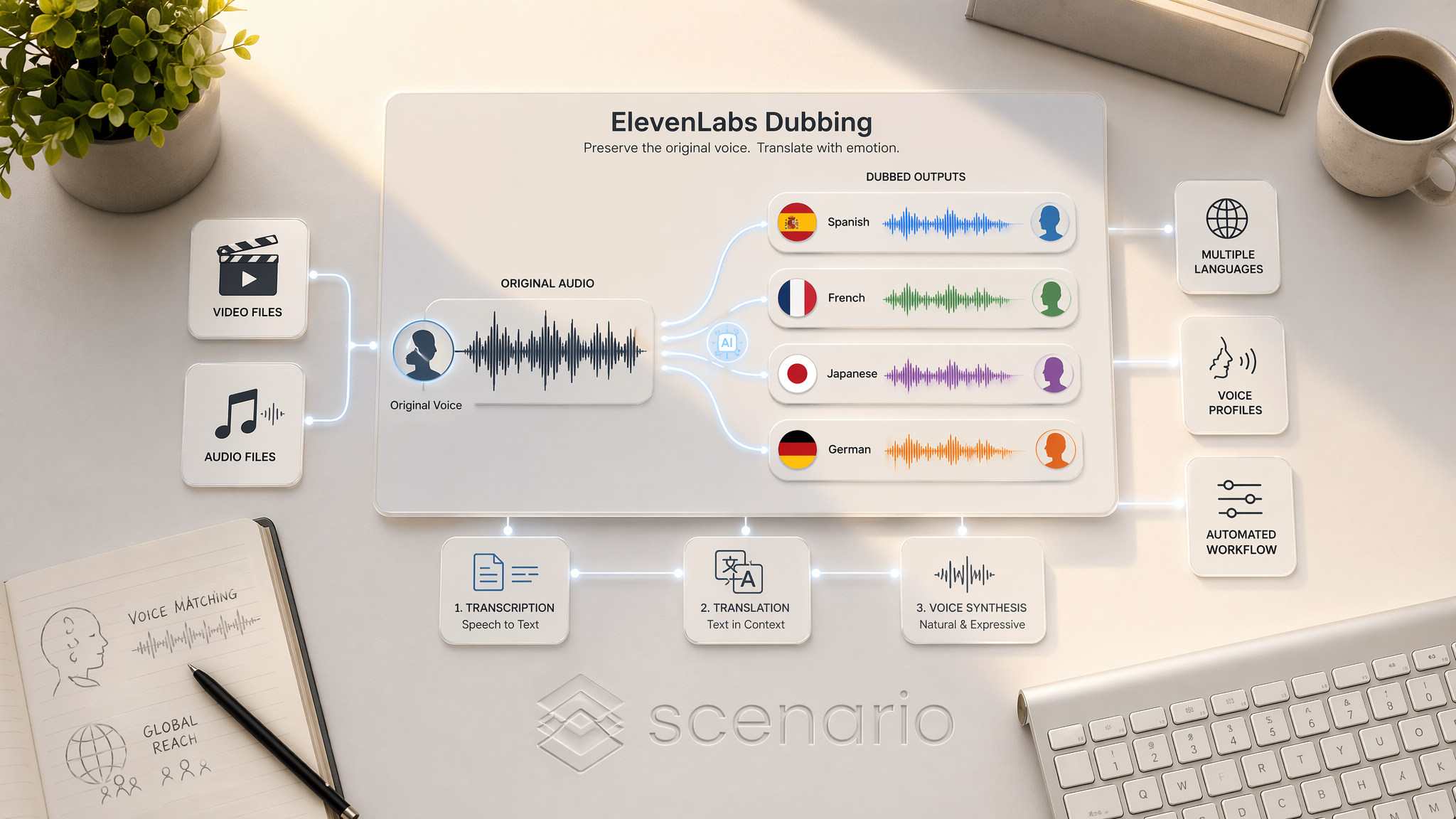
ElevenLabs Dubbing enables video and audio localization by translating spoken audio in any video or audio file into a different language while preserving the original speaker's voice, emotion, and timing. The service automates transcription, translation, and voice synthesis.
Key capabilities:
Input support: raw video files, finished exports, or standalone audio files.
Vocal fidelity: maintains nuance, pace, and emotional energy from original performances.
Output: dubbed versions with translated audio replacing original speech.
Parameters
Parameter | Type | Required | Default | Description |
File | File (audio or video) | Yes | The audio or video asset to dub. | |
Target Language | String | Yes | en | Output language code (ISO 639-1). See supported languages below. |
Source Language | String | No | Auto-detect | Original file language. Leave empty for automatic detection. |
Number of Speakers | Integer | No | 0 | Speaker count. 0 = auto-detect. Max 10. |
Drop Background Audio | Boolean | No | false | Removes music and ambience from the dubbed output when enabled. |
Disable Voice Cloning | Boolean | No | false | Uses a generic voice instead of cloning the original speaker. |
Highest Resolution | Boolean | No | false | Returns the dubbed video in the highest resolution available. |
Supported Languages
The model supports 30 languages:
Arabic, Bulgarian, Chinese, Croatian, Czech, Danish, Dutch, English, Finnish, French, German, Hindi, Hungarian, Indonesian, Italian, Japanese, Korean, Malay, Norwegian, Filipino, Polish, Portuguese, Romanian, Russian, Slovak, Spanish, Swedish, Thai, Turkish, Ukrainian, Vietnamese.
Features
Voice Cloning
By default, the model clones the original speaker's voice for each dubbed track. For best results, speakers should have at least 30 seconds of clean, clear audio. Set Disable Voice Cloning to true to use a generic synthesized voice instead.
Multi-Speaker Support
The model automatically detects up to 10 distinct speakers. For scenes with overlapping dialogue, set the Number of Speakers manually to improve accuracy.
Background Audio Control
Enable Drop Background Audio to strip music and sound design from the output. This is useful when dubbing into languages where background audio may interfere with voice clarity, but note the control is binary: complex sound design that needs partial preservation requires separate post-production mixing.
Best Practices
Prioritize clean source audio for optimal voice cloning quality.
Set speaker count manually when dialogue overlaps between multiple speakers.
Leave Highest Resolution disabled during testing to reduce processing time.
Ensure each speaker has at least 30 seconds of clear audio for effective voice learning.
Known Limitations
Optimized for up to 10 distinct speakers.
Dubbed audio is time-stretched to fit original visuals. Longer target languages may sound slightly accelerated.
The background audio toggle is binary. Complex sound design requires separate post-production mixing.