Seedance 2.5: The Essentials
Last updated: October 19, 2026
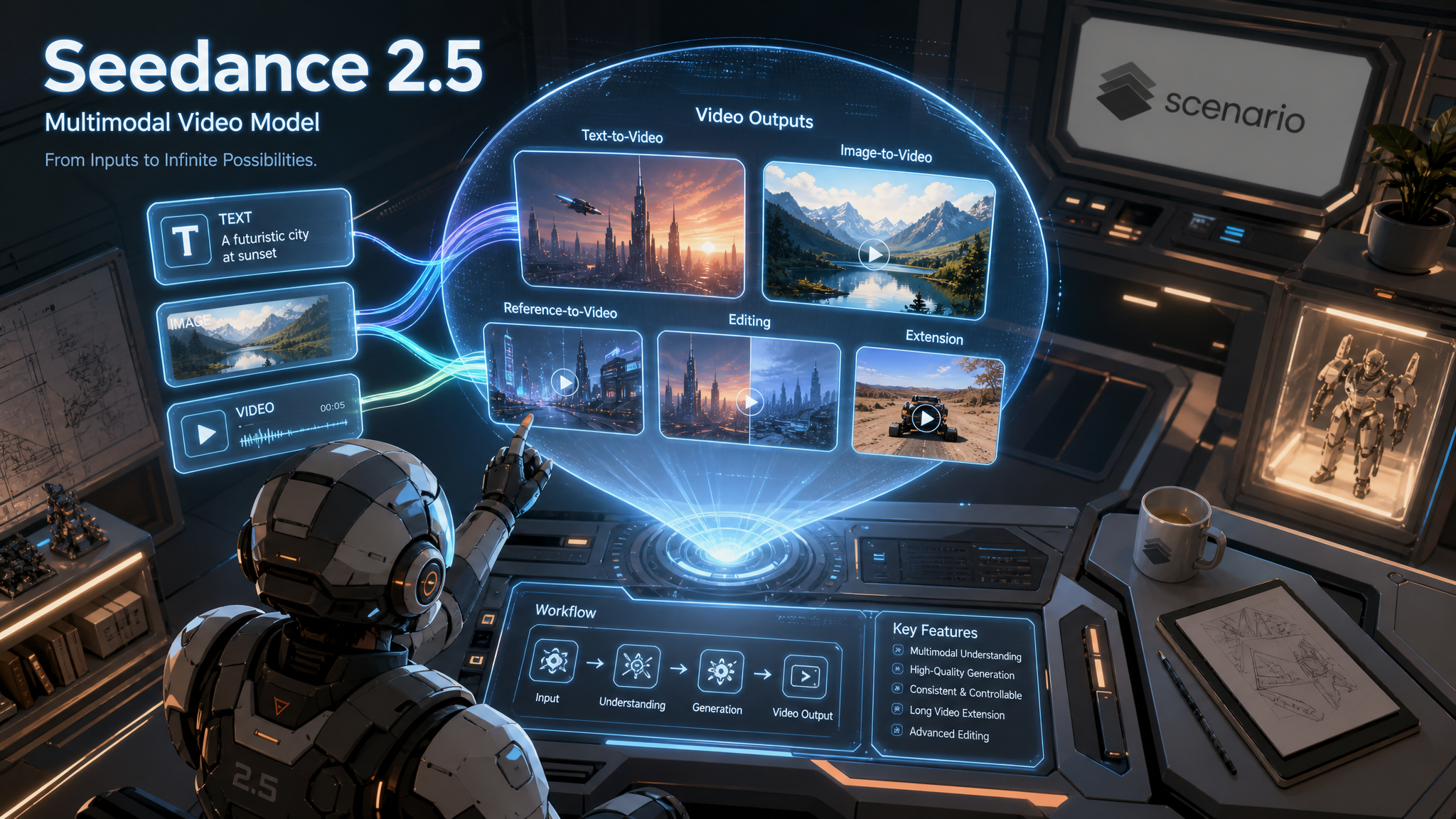
Seedance 2.5 is ByteDance's multimodal video model. Text to video, image to video, reference to video, editing, and extension all live in one model, and the mode is inferred from whatever you give it: a prompt on its own, a first frame, reference images or videos, or a source clip to edit or extend. Output runs up to 1080p, from 4 to 30 seconds, in the aspect ratio you choose, with an optional native soundtrack.
Which Mode Should I Use?
You never pick a mode by name. Seedance infers it from the inputs you attach and what the prompt asks for. This is the mapping:
Mode | Inputs | Best for |
|---|---|---|
Text to video | prompt only | Inventing a shot from scratch, any style |
First frame | image + prompt | Locking the opening composition, then animating from it |
First and last frame | image + lastFrameImage + prompt | A controlled transformation between two set endpoints |
Reference to video | referenceImages / referenceVideos / referenceAudio + prompt | Holding an identity, product, world, motion, or rhythm across the shot |
Edit | referenceVideos + prompt, duration Auto | Changing one bounded element inside a source clip |
Extend | referenceVideos + prompt | Continuing the action before or after a source clip |
Rule of thumb: attach the least media that pins what must stay fixed, then let the prompt drive the rest. A first frame and reference images are mutually exclusive, so choose one anchor per shot.
How to Use the Model
Write the prompt as a compact director's brief, not a keyword list. The developer's own format has six slots, in order: subject and action, scene and environment, visual style, camera movement, and audio. Only subject and action are required. When you attach uploads, tag them in the prompt as @image1, @video1, and @audio1 (in array order), and always say both what to take from each reference and what to ignore.
Writing the Prompt: Beats and Camera
Detailed prompts win. The model rewards a shot broken into short timed beats, each with one main action and one dominant camera move, rather than a single dense paragraph. Describe motion over time, not a frozen frame, and name the camera move specifically (slow push in, whip pan, low orbit) instead of vague words like "cinematic".
A determined teenage boy in a patched adventurer's tunic bursts between waves of wobbling blue slimes and squeaky bats, slashing them one by one, until a massive scarred orc lumbers in from a corridor far outside his training zone and freezes him mid-swing. Torchlit stone dungeon, glowing rune circle on the floor. Vibrant anime, cel shading, dynamic speed lines. Fast follow through the combat, then a hard slow-motion push in on his shocked face.Style and Aspect Range
One prompt can land almost any look, from tactile stop-motion to hand-drawn animation to photoreal cinema, in any aspect ratio. The three below are the same model, only the prompt and aspectRatio changed.
Native Audio
Turn generateAudio on and the model scores the shot with music, effects, and spoken dialogue. Direct the sound inside the prompt with the developer's bracket channels: ( ) for music and ambience, < > for sound effects, { } for spoken dialogue, and 【 】 for on-screen subtitles. For dialogue, name the language first.
Dialogue language American English. The alien says in a laid-back cheerful voice {Hey there, pal! You happen to know the way to Copacabana Beach?} (a light breezy comedic ukulele tune) <the soft hum of the hovering craft, a cosmic whoosh>Recommended: keep generateAudio off by default and supply your own already-cleared track through referenceAudio instead. The native soundtrack is checked by moderation after the video is made, so a flagged track can block an otherwise finished clip. A track you bring yourself sidesteps that and lets you drive lip-sync and rhythm from audio you trust.
Image to Video: First and Last Frame
Attach an image to lock the opening composition, then prompt only the motion that begins from it. Add a lastFrameImage to also fix the ending, and the model interpolates one plausible transformation between the two. In these modes the source geometry is inherited and aspectRatio is ignored, so build the frames at the ratio you want.
@image1 is the first frame and @image2 is the last frame. A single deep-crimson peony blooms in extreme time-lapse: the dew-covered bud swells and its petals unfurl layer by layer into a fully open flower. Quiet garden at dawn, light warming from cool blue to gold, macro with creamy bokeh. Slow continuous push in.Reference to Video
This is where Seedance 2.5 stands out. Feed up to 30 reference images (plus up to 10 videos and 10 audio tracks) to hold an identity, product, world, motion, or rhythm across a shot. Open a strong prompt with a REFERENCES block that maps each tag to one role and its exclusions, then write the timed shot list underneath. Tell the model these define design and materials, not a locked frame or composition.
@image1 defines the old fisherman's face, weathered skin, white stubble, and navy knit cap. Do not use the plain studio background from the reference. The fisherman hauls a dripping net of silver sardines over the gunwale and breaks into a broad laugh. Out at sea at sunrise, handheld documentary look.The same approach locks an invented product or character across a fully art-directed sequence. Map the hero asset, the world, and the supporting pieces to separate tags, then run a timecoded script with hard cuts.
Editing and Extension
Pass a clip in referenceVideos and the model reads it as the timeline master. Describe one bounded change to edit it, or describe the next action to extend past its boundary. Match the boundary state (pose, motion, light) so the seam holds.
Continue immediately after the final frame of @video1, matching the anime style, the dungeon, and the boy's exact look. The orc charges out of the corridor raising its cleaver; the boy snaps out of his shock, plants his back foot, and raises his sword into a two-handed guard as the camera pushes in to a low heroic angle.Draft Mode: Preview at 480p, Finalize in 1080p
Draft mode lets you iterate on a shot cheaply before you commit to a full-quality render. With Draft on, Seedance 2.5 renders a 480p preview. When a preview is the one you want, you finalize it to 1080p without generating it again, so the clip you approved is the clip you get.
Step 1: Generate a Draft
On the Create page, pick Seedance 2.5, open Settings and turn on Draft, then generate as usual. While Draft is on, the Resolution setting is ignored: the output is always 480p.

Step 2: Finalize the Draft in 1080p
Open the draft from your gallery. A banner above the video shows how long you have left, for example 480p draft, 6 days left to finalize in 1080p. Click Finalize in 1080p.

This opens the Create page with Seedance 2.5 Draft Complete selected and your draft already loaded under Draft Video. Click Generate to get the 1080p version, delivered as a MOV file.

Drafts Expire After 7 Days
A draft can be finalized for 7 days from when it was created. After that, the banner reads This 480p draft has expired. Generate a new draft to finalize it in 1080p. and the Finalize button is gone.
Through the API: set draft to true when you run Seedance 2.5, then run model_bytedance-seedance-2-5-draft-complete with the draft's asset ID in draftVideo.
Parameters
The mode is inferred from which of these you set, so most shots use only a handful.
prompt
The director's brief, up to 6000 characters. Optional only when a first frame or references already supply the content. Supports @image1, @video1, and @audio1 tags. This is the main dial: every example here is driven by a detailed, beat-based prompt.
image
A first-frame image that locks the opening composition (the peony example above). Mutually exclusive with reference images and videos.
lastFrameImage
An optional closing frame. Only valid when image is set; together they define a start-to-end transformation.
referenceImages
Up to 30 image references for reference-to-video, tagged by array order (the fisherman, mecha, and pet examples). Give each a role and explicit exclusions. Mutually exclusive with a first frame.
referenceVideos
Up to 10 source videos for multi-reference, editing, or extension. Editing and extension are inferred from the prompt (the anime extension above).
referenceAudio
Up to 10 audio tracks. Use it to drive timing and lip-sync from your own cleared audio. Note that it conditions the motion but is not mixed into the output file.
duration
Auto, or an integer from 4 to 30 seconds. With reference videos, Auto matches the longest source clip. Editing must stay on Auto.
resolution
480p, 720p, or 1080p (default 720p). 720p was used for every example here. Ignored when draft is on, since a draft is always 480p.
aspectRatio
21:9, 16:9, 4:3, 1:1, 3:4, 9:16, or Auto. The felt clip is 9:16 and the noir clip is 21:9. Ignored in first/last-frame, editing, and extension modes, which inherit the source shape.
generateAudio
true or false (default false). true adds a native soundtrack directed by the prompt's audio brackets. See the Native Audio note above before enabling it.
outputFormat
mp4 (general delivery) or mov (higher color fidelity for grading, larger files).
draft
true or false (default false). true renders a 480p preview that you can finalize to 1080p within 7 days with Seedance 2.5 Draft Complete. See Draft Mode above.
Use Cases
Marketing and commercials: art-directed product films where an invented product stays exact across a dynamic sequence, like the mecha energy-drink spot.
Social and short-form: native vertical 9:16 and square shots with sound, ready for feeds.
Film and previz: cinematic wides and creature action at 21:9 for concepting and animatics.
Characters and mascots: a reference sheet keeps a mascot or character on-model across many shots.
E-commerce and demos: first and last frame anchor clean before-and-after product moments.
Education and explainer: stylized, narrated scenes that carry a single idea.
Tips for Better Results
Break the shot into timed beats. Give each beat one main action and one dominant camera move; it reads far cleaner than one dense paragraph.
Map every reference. State the one role each
@imageplays and what to ignore from it, especially backgrounds, or a reference donates its whole scene.Bring your own audio. Prefer supplying a cleared track via
referenceAudioovergenerateAudio, so a music-moderation flag never blocks a finished clip.Keep designs original. Wholly original characters and vehicles avoid content blocks; visuals that read as a known franchise can be refused.
Use first and last frame for transformations. Two compatible endpoints give you a controlled morph the prompt alone cannot guarantee.
Extend rather than restart. Feed a finished clip back through
referenceVideosand match its boundary state to continue the action.Keep critical text out of the render. Reserve clean space for logos, prices, and captions and add them in post; incidental signage renders as gibberish.
Draft first, finalize the keeper. Explore prompts and camera moves with Draft on, then finalize only the take you want in 1080p, within 7 days.
Known Limitations
No native 4K. Resolution tops out at 1080p (480p, 720p, and 1080p are available), so for delivery masters beyond that, take the approved clip through a separate upscale.
4 to 30 seconds. For longer pieces, design connected segments or use extension.
Native audio is moderated after generation. A soundtrack flagged as possible copyright, or visuals resembling a trademarked character, can block the finished asset. Supply original audio via
referenceAudioand keep designs original.Reference audio is not muxed in. It conditions timing and lip-sync, but the output comes out silent; relay the same track in post.
Text and UI are unreliable. Logos, prices, HUD, and captions should be composited in post, not rendered.
No seed, mask, region, or 3D-reference input. Camera and framing are directed through the prompt; preserve the full prompt and references for reproducibility.
Inherited-geometry modes ignore aspectRatio. First/last frame, editing, and extension follow the source shape, and editing must run on Auto duration.