How to Choose the Right Video Model (2026 Edition)
Last updated: April 9, 2026
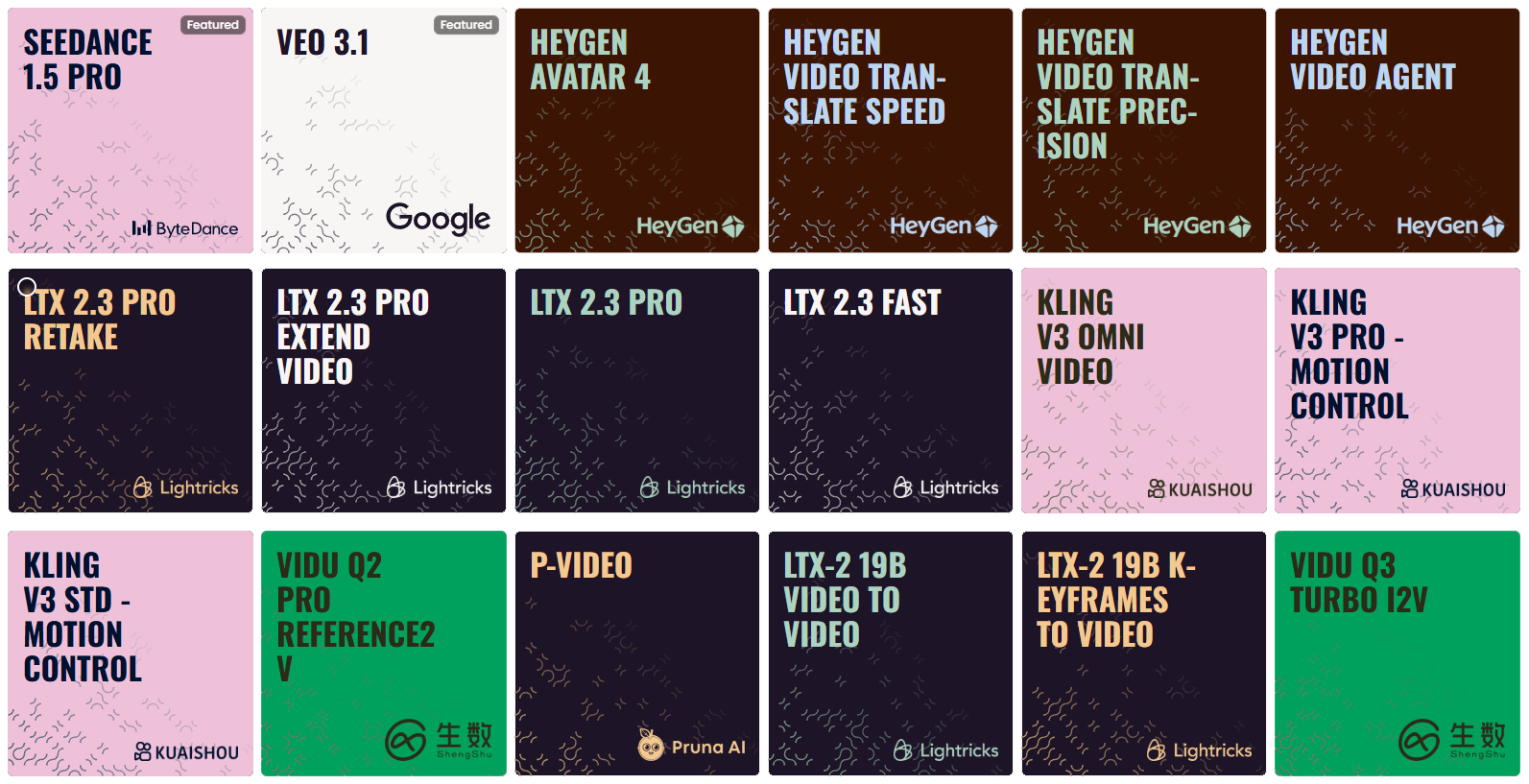
With the 2026 landscape of video generation offering native 4K resolution and long-form sequences (60s+), selecting the right "engine" is no longer just about quality, it’s about specialization.
Use the categories below to match your project's specific needs with the most capable models available in your library.
💡 Pro Tip:
For the ultimate workflow, generate your base sequence using a high-performance model like Kling V3, or Veo 3.1, and then run the output through Topaz Video Upscale or Crystal Video Upscaler to achieve professional 8K clarity for large-screen displays.
Understanding Video Generation Limitations
Before diving into specific issues, it's important to understand the inherent limitations of current video generation technology:
Duration: Most models generate 10–20 seconds of footage, while extended-duration engines can now produce continuous sequences of 60 seconds or more.
Resolution: Now supports native 4K (2160p) in professional tiers, alongside 1080p and 720p.
Complexity: More complex scenes may show reduced quality or consistency.
Style: Some visual styles translate to video more effectively than others.
With these limitations in mind, let's explore specific issues and their solutions.
1. Visual Quality Issues
Blurry or Low-Detail Output Why it happens: This typically occurs when using lower-resolution settings, creating overly complex scenes, or when the model struggles with certain visual styles. How to fix it:
Switch to high-resolution 4K models, which are ideal for detail-critical work. You can also explore other models offering 1080p resolution for a balance between quality and performance.
Simplify your scene by focusing on fewer key elements and reducing background complexity.
Enhance detail descriptions with specific textures and materials, using phrases like "highly detailed" or "sharp focus."
Upscale your input image.
Visual Artifacts or Glitches Why it happens: Artifacts often appear when models struggle with complex elements, receive conflicting instructions, or encounter technical limitations with specific visual elements. How to fix it:
Identify which specific elements show artifacts and simplify or remove them in your next generation.
Clarify your prompt by removing contradictory descriptions and prioritizing clear, consistent direction.
Different models handle visual elements differently: advanced cinematic engines are particularly effective at minimizing artifacts and distortions in generated videos.
2. Motion Quality Issues
Unnatural or Jerky Movement Why it happens: Poor motion quality typically stems from insufficient motion description, model limitations with complex movement, or conflicting motion instructions. How to fix it:
Improve your motion descriptions by being specific about type, speed, and quality of movement.
Use physics-based terminology like "gently swaying" or "smoothly rotating" and describe complete motion paths.
Choose motion-optimized models that deliver fluid and physically accurate character movement or excel at cinematic motion with strong prompt adherence.
Static or Minimal Movement Why it happens: This occurs when motion descriptions are insufficient, the model conservatively interprets ambiguous instructions, or the prompt focuses too much on static elements. How to fix it:
Explicitly state what should move and how, using active, dynamic language throughout your prompt.
Place motion descriptions early and avoid overemphasizing static qualities.
Try motion-forward models with camera movement instructions. Include references to movement-heavy concepts ("dynamic," "kinetic," "flowing") or environmental factors that imply movement ("windy conditions," "underwater currents").
Consistency Issues
Elements Changing or Flickering Why it happens: Temporal consistency limitations, complex scenes, and ambiguous descriptions can cause visual elements to change or flicker throughout the video. How to fix it:
Choose consistency-focused models, prioritizing those specifically designed for temporal stability and long-form coherence.
Simplify visual complexity, reducing the number of detailed elements that must stay identical.
Be explicit about consistency in your prompt, such as “the character’s outfit, hairstyle, and props must remain unchanged throughout the scene,” to reinforce stability.
Style Inconsistency Why it happens: Style inconsistency often stems from ambiguous style descriptions, styles that are challenging to maintain in motion, or model limitations with certain artistic approaches. How to fix it:
Choose models suited to your visual style:
Versatile multi-style models perform well across nearly all styles, especially 2D and 3D.
Photorealistic models stand out in realistic aesthetics.
Animation-specific models specialize in 2D animation with a strong focus on anime-style visuals.
Be specific about your desired visual style and reinforce stylistic language throughout your prompt.
For image-to-video workflows, ensure your reference image already reflects your desired style — consider generating a styled image first, then animating it.
3. Camera and Composition Issues
Unwanted Camera Movement Why it happens: This may be the default behavior of some models, result from ambiguous camera instructions, or occur when the model interprets a scene as requiring camera movement. How to fix it:
Explicitly request a static camera using phrases like "static shot," "fixed camera," or "camera remains still" early in your prompt.
Choose camera-control-friendly models, which are highly responsive to prompt instructions. Clearly distinguish between subject movement and camera movement, using language like "while the camera remains fixed."
Reference static cinematography terms like "tripod shot" or "locked-down camera."
Undesired Composition Changes Why it happens: Models may reinterpret scenes during animation, especially with insufficient composition description or movements that require composition adjustment. How to fix it:
Be explicit about framing and arrangement of elements, specifying which elements should remain in specific positions.
Choose composition-stable models or high-fidelity Image-to-Video (I2V) settings.
Limit extreme movements that would naturally change composition and request subtle movements that work within the established frame.
Ensure your reference image has the exact composition you want, with appropriate space for planned movement.
4. Prompt Adherence Issues
Results Don't Match Prompt Description Why it happens: Overly complex or contradictory prompts, model limitations with certain concepts, or prompt structure prioritizing the wrong elements can all lead to mismatched results. How to fix it:
Simplify and prioritize by focusing on fewer key instructions and placing the most important elements early in your prompt.
Choose high-parameter, prompt-adherent models known for following complex instructions.
Use clear, unambiguous language, avoiding metaphorical or highly abstract descriptions.
Important Elements Missing or Minimized Why it happens: This typically occurs with insufficient emphasis in the prompt, competing elements drawing focus, or model limitations with specific elements. How to fix it:
Emphasize key elements by mentioning them multiple times, describing them in detail, and placing them early in your prompt.
Reduce competing elements by simplifying or removing less important aspects.
Use compositional language like "prominently featured," "focal point," or "centered" to specify where important elements should appear.
5. Advanced Troubleshooting Techniques
A/B Testing Approach For systematic improvement, isolate variables by changing only one aspect of your prompt at a time and testing different phrasings for the same concept. Document and analyze all test variations, noting specific improvements or issues and identifying patterns in what works. Build on success by expanding from effective approaches and developing templates based on proven patterns.
Prompt Engineering Patterns Certain structural approaches often solve common issues:
The Specificity Pattern:
[Detailed subject description] [specific action/movement] in [detailed environment]. [Lighting description]. [Camera instruction]. [Style reference].The Priority Pattern:
Most important: [critical element]. [Secondary elements]. Camera [movement type] to follow [subject] as it [action]. Style is [specific aesthetic].The Physics Pattern:
[Subject] [action] with realistic physics. [Material] responds naturally to [forces]. [Environmental elements] move according to natural principles.The Consistency Pattern:
[Subject] maintains consistent appearance throughout the video. [Distinctive features] remain unchanged while [specific elements] move naturally.
When to Try a Different Approach Sometimes the most efficient solution is to pivot:
Switch Input Types: If text-to-video isn't working, try creating a reference image first. If image-to-video isn't preserving key elements, add more explicit text guidance.
Change Models: Different models have different strengths—if you've tried multiple prompt variations without success, try a different model optimized for your specific content type.
Simplify Your Concept: Some ideas may exceed current capabilities. Breaking complex concepts into simpler components often yields better results.
Combine AI and Traditional Techniques: For some projects, using AI for certain elements and traditional animation or video editing for others may produce the best results.
6. Choosing by Specialization
Cinematic Masterpieces (High-Fidelity & Realism)
Best for professional filmmaking, hyper-realistic textures, and complex lighting in native 4K.
Kling V3 Omni Video: A powerhouse for long-form cinematic storytelling, offering incredible stability over extended durations.
Veo 3.1 (Google): Optimized for high-fidelity output with smooth temporal consistency; ideal for creators who need seamless video extensions.
Runway Gen-4.5: The premium choice for artistic direction, offering high aesthetic control and professional-grade texture rendering.
Sora 2 (Pro): The industry standard for complex physical simulations and extreme photorealism. It excels at multi-subject interaction and consistent world-building.
Motion Masters (Action & Precise Control)
Best for scenes requiring specific trajectories, high-speed action, or "impossible" camera moves.
Kling V3 Pro - Motion Control: Features advanced path-mapping, allowing you to dictate exactly how subjects move through 3D space.
Vidu Q3 Pro (T2V/I2V): The go-to for high-energy dynamics—explosions, sprinting, and fast-paced transitions that maintain structural integrity.
Kling V2.6 Motion Control: A reliable alternative for complex cinematography like orbital pans, dollies, and crane shots.
Wan 2.6 T2V: Exceptional at fluid, natural motion transitions that feel organic rather than robotic.
Consistency & Image-to-Video (I2V)
Best for character-driven stories where the subject must remain identical across multiple clips.
Kling O1 Reference: Currently the leader in "Character Locking." Use this to ensure faces, outfits, and props don't drift during the generation.
Wan 2.6 I2V: Highly faithful to your source image. If you have a high-res 4K concept art, this model animates it with the least amount of "hallucination."
Vidu Q2 Reference 2V: Excellent for maintaining the 3D volume of complex objects during rotations or environmental shifts.
Sora 2 (Standard): Provides a perfect balance of logic and consistency for clips exceeding 30 seconds.
Performance & Fast Prototyping
Best for social media, rapid storyboarding, or testing prompt ideas before committing to a "Pro" render.
LTX-2 Fast: Optimized for efficiency; generates clean, lightweight clips for quick visual feedback.
Minimax Hailuo 2.3 (Fast): Offers a modern aesthetic with significantly reduced rendering times, perfect for iterative creative sessions.
Specialized Utility (Lipsync, Audio & Editing)
Best for post-production, localizing content, or adding sensory depth.
HeyGen Avatar 4 & Kling AI Avatar 2: The pinnacle of AI-driven "talking heads" with perfect phonetic lip-sync and micro-expressions.
Sync Lipsync React-1: The definitive tool for dubbing existing footage or syncing audio tracks to previously generated silent video.
MM Audio 2: Generates high-fidelity soundscapes and foley (SFX) that automatically sync with the visual movement of your video.
Kling O1 Video Editing & LTX-2 Retake: Instead of re-generating an entire scene, use these to "in-paint" or modify specific elements within an existing clip.
By systematically addressing these common issues, you can significantly improve your video generation results. Remember that AI video generation is still an evolving tech - some limitations are inherent to current models, but creative problem-solving and iterative refinement can help you achieve impressive results despite these constraints.
Conclusion
Selecting the right video model is an important step in creating effective AI-generated video content. Understanding the strengths and specializations of different models and matching them to your specific needs will improve your results and workflow efficiency.
Remember that experimentation is often necessary, so try testing different models with the same prompt or input image to discover which one best aligns with your creative vision. As you gain experience, you'll develop intuition for which models excel at particular tasks and styles.
For more detailed information about each model's capabilities and optimal prompt strategies, refer to our individual model guides in the “Video Generation“ section.