Seedance 2.0: The Complete Guide
Last updated: April 29, 2026
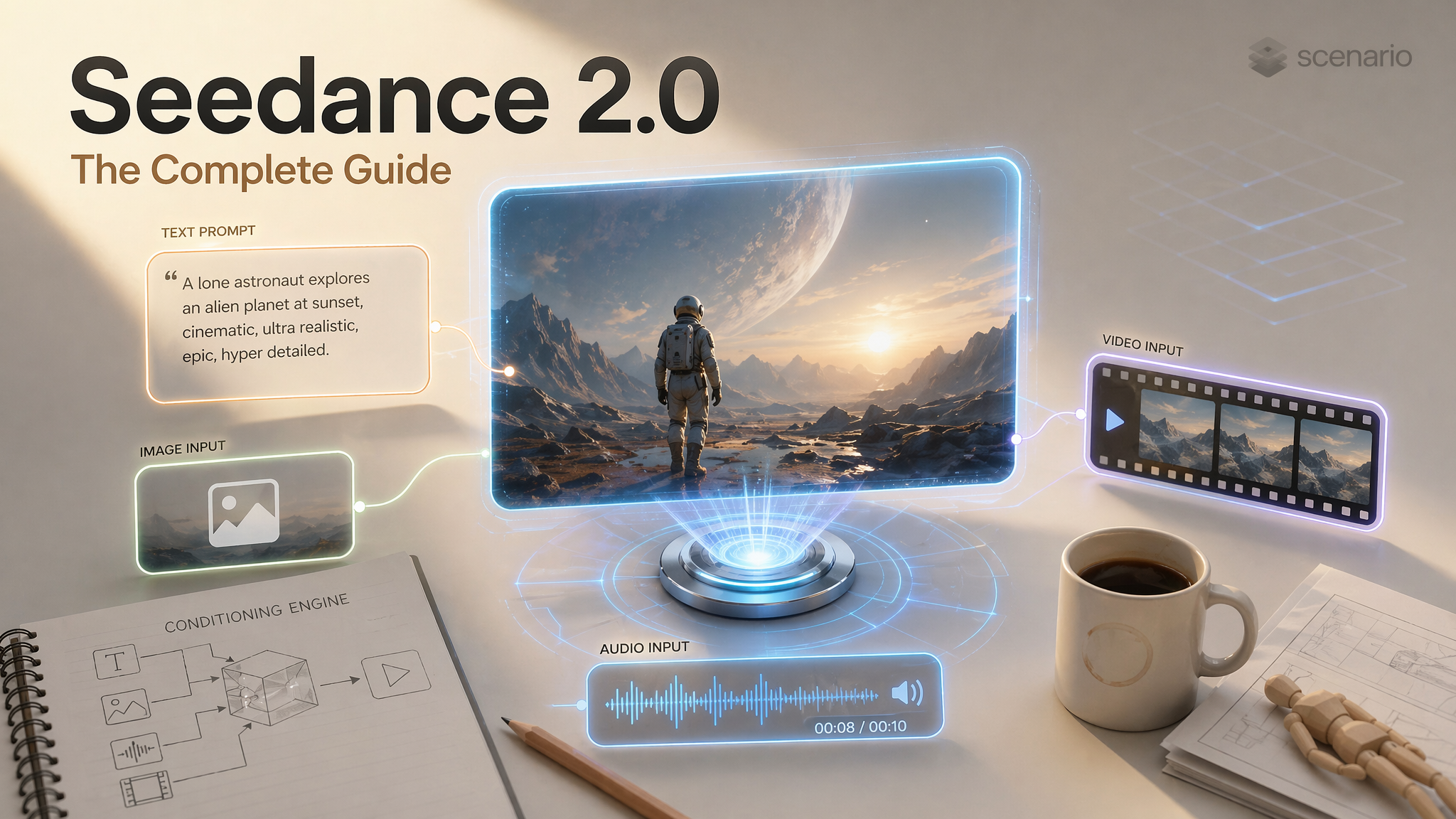
Seedance 2.0 is ByteDance's flagship multimodal AI video generation model. It currently holds the #1 position on the Artificial Analysis Video Arena for both text-to-video and image-to-video generation.
The Architectural Edge
What makes it different from other video models is its architecture. Seedance 2.0 uses a Dual-Branch Diffusion Transformer (4.5 billion parameters) that generates audio and video simultaneously in one pass.
Audio is not added after the fact: lip movements match phonemes at the syllable level, footsteps land when feet hit the ground, and ambient sound matches the environment automatically.
Important Concept: The model is not a simple text-to-video generator; it is a conditioning engine. Your text prompt defines the scene, but your reference inputs (images, videos, and audio) anchor identity, motion, camera behavior, and rhythm. Tell the model exactly what each reference is for to avoid "face morphing" or style drift.
What Seedance 2.0 Can Do
Generate 4 to 15 second cinematic clips from text alone or multimodal combinations.
Native Synchronized Audio: Dialogue with phoneme-level lip-sync (8+ languages), foley (footsteps, impacts), and environmental ambience.
Multi-shot Sequences: Natural cuts and transitions inside a single generation.
Realistic Physics: Gravity, fabric drape, liquid behavior, and collision dynamics.
Creative Templates: Replicate a video style by uploading a reference and regenerating with new assets.
Model Variants
Variant | Use Case |
Final renders, hero shots, maximum quality | |
Testing prompts, rapid iteration, draft exploration |
Recommended Workflow: Test with Fast, refine the prompt, and use Standard for the final render.
Settings and Parameters
Output Specifications
Parameter | Options |
Duration | 4 to 15 seconds (1-second increments) |
Resolution | 480p, 720p (default), 1080p |
Frame Rate | 24 fps |
Audio | Native stereo, enabled by default |
Aspect Ratios | 16:9, 9:16, 4:3, 3:4, 1:1, 21:9 |
The Five Input Types
A. First Frame
Upload a single image that becomes the exact opening frame.
Controls: Starting composition, character appearance, lighting, and mood.
How to Prompt: Describe motion and camera behavior. Do not re-describe the image; the model already "sees" it.
Example:
Camera slowly zooms in. Hair and fabric gently moving in wind.
B. Last Frame
Defines where the video ends. Combined with a first frame, the model generates the motion in between.
Controls: Narrative endpoint and transformation arc.
Advanced Trick: Upload both and prompt:
"Show me what happens in between. USE MULTIPLE CAMERA ANGLES."
C. Reference Images (Up to 9)
Guide the generation without being literal start/end frames. Explicitly assign roles to each image.
Role | What It Does |
Identity | Locks a face and body across the video |
Style/Mood | Sets the visual palette and color grading |
Environment | Defines the location and background |
Object | Locks the appearance of a specific prop |
D. Reference Videos (Up to 3)
Upload up to three short clips (about 3 to 8 seconds each). In the prompt, refer to them as video1, video2, and video3 in the same order as they appear in the UI or API payload (first uploaded clip is video1, second is video2, and so on).
Transfer Mode: Borrow camera path, pacing, or choreography to drive new content. Example:
Match the handheld energy of video1. The subject is a different actor in a daylight market. Keep the same rhythm and reframing style as video1.Edit Mode: Treat the clip as something to revise in place (swap wardrobe, replace a character, change the setting while keeping motion). Example:
Using video1 as the base clip, replace the two leads with the characters from image1 and image2. Keep the same blocking and camera as video1.
Combining multiple reference videos: Example: video1 supplies the camera move. video2 supplies the dance choreography. Apply both to the hero described in the text prompt.
E. Reference Audio (Up to 3)
Influences rhythm, dialogue, and mood.
Dialogue Lip-Sync: Supports English, Chinese, Japanese, Korean, Spanish, French, German, and Portuguese.
Accuracy: Phoneme-level alignment within +/- 40ms.
How to Reference Your Inputs in the Prompt
Seedance maps uploaded references to predictable names. Use these tokens in natural language so the model knows which file you mean. Order always follows the slot order in the generation panel (first in the list is 1).
Reference images (up to 9):
image1throughimage9. Example:image1 is the hero costume. image2 is the villain. image3 is the color script. Start on a two-shot of the cast from image1 and image2 in the palette of image3.Reference videos (up to 3):
video1,video2,video3. Example:Match the dolly speed of video2 while keeping the actors from image1.Reference audio (up to 3):
audio1,audio2,audio3. Example:Sync dialogue to audio1. Let ambient rain from audio2 fill the backgrounds.First and last frame images: Call them out explicitly as
first frameandlast frame(or "opening frame" / "closing frame") when you need the model to interpolate between uploads. Example:The opening frame is our practical plate. The last frame is the wide concept art. Animate a seamless transition between them with a slow crane up.
If you only upload one reference of a type, still use image1 / video1 / audio1 so the model can latch onto the correct conditioning tensor.
Multi-Reference Workflows
These patterns mirror how production teams chain references on long-form or episodic work.
1. Edit an existing hero take with new talent
Inputs: video1 plate, image1 new lead, image2 costume sheet. Prompt: Rebuild the scene from video1 with the performer from image1 wearing the outfit in image2. Preserve timing, eyelines, and props placement from video1.
2. Style transfer with locked identity
Inputs: image1 identity, image2 painterly reference, optional video1 for camera. Prompt: Keep the face and body from image1. Render every shot in the brush language of image2. If video1 is provided, copy its camera path exactly.
3. Character consistency across sequential clips
Inputs: same image1 identity sheet for every generation, plus fresh image2 location stills per episode. Prompt pattern: Episode beat: interior bunker at night. The lead must match image1. Environment matches image2. Dialogue cadence follows audio1. Regenerate whenever drift appears, reusing the locked seed from the best prior take when possible.
4. Dialogue-first spot with phoneme sync
Inputs: audio1 master line read, image1 character turnaround. Prompt: Use audio1 as the performance. Lip sync must follow the line verbatim. Character design must match image1. Camera: slow push during the confession.
The Core Prompt Formula
Every effective Seedance 2.0 prompt follows this structure:
Subject > Action > Environment > Camera > Style > Constraints
Subject: Specific details (age, clothing, posture).
Action: Present tense + intensity adverbs (vigorously, subtly).
Environment: Location + lighting + atmosphere.
Camera: Framing + one specific movement.
Style: 2-3 keywords (Cinematic, Noir, Anime).
Constraints: Stability instructions (
Smooth motion, stable framing).
Camera Control
Movement | When to Use | Prompt Example |
Push-in | Build tension / Focus | "Slow push-in over 5 seconds" |
Orbit | Product showcase | "Smooth 180-degree orbit" |
Tracking | Follow moving subject | "Low tracking shot alongside runner" |
Handheld | UGC authenticity | "Handheld, slight natural shake" |
Physics-Aware Prompting
Describe forces rather than just actions to trigger the model's physics engine.
Weak: "A car turns sharply."
Strong: "Tires smoke as the car drifts 90 degrees, rubber screaming on asphalt, weight shifting to the outside."
Character Consistency
Method 1: Use ONE high-quality reference image. Crop tight (60-80% of frame).
Method 2: Seed Locking. Reuse the seed value from your ideal generation.
Method 3: Reset in Chains. When extending clips, return to your original character reference every 4-5 segments to prevent "identity drift."
Troubleshooting
Problem | Fix |
Face Morphing | Use ONE identity image, cropped tight, with an explicit identity lock. |
Body Artifacts | Pull back from a close-up to a medium shot. |
Movement too fast | Add "slow motion" and specify an explicit duration. |
Content Blocked | Use AI-generated portraits instead of real photos for references. |
Physics Look Fake | Describe forces: momentum, friction, and weight distribution. |
References ignored | Name each asset with |
Hour-long sources | Trim to the shortest usable segment (model is built for short clips). For long programs, split into 4 to 15 second hero shots and chain them in editorial. |
Wrong video referenced | Re-read upload order: first clip is always |