P-Image Try-On: The Essentials
Last updated: July 9, 2026
Covers P-Image Try-On by Pruna.
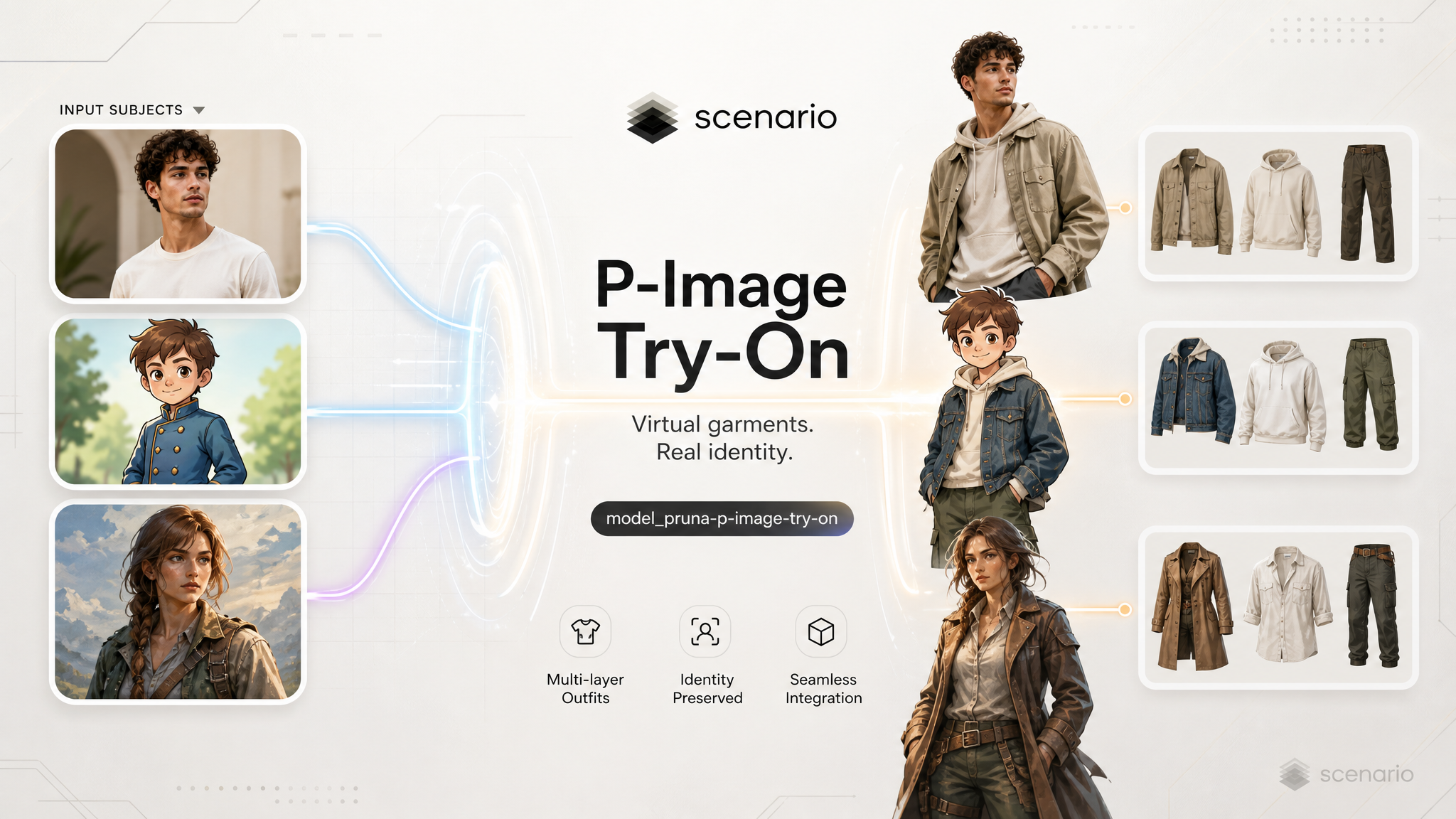
P-Image Try-On dresses a person from reference images. Upload one photo of the subject and one or more garment images (flat lays or worn shots), and the model composites a believable outfit while keeping the person's identity and scene. It handles layered looks (top, bottom, outerwear, shoes, accessories) and works on real photography as well as illustrated, anime, and painterly characters. Optional pose control lets you reorient the body to match a reference pose before applying clothes.
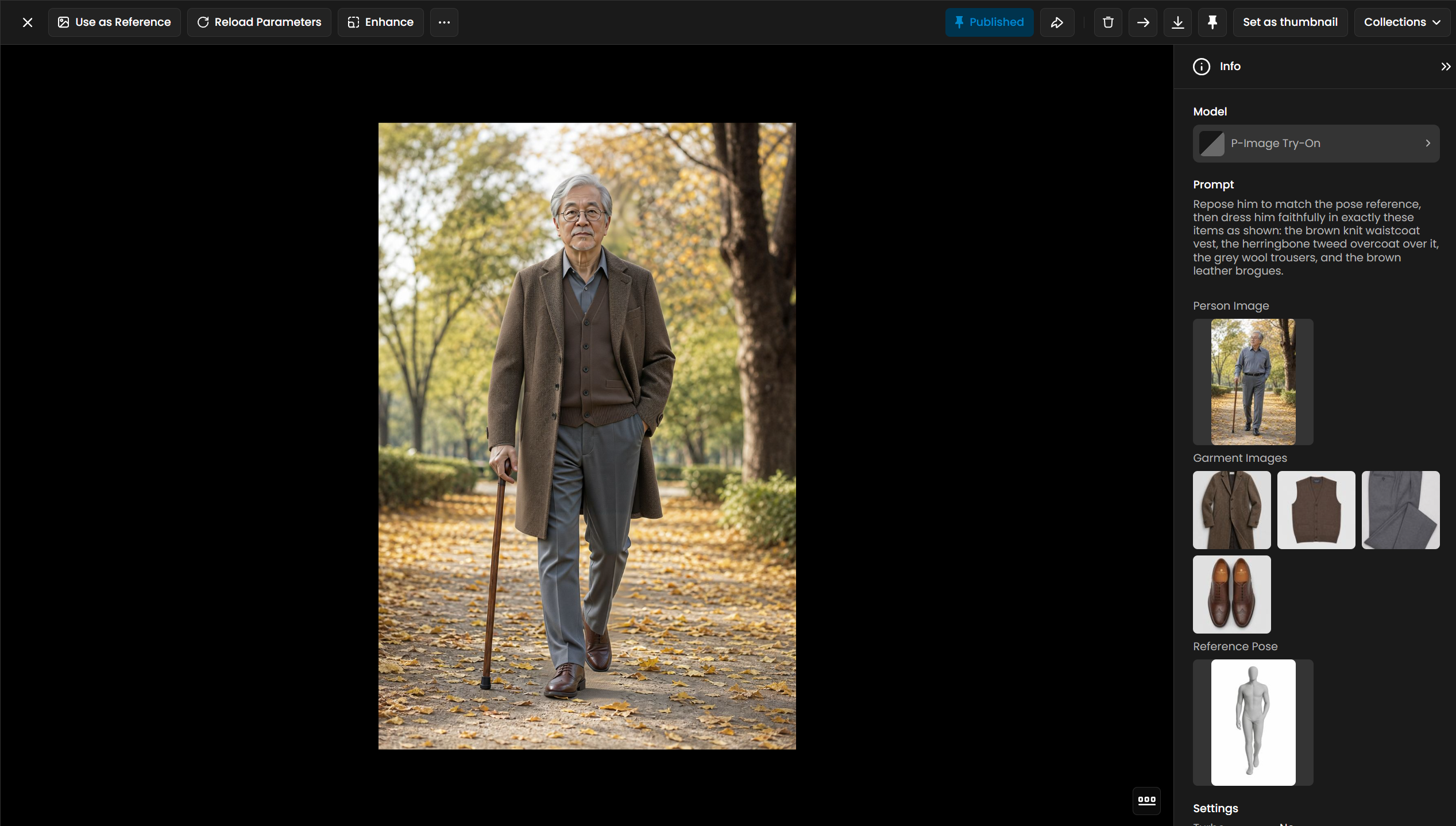
Hero: four garment references plus a pose reference. Prompt names each layer (waistcoat, overcoat, trousers, brogues).
Which Model Should I Use?
Model | ID | Input | Best for |
|---|---|---|---|
| Person image + 1 to 11 garment images | Virtual try-on: dress a person in multiple catalog or flat-lay garments, with optional pose control. Built for fashion, e-commerce, and character outfitting. | |
GPT Image 2 |
| Image + prompt | General image editing and inpainting. Pick this when you need open-ended edits, not a structured multi-garment try-on pipeline. |
Gemini 3.1 Flash (editing) |
| Image + prompt | Fast conversational edits on a single image. Pick this for quick one-off wardrobe tweaks, not faithful multi-item catalog dressing. |
Use P-Image Try-On when the deliverable is "put these exact garments on this person" with separate references per item. Use general editing models when you only need a loose wardrobe change described in text.
How to Use the Model
How P-Image Try-On Works
Every run needs a person image and at least one garment image in referenceImages. The model reads each garment reference and composites them onto the subject. For multi-piece outfits, upload one image per item (shirt, pants, coat, shoes, bag) rather than one collage. Up to six garment images is the practical sweet spot; the schema supports up to eleven.
When garment photos are flat lays or product shots (not already worn on a body), add a prompt that names each item and how it layers: "the white blouse, the charcoal blazer over it, the charcoal trousers, and the nude heeled loafers." When references are already worn on a model, the prompt can be shorter or omitted.
Optional referencePose reorients the person to match a pose image before dressing. Pair it with a prompt that starts with "Repose her to match the pose reference, then dress her faithfully…" as in the examples below.
Full outfits from multiple garments
Four examples below use three or four separate garment references each. Prompts call out layering order so outerwear sits over tops and footwear lands correctly.
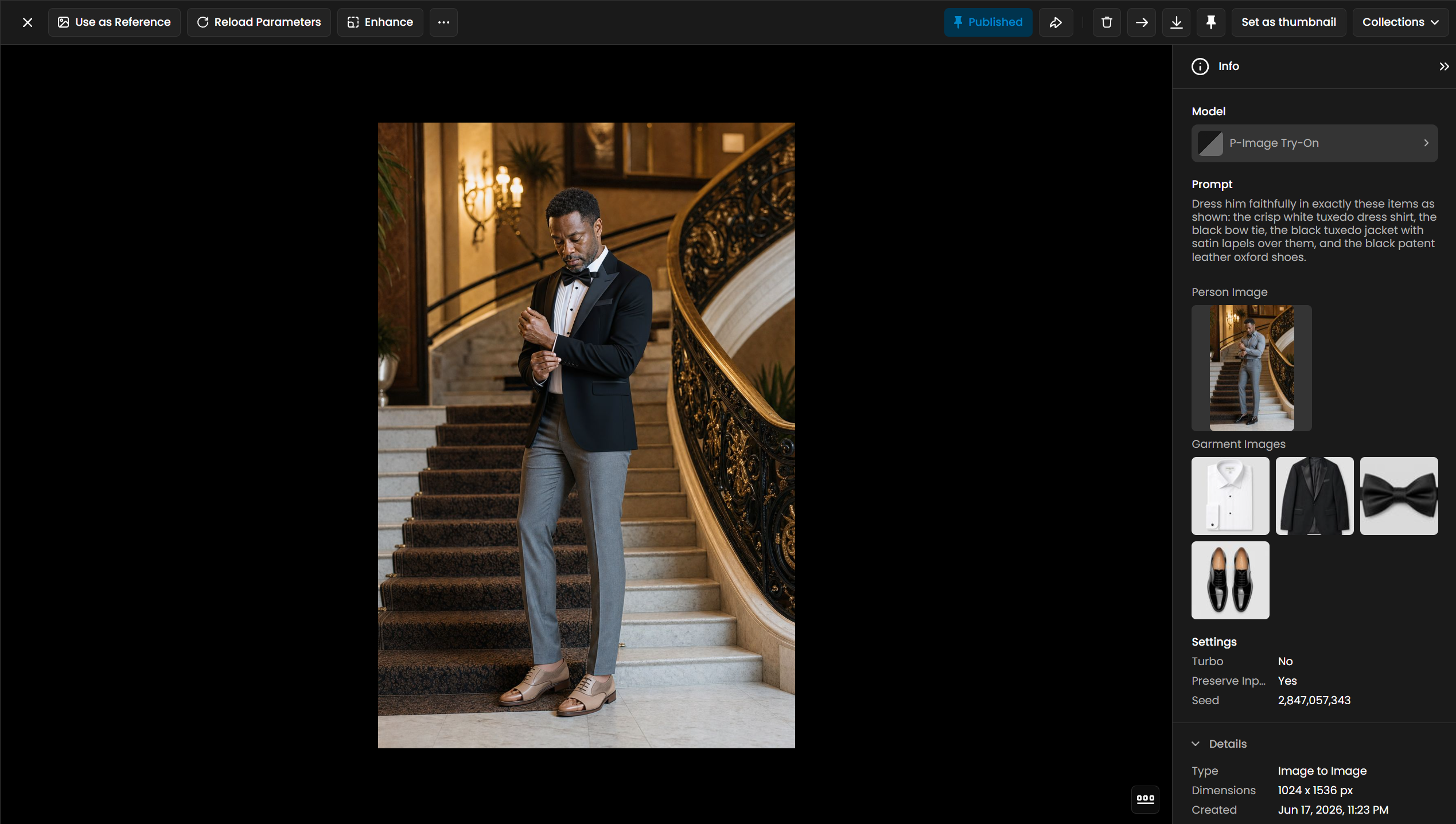 Shirt, bow tie, jacket, oxfords. 4 garments, no pose. |
Reference pose
Pass referencePose when the person should strike a specific stance before garments are applied. The prompt should tell the model to re-pose first, then dress.
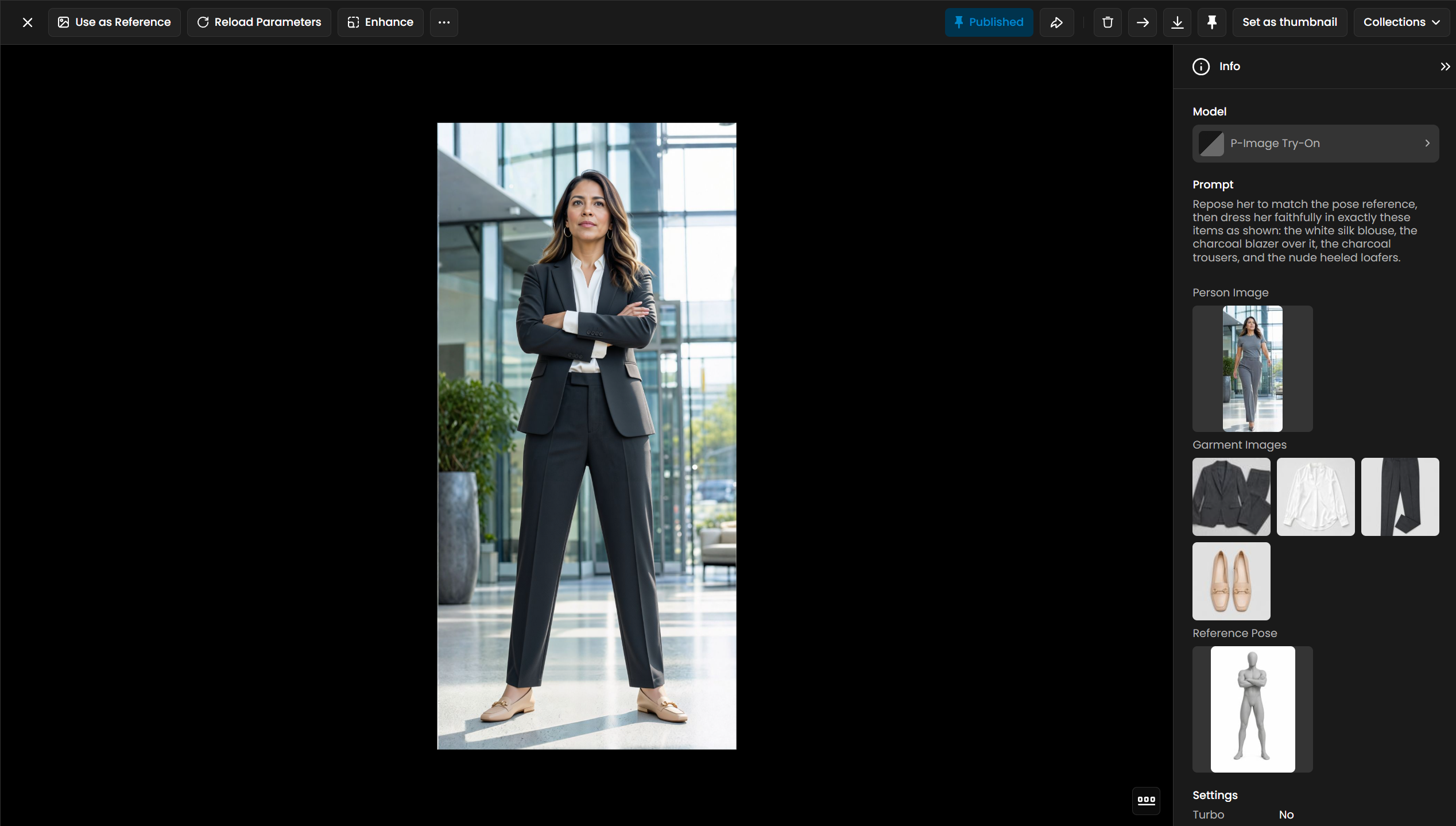 Blouse, blazer, trousers, loafers. 4 garments + pose. |
Real photos and stylized characters
The same pipeline works on illustrated subjects. Name the art style in the prompt ("anime character," "watercolor-illustrated character," "low-poly character") and ask for matching items "as shown" so textures stay consistent with the source.
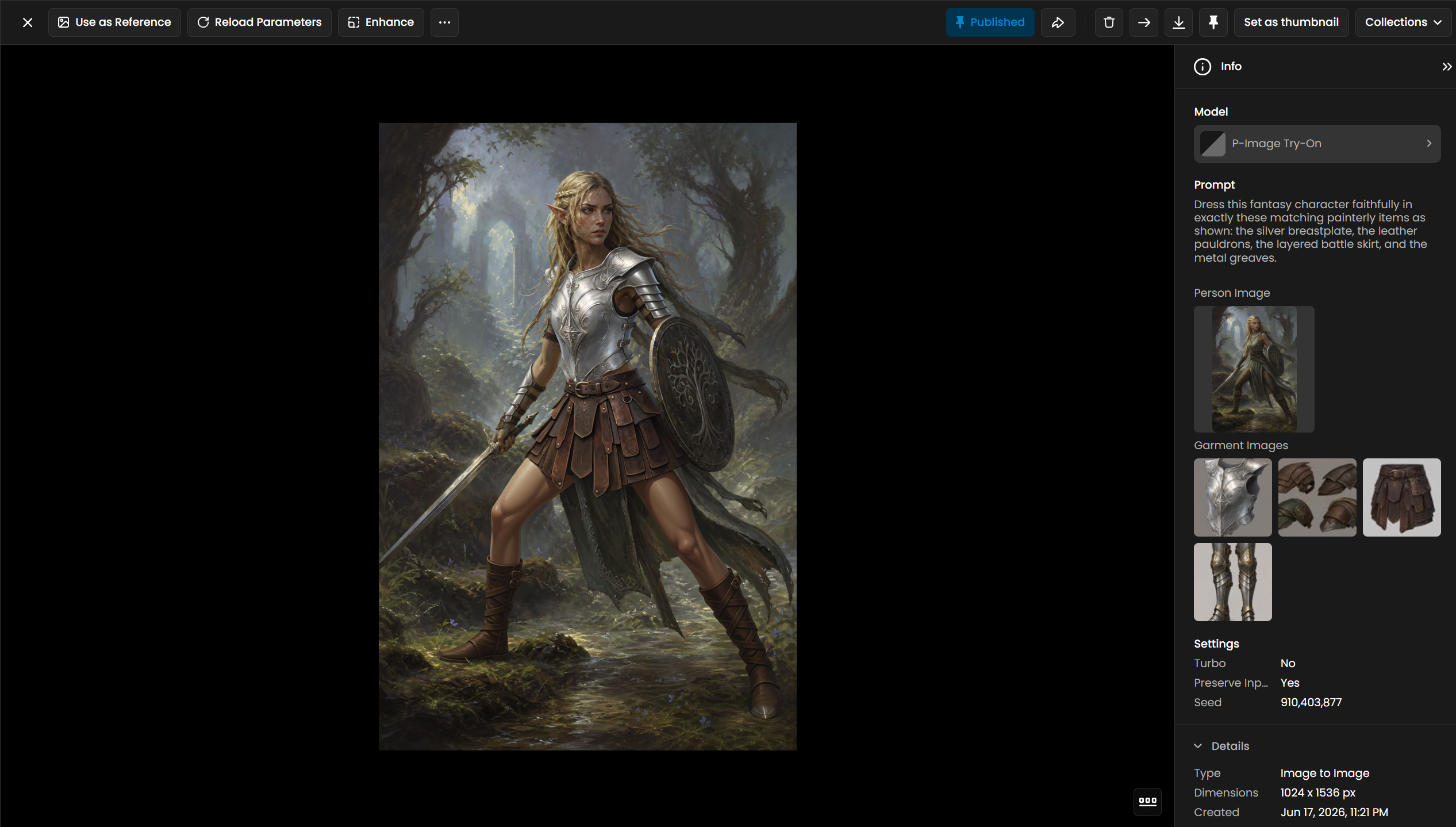 Fantasy character, 4 armor pieces. |
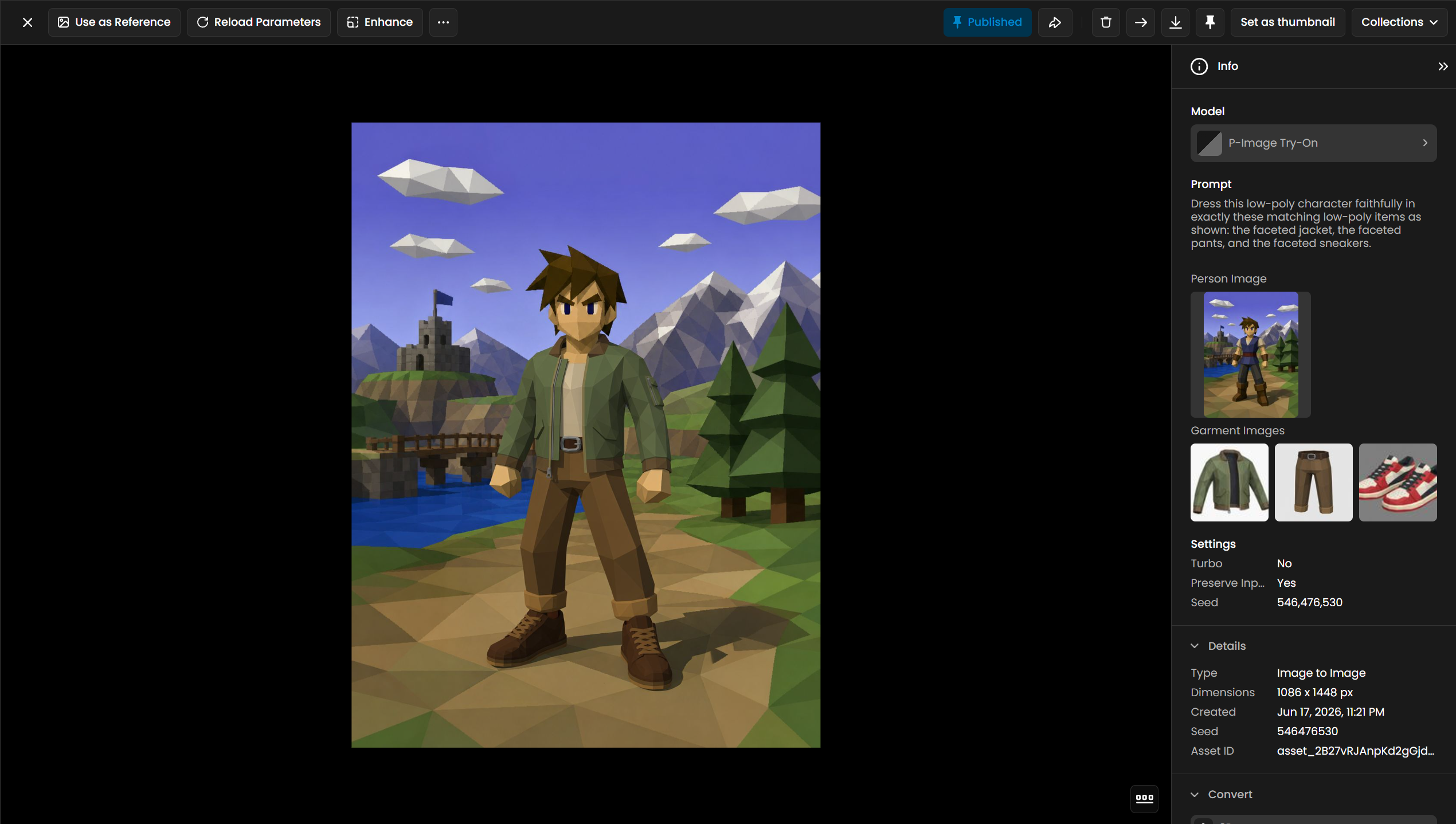 Low-poly character, faceted outfit. |
Parameters
All inputs are listed below. Only personImage and referenceImages are required; everything else steers quality, pose, or reproducibility.
personImage
Required. The subject to dress. Use a clear full-body or three-quarter photo when possible; the model preserves identity and scene context from this image. Every example above starts from a distinct person reference.
referenceImages
Required, 1 to 11 garment images (up to 6 recommended). One file per garment item works best. Adding more references increases fidelity for layered outfits but also affects run cost on Scenario. See the four-garment hero and business-suit examples above.
prompt
Optional, up to 2048 characters. Most important for flat-lay or product-shot garments: list each item and layering order ("blazer over blouse," "oxford shoes"). For pose runs, start with "Repose her to match the pose reference, then dress her faithfully…" as in the hanbok and business-suit examples.
referencePose
Optional image. Repositions the person before garments are applied. Used in the hanbok dance and lobby walking examples above.
turbo
Optional boolean, default false. Faster processing. The model description recommends leaving this off when you pass four or more garment images.
preserveInputSize
Optional boolean, default true. Keeps the output at the person image resolution. All pinned examples were generated with this enabled.
seed
Optional integer from 0 to 4294967295. Fix the seed to reproduce a prior result when inputs and prompt stay the same.
Use Cases
E-commerce and catalog: Preview how separate SKU photos (shirt, pants, jacket, shoes) look on a brand model or shopper photo without a physical shoot.
Fashion marketing: Build full looks from individual product assets for lookbooks, PDP galleries, and social posts.
Games and character art: Outfit illustrated heroes, anime casts, or low-poly avatars from discrete armor, costume, and accessory references.
Styling apps and prototypes: Test mix-and-match wardrobes on the same person photo with controlled seeds for A/B comparison.
Editorial and cosplay: Layer elaborate pieces (formal wear, fantasy armor, cultural dress) with explicit prompt control over stacking order.
Tips for Better Results
One garment image per item. Split tops, bottoms, outerwear, footwear, and bags into separate uploads instead of one crowded collage.
Name every piece in the prompt. Mirror the language in the pinned examples: "dress her faithfully in exactly these items as shown: …" plus layering cues like "over it" or "under the coat."
Use
referencePosefor stance changes. When the outfit should read differently standing vs. walking vs. dancing, pass a pose photo and tell the model to re-pose first.Match art style in the prompt for illustrated subjects. Say "anime character," "watercolor-illustrated character," or "low-poly character" so garments pick up the same rendering style.
Keep
preserveInputSizeon for catalog consistency. Output stays aligned with your source person photo dimensions unless you have a reason to resize.Skip turbo on heavy outfits. Four or more garment references benefit from the default quality path.
Fix
seedwhen iterating. Change prompt wording or garment order one variable at a time while holding seed to compare what moved.
Known Limitations
Garment count vs. turbo. Turbo is not recommended with four or more reference images; quality can slip on complex layered looks.
Prompt matters most on flat lays. Product-only garment photos need explicit item names and layering; worn-model references are more forgiving.
No standalone text-to-outfit mode. This is img2img only: you must supply a person image and at least one garment image. There is no prompt-only generation.
Extreme poses or occlusion. Heavy overlap, sitting poses, or cropped feet can misalign shoes and hems; a cleaner person photo and a matching pose reference help.
Identity is tied to the person image. The model dresses the subject you provide; it does not swap faces or generate a new person from text.