Recraft V4.1: The Essentials
Last updated: September 2, 2026
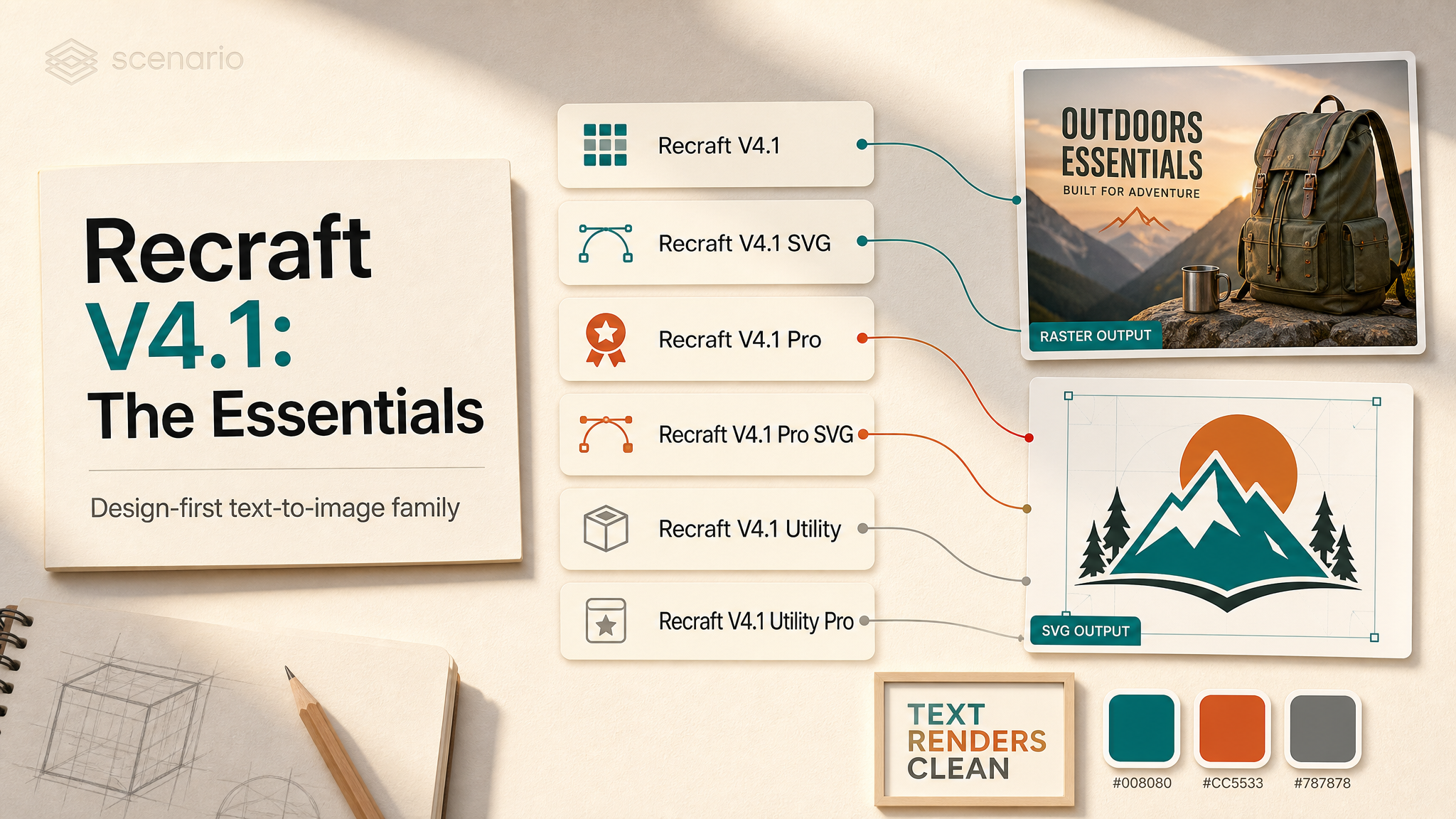
Covers Recraft V4.1, V4.1 SVG, V4.1 Pro, V4.1 Pro SVG, V4.1 Utility, and V4.1 Utility Pro.
Recraft V4.1 is a family of text-to-image models tuned for design work rather than generic pictures: posters, packaging, logos, icons, UI, infographics, and advertising. Its standout trait is text rendering — the words you ask for come out spelled correctly and laid out cleanly, which is where most image models fall apart. The family splits two ways: by output format (raster or true vector) and by tier (standard, premium Pro, or general-purpose Utility).

Hero: Recraft V4.1, portrait_16_9, fashion editorial portrait.
Which Model Should I Use?
Model | ID | Output | Best for |
|---|---|---|---|
| Raster image | The everyday flagship for posters, packaging, illustration, and UI | |
| Vector (SVG) | Logos, icon sets, badges, mascots, pictograms you can scale and edit | |
| Raster image | The most demanding photoreal and text-dense work | |
| Vector (SVG) | Elaborate crests, isometric scenes, multi-label infographics | |
| Raster image | Clean, predictable product shots, mockups, and everyday graphics | |
| Raster image | Premium clean product shots, mockups, and brand visuals |
Quick decision rule: need a file you can scale and edit (logo, icon, badge)? Pick an SVG model. Otherwise pick raster. Then choose the tier: Utility for fast volume, V4.1 for the design default, and a Pro tier when fidelity and text accuracy have to be flawless.
How the Models Work
Each model takes a single text prompt and returns one image at the size you choose. There is no image input and no separate style selector on Scenario: the look comes entirely from how you describe it in the prompt, with the palette and background color as optional steering. Write the prompt the way you would brief a designer: name the subject, the style, the composition, the mood, and the exact text.
V4.1 often returns a strong result from a brief phrase. Two examples below: a seven-word prompt and the same model with more direction.
 "Rain on a city window at night." V4.1, |  Neon alley with cinematic color. V4.1, |
Text Rendering in Images
This is the family's biggest strength. Across testing, headlines, brand names, labels, promo codes, and even full multi-column menus rendered with correct spelling and clean layout. Put the exact words you want in quotes, and keep the count of distinct small text elements low. One or a few high-value strings come out crisp; a dozen tiny low-priority strings is where the occasional wrong letter slips in.
 "BLUE NOTE NIGHTS" / "SEPT 14" jazz poster. V4.1, |  "TRATTORIA SOLE" multi-column menu. V4.1, |
 "THE LIGHTHOUSE KEEPER" film key art. V4.1, |  "PORT AZURE" labeled map. Pro, |
Raster vs Vector
The standard, Pro, and Utility models return raster images (pixels), ideal for photoreal work, illustration, and anything with rich texture. The two SVG models return true vector files: flat, clean shapes that scale to any size and can be opened and edited in vector tools. Use SVG for logos, icons, badges, mascots, and pictograms that need to live in a design system. Vector output stays flat and gradient-free by design, so do not expect photoreal results from the SVG models.
 Raster (V4.1): expressive texture |  Vector (V4.1 SVG): one-line mark, white background set |
Controlling Color
Two optional controls steer color. Set colors with up to ten R, G, B values to bias the whole image toward a brand palette; in testing the model mapped those hues into the actual elements, not just a tint. Set backgroundColorR/G/B to force a specific solid background, which is the reliable way to get a clean white, cream, or brand-colored ground behind a logo, icon, sticker, or product.
 Origami crane logo on coral |  "NIGHT BREW" vector with palette steering. V4.1 SVG |
Choosing a Tier
V4.1 (standard) is the expressive all-rounder: it brings its own read on light, mood, and composition, and often returns something strong from just a few words. Pro raises fidelity for the most demanding photoreal and text-dense pieces, with a quieter, more realistic look. Utility is the opposite of dramatic: clean, simple, and predictable, with flat even lighting and front-facing composition, made for product shots, mockups, and straightforward everyday graphics. Utility Pro is that same clean, predictable look at premium fidelity. Match the tier to the job: expressive for concepting, Pro for hero fidelity, Utility for dependable volume.
V4.1: expressive street scene |  Pro: photoreal film poster |
 Utility: clean promo graphic |  Pro SVG: "MAISON FLEUR" identity sheet |
Parameters
All six models share the exact same inputs, so you can switch between them without changing your request.
prompt
Required, up to 10000 characters. What to create, including any text you want to appear in the image. Put exact wording in quotes. See the Text Rendering examples above for headline and menu prompts that rendered correctly.
imageSize
Default square_hd. One of square_hd, square (1:1 — logos, icons, social tiles), portrait_4_3 (3:4 — posters, packaging), portrait_16_9 (9:16 — stories, mobile ads; used in the hero above), landscape_4_3 (4:3 — editorial, slides), landscape_16_9 (16:9 — banners, billboards).
backgroundColorR / G / B
Optional, 0 to 255 each. Sets a solid background color; all three values define one color. The origami crane example in Controlling Color used explicit RGB for a coral ground.
colors
Optional, up to 10 colors as R, G, B tuples. Steers the palette toward your chosen hues. Treated as preferences, not exact requirements. The "NIGHT BREW" vector in Controlling Color shows palette steering in practice.
Use Cases
Games: key art, splash screens, world maps, item and emblem sets, and e-sports logos (with correct titles baked in).
Marketing and advertising: posters, hero banners, billboards, and campaign key visuals with legible headlines.
Brand and design systems: logos, icon sets, badges, monograms, and multi-lockup brand sheets, in editable vector with the SVG models.
E-commerce: product heroes, category tiles, packaging mockups, and promo graphics with on-brand palettes.
Education: infographics, labeled diagrams, timelines, and classroom visuals where the labels have to be correct.
Content and social: blog heroes, quote cards, recipe cards, thumbnails, and story ads at volume.
Tips for Better Results
Put exact text in quotes. Wording inside quotation marks renders far more reliably than described text.
Try a few words first. V4.1 reads short prompts like a creative director and often returns something strong from a brief phrase. Start small, then add direction only where you need it.
Keep small text elements few. A few high-value strings come out clean; many tiny labels at once is where letters garble. For long body copy, ask for placeholder or greeking lines so it reads as a real layout.
Set the background color when you need a light ground. Both SVG models default unused negative space to black; pass
backgroundColorR/G/B(for example 255, 255, 255) to get white or cream instead.Force light backgrounds on the raster models too. Standard and Utility lean dark for prompts like "minimalist" or "bright"; state the background color explicitly to override.
Use the palette to stay on brand. The
colorsarray maps your brand hues into the artwork; combine it with a named palette in the prompt for consistency across a set.Pick the aspect ratio up front. Compose for the final placement by choosing the matching
imageSizerather than cropping later.For exact letterform logos, expect iteration. Abstract marks like "a crane that forms a P" render the object cleanly but only loosely imply the letter; refine across a few runs.
Known Limitations
SVG models default negative space to black. Without a background color, unused space fills black. Set
backgroundColorR/G/Bfor white, cream, or light grounds.Dense tiny text can garble. The model nails intended headlines and labels, but many low-priority micro-strings (or text it invents on its own, like a watch-dial brand mark) can come out as wrong letters. Keep high-stakes copy to a few strings.
No style, seed, or negative-prompt controls on Scenario. The platform exposes prompt, image size, background color, and palette only. There is no style picker, seed, or negative prompt, so direct the look through the prompt text.
Vector means flat. The SVG models will not produce photoreal or gradient-heavy results; use a raster model for that.
Pro tiers cost more per image. Reserve Pro and Pro SVG for work that genuinely needs the extra fidelity; the standard and Utility models are strong and cheaper for most jobs.