Ideogram Remove Background: The Essentials
Last updated: May 13, 2026
Provider: Ideogram | Modality: Image to Image | Type: Utility tool
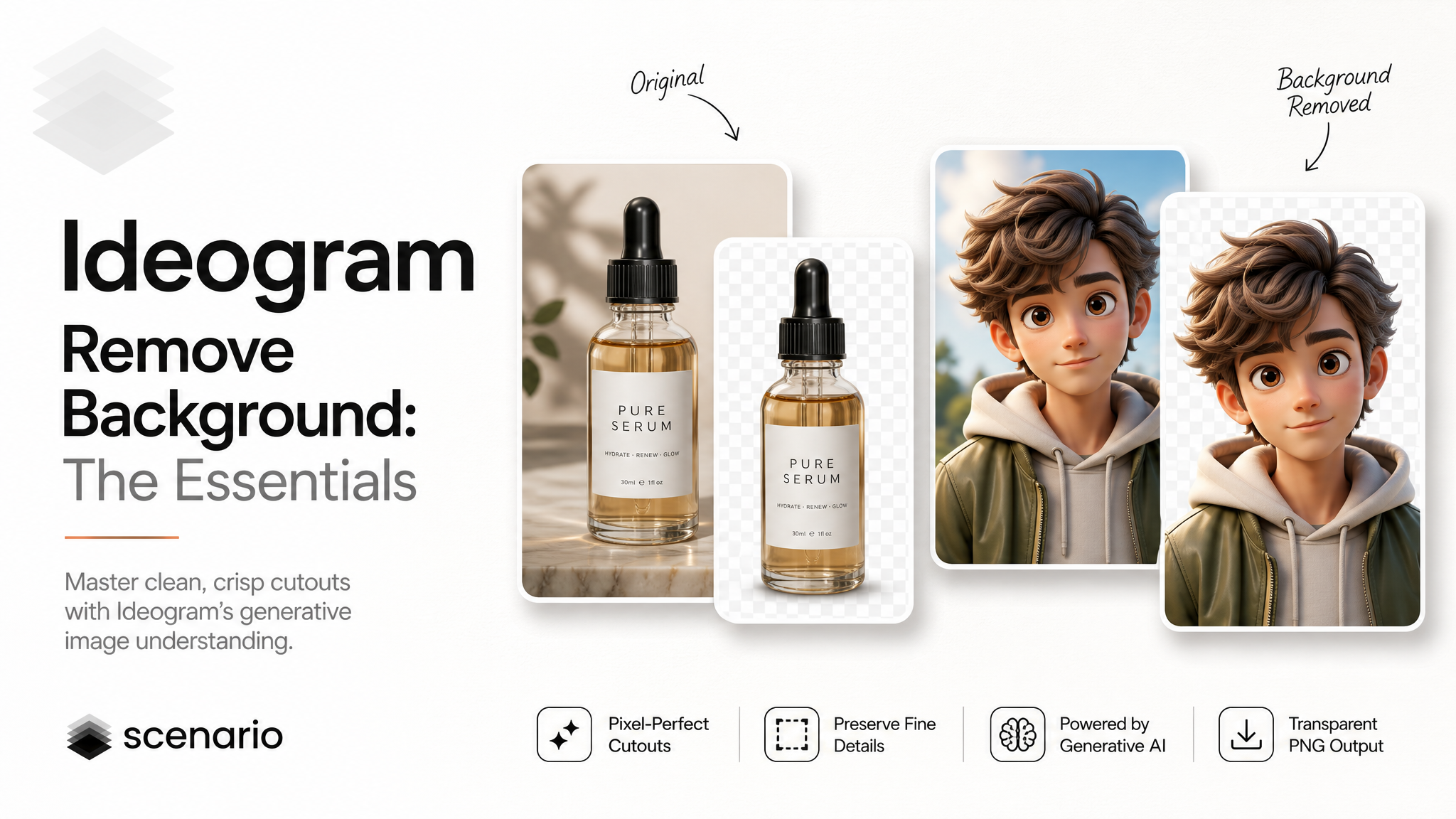
Ideogram Remove Background isolates the subject of any image on a transparent background. Drop in a photograph, illustration, or product shot, and the model returns a transparent PNG with the subject preserved and everything else cleanly removed. The output is ready to drop into a new scene, composite onto a different backdrop, or hand off to a designer without manual cleanup in Photoshop.
What sets this model apart is how it handles edges. Most background removers segment the image into "subject" and "not subject" and cut along that line, which leaves halos, color spill, and jagged boundaries on hard subjects like hair, glass, or fine product silhouettes. Ideogram takes a generative approach: it reconstructs every border pixel as a partial transparency carrying the foreground color it should keep. The result is clean alpha through hair, fur, glass, reflections, and typography, with no residual color from the original background.
What It Does
Isolates the main subject of an image on a transparent background.
Outputs a transparent PNG with a clean alpha channel, ready for compositing.
Handles hard edges (hair, fur, glass, refractions, typography) without halos or color spill.
Accepts JPEG, PNG, and WebP inputs up to 10 MB.
Works on a single input image, with no prompt and no extra parameters to configure.
How to Use It
There is only one input. Upload the image you want to cut out, run the model, and download the transparent PNG. There is no prompt field, no style parameter, and no mask to draw.
Image
The single input. Accepts JPEG, PNG, or WebP up to 10 MB. The model preserves the original resolution and aspect ratio of the source image. The output is always a PNG with an alpha channel, regardless of the input format.
For sharper edges on lower-resolution inputs, run the image through an upscaler first. Higher-resolution sources give the model more pixel detail to work with on the subject boundary, which produces cleaner cutouts on hair, fabric, and other fine detail.
Examples
Product photography
A product shot on a studio backdrop becomes a clean cutout for a marketplace listing, a marketing carousel, or a catalog page. The model preserves logo text, reflective surfaces, and packaging detail without altering the product itself.
Character cutouts
A character portrait, whether a real photograph or an AI-generated illustration, comes out with clean transparency around hair, clothing detail, and accessories. Useful for sticker packs, game UI, or animated overlays.
Stickers and asset packs
Generate a batch of subjects with any image model, then run them through Remove Background to produce a sticker pack, an emoji set, or a library of reusable assets for a game or app.
Tips for Better Results
Upscale before removing the background for low-resolution sources. The model uses pixel detail along the subject boundary to decide what is foreground and what is background. Higher-resolution inputs produce visibly cleaner edges, particularly on hair, fabric, and small product details.
Use the highest-quality source available. A clean JPEG or PNG with good lighting produces a better cutout than a low-quality screenshot. If you have access to the original camera file, use it.
Trust the model on glass and reflective objects. The output keeps partial transparency through glass surfaces, which is what makes the cutout look natural on a new background. If you flatten the result to JPEG later, the soft alpha will be lost, so keep the file as PNG until the final composite step.
Crop tight to the subject when possible. If the subject occupies a small area of a very large image, the result is still correct, but you may end up with a large transparent PNG. Cropping before processing reduces file size and keeps downstream workflows lean.
Pair with image editing or compositing tools for layered output. The output is a single transparent PNG. If you need the subject and background as separate editable layers, bring the result into Photoshop, Figma, or your compositing tool of choice after Remove Background does the cutout pass.
Known Limitations
One subject at a time, decided by the model. Remove Background identifies the main subject automatically. If the image contains multiple foreground objects, the model decides which one is the subject. There is no parameter to specify a particular object or area.
No manual mask or selection control. The Scenario implementation does not expose a brush, lasso, or rectangle selection. The cutout is fully automatic. For images where the automatic decision is wrong, the cleanest path is to crop the source image so that only the intended subject is visible.
Output is always PNG with alpha. File sizes are larger than the source JPEG. Plan storage and bandwidth accordingly when processing large batches.
Safety filter on input. Ideogram applies a safety check on the input image. Images flagged as unsafe will return an error rather than a cutout. This is rare on product, character, and marketing imagery.
Maximum file size is 10 MB. Inputs larger than 10 MB must be resized or compressed before submission.
Use Cases
E-commerce and marketplace listings: Cut out product photography for clean, consistent catalog images. The model preserves logo text, packaging finish, and reflective surfaces without manual touch-up.
Marketing creatives: Pull subjects out of stock photography or AI-generated images and composite them onto branded backgrounds. Useful for ad units, social posts, and landing page hero images.
Game and app asset libraries: Build reusable sprite, sticker, or icon libraries from generated or photographed subjects. The transparent PNG output drops directly into game engines and design tools.
Film and animation compositing: Isolate characters, props, or background plates for use in compositing software. The clean alpha channel survives downstream color grading and rotoscoping passes.
Design and presentation work: Quickly generate cutouts of people, products, or objects for slide decks, pitch documents, and prototypes without leaving the Scenario workflow.