LTX Video Models: The Essentials
Last updated: October 13, 2026
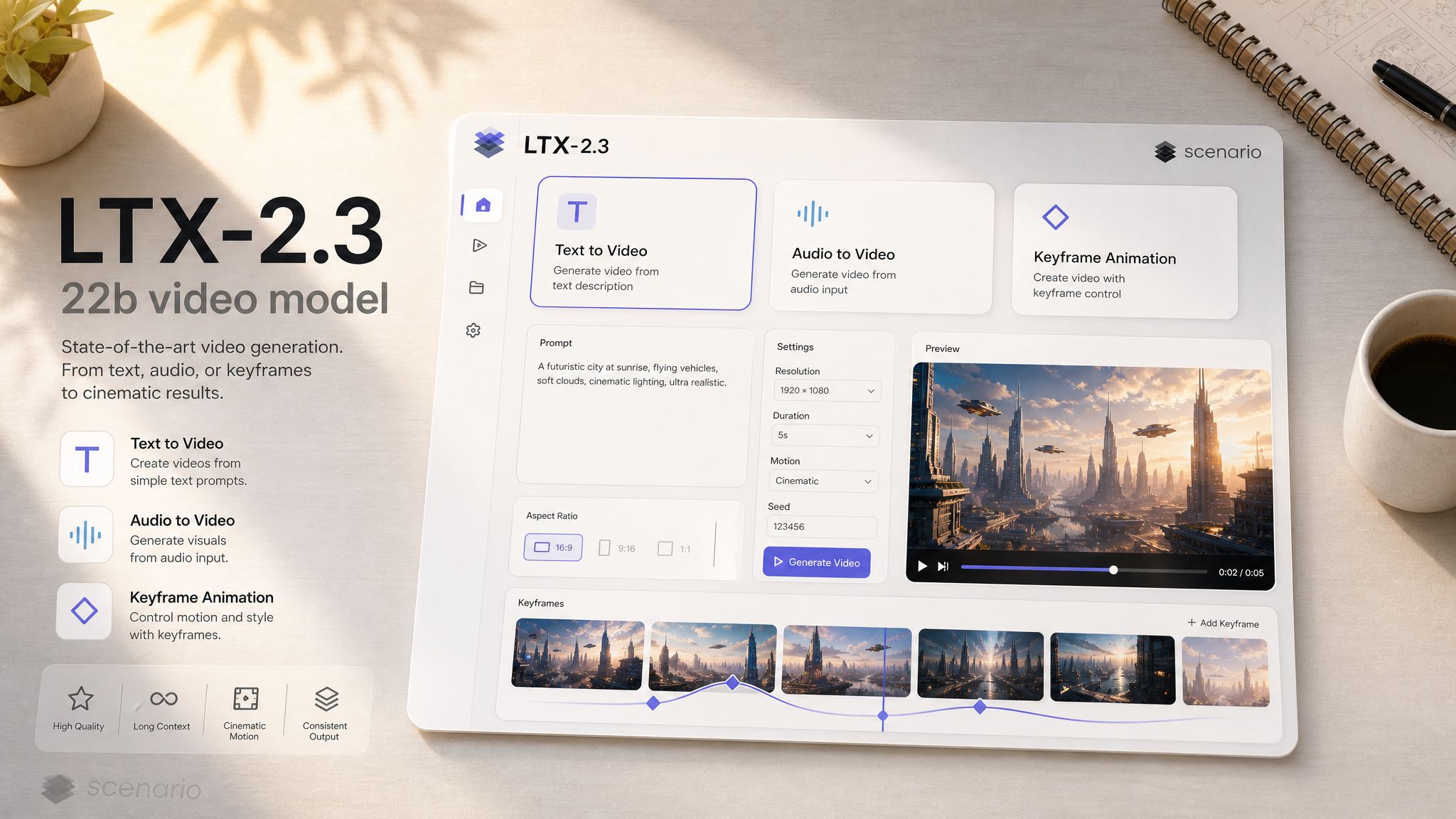
The LTX family from Lightricks generates video from a text prompt or a starting image, with sound built into the same pass. The newest arrivals on Scenario are the LTX-2.3 22b models: Lightricks' open-weights 22B video model in eight versions. Standard, Fast and HQ generate video with spoken dialogue and ambient sound, Audio to Video builds a lip-synced performance around your own voice or music track, Keyframes to Video animates time-lapses and transformations between images, and Extend Video, Retake and Video to Video continue, fix and restyle the clips you make. LTX-2.5 (natively multi-shot, in Pro and Fast tiers with Audio to Video variants) and the earlier LTX 2.3 API models stay available and are covered further down.
Which Model Should I Use?
Model | Input | Best for |
LTX-2.3 22b (new) | Text or image, optional end frame, up to 4K | Dialogue shots with lip sync, negative prompt control, any aspect ratio from 9:16 to 21:9 |
LTX-2.3 22b HQ (new) | Text or image, optional end frame | Close-up dialogue and hero shots where face and texture detail matter most |
LTX-2.3 22b Fast (new) | Text or image, up to 20s | Quick drafts and simple one-subject scenes: nature, animals, ambience |
Your audio (up to 20s) plus an optional image | Talking characters in any language and singers or DJs that follow the track | |
2 or more timestamped images | Time-lapses, transformations and before/after reveals | |
Text or image, up to 4K | Multi-shot storytelling in one prompt, cinematic camera moves, native audio | |
Text or image, up to 4K | Longer clips (up to 20s), quicker turnaround | |
Audio (up to 10s), up to 4K | Letting a soundtrack or voice performance drive the picture, cinematic quality | |
Audio (up to 20s), up to 4K | Same audio-driven workflow, longer tracks and higher resolution | |
Text or image, up to 4K | A defined end frame, an 8-way named camera motion selector, up to 50 FPS | |
Text or image, up to 4K | Same end-frame and camera controls as 2.3 Pro, at Fast-tier speed | |
2 or more timestamped images | Legacy: existing keyframe workflows (22b Keyframes to Video is the newer option) |
New: LTX-2.3 22b
LTX-2.3 22b is Lightricks' open-weights 22B video model, now on Scenario in eight versions that share one prompt style and one look, so a clip made with one can be carried into the next: generate with Standard, Fast or HQ, drive a performance with Audio to Video, animate a change with Keyframes to Video, then continue, fix or restyle the result with the three editing models. Every generation model writes the soundtrack in the same pass: spoken lines in quotes come out with lip sync, and ambient sound follows the action.
How to prompt LTX-2.3 22b
Lightricks recommends one flowing paragraph in the present tense, in the order things happen: the main subject and action, gestures, appearance, setting, camera, light, and the sounds woven in at the moment they occur. Put dialogue in quotation marks and describe the voice. Keep it to one or two actions, one light source and a static or slow camera. An optional Style: line at the start (for example Style: cinematic realistic. or Style: hand-drawn 2D anime film.) sets the look. Every example below follows this format and shows the exact prompt used.
LTX-2.3 22b (Standard)
The LTX-2.3 22b model is the all-rounder: text-to-video or image-to-video, an optional end frame, a negative prompt, steps, guidance and seed, from 720p to 4K and any aspect ratio from 9:16 to 21:9. It handles photoreal and stylized looks alike.
Style: hand-drawn 2D anime film, soft painted backgrounds, warm sunset palette. A teenage girl with short dark hair and a navy school uniform sits on the edge of a rooftop above a quiet seaside town at sunset, her legs dangling, the wind gently moving her hair and the ribbon of her uniform. She looks out at the glowing orange sea, then turns toward the camera with a gentle smile and says softly, "Summer's almost over, isn't it?" The camera holds a steady medium shot, while cicadas buzz and a distant train bell rings.Text-to-video, hand-drawn anime style with a spoken line, 8s, 16:9 · Open on Scenario
Style: cinematic realistic. An old man in his eighties with a flat cap and a grey wool coat sits on a wooden bench in a sunny European city square, a paper bag of bread crumbs on his lap. He tosses a small handful of crumbs onto the cobblestones, and a flock of grey pigeons flutters down around his feet to peck at them, while he watches with a quiet, contented smile. The camera holds a steady medium-wide shot at bench height, the old stone buildings softly blurred behind, while pigeons coo and wings flap.Text-to-video, 8s, 4:3 · Open on Scenario
Style: cinematic realistic. A caravan of five camels walks slowly in a line across the crest of tall golden sand dunes at sunset, a traveler in a blue robe and head wrap leading the first camel by a rope. Long shadows stretch across the rippled sand, and the low orange sun sits just above the horizon. The camera holds a steady wide shot from a distant dune, the caravan moving from left to right, while wind hisses softly over the sand and camel bells clink gently.Text-to-video, 8s, 21:9 widescreen · Open on Scenario
LTX-2.3 22b HQ
The LTX-2.3 22b HQ model runs the Res2s sampler for the family's sharpest detail and steadiest faces. Reach for it for close-up dialogue: these three lines were spoken exactly as written, with matching lip sync.
Style: cinematic noir, realistic. A medium close-up of a detective in his fifties with a grey stubble beard, a tan trench coat and a fedora, standing under a single streetlight on a wet city street at night while rain falls through the light. He narrows his eyes, looks straight at the camera and says in a low, gravelly voice, "Somebody here is lying." Then he turns his head slowly to look down the dark street as the rain keeps falling. The camera holds still at eye level, while rain patters on his hat and a distant siren wails.Text-to-video, dialogue with lip sync, 8s, 1080p · Open on Scenario
Style: cinematic realistic. A medium close-up of a polar scientist in her forties with frost on her eyebrows, wearing a thick red parka with a fur-lined hood, standing on a vast white ice sheet under a pale blue Arctic sky. She holds up a long cylinder of clear ice core in both gloved hands, looks at the camera and says in a calm, serious voice, "Ice cores don't lie." Then she lowers the ice core carefully into a metal case. The camera holds steady at eye level, while the cold wind howls and snow blows across the ice.Text-to-video, dialogue with lip sync, 8s, 1080p · Open on Scenario
Style: cinematic realistic. A medium close-up of an opera singer in her forties with dark hair pinned up and an emerald satin gown, sitting at a backstage dressing table framed by warm round mirror bulbs. She finishes applying red lipstick, meets her own eyes in the mirror, then turns to the camera with a calm, regal smile and says, "Five minutes to curtain. Let's begin." Then she rises from the chair. The camera holds still at eye level, costumes hanging softly out of focus behind her, while a distant orchestra tunes up.Text-to-video, dialogue with lip sync, 8s, 1080p · Open on Scenario
LTX-2.3 22b Fast
The LTX-2.3 22b Fast model runs the distilled 8-step version for quick turnarounds and clips up to 20 seconds (past 10 seconds it renders at 1080p and 25 FPS). It shines on simple, direct ideas: one subject, one action, a steady camera. These examples ran at 10 seconds with the Prompt Enhancer on.
Style: cinematic realistic. A pink flamingo stands on one leg in a calm shallow lagoon at sunrise, then slowly lowers its other leg into the water, dips its curved beak below the surface and lifts its head again with water dripping, its reflection rippling on the still water. The camera holds a steady medium shot at water level, a soft pink and orange sky behind, while water ripples gently and distant birds call.Text-to-video, 10s, Prompt Enhancer on · Open on Scenario
Style: cinematic realistic. A single red canoe with one paddler glides slowly down a calm river at dawn, mist hovering over the dark water and tall pines lining both banks. The paddler dips the paddle on one side with smooth, steady strokes, leaving small swirls in the water. The camera holds a steady wide shot from the riverbank as the canoe passes from left to right, while the paddle splashes softly and a loon calls in the distance.Text-to-video, 10s, Prompt Enhancer on · Open on Scenario
Style: cinematic realistic. A small orange goldfish swims slowly in circles inside a round glass bowl on a sunny wooden windowsill, passing behind a green water plant and a few smooth pebbles, tiny bubbles rising to the surface. The camera holds a steady close shot at bowl level, a blurred garden outside the window, while water bubbles softly.Text-to-video, 10s, 1:1, Prompt Enhancer on · Open on Scenario
LTX-2.3 22b Audio to Video
The LTX-2.3 22b Audio to Video model builds the picture around your sound. Upload a voice line and an optional first frame, and the character speaks it with matching lip sync in any language; upload music and the performer follows it. Your audio is kept as is and sets the clip length. Each example below used an uploaded voice or song plus a first-frame image.
Style: cinematic realistic, historical adventure. An 18th-century sea captain with a braided dark beard, a red head scarf and a weathered brown coat stands on the deck of his tall ship at sunset and rallies his crew with a sly, dramatic voice, facing the camera, his lips moving in sync with every word. He leans in conspiratorially on the first line, points out toward the sea behind him, then raises a fist with a grin on the final question. The camera holds a steady medium close-up at eye level, ropes and glowing sails behind him.Audio to Video, English voice line plus a first-frame image · Open on Scenario
Style: cinematic realistic. A Japanese ramen chef in his fifties with a white headband and a navy chef jacket stands behind the wooden counter of his steamy little ramen shop and welcomes the customer in Japanese, facing the camera, his lips moving in sync with every word. He gestures proudly toward the big steaming pot behind him, then gives a small bow at the end. The camera holds a steady medium close-up at eye level, warm light and rising steam behind him.Audio to Video, Japanese voice line plus a first-frame image · Open on Scenario
Style: cinematic realistic, live concert. A soul singer with a voluminous afro and gold hoop earrings, in a burgundy velvet dress, sings a slow ballad passionately into a vintage microphone on a small stage, her lips moving in sync with every sung word. She closes her eyes on the long notes, raises one hand slowly with feeling, and sways gently to the rhythm. The camera holds a steady medium close-up at eye level, warm amber spotlights and a dark background behind her.Audio to Video, sung vocals plus a first-frame image · Open on Scenario
Style: 3D animated feature film, soft warm lighting. A friendly red fox character with big green eyes and a small blue scarf stands on a mossy log in a sunny storybook forest and talks cheerfully to the viewer, its mouth moving in sync with every word. It waves one paw on the greeting, leans forward eagerly, then points with its paw toward a path between the ferns on the last line, its tail swishing happily. The camera holds a steady medium shot at the fox's eye level.Audio to Video, 3D animated character with an English voice line · Open on Scenario
LTX-2.3 22b Keyframes to Video
The LTX-2.3 22b Keyframes to Video model takes a list of images, each pinned to a timestamp with its own strength, and fills in the change between them. Give it the start and end state of the same scene, from the same camera, and describe the change in the prompt. Each example used two keyframes: a first frame at 0 seconds and a last frame at the end.
Style: cinematic realistic, macro nature time-lapse. A pale green chrysalis hanging under a leaf slowly darkens and turns translucent, then splits open as a monarch butterfly emerges, clings below the empty shell and gradually unfolds and spreads its orange and black wings. The camera never moves, the green garden softly blurred behind, while a light breeze rustles the leaves and birds sing softly.Two keyframes, 8s: chrysalis to open butterfly · Open on Scenario
Style: cinematic realistic, Halloween. A plain orange pumpkin on a wooden porch step at dusk slowly becomes a carved jack-o'-lantern: a friendly face with triangle eyes and a jagged smile cuts itself into the skin, then a warm candle flame flickers to life inside and the face glows bright orange as night falls around it. The camera never moves, while crickets chirp and the candle flickers softly.Two keyframes, 6s: plain pumpkin to lit jack-o'-lantern · Open on Scenario
Style: cinematic realistic, seasonal time-lapse. A quiet residential street of small brick houses turns from deep winter to spring: the snow melts away from the sidewalks, cars and rooftops, the grey sky clears to blue, green lawns appear and the bare trees burst into white and pink blossoms with fresh green leaves. The camera never moves, while dripping meltwater gives way to birdsong.Two keyframes, 8s: winter street to spring · Open on Scenario
Style: cinematic realistic, time-lapse. An empty tropical beach with white sand, two palm trees and a wooden lounge chair goes from bright midday to sunset: the sun moves down toward the horizon, the turquoise water turns gold and pink, shadows stretch long across the sand and the palms become dark silhouettes against an orange and purple sky. The camera never moves, while gentle waves wash ashore and palm fronds rustle.Two keyframes, 8s: beach at noon to sunset · Open on Scenario
Edit what you generate: Extend, Retake and Video to Video
Three editing models take a 22b clip further. LTX-2.3 22b Extend Video keeps a shot going, LTX-2.3 22b Retake regenerates one time range (a new line of dialogue, a new action) and leaves the rest untouched, and LTX-2.3 22b Video to Video restyles a clip while keeping its motion. Each example below edits a clip shown above. Full details and more examples are in LTX Video Editing Models: The Essentials.
Style: cinematic realistic, 1970s film look. The old man on the bench tosses one last handful of breadcrumbs, folds the paper bag, puts it in his coat pocket, then leans back against the bench and smiles as the pigeons peck around his feet in the sunny cobblestone square. The camera holds the same steady shot. Pigeons coo and wings flutter, distant footsteps echo.Extend Video: the pigeons clip above plus 6 new seconds · Open on Scenario
Style: cinematic realistic, film noir. The old detective in the tan trench coat and hat narrows his eyes, leans slightly closer to the camera and says in a low, gravelly voice, "And I know exactly who." Snow keeps falling on the dark brick street under the streetlights, same camera. A distant car horn echoes.Retake from 3.5s to 8s on the HQ detective clip: a new line, same voice and face · Open on Scenario
Style: cinematic realistic, night photography. A camel caravan with two guides walks slowly along the crest of a sand dune under a full moon at night, the camels and riders lit by cool silver moonlight, a sky full of stars and the Milky Way above the dark rolling dunes. The camera holds the same wide shot.Video to Video, depth control: the 21:9 caravan (left) restyled to a moonlit night (right) · Open on Scenario
Parameters (LTX-2.3 22b)
prompt
One flowing paragraph in the format described above. Lines in quotation marks are spoken; the sounds you describe are generated with the picture.
negativePrompt
Standard, HQ, Audio to Video and Keyframes. What to steer away from. Lightricks' own default list works well; the examples above used a shortened version of it with text terms added: has_subtitles, has_blurbox, transition from black, transition to black, blurry, flickering, distorted proportions, deformed facial features, extra limbs, disfigured hands, camera shake, jittery movement, mismatched lip sync, distorted voice, robotic voice, incorrect dialogue, added dialogue, repetitive speech, unnatural transitions, inconsistent framing, or AI artifacts, watermark, logo, on-screen text, captions.
image / lastFrameImage
Standard, Fast and HQ. A first frame turns the model into image-to-video; a last frame lands the shot on a specific image. Each has its own strength from 0 to 1.
duration
3 to 20 seconds. Standard and HQ give their most stable results at 10 seconds or less (the examples above are 8 seconds); Fast renders past 10 seconds only at 1080p and 25 FPS. On Audio to Video, the audio sets the length and maxDuration can cap it.
resolution / aspectRatio / fps
720p, 1080p, 1440p or 2160p; Match Input, 16:9, 9:16, 4:3, 3:4, 1:1 or 21:9 (as in the camel caravan and the goldfish examples); 1 to 60 FPS, 24 by default.
keyframes
Keyframes to Video only. Two or more images, each with a timestamp (0 for the first frame, empty for the last) and a strength from 0 to 1.
audio / maxDuration / audioStartTime
Audio to Video only. The track that drives the clip, an optional cap on length, and where in the file to start reading.
numInferenceSteps / guidanceScale / seed
Standard, HQ, Audio to Video and Keyframes. Steps default to 30 (15 on HQ) and guidance to 3; the defaults were used for every example. A fixed seed repeats a result.
generateAudio / enhancePrompt
Sound is generated by default. The Prompt Enhancer rewrites short ideas into a fuller prompt; it is most useful on Fast. Turn it off when you want the output to follow your exact wording.
LTX-2.5: Multi-Shot Generation
LTX-2.5 (Lightricks' hosted API models) is natively multi-shot: describe several connected beats in one prompt and the model cuts between them in a single generation, rather than producing one continuous take. Audio is generated in the same pass whenever generateAudio is on, timed to the motion on screen.
LTX-2.5 Pro
The LTX-2.5 Pro model is the quality tier: text-to-video and image-to-video at 720p, 1080p, 1440p, or 4K, 6 to 10 second clips at up to 50 FPS, with an optional closing frame for interpolation.
A matador wearing an ornate red cape stands inside a sandy arena facing a large black bull while a large crowd watches from stadium seats.Text-to-video, dolly right camera move, native audio · Open on Scenario
An astronaut wearing a white spacesuit floats in the vast darkness of outer space, securely tethered by a thin cable to a large metal spacecraft.Text-to-video, static camera · Open on Scenario
A white ceramic cup filled with hot dark coffee sits centrally on a dark textured wooden table, illuminated by soft warm light coming from the side.Image-to-video from a still, dolly in · Open on Scenario
LTX-2.5 Fast
The LTX-2.5 Fast model trades some of Pro's per-frame polish for reach: clips as long as 20 seconds at the same 720p to 4K range as Pro (12 to 20s clips run at 720p or 1080p, 24 or 25 FPS).
A blacksmith wearing a leather apron stands in a dimly lit workshop, holding a hammer to strike glowing hot metal resting upon a sturdy metal anvil.Text-to-video, 14 second clip, dolly in · Open on Scenario
A modern black and white gaming controller rests on a dark textured surface, glowing with bright blue light emanating from the buttons and touch pad.Image-to-video, dolly right · Open on Scenario
A single black basketball shoe with purple accents floats against a dark background, surrounded by glowing purple and blue energy emanating from its patterned sole.Image-to-video, dolly right · Open on Scenario
LTX-2.5 Pro Audio to Video and Fast Audio to Video
The Pro and Fast Audio to Video variants flip the workflow: upload an audio track and it sets the video's length and pacing. Pro accepts up to 10 seconds of audio at up to 4K; Fast accepts up to 20 seconds (audio over 10s renders at 720p or 1080p) and reaches up to 4K on shorter tracks too. Both take an optional prompt or opening image; without an image, a prompt is required.
A man wearing a bright yellow waterproof jacket crouches on the wooden deck of a sailboat while navigating choppy blue waters under a partly cloudy sky.Pro Audio to Video · Open on Scenario
A marching band of young men wearing matching blue uniforms and peaked hats play snare drums while walking down a city street lined with spectators.Pro Audio to Video, drum cadence driving the walk pace · Open on Scenario
A focused woman with dark hair wearing a strapless black dress stands indoors, playing a wooden violin with a bow during a musical performance.Fast Audio to Video, 17 second clip · Open on Scenario
A smiling woman wearing overalls stands in a rustic kitchen, looking down lovingly at freshly baked loaves of bread arranged neatly upon a wooden cutting board.Fast Audio to Video, static camera · Open on Scenario
Parameters (LTX-2.5)
The four LTX-2.5 models share most of these fields; differences are called out per parameter.
prompt
Describes the shot, or shots: LTX-2.5 is natively multi-shot, so a prompt that narrates several connected beats produces a cut between them in one generation, as seen in the matador and blacksmith examples above. Required on Pro and Fast; on the Audio to Video variants it is required only when no opening image is supplied.
audio
Audio to Video only. The soundtrack that drives the clip: its length becomes the video's length. Pro accepts up to 10 seconds; Fast up to 20 seconds. This is what set the pace in the marching band and violinist examples above.
image / lastFrameImage
An opening frame turns any of the four models into image-to-video, as in the coffee cup and gaming controller examples. lastFrameImage adds a closing frame for interpolation and requires an opening frame to be set first.
resolution
Pro supports 720p, 1080p, 1440p, and 4K, always capped at 10 seconds. Fast covers the same four resolutions and allows clips up to 20 seconds, with durations past 10 seconds restricted to 720p or 1080p at 24 or 25 FPS.
duration
Pro: 6, 8, or 10 seconds. Fast: 6 through 20 seconds in 2 second steps, as used for the 14 second blacksmith clip and the 17 second violinist clip above. On the Audio to Video variants, duration follows the audio instead.
aspectRatio
Auto (default), 16:9, or 9:16. Auto follows the opening image when one is set, and falls back to 16:9 for text-only generations.
fps
24 by default. Pro and Fast both offer 25, 48, and 50 FPS at every resolution; on Fast, 48 and 50 FPS cap duration at 10 seconds.
cameraMotion
A preset camera move applied to the shot: dolly in, dolly out, dolly left, dolly right, jib up, jib down, static, or focus shift. Used for the right-dolly in the matador, gaming controller, and basketball shoe examples, and the in-dolly on the coffee cup and blacksmith.
generateAudio
On by default for Pro and Fast: generates synchronized audio in the same pass, timed to the motion on screen. Not exposed on the Audio to Video variants, since the audio is the input rather than an output toggle.
LTX 2.3 Pro and Fast: Still Available for Specific Needs
LTX 2.3 predates 2.5 but stays on the platform for capabilities 2.5 does not cover: a true end-frame target (not just interpolation from a last-frame image), an 8-way named camera motion selector, and up to 50 FPS.
LTX 2.3 Pro
The LTX 2.3 Pro model takes both a First Frame and an End Frame to direct a specific motion transition, resolves up to 4K at up to 50 FPS, and exposes all eight camera motion presets (Dolly In/Out/Left/Right, Jib Up/Down, Static, Focus Shift) plus 6, 8, or 10 second durations.
LTX 2.3 Fast
The LTX 2.3 Fast model carries the same first/end-frame and camera-motion controls as 2.3 Pro, at Fast-tier speed for rapid prototyping before committing to a longer render.
LTX 2.3 Pro Audio to Video
The LTX 2.3 Pro Audio to Video model predates the 2.5 Audio to Video variants and exposes a Guidance Scale dial (1 to 50, default 5 for text-only and 9 with an image) for how strictly the output follows the prompt, alongside the audio-first workflow: upload 2 to 20 seconds of audio and speech cadence or music shapes the pacing.
Legacy: LTX-2 19B Keyframes to Video
The older LTX-2 19B Keyframes to Video model interpolates across several timestamped key images in one 3 to 20 second clip. For new work, LTX-2.3 22b Keyframes to Video does the same job on the newer 22B model (see the examples above); the 19B version stays available for existing workflows.
Use Cases
Dialogue scenes and talking characters: LTX-2.3 22b HQ speaks a quoted line with lip sync, and Audio to Video makes a character deliver your own recorded voice, in any language.
Music performances: feed a song to LTX-2.3 22b Audio to Video for a singer or DJ that follows the track, as with the soul singer above.
Time-lapses and transformations: LTX-2.3 22b Keyframes to Video turns a start and end image into a growing, melting, carving or season-changing shot.
Iterating on one shot: generate with 22b, then Extend it, Retake a line or restyle it with Video to Video without starting over.
Social and ad clips: LTX-2.5 Fast's up-to-20-second, up-to-4K output covers a full vertical or horizontal ad spot with sound in one generation.
Product hero shots: animate a still product photo into a short turntable-style clip with LTX-2.5 Pro image-to-video, as in the coffee cup and controller examples.
Music-driven visuals: feed a finished track into an Audio to Video model to generate a matching performance, as with the violinist and marching band clips.
Multi-beat sequences: LTX-2.5's native multi-shot support turns a single detailed prompt into several connected scenes without stitching clips manually.
Precise start/end transitions: LTX 2.3 Pro or Fast for a shot that must land on a specific end frame.
Storyboard animation: LTX-2.3 22b Keyframes to Video (or the older 19B version) for animating a sequence of concept poses in order.
Tips for Better Results
On LTX-2.3 22b, write one paragraph in time order, not a list of timed beats. Time cues like "for the first three seconds" tend to cause cuts and identity changes; describe the action as it unfolds instead.
Keep 22b shots simple. One or two actions, one light source and a static or slow camera give the cleanest bodies and hands. On Fast, one subject doing one thing works best.
Use a negative prompt with text terms on 22b. The model sometimes invents logos, patches and signage; adding
watermark, logo, on-screen text, captionsto the negative prompt reduces it.For 22b Keyframes, edit the last frame from the first. Keyframes made from the same base image and camera give a smooth change instead of a dissolve.
Write full scene descriptions, not keywords. Every example above is a complete sentence naming the subject, setting, and lighting; short fragments read as underspecified prompts to the model.
Use multi-shot prompts deliberately on LTX-2.5. Describe each beat in order if the sequence needs distinct scenes; a single-scene prompt keeps the whole clip in one continuous shot.
Match resolution to duration on LTX-2.5 Fast. Durations past 10 seconds only render at 720p or 1080p, so pick the resolution before locking in a long duration.
Pick a camera motion that matches the subject's energy. Dolly in suits a slow reveal (the coffee cup, the blacksmith); a static camera keeps focus on performance-driven audio clips (the baker).
For Audio to Video, use a clean isolated track. The model reads pacing and energy directly from the waveform, so a track with a clear rhythm drives more legible motion than a busy mix.
Reach for LTX 2.3 Pro when you need a guaranteed end frame, not just an interpolation nudge from a last-frame image.
Keep keyframe counts modest on the 19B Keyframes model. Two or three well-chosen poses interpolate more predictably than a dense sequence.
Known Limitations
LTX-2.3 22b can invent text. Logos, badges and lettering sometimes appear on clothes, signs and props even when not asked for; prompt plain surfaces and use the negative prompt.
LTX-2.3 22b is most stable at 10 seconds or less. Longer Standard and HQ clips are possible but drift more; Extend Video is a better way to reach longer shots.
LTX-2.3 22b Keyframes to Video produces quiet audio. Expect light ambience at most; add sound in post or with another model if the scene needs it.
Complex scenes break more easily on 22b Fast. Several characters, fast action or busy camera moves can deform; move those to Standard or HQ.
Long, high-FPS combinations are restricted on LTX-2.5. 12 to 20 second clips and 48/50 FPS both cap out at 720p/1080p and 24/25 FPS respectively; they cannot be combined with 4K.
LTX-2.5 Audio to Video needs either a prompt or an image, not neither. With no opening image, the prompt field becomes required. (LTX-2.3 22b Audio to Video always takes a prompt.)
LTX-2 19B Keyframes to Video and the older 19B base models are legacy. They are tagged as superseded by the 2.3 and 2.5 generations above; for keyframe work, prefer LTX-2.3 22b Keyframes to Video, and use 22b, 2.5 or 2.3 for everything else.