Ideogram: The Essentials
Last updated: September 28, 2026
Covers Ideogram 4.5, Ideogram 4.5 Precise Edit, Ideogram V4, Ideogram V4 Image to Image, Ideogram V4 Tiling, Ideogram V3 Generate Transparent, and Ideogram V3 Layerize Text

The Ideogram V4 family on Scenario is built around one signature: typography that actually renders. The base text-to-image model puts spell-perfect words inside posters, menus, packaging, signage, UI, and brand surfaces. Two specialized siblings extend it: Image to Image restyles an existing frame from a text prompt while keeping the composition intact, and Tiling generates seamless textures and patterns that repeat perfectly across any surface. All three share the same speed tiers, the same Magic Prompt expansion control, and the same multilingual typography engine.
Two more tools round out the family for design production work: Generate Transparent creates new images with a native alpha channel, so no background-removal step is needed, and Layerize Text takes an existing image with text and removes it, returning a clean background ready for new copy.
The newest generation is Ideogram 4.5 and Ideogram 4.5 Precise Edit. Ideogram 4.5 renders accurate text up to 2K and also edits with references and masks. Precise Edit changes only what you ask for and leaves the rest of the image untouched. Together they cover text-first generation, localization, identity-safe edits and part-by-part product changes.
Which Model Should I Use?
Model | ID | Capability | Best for |
|---|---|---|---|
Ideogram 4.5 Generation and Editing |
| txt2img and img2img | Text-first generation up to 2K across 25 aspect ratios, plus reference, mask and portrait-consistency edits |
Ideogram 4.5 Precise Edit Editing |
| img2img | Change one thing (text, color, object, lighting) while everything else stays untouched; optional mask and references |
Ideogram V4 Generation |
| txt2img | Posters, logos, menus, packaging, signage, UI mockups with spell-perfect in-image typography |
Ideogram V4 Image to Image Editing |
| img2img | Restyle a source image with a text prompt while preserving the composition. Strength dial from subtle to full reinvention. |
Ideogram V4 Tiling Generation |
| txt2img and img2img | Seamless textures and repeating patterns. Three tiling modes (both, horizontal, vertical), prompt-from-scratch or image-to-tile. |
Ideogram V3 Generate Transparent Generation |
| txt2img (native alpha) | Logos, icons, stickers, overlays, and UI assets with a built-in transparent background |
Ideogram V3 Layerize Text Decomposition |
| Text removal | Removing text from an existing image to produce a clean background, ready for new copy |
For new work, start with Ideogram 4.5. Use Precise Edit when an image is already right and only one thing must change. Use Ideogram 4.5 with the image as a reference when the whole layout should change but the person or product should stay recognizable.
Use the base V4 when the deliverable is a one-shot graphic with text on it. Use Image to Image when you already have a source frame and want to swap the style, mood, or medium without losing the subject. Use Tiling when the result must wrap, like wallpaper, fabric prints, game-ready ground textures, brand surfaces, and material libraries. Use Generate Transparent when the deliverable needs a built-in transparent background (logos, icons, stickers). Use Layerize Text when you need to strip text out of an existing design to reuse the background.
How to Use the Models
Ideogram 4.5 (Text to Image and Editing)
Ideogram 4.5 is the newest generation in the family. It renders accurate text inside posters, menus, packaging, UI and signage up to 2K, and the same model also edits: give it a source image, up to four references and an optional mask and it works as an editor. The minimum call is just a prompt:
prompt:       "A vintage-style travel poster for a fictional fishing village ... the title reads "PORT HALLOWAY" ..."
aspectRatio:  "3:4"     // default "auto"
resolution:   "2K"       // default
quality:      "high"     // default
magicPrompt:  "auto"     // default
Write the prompt as a plain paragraph: what the image is, then style, lighting and palette, then every piece of text in quotation marks with its position and look. Refer to input images by position: image 1 is the source, image 2 the first reference.
Text Rendering Across Formats
These came from the launch batch. Each renders every quoted string as written, from a three-level poster to a dense menu with prices.
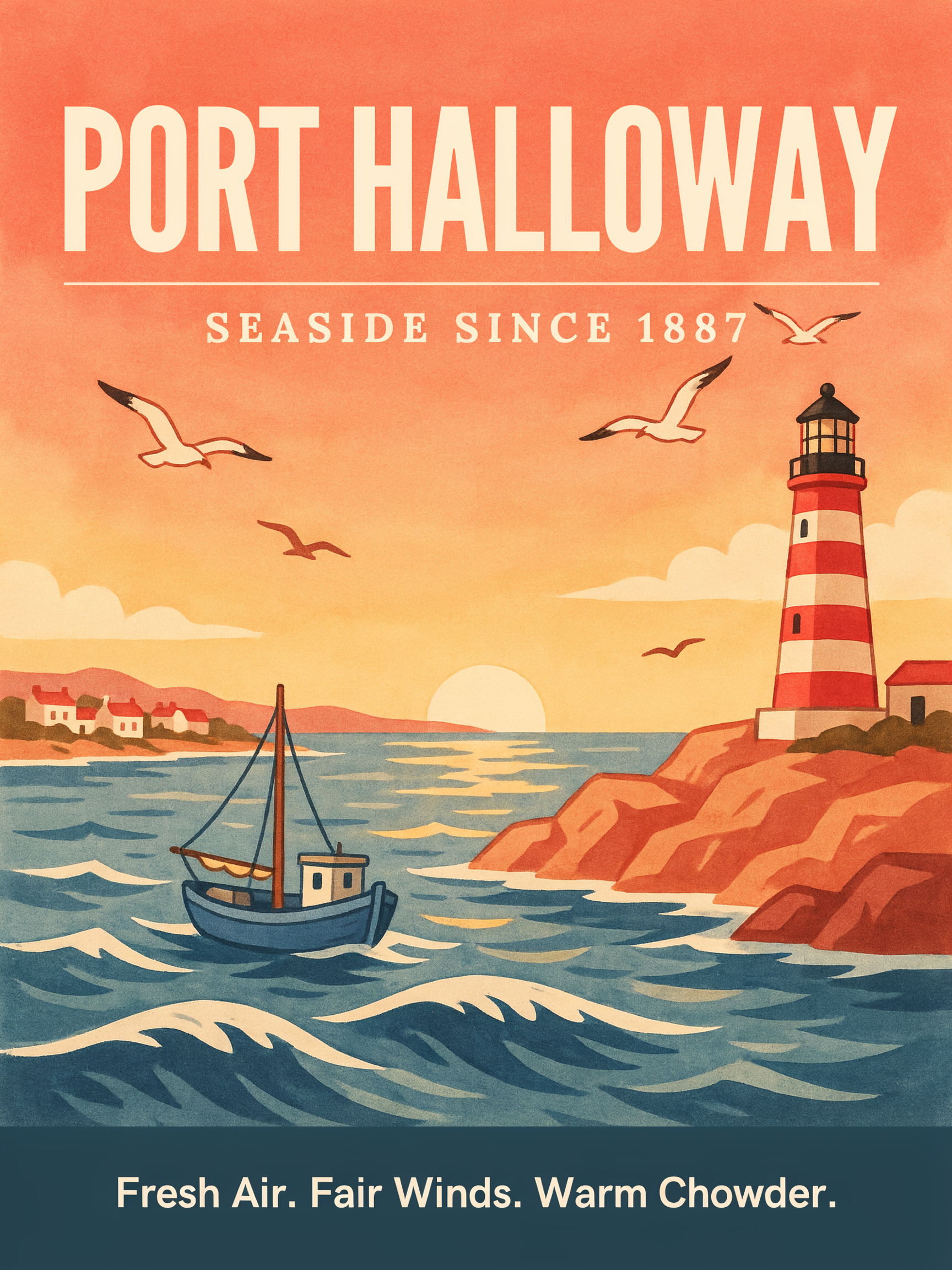
Poster with title, rule and tagline, 3:4, magicPrompt auto · Open on Scenario
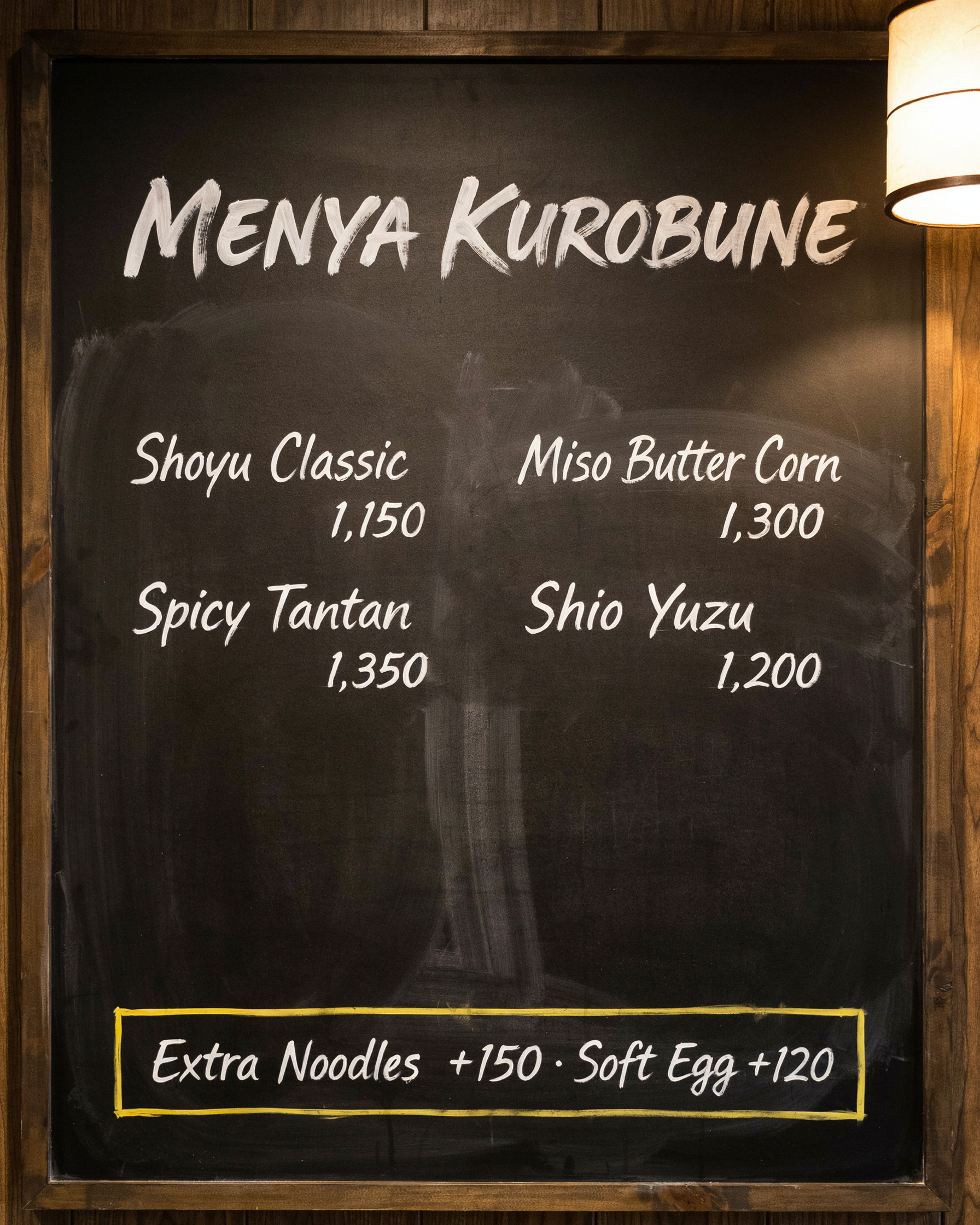
Chalkboard menu with four prices, 4:5, magicPrompt off · Open on Scenario
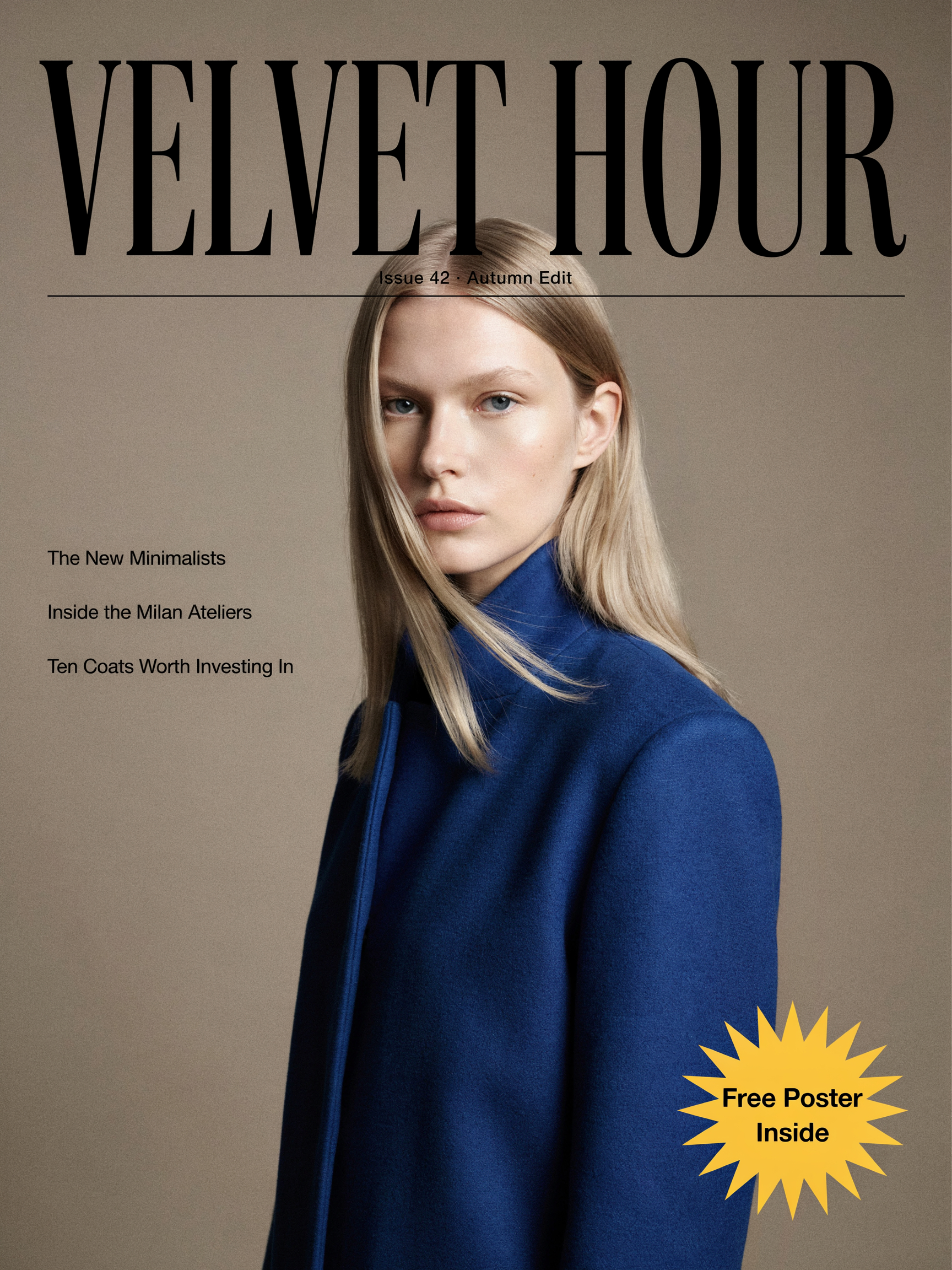
Editorial cover with masthead and cover lines, 3:4 · Open on Scenario

Brush-calligraphy Japanese with English serif capitals, 2:3 · Open on Scenario
Extreme Text Stress Tests
To find the limits, the model was pushed with six writing systems in one street, a comic page with speech bubbles, a game inventory with a stat tooltip, a 1:3 timeline and stitched thread.
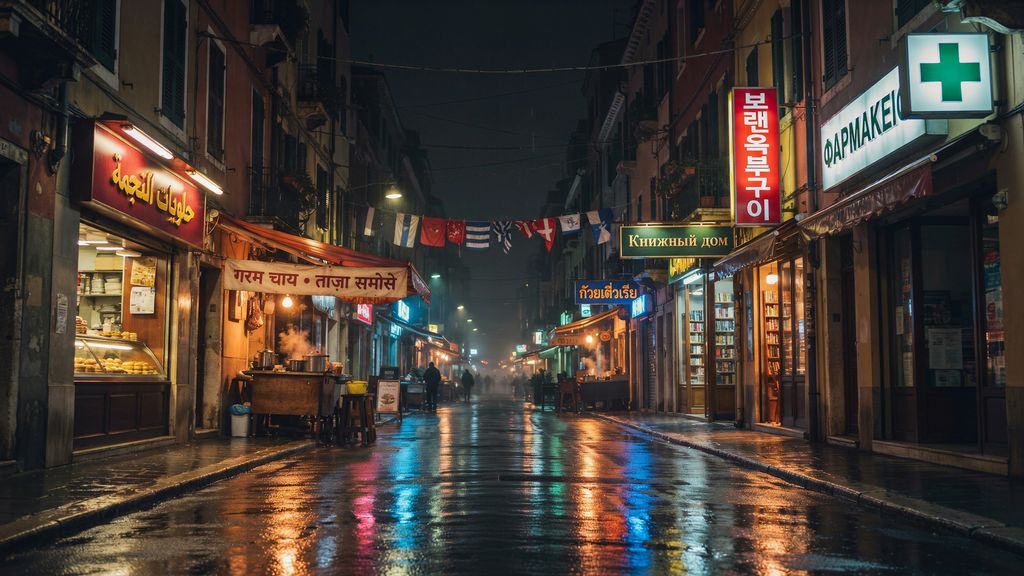
Arabic, Hindi, Korean, Russian, Thai and Greek signs in one scene, 16:9, magicPrompt off · Open on Scenario
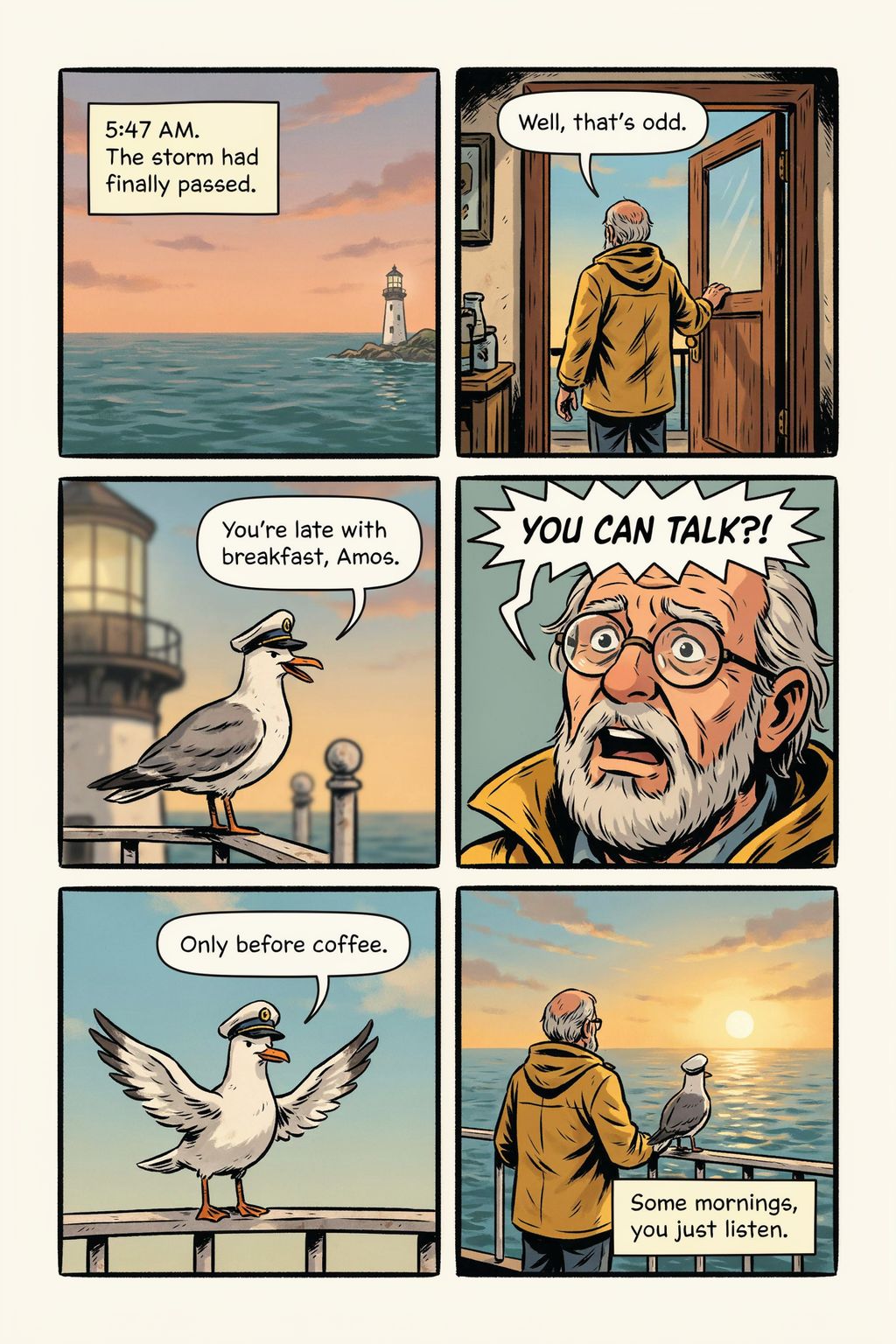
Six panels with captions and speech bubbles pointing to the right speaker, 2:3 · Open on Scenario
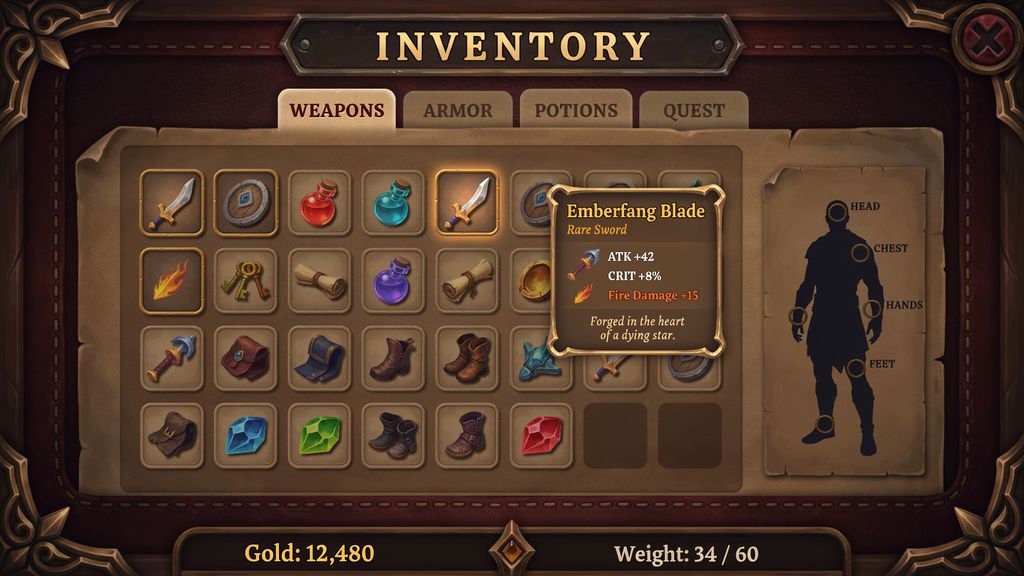
Inventory screen with tabs, item tooltip, gold and weight readouts, 16:9 · Open on Scenario
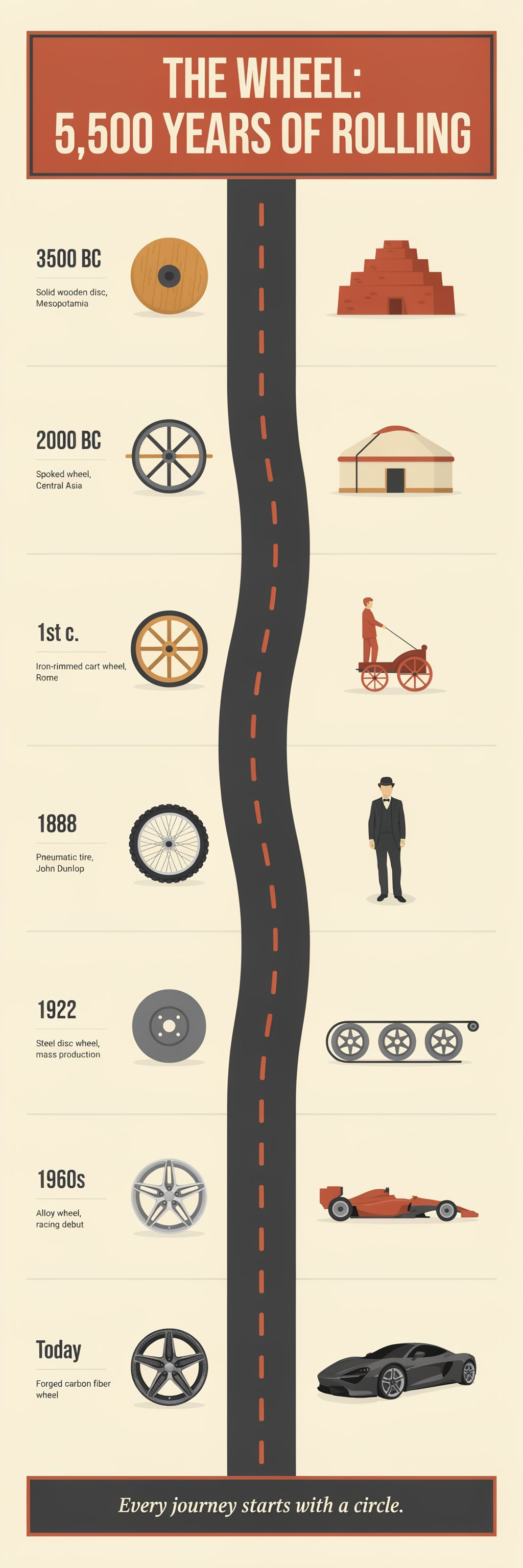
The Wheel: 5,500 Years of Rolling, aspect ratio 1:3 (1024 by 3072) · Open on Scenario
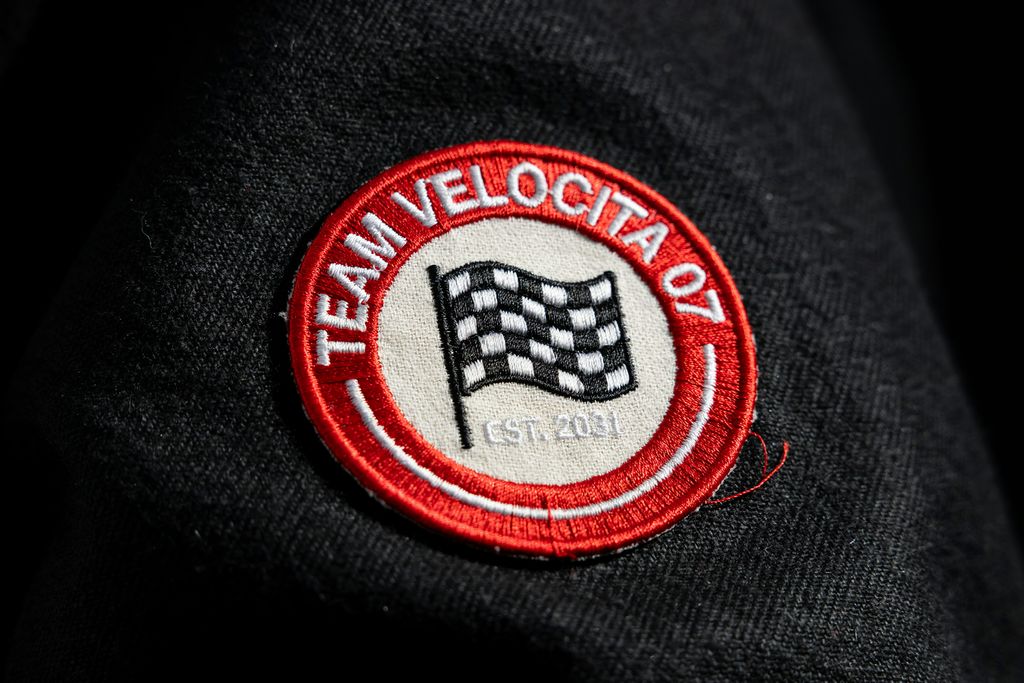
Satin-stitch thread text on a jacket sleeve, macro · Open on Scenario
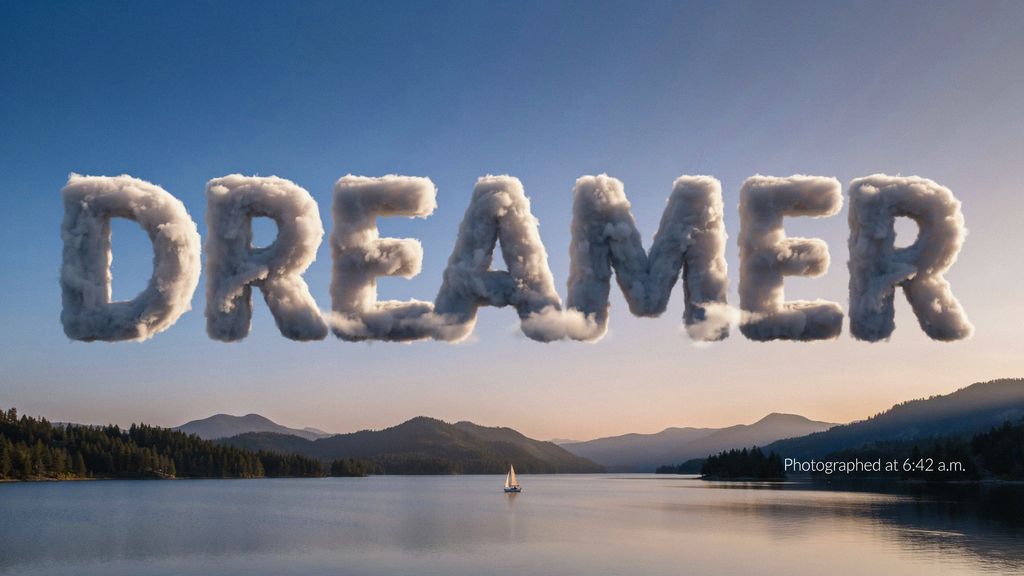
The word DREAMER built from volumetric clouds, 16:9 · Open on Scenario
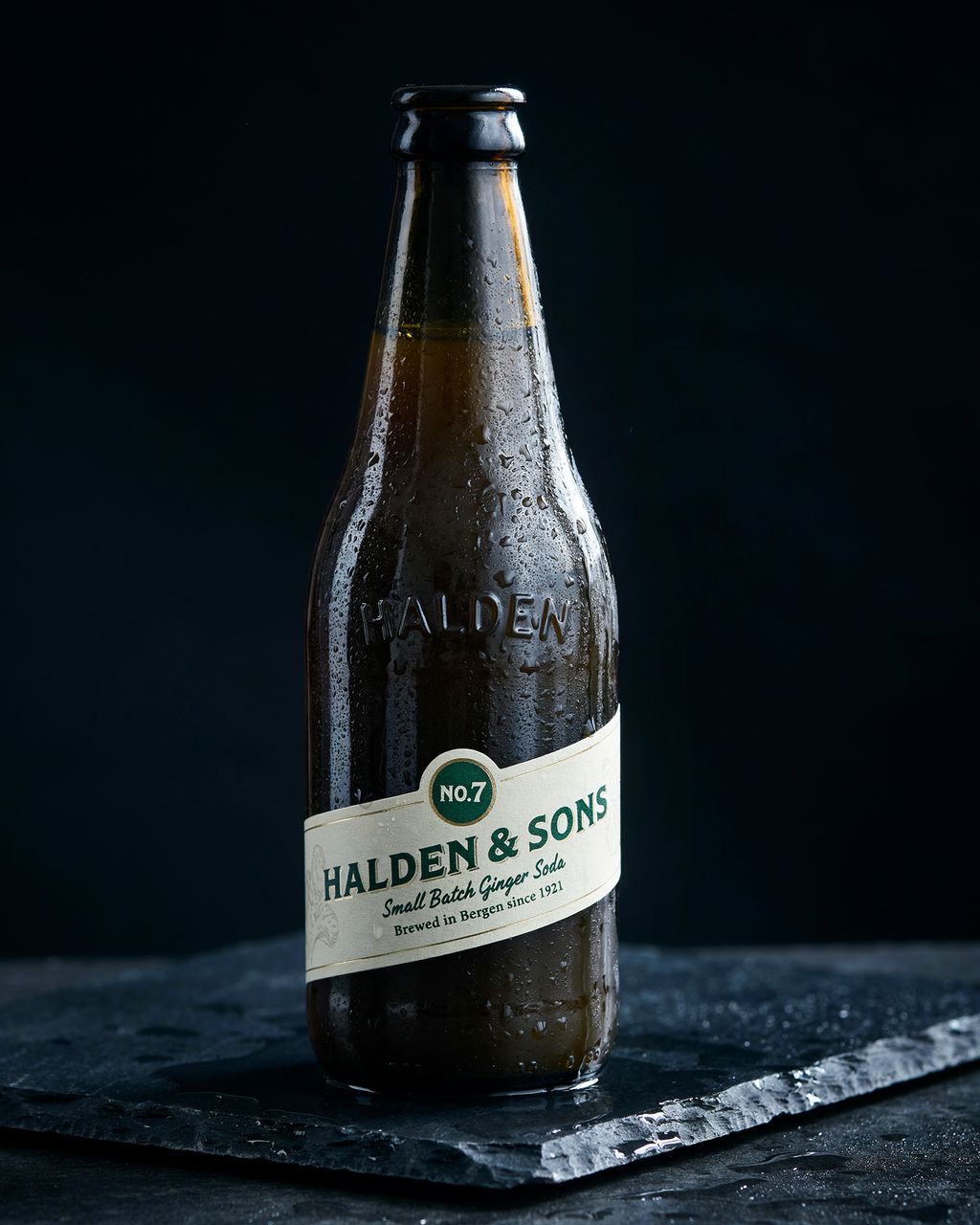
Label text wrapped around a curved glass bottle with embossed lettering, 4:5 · Open on Scenario
Two real limits showed up. In the film title frame, the tiny credit line came out as "IN THE ATREAS DECEMBER" instead of "IN THEATERS DECEMBER". And on the newspaper front page below, the masthead, headline, caption, sidebar and ad are exact, but the small body columns turn into look-alike text:
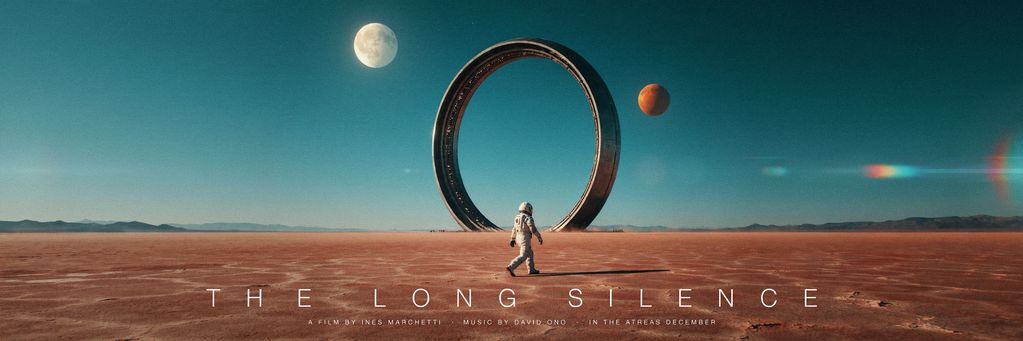
Ultra-wide title frame, aspect ratio 3:1; the smallest credit line has a spelling error · Open on Scenario
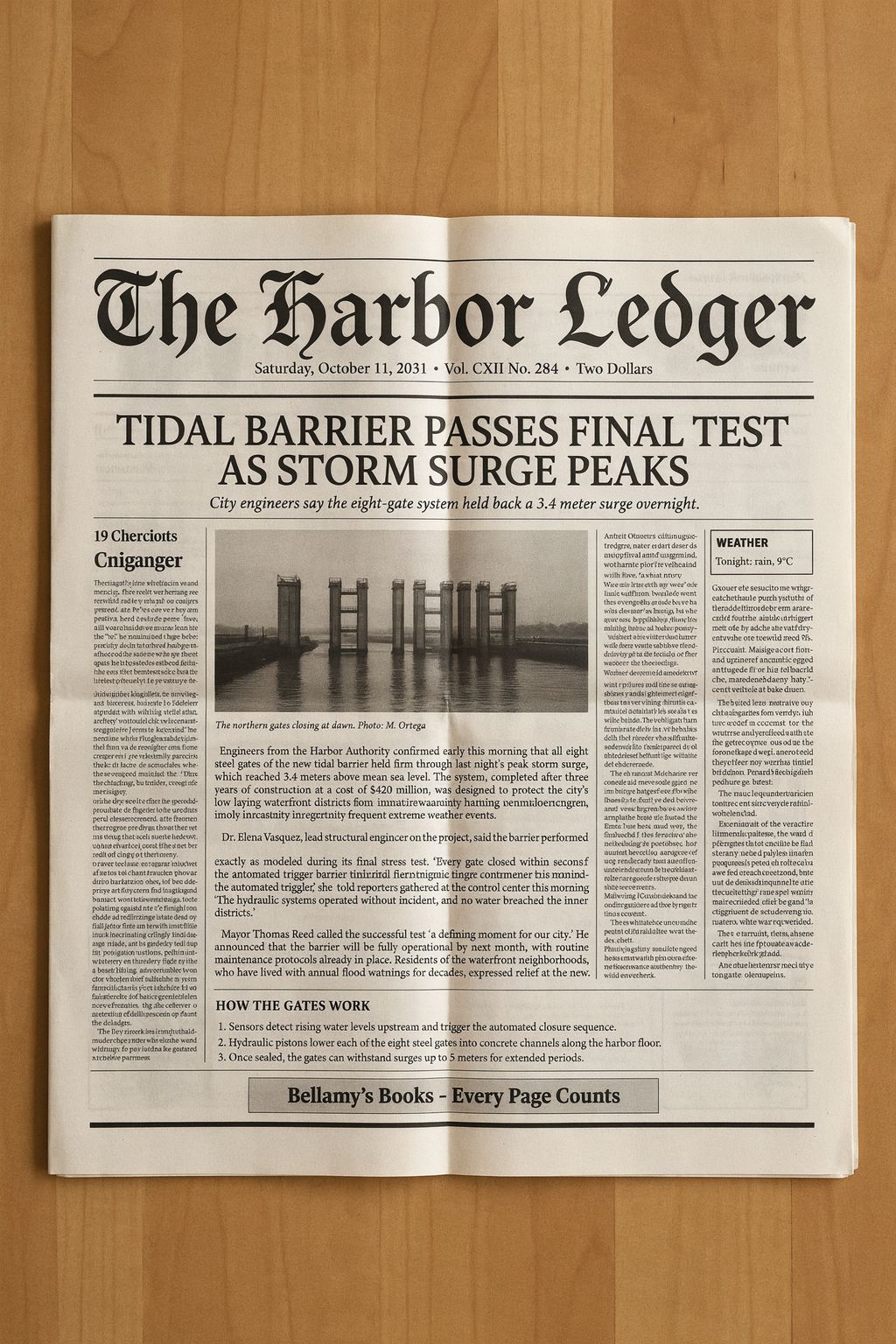
Headline-level text is exact; dense body columns are not readable copy · Open on Scenario
Technical Illustration and Car Parts
Diagram-style prompts work well when every label is quoted and numbered. The exploded engine below carries twelve labels; the blueprint carries measurements and a full title block; the catalog page carries part numbers and prices; and the caliper macro has raised lettering cast into the metal.
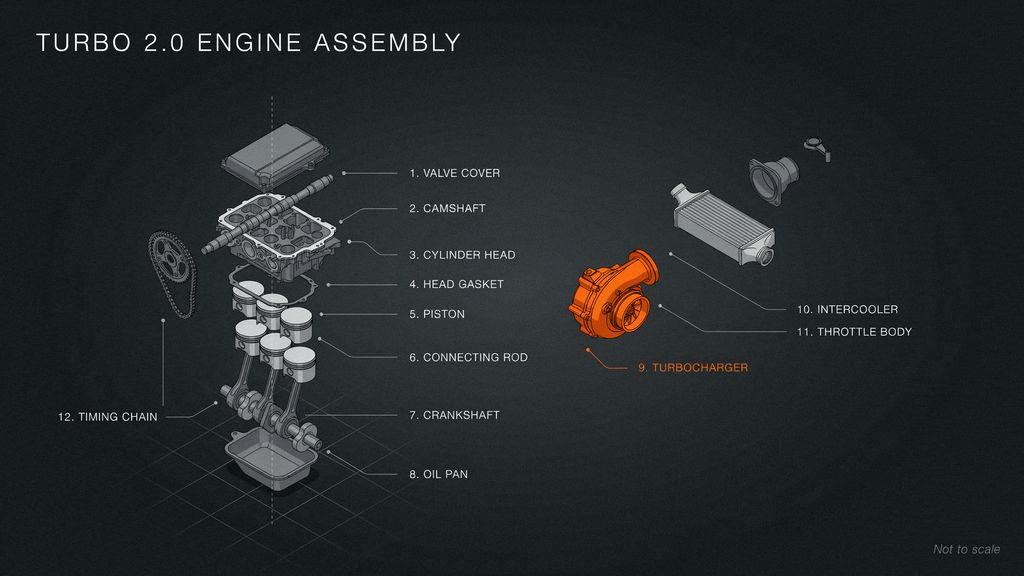
Twelve numbered labels; look at the leader lines for 10 and 11, which cross · Open on Scenario
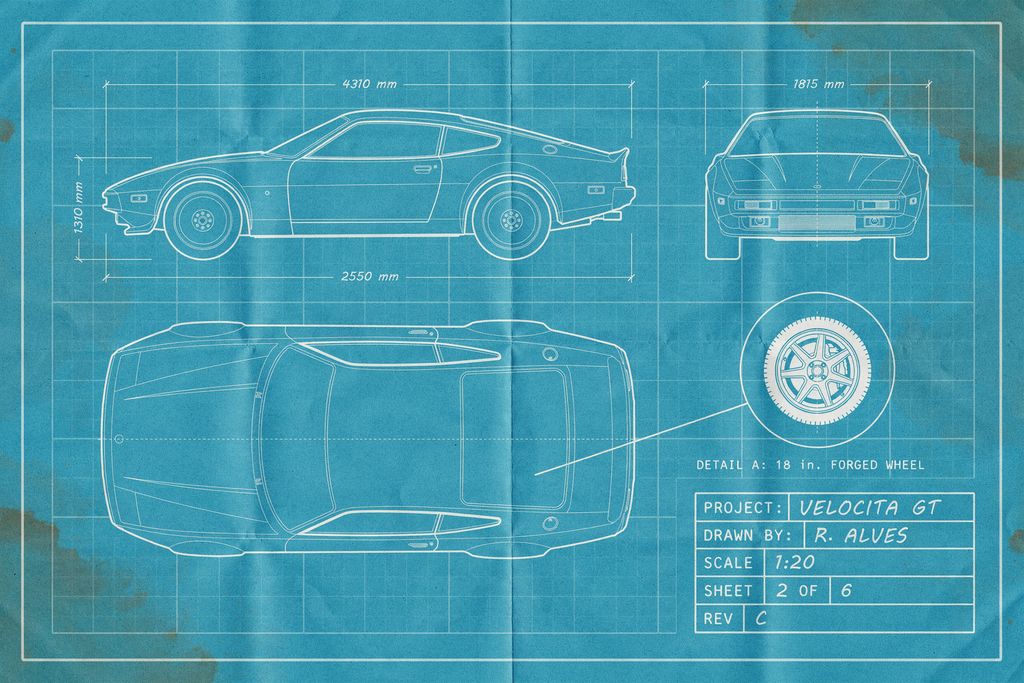
Three views, dimensions, detail circle and title block on blueprint paper, 3:2 · Open on Scenario
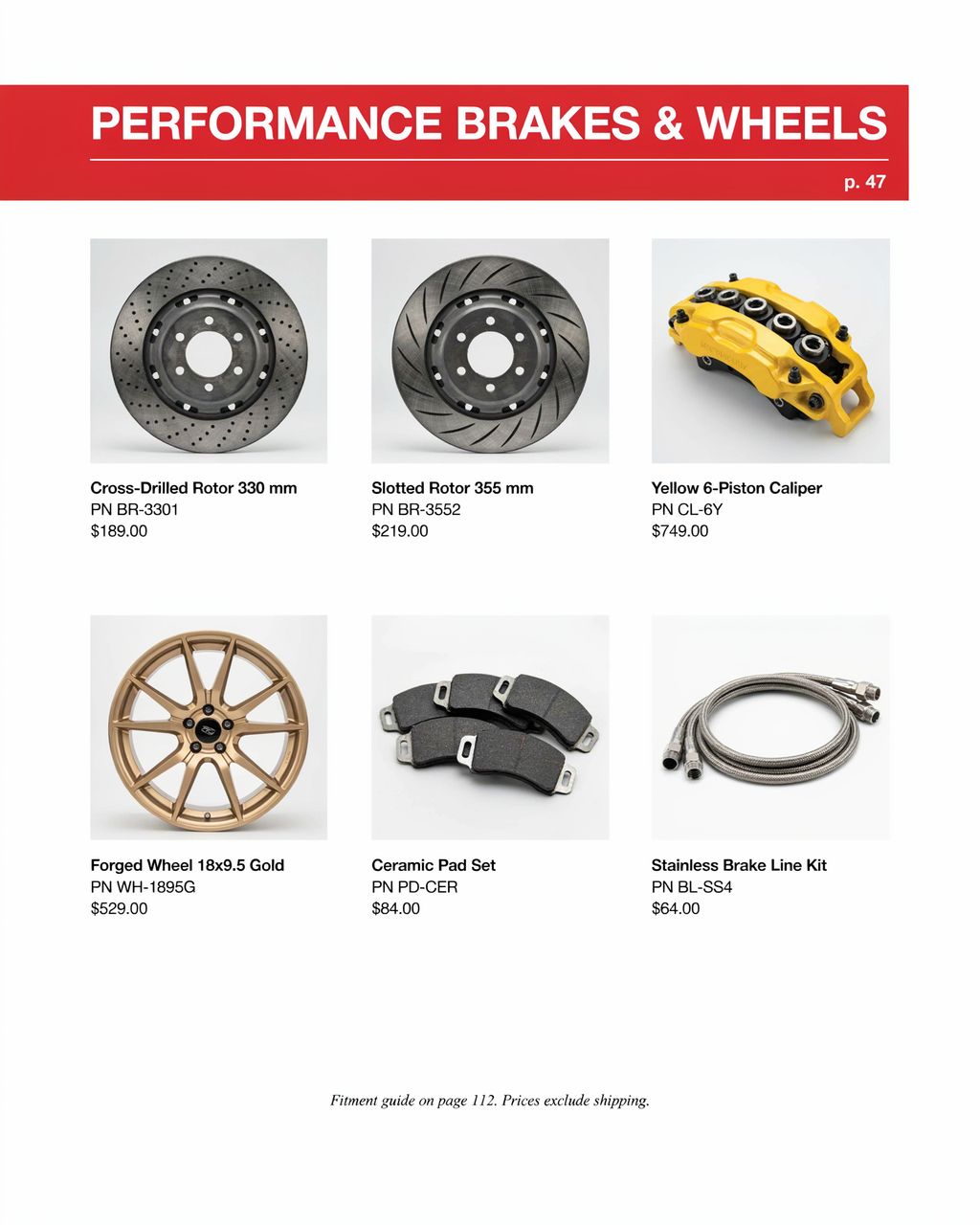
Six products with part numbers and prices, 4:5 · Open on Scenario
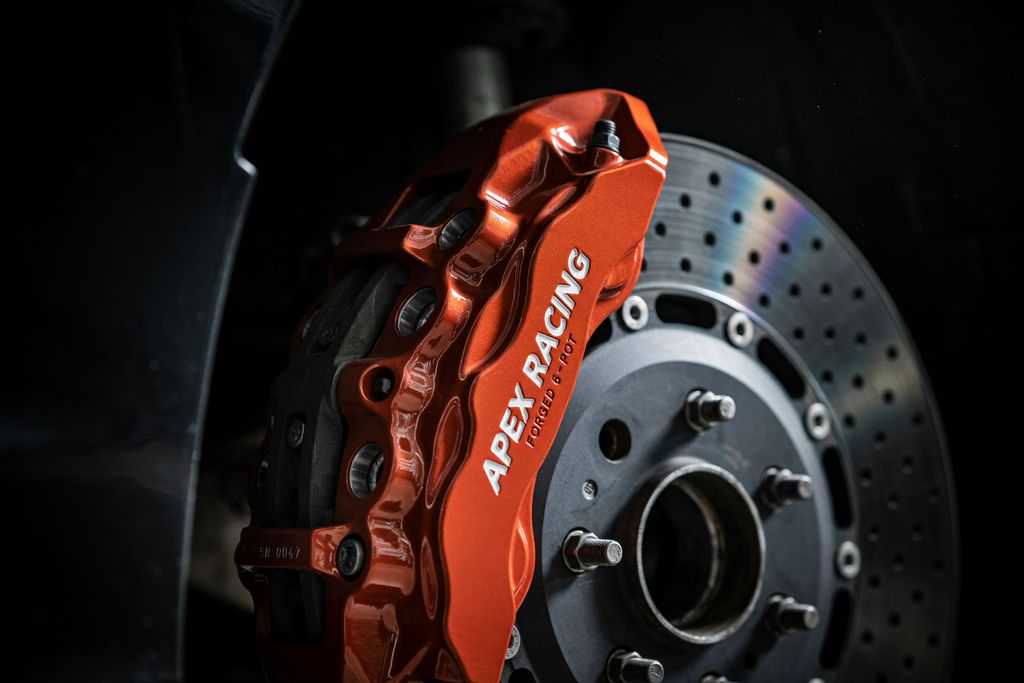
APEX RACING cast into the caliper, plus FORGED 6-POT and SN 0047 · Open on Scenario
Keeping the Same Person Across Layouts
Pass a portrait as image 1 and describe the new layout; Ideogram 4.5 keeps the face, freckles and makeup while it changes the composition. The portrait used below is the last step of the makeup chain shown in the Precise Edit section. It became a magazine cover, a film noir portrait, a four-expression contact sheet, an extreme eye macro and a campaign poster with a car.
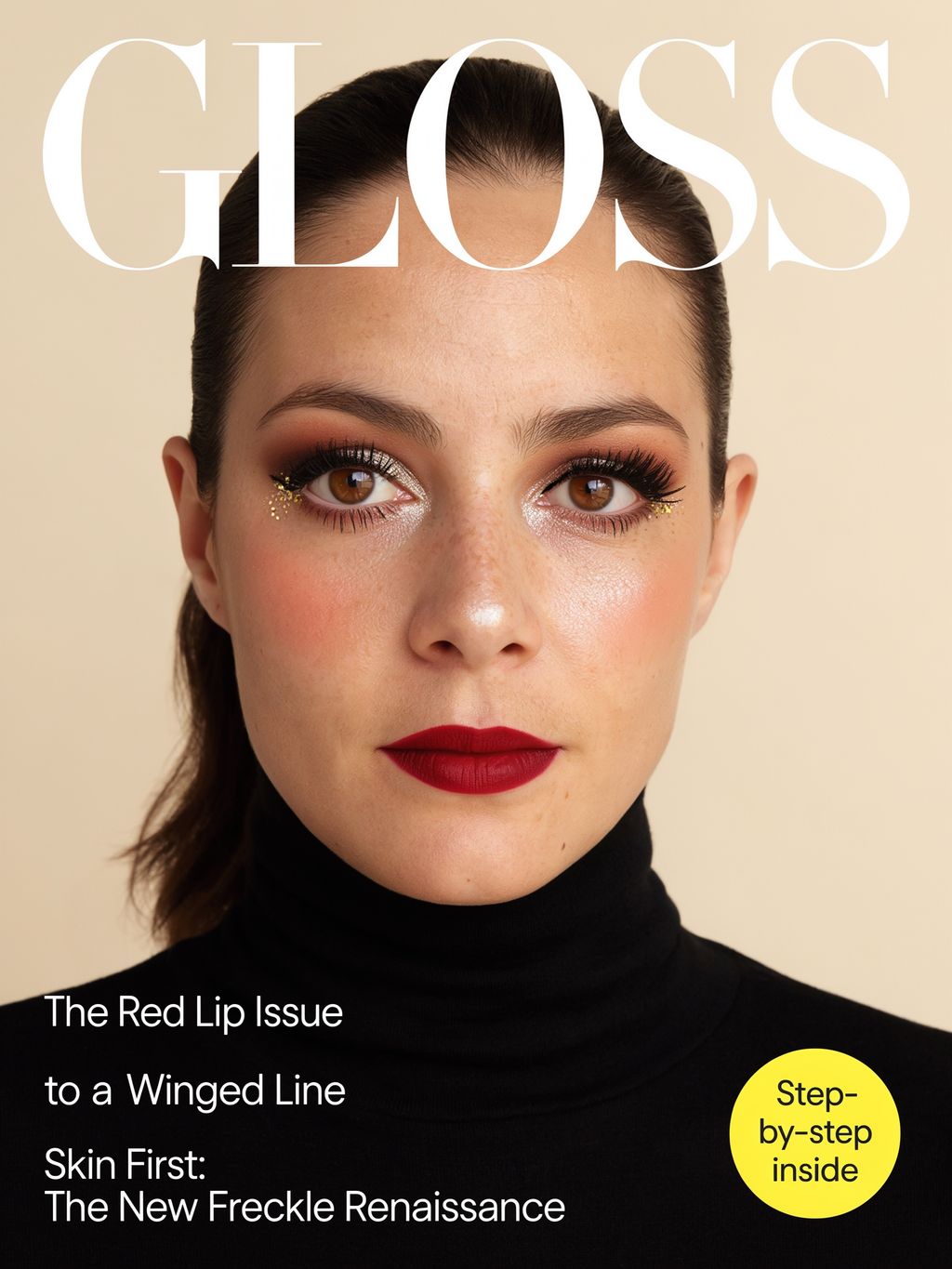
Cover starring the same woman; note that one cover line lost its first words · Open on Scenario
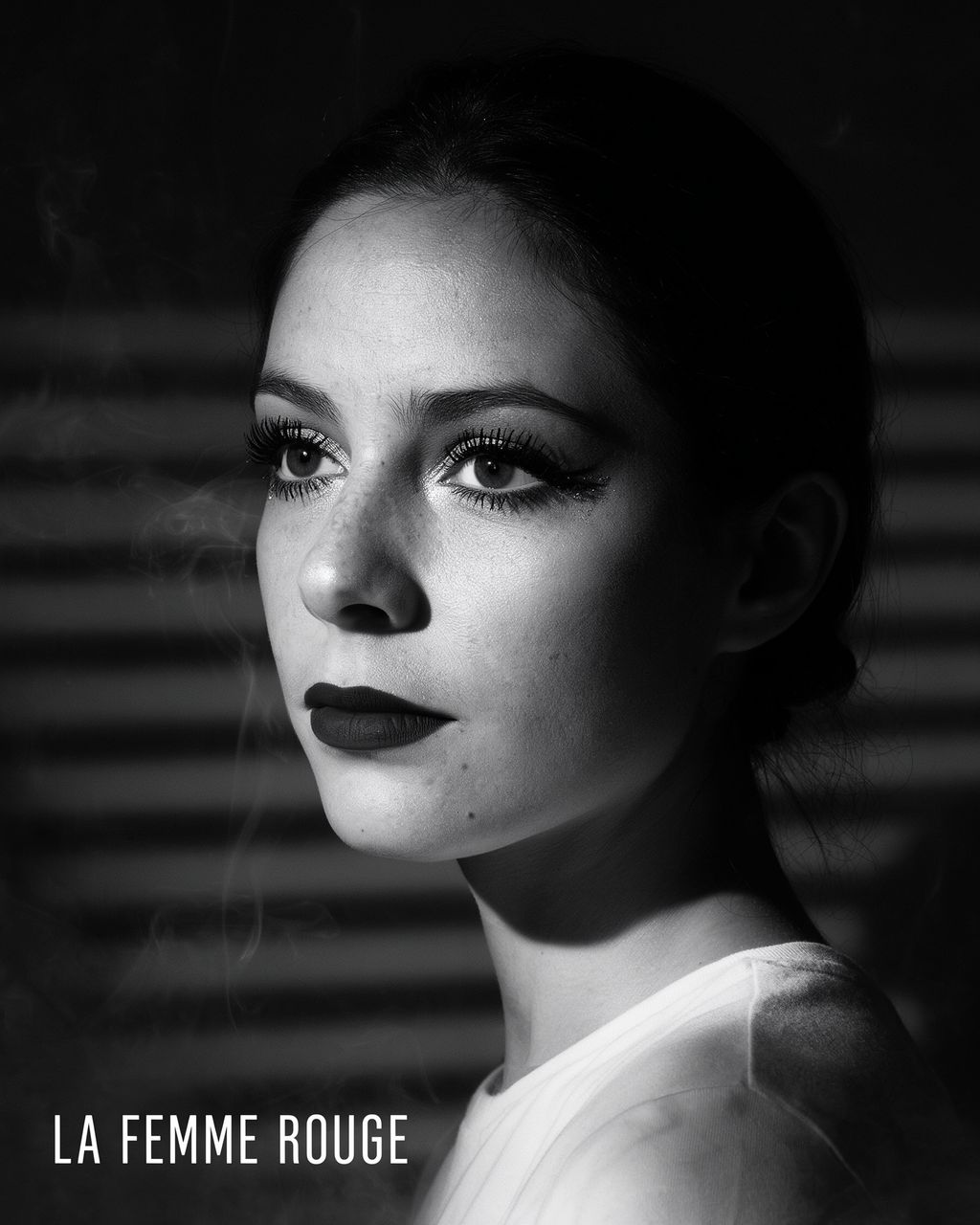
Black-and-white three-quarter profile with the makeup rendered in dark tones · Open on Scenario
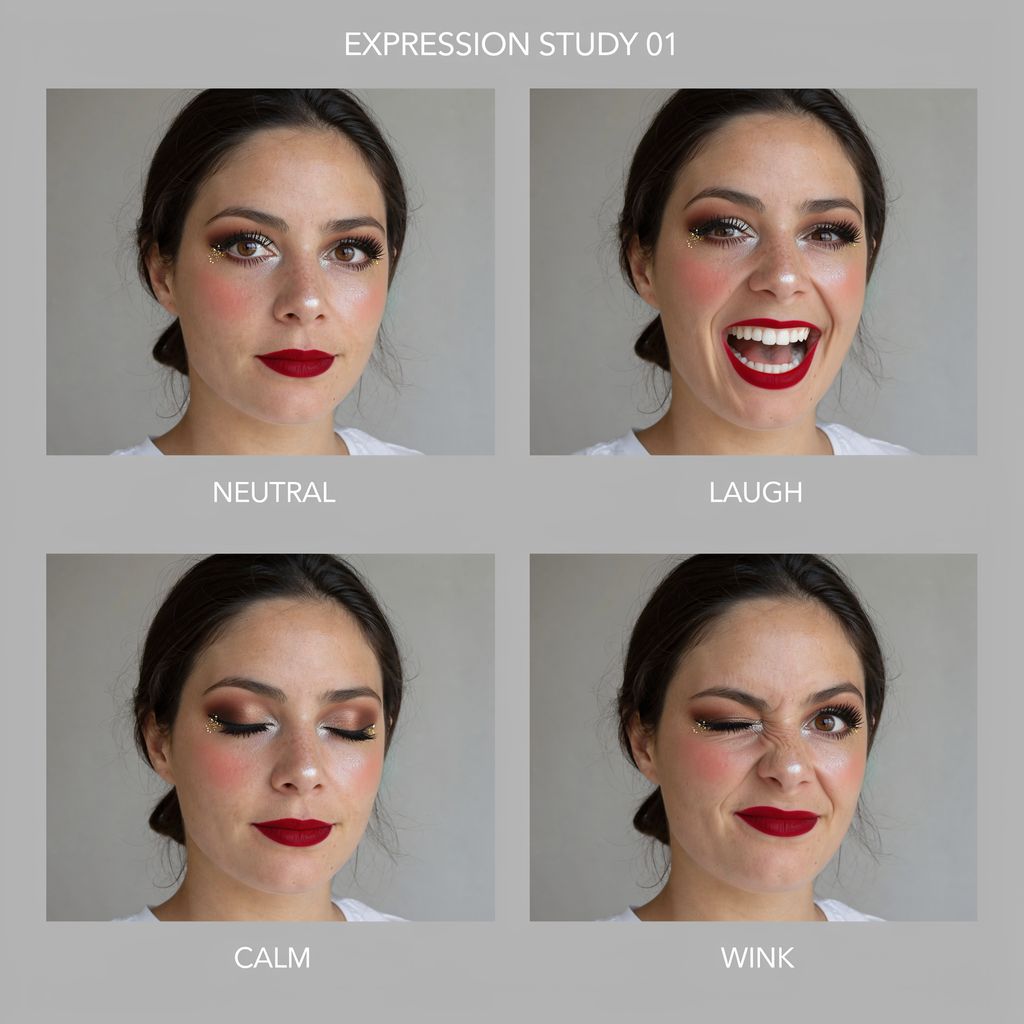
Neutral, laugh, calm and wink with the same makeup and hair, 1:1, two references · Open on Scenario
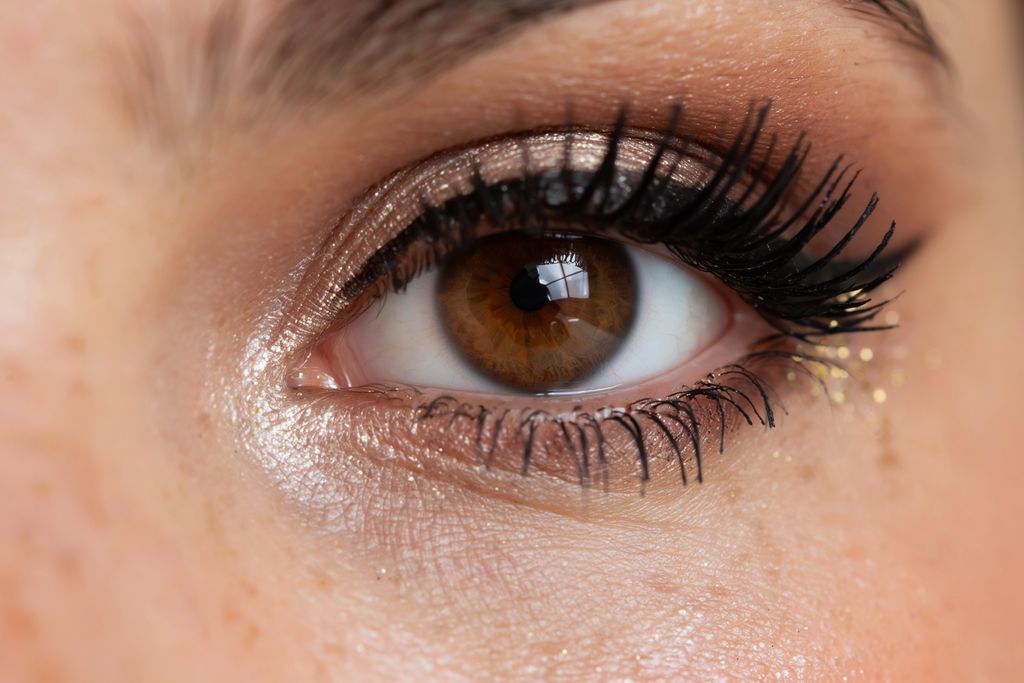
Macro of the eye with the liner, shadow and glitter intact · Open on Scenario
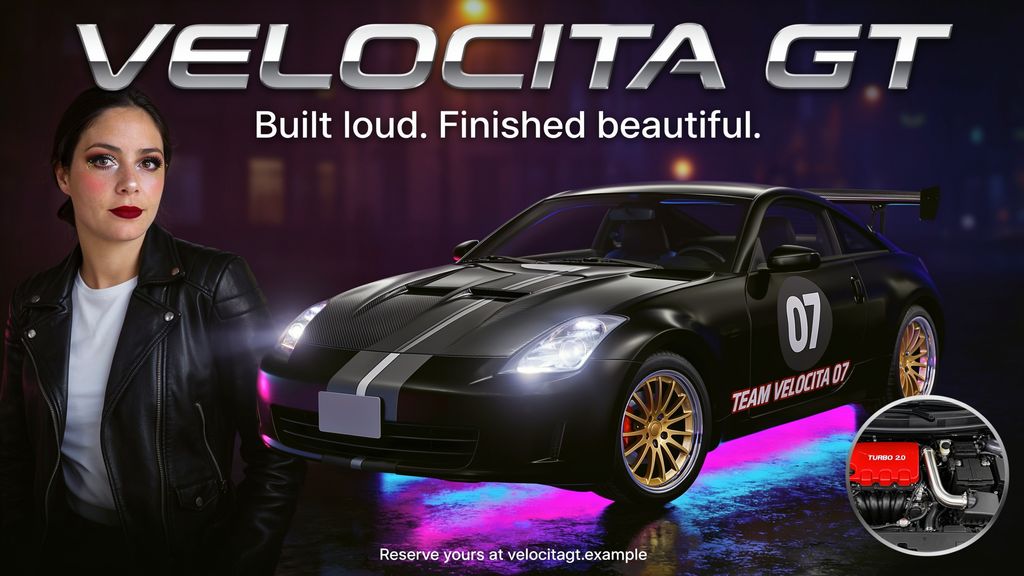
Woman, night car and engine inset combined from three references, 16:9 · Open on Scenario
Editing with References
Translation is a clean job for the editor: only the words change, and the paper, layout, glass and light stay put.
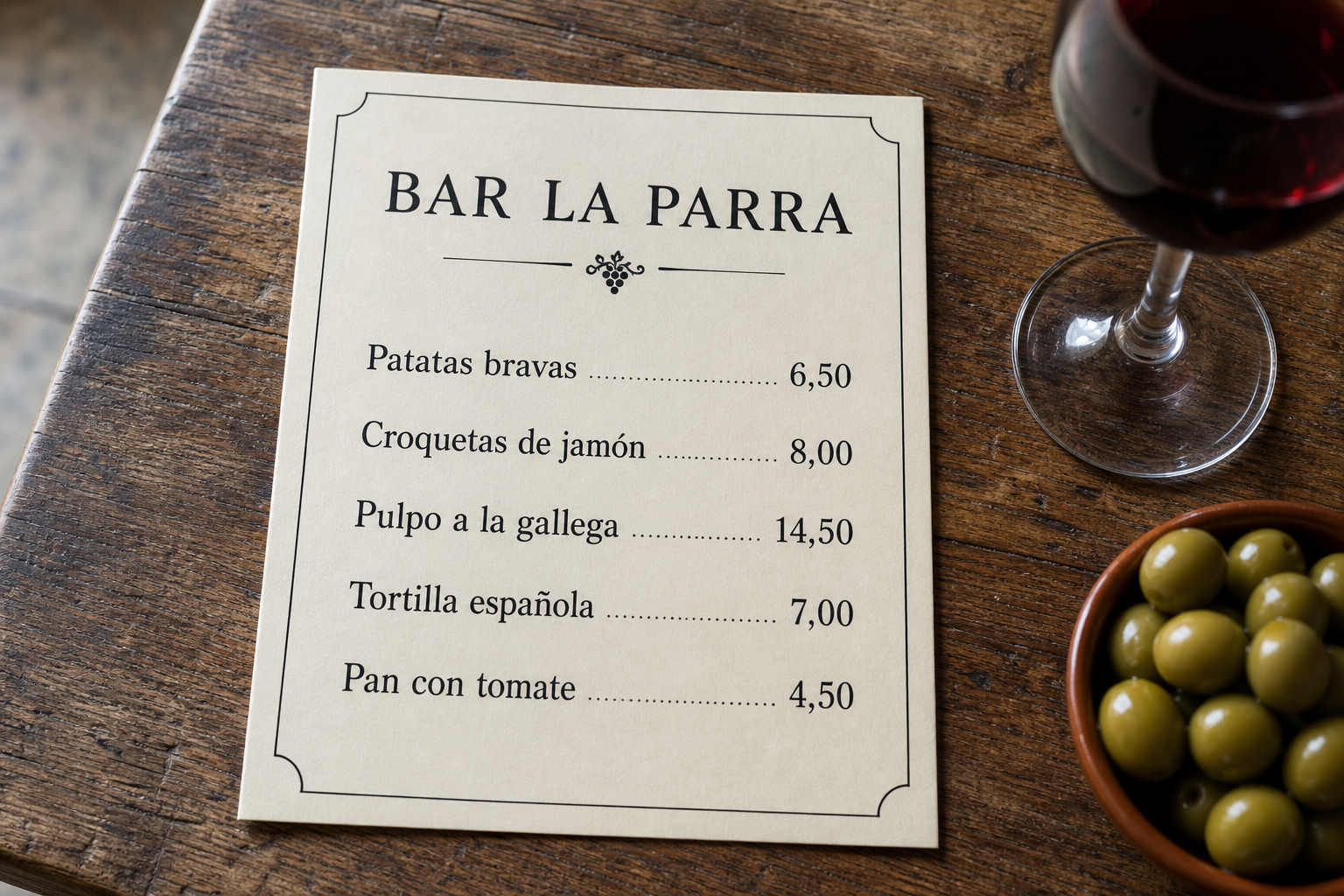
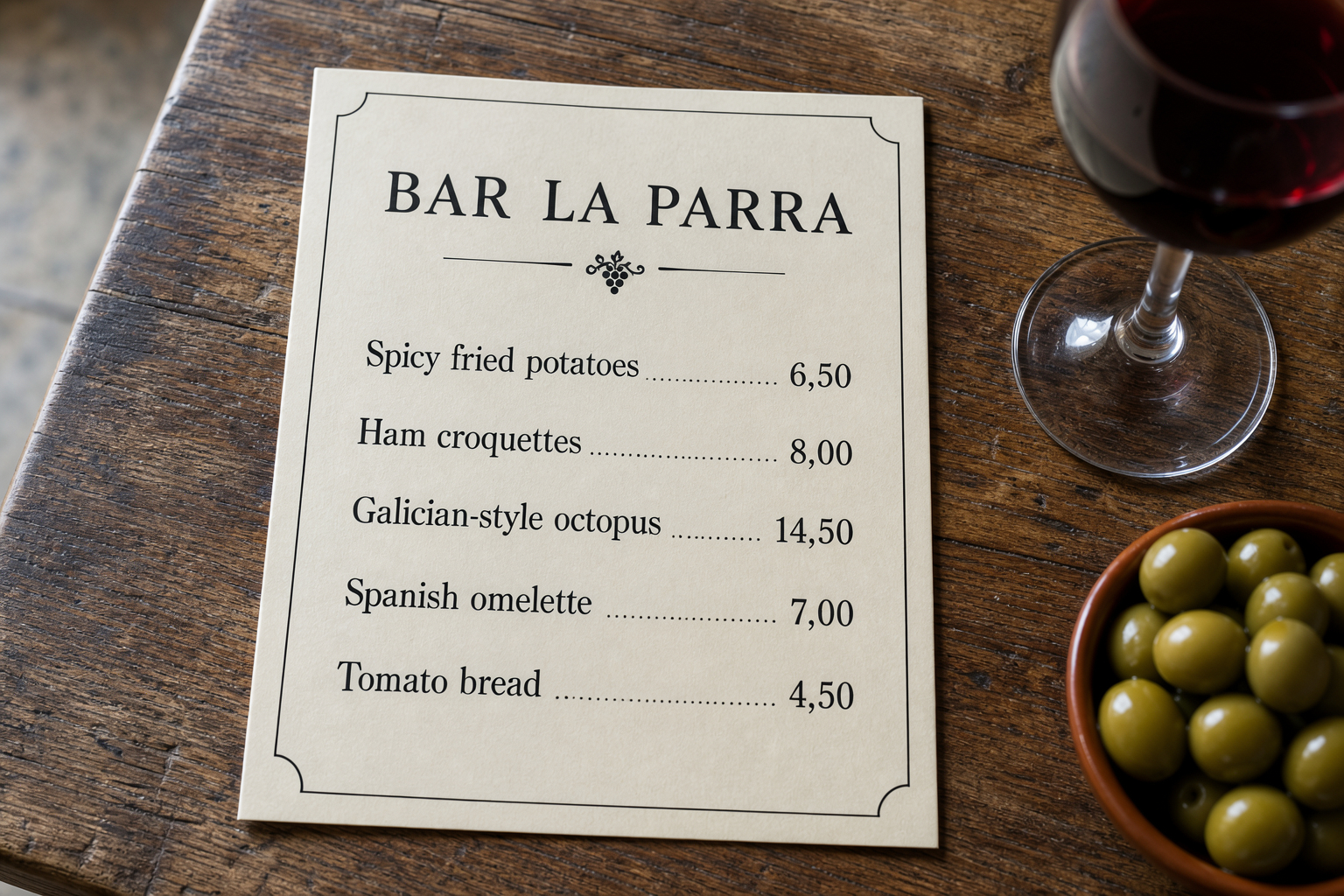
Masks work in Ideogram 4.5 as well, with the aspect ratio left on auto. The Precise Edit section shows a mask example in detail.
Ideogram 4.5 Precise Edit
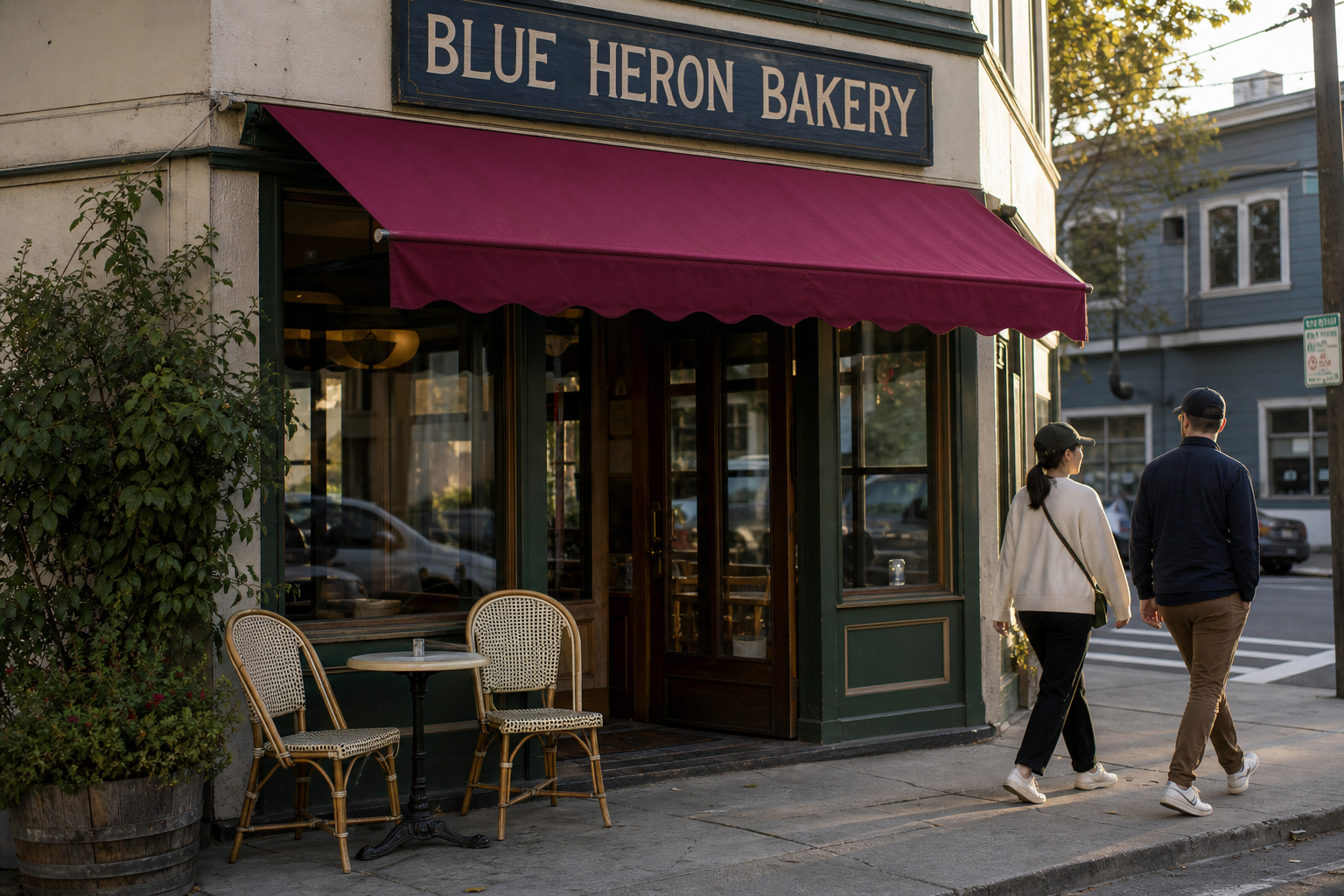
Precise Edit changes one thing and leaves the rest of the picture alone. The output keeps the source size, and the strictest results come from a prompt that names the change and then lists what must stay unchanged. The minimum call is a prompt plus an image:
image:    asset_xxx
prompt:   "Change the sign text from "BLUE HERON CAFE" to "BLUE HERON BAKERY" and recolor the awning from green to deep burgundy. Keep everything else unchanged: the building, window reflections, pedestrians, lighting and camera angle."
quality:  "high"     // default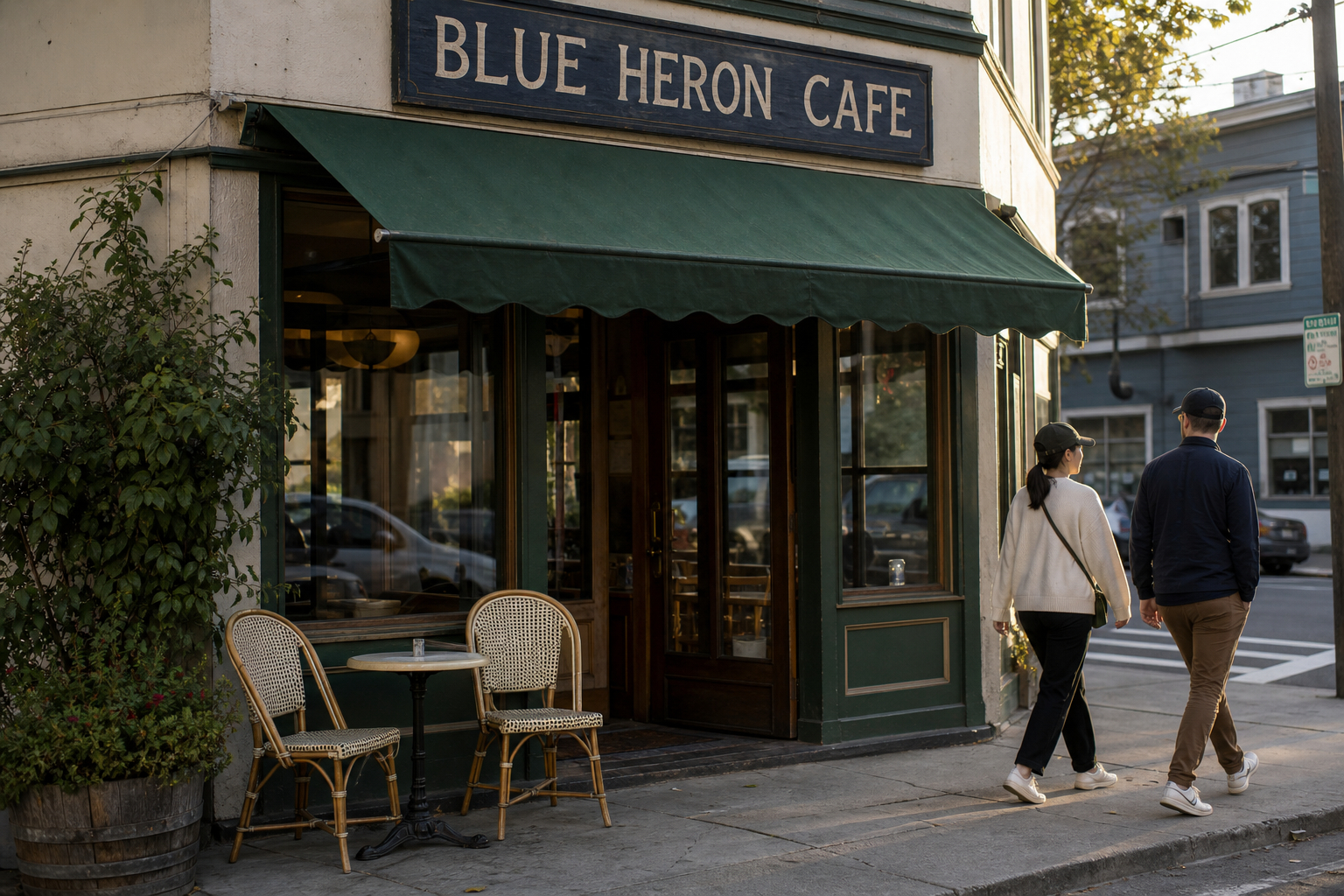
Step-by-Step Makeup on One Face
Each step below was run on the previous result, so the makeup builds up while the woman stays the same. The prompt pattern repeated every time: apply one product, then keep the face, freckles, eyes, hair, shirt, lighting, background and every product already applied exactly as they are.
Step 1: "Apply a classic deep red matte lipstick to the woman's lips, following their natural shape precisely with clean edges. Keep everything else unchanged: her face, freckles, bare skin, eyes, eyebrows, hair, white t-shirt, lighting, background and camera framing must stay exactly as in the source."
Step 2: peach-rose blush on the apples of both cheeks, fading softly so the freckles still show
Step 3: sharp black winged eyeliner, identical on both sides
Step 4: smoky bronze and warm brown eyeshadow with a champagne shimmer
Step 5: volumizing mascara plus lightly defined brows
Step 6: pearl highlighter and tiny gold glitter specks at the eye corners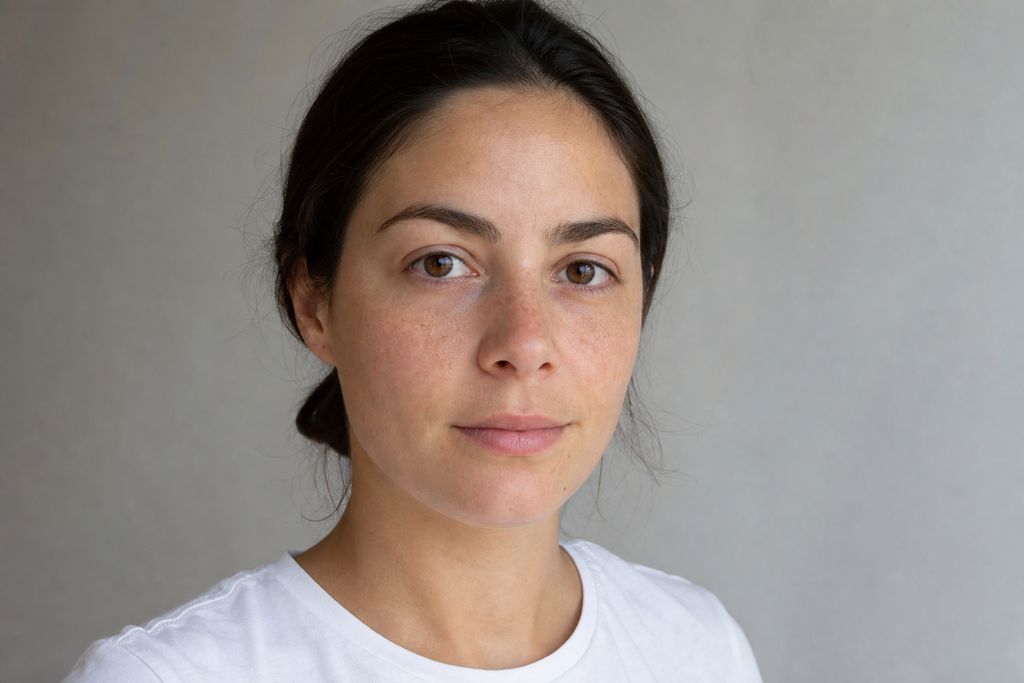 Start: bare face · open | 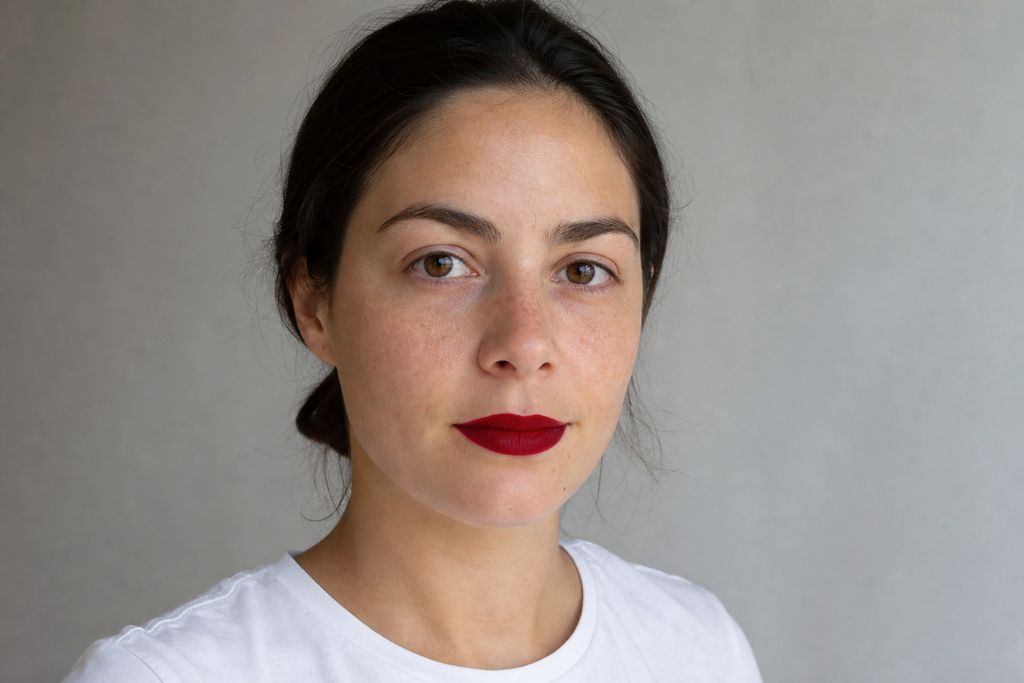 1. Red matte lipstick · open |
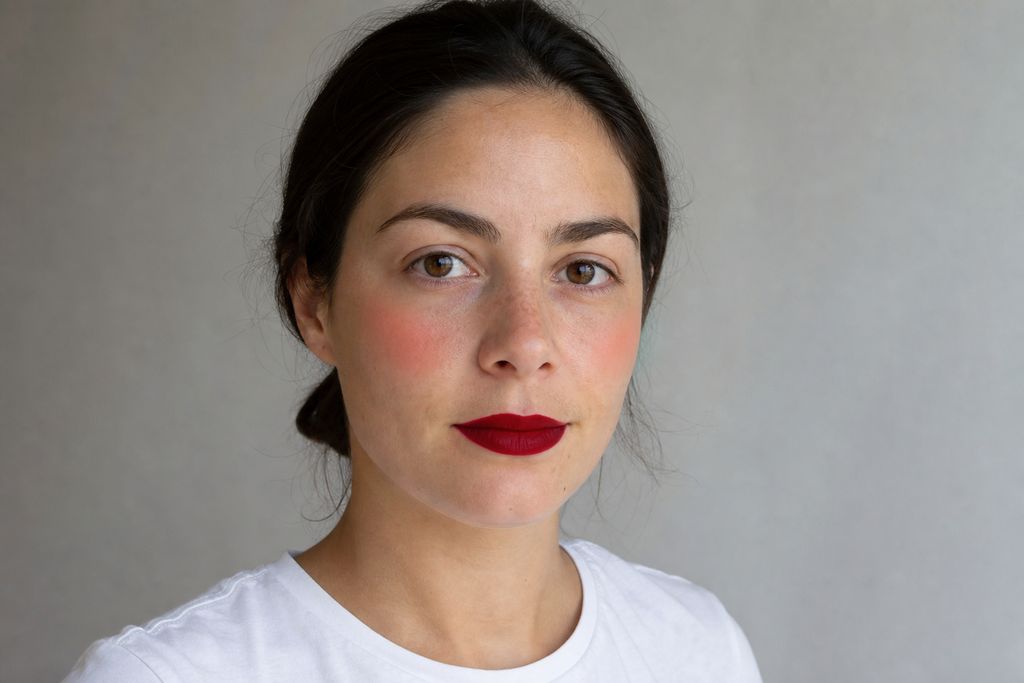 2. Blush · open | 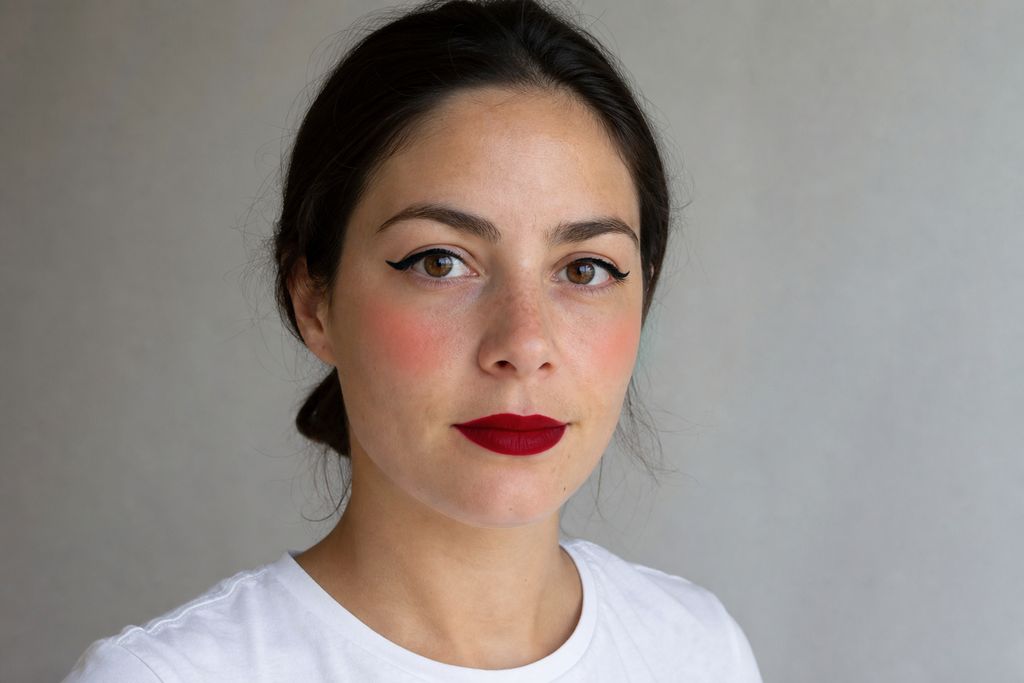 3. Winged eyeliner · open |
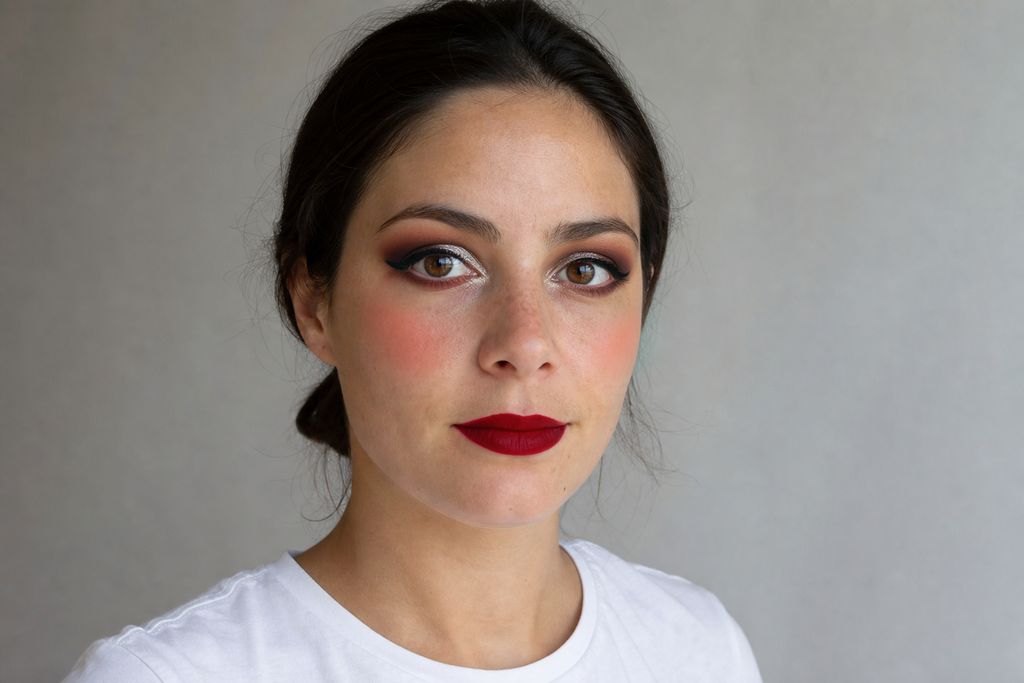 4. Smoky eyeshadow · open | 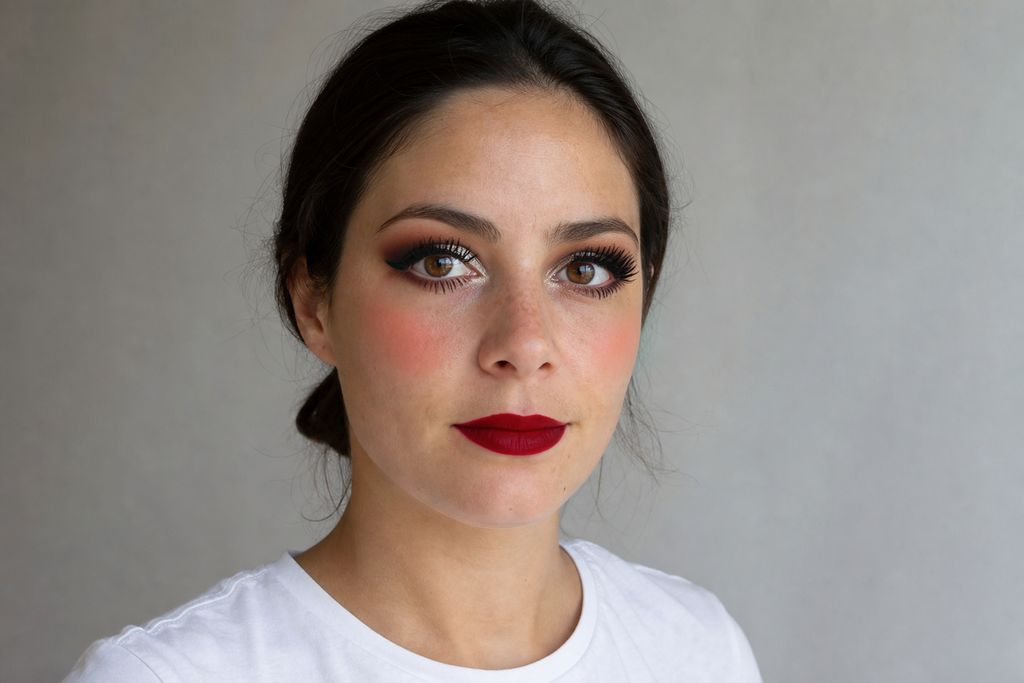 5. Mascara and brows · open |
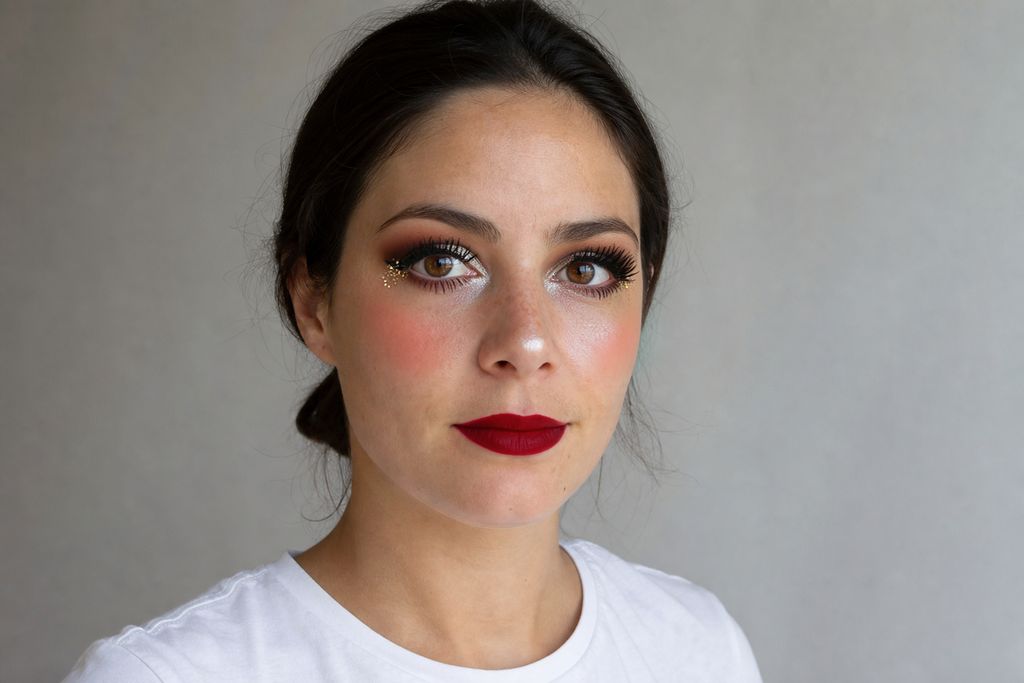 6. Highlighter and glitter · open |
From the finished face, only the expression was changed. The makeup follows the new expression, and the freckles, eye color, hair and shirt stay the same:
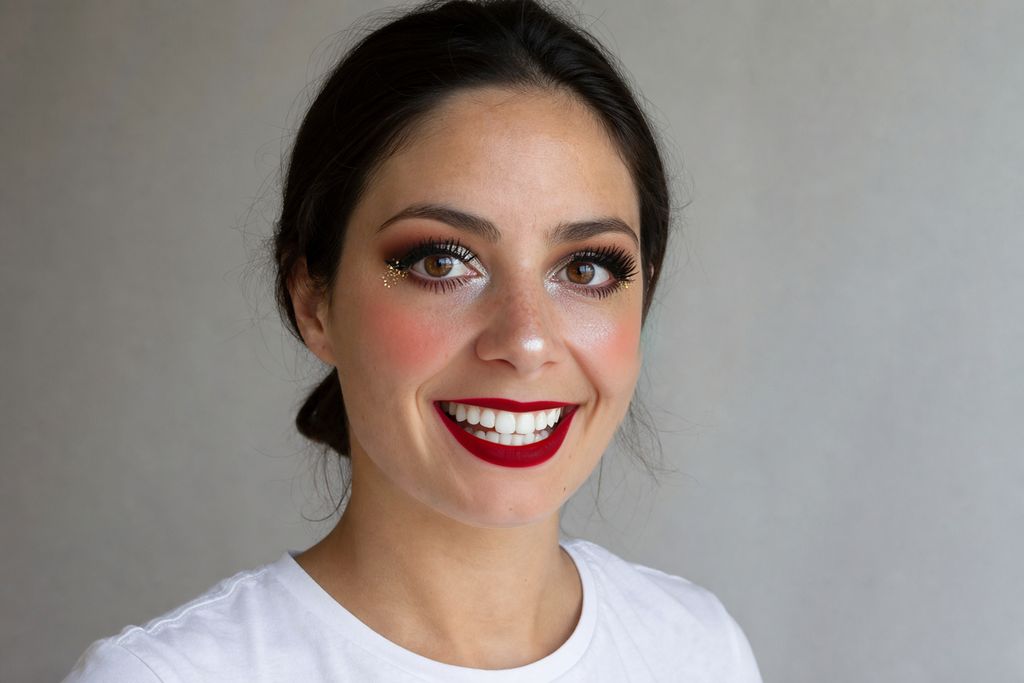
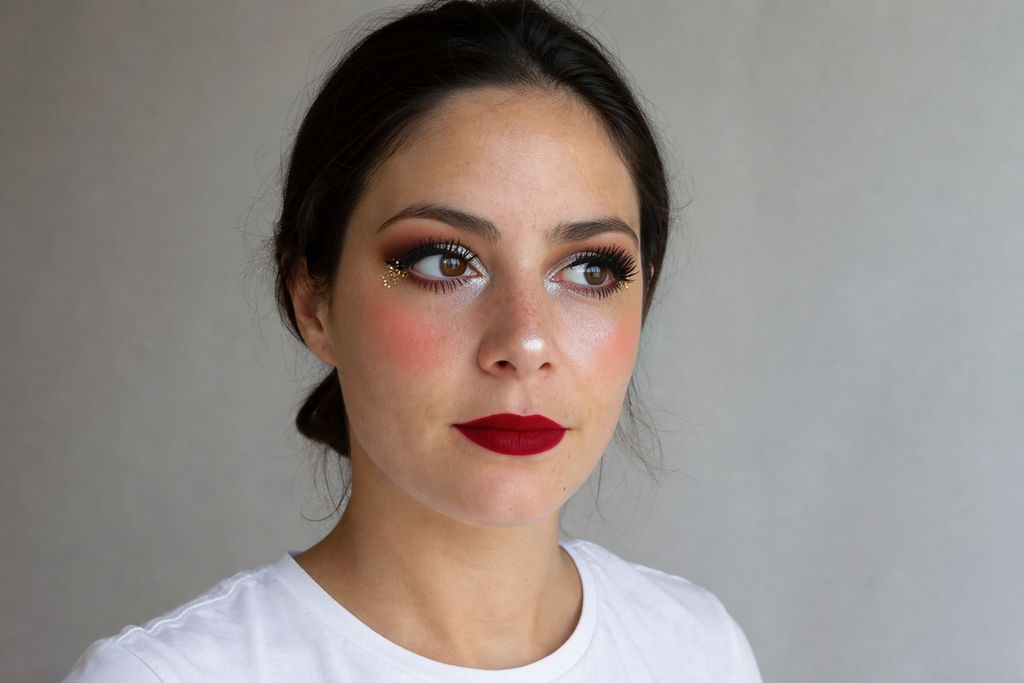
The whole chain used a fixed seed of 2026. Keeping the seed constant while adding one product per step helped the identity stay stable.
Building a Car Part by Part
The same idea works on objects. A stock coupe was tuned one modification at a time, and each result became the source for the next step. Wheels, caliper, hood, wing and livery all landed on the right parts in the right perspective, and the last step re-lit the whole scene at night without changing the car.
Step 1: "Replace the car's ordinary silver five-spoke wheels with deep-dish forged gold wheels with ten thin spokes and a polished lip, keeping the same tires and the same size and perspective on all visible wheels. Keep everything else unchanged ..."
Step 2: paint the front brake caliper behind the wheel glossy red
Step 3: raw carbon fiber hood with a center vent
Step 4: GT rear wing on swan-neck struts, correct perspective
Step 5: two matte black hood stripes, "TEAM VELOCITA 07" on the door, number 07 in a black circle
Step 6: night scene, satin matte black wrap, magenta and cyan underglow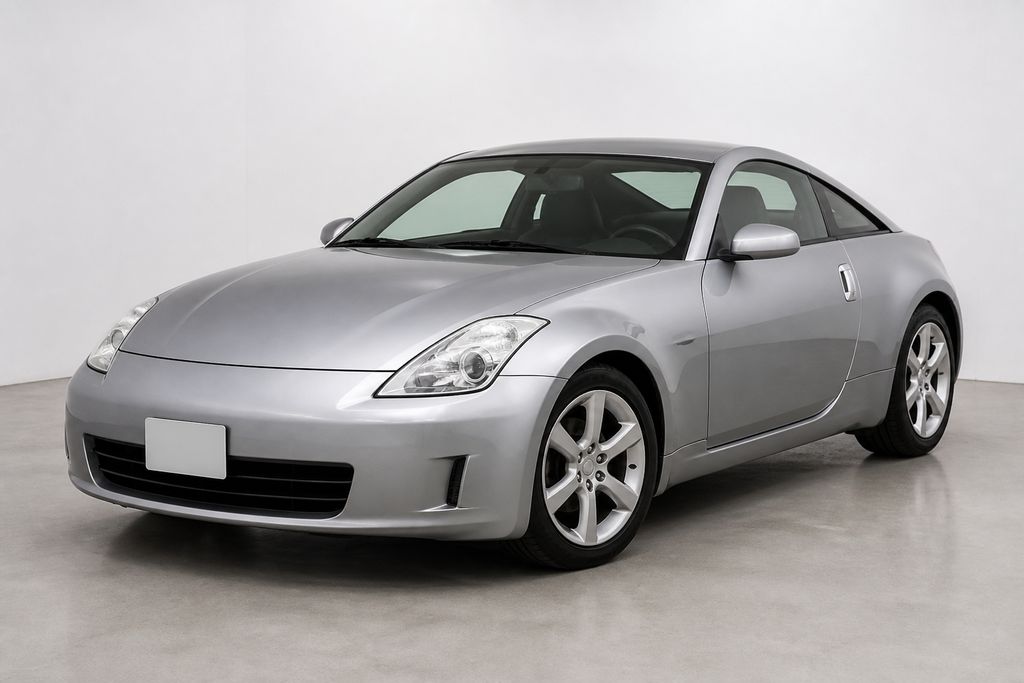 Stock · open | 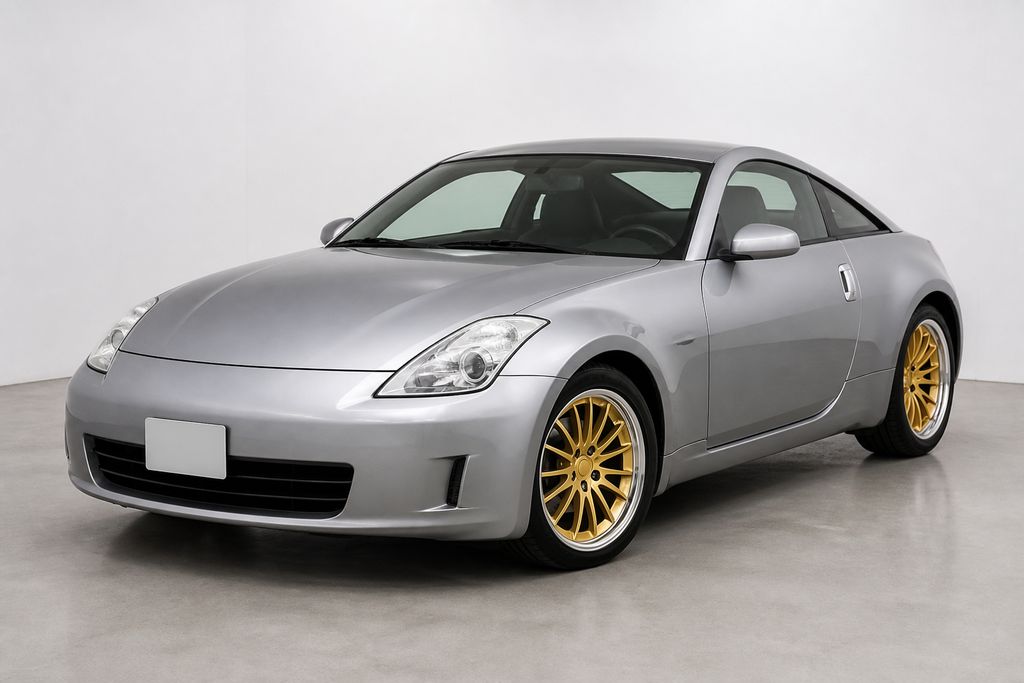 1. Gold forged wheels · open |
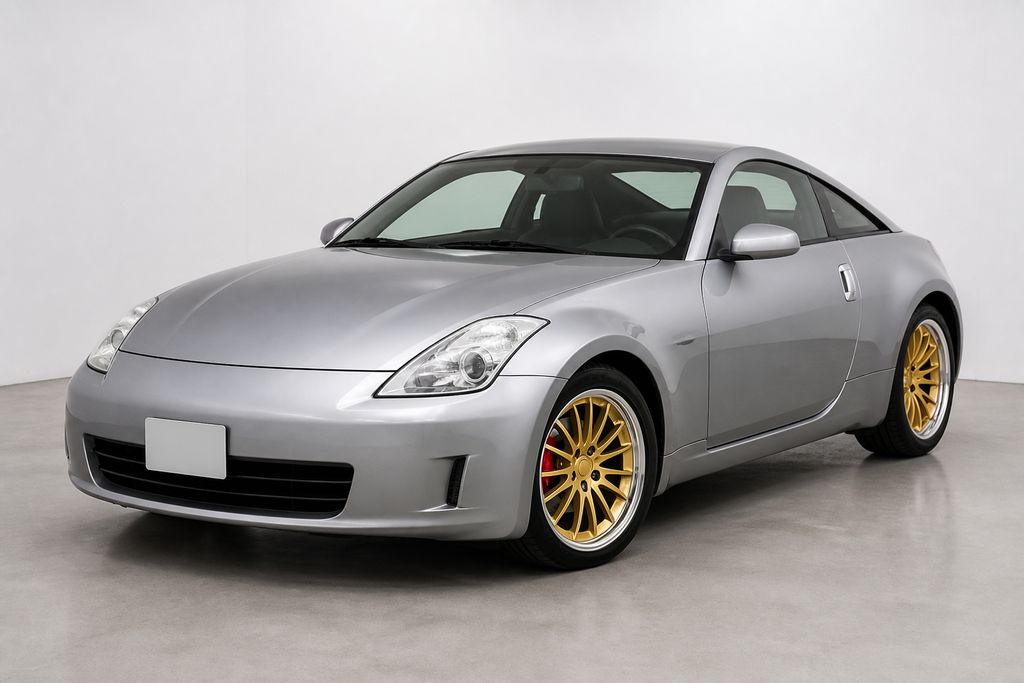 2. Red caliper · open | 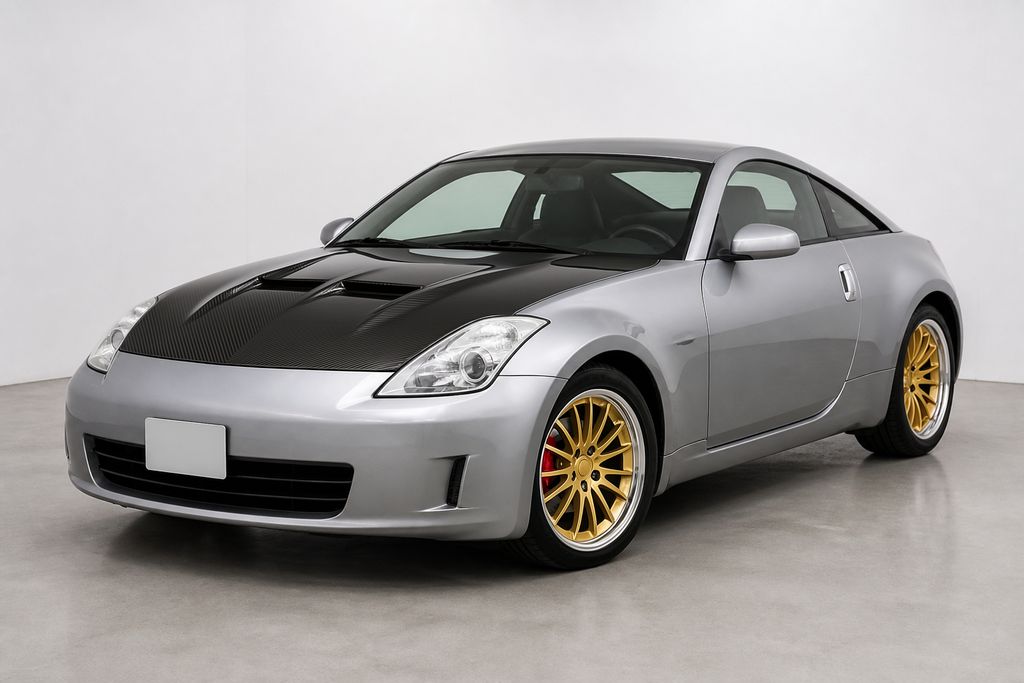 3. Carbon hood with vent · open |
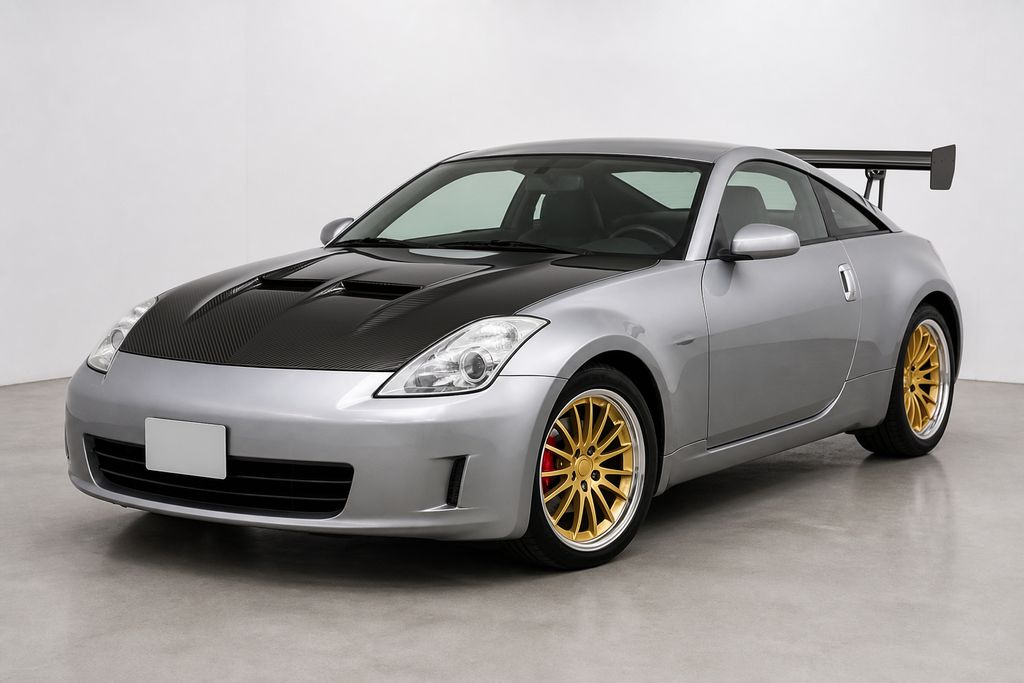 4. GT wing · open | 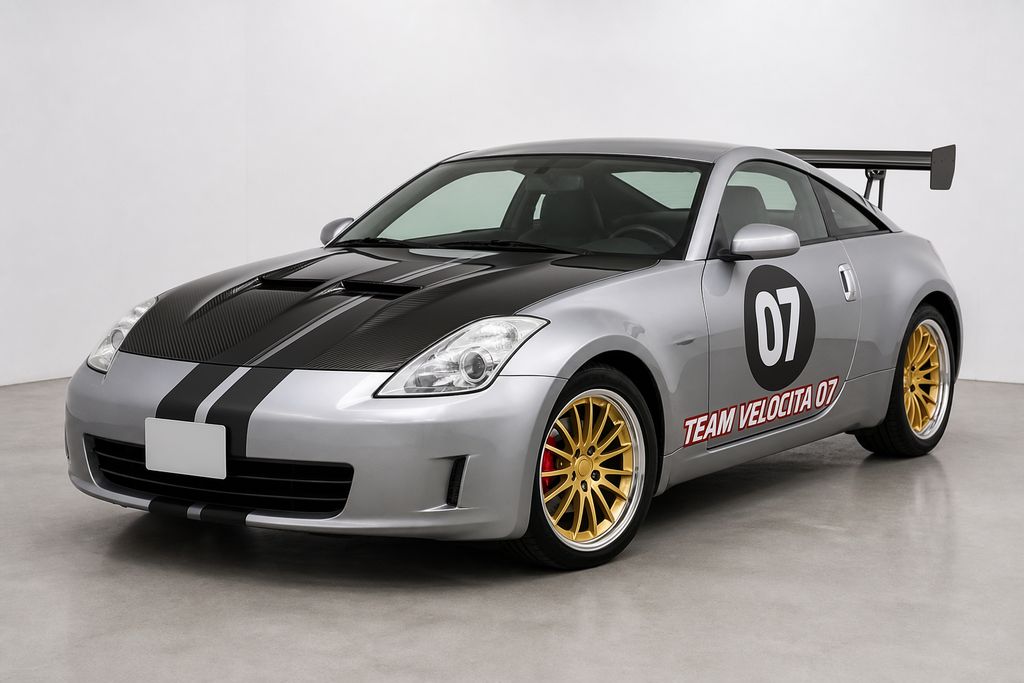 5. Livery and door text · open |
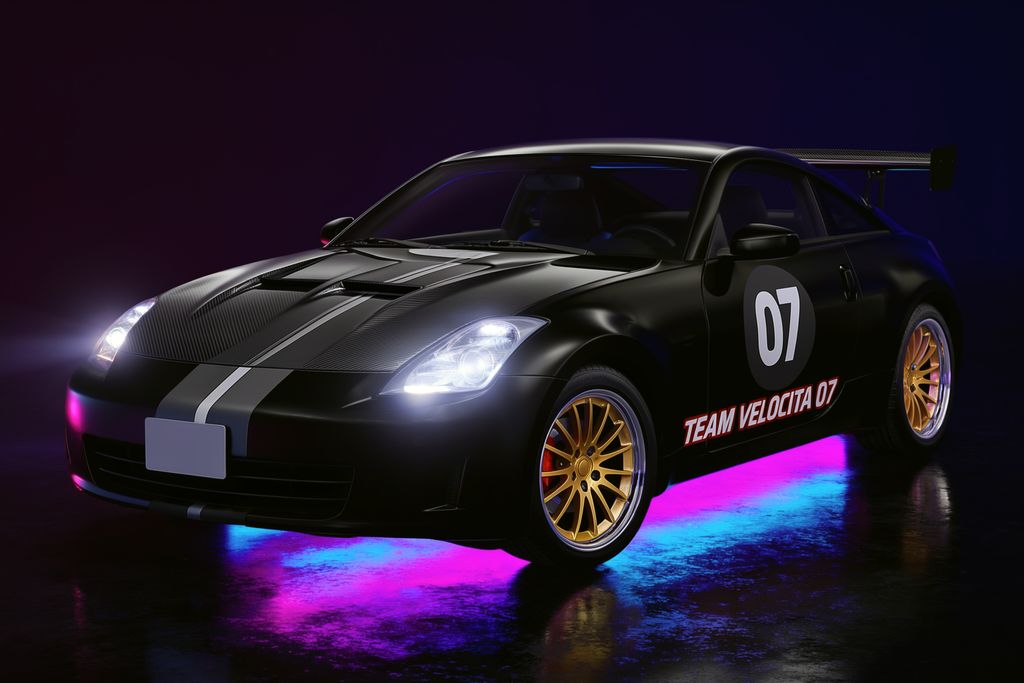 6. Night, matte wrap, underglow · open |
Parts in Close-Up
Close-up parts take literal text well. The valve cover reads "TURBO 2.0" and the caliper reads "APEX RACING". One honest note: asked for slotted discs, the model drew scattered dashes instead of clean radial slots, so describe the hole pattern you want and check the result.
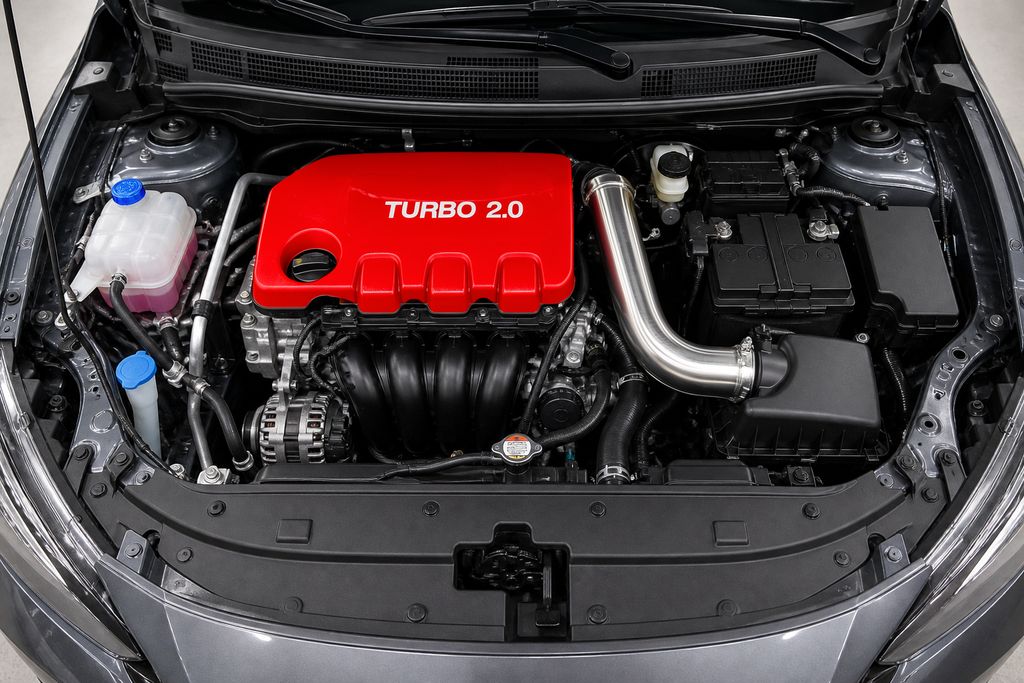
Red valve cover with TURBO 2.0, polished intake piping and a blue coolant cap · Open on Scenario
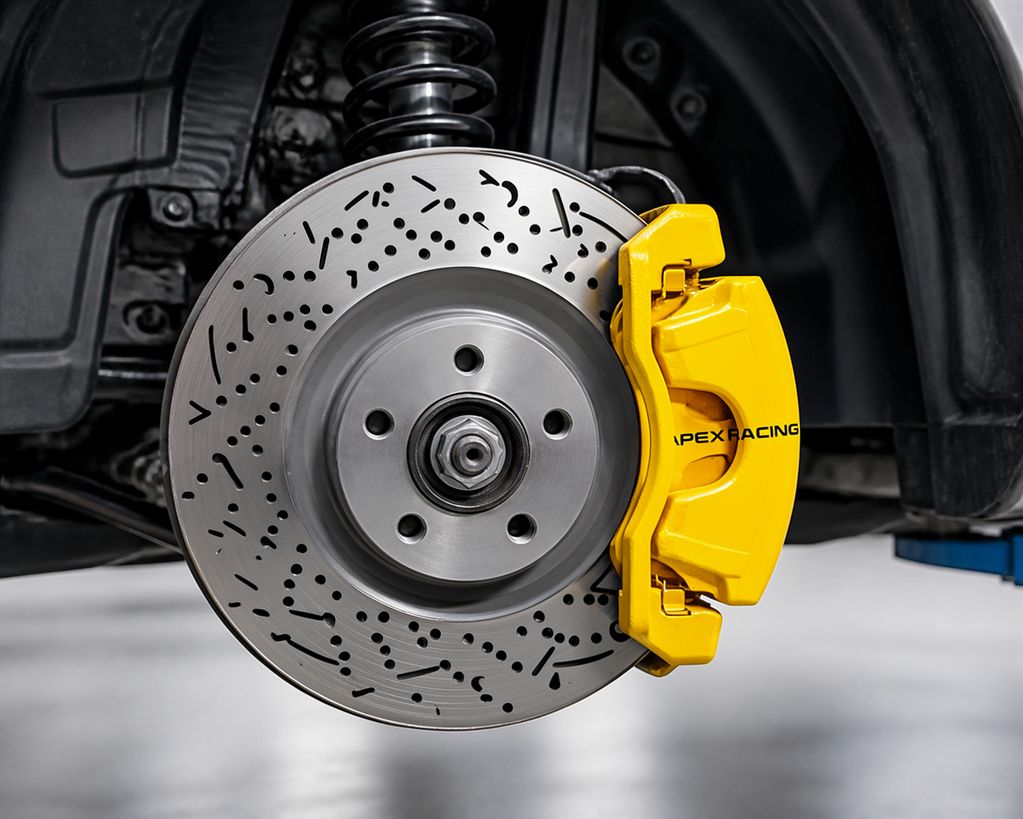
Drilled disc and yellow caliper with APEX RACING; the first letter is slightly clipped · Open on Scenario
Text Swaps and Screens
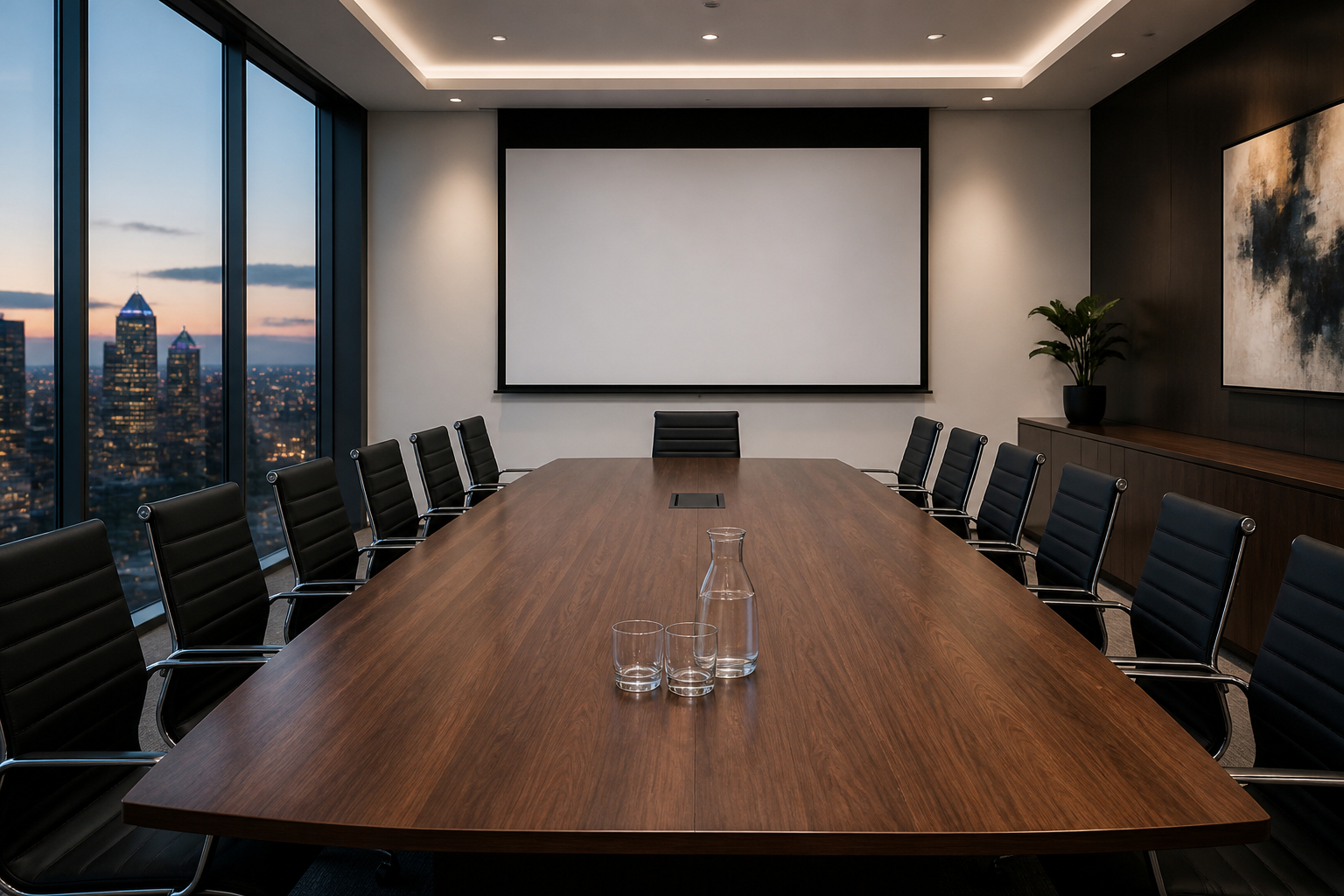 Blank wall screen · open | 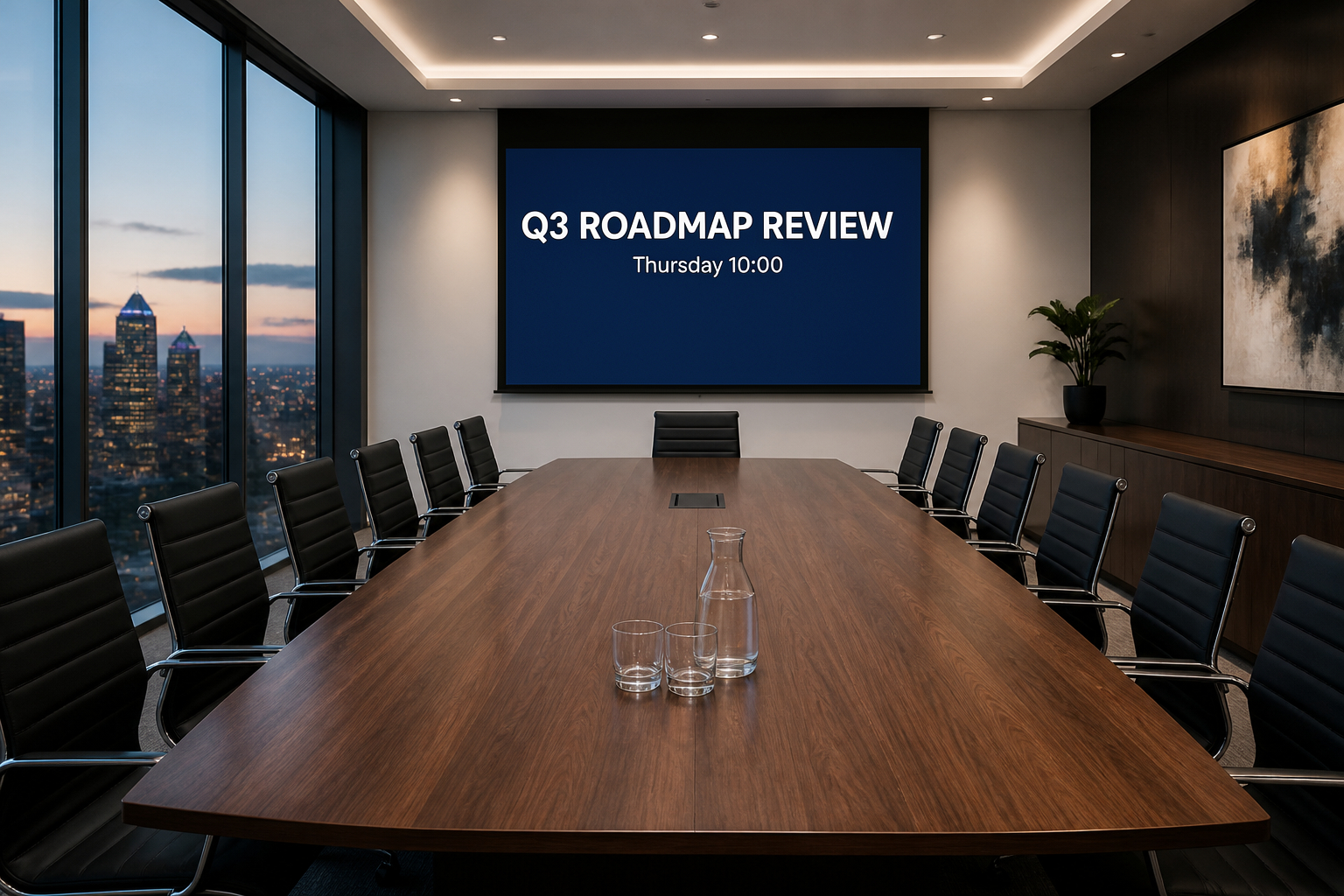 Slide text added · open |
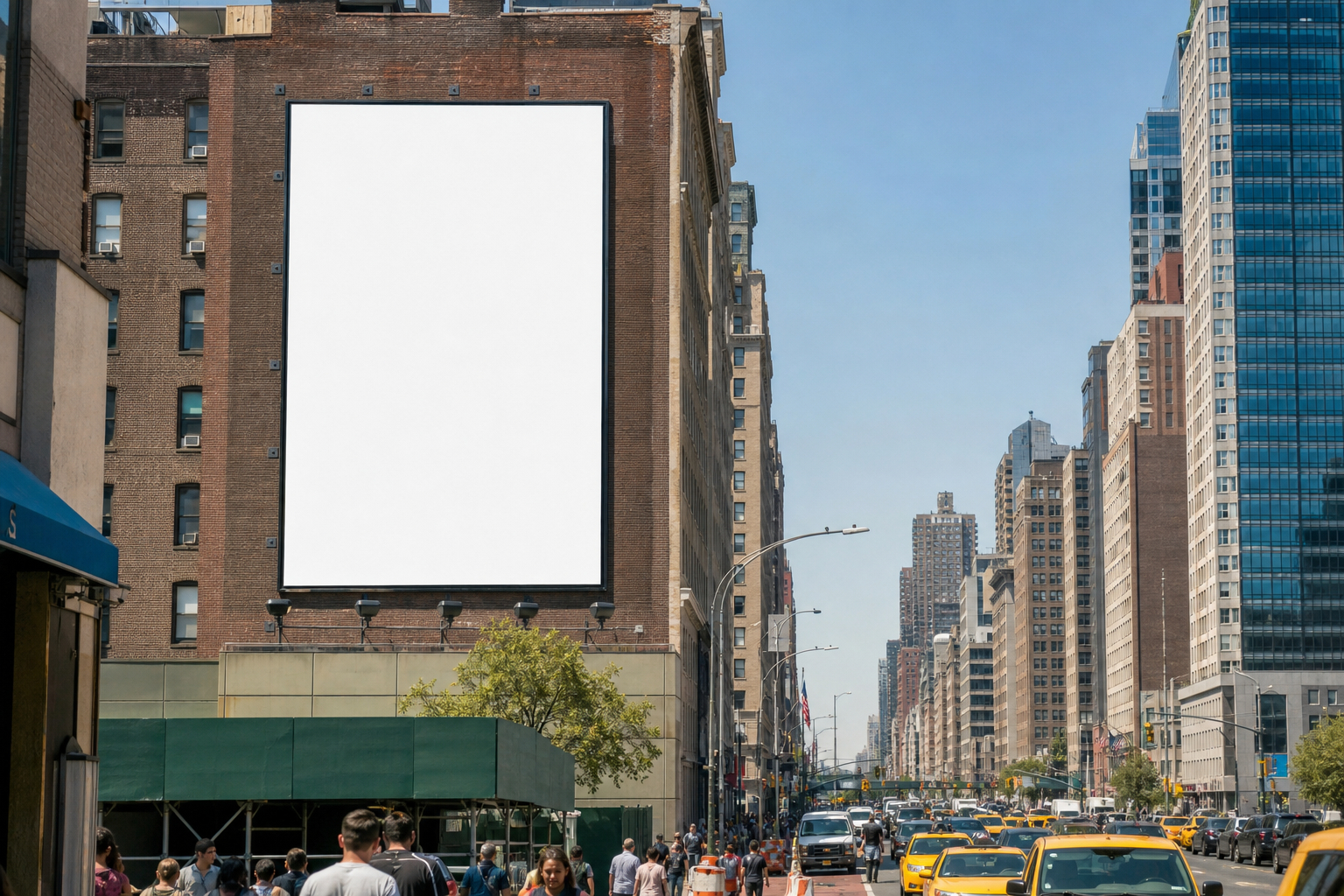 Blank billboard · open | 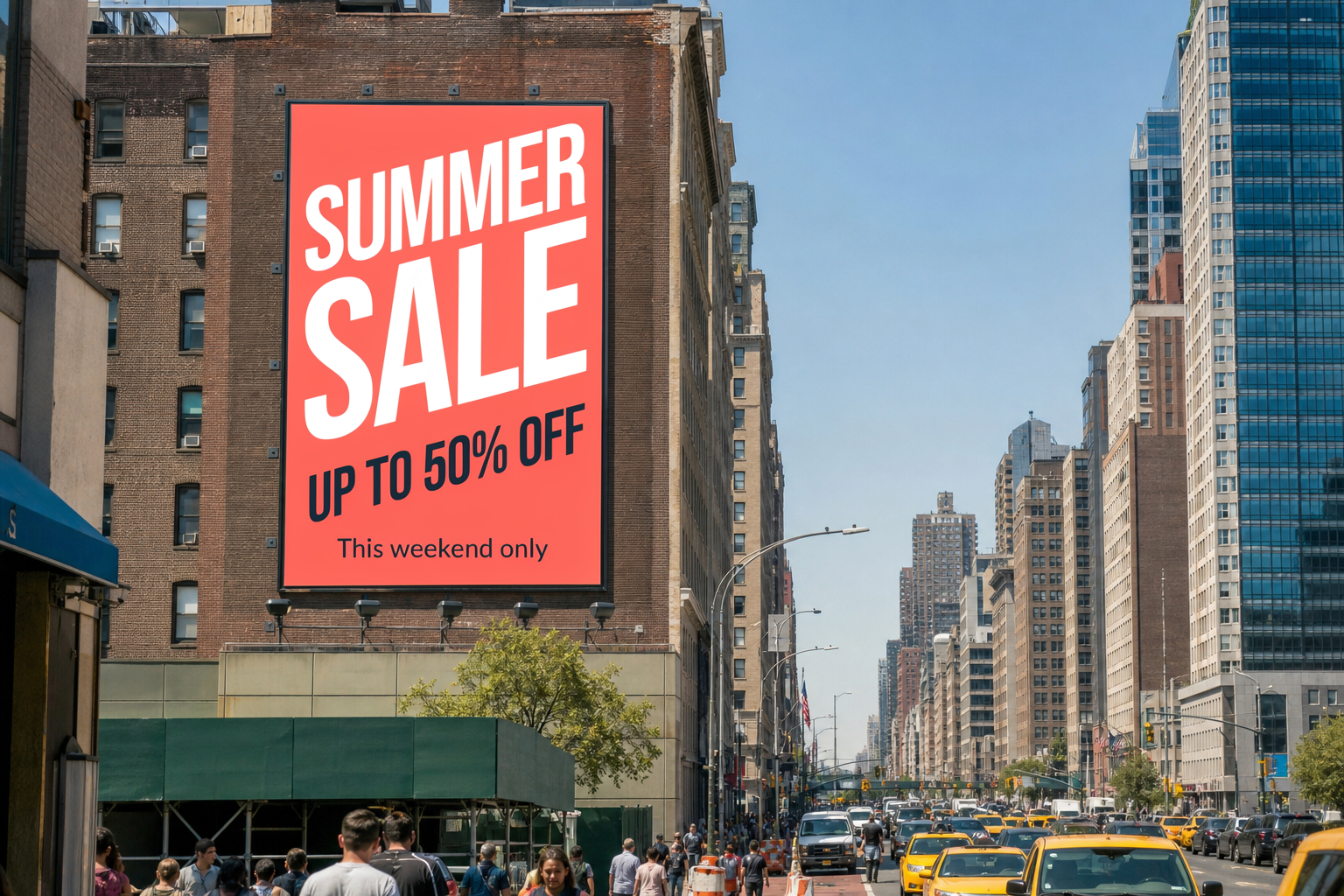 Billboard ad in perspective · open |
Experimental Edits
These push the editor further: five simultaneous changes, a full season and time-of-day shift, a material swap and a long handwritten passage.
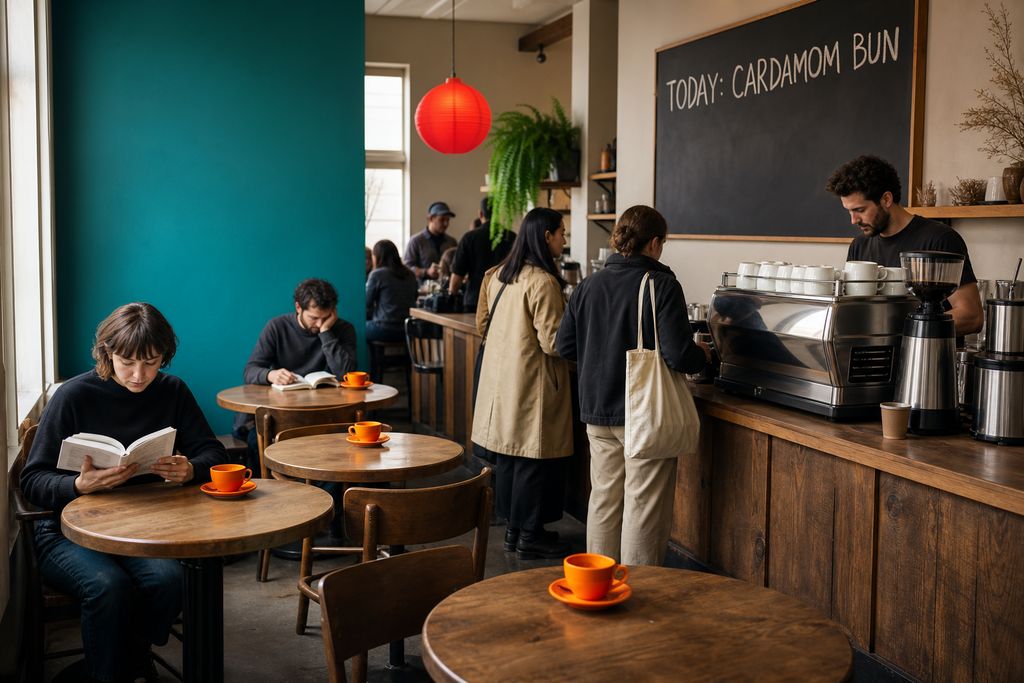
Chalk menu text, orange cups, hanging fern, red lantern and a teal wall in a single prompt · Open on Scenario
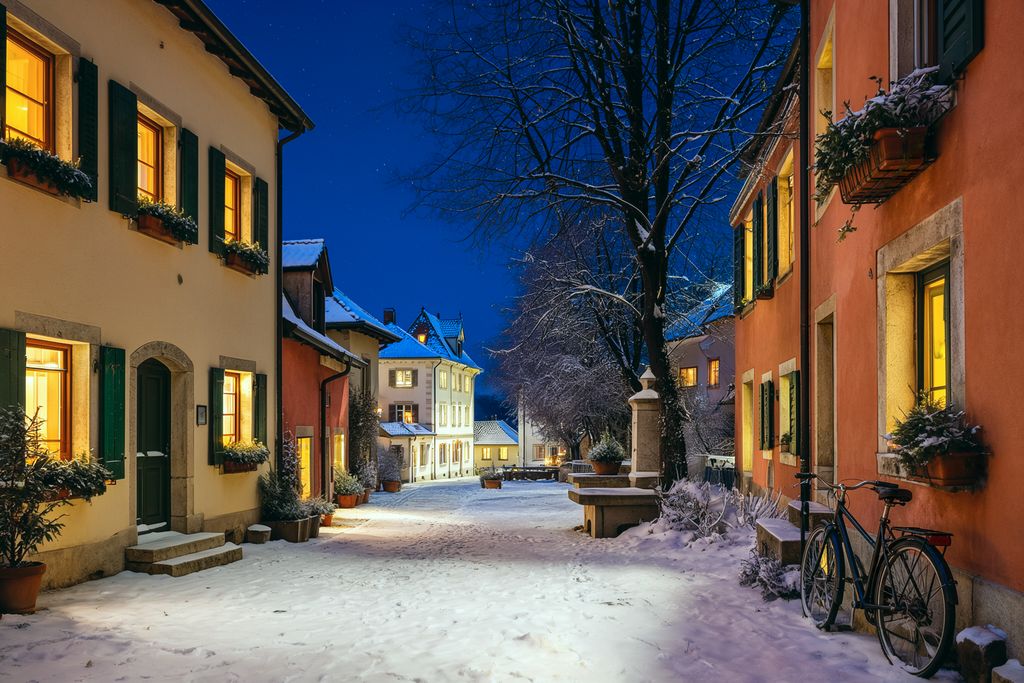
Snow, bare trees, night sky and glowing windows while the architecture stays identical · Open on Scenario
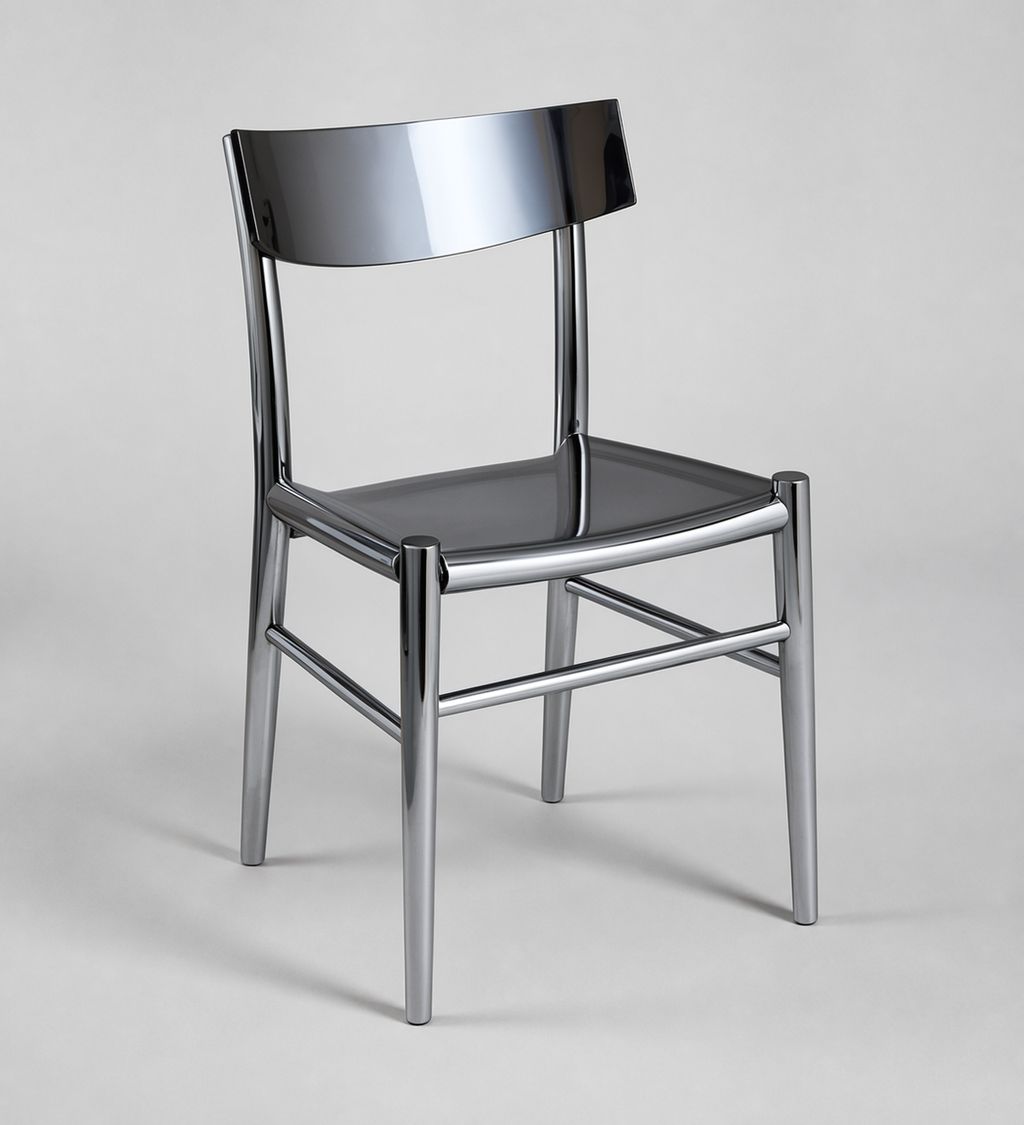
Same shape, new material; four variations were generated in one run with numOutputs 4 · Open on Scenario
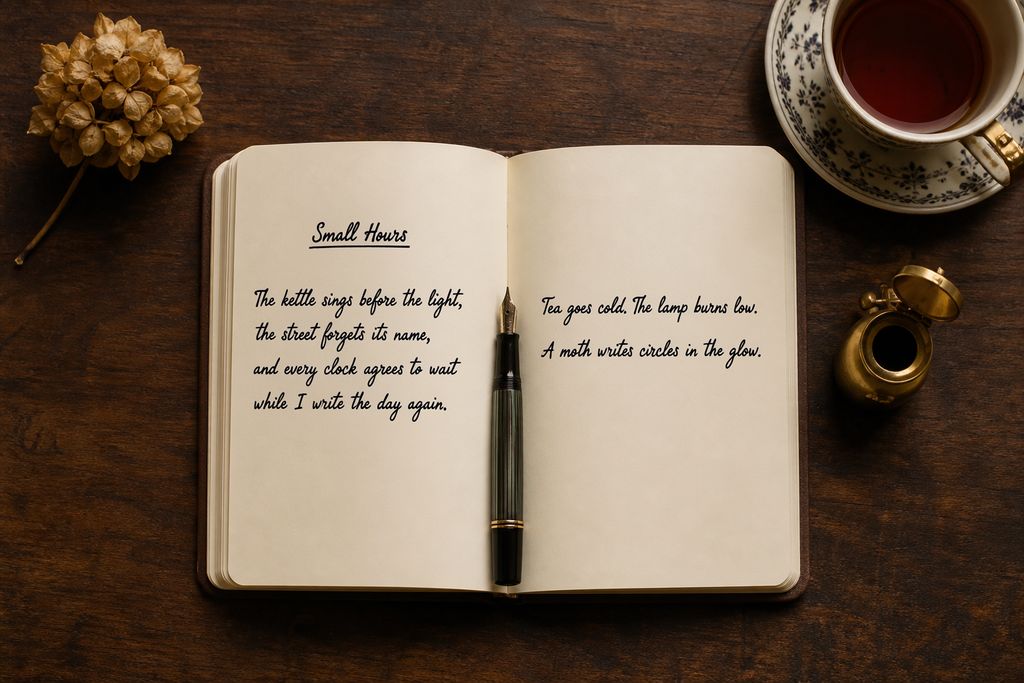
Title, underline and six lines of cursive across both pages · Open on Scenario
Masks and Reference Inserts
A rectangular mask was drawn over the fruit bowl, and the prompt starts with "Inside the masked area". The new tulips grew a little beyond the rectangle, so treat the mask as strong guidance rather than a hard edge. For reference inserts, the painting comes from a second image and is hung above the armchair at the right scale.
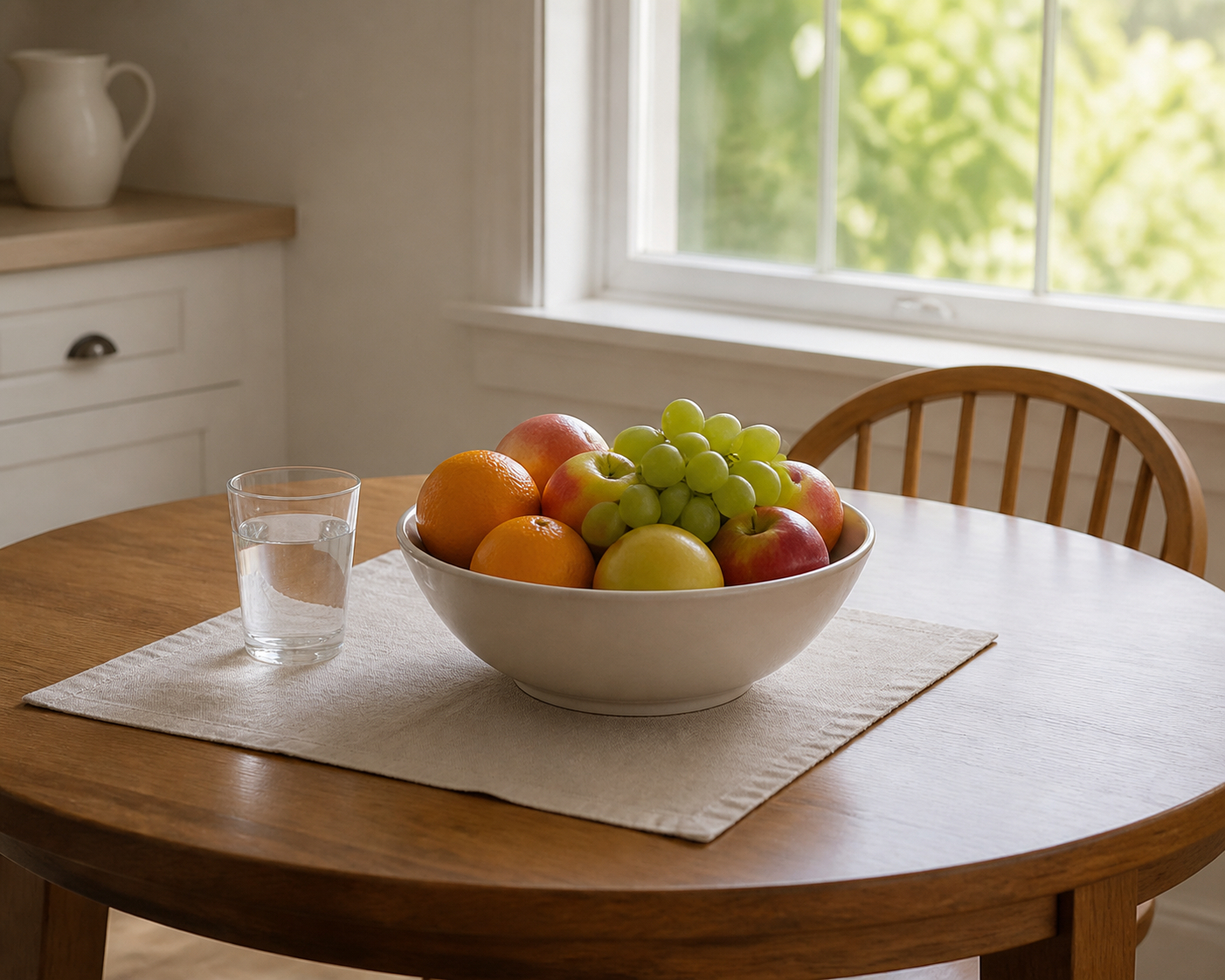 Before, with a mask over the bowl · open | 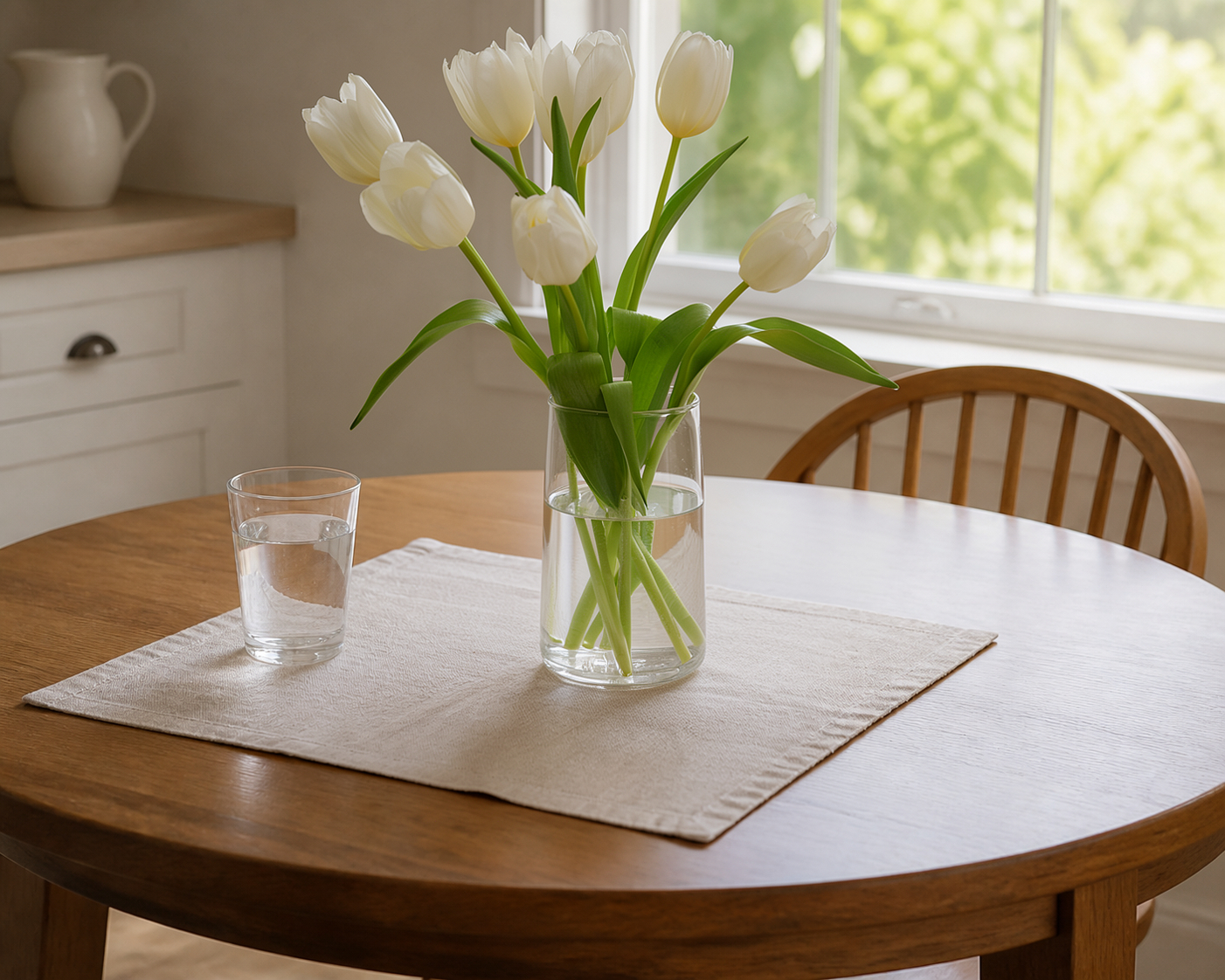 After: vase of tulips · open |
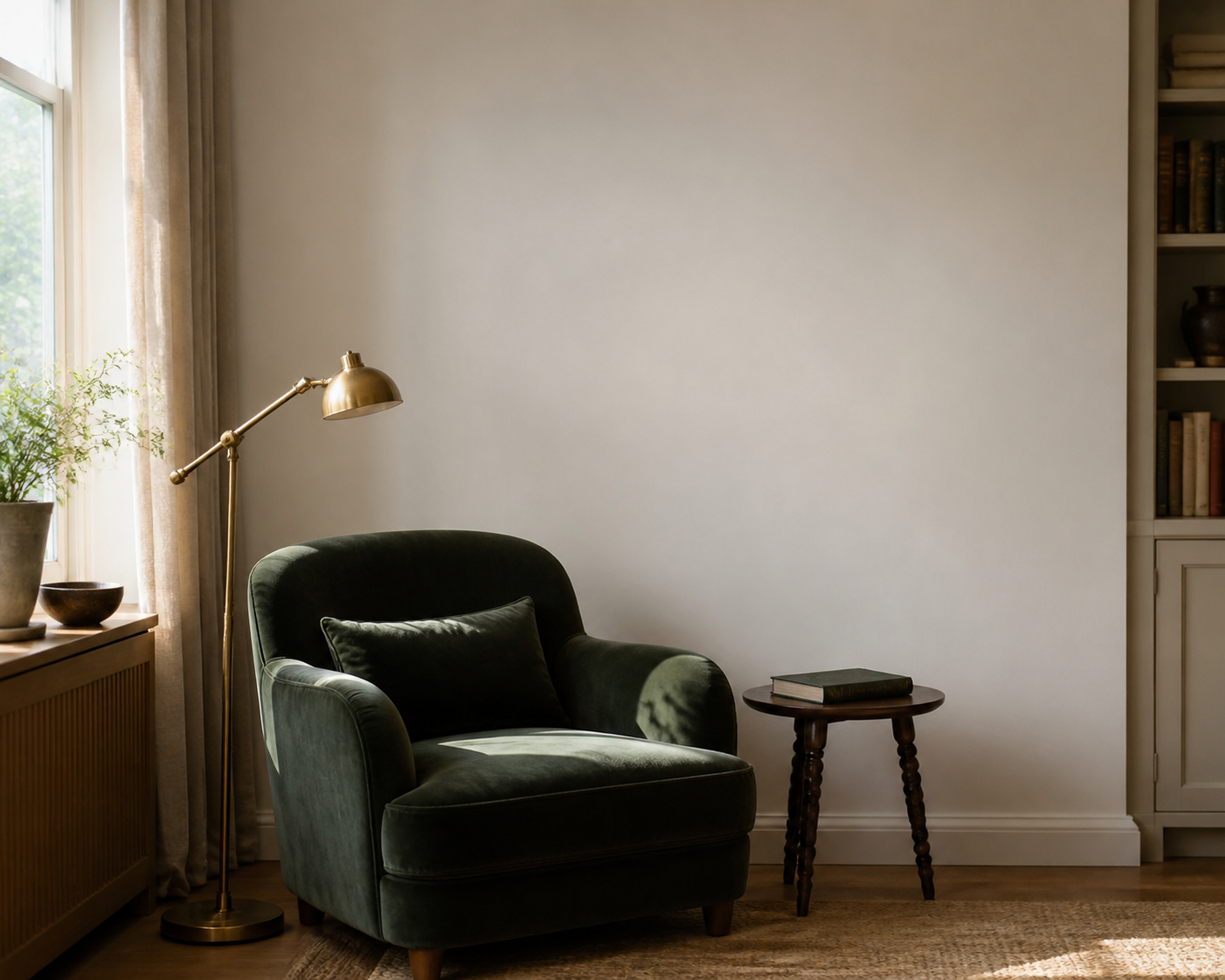 Blank wall · open | 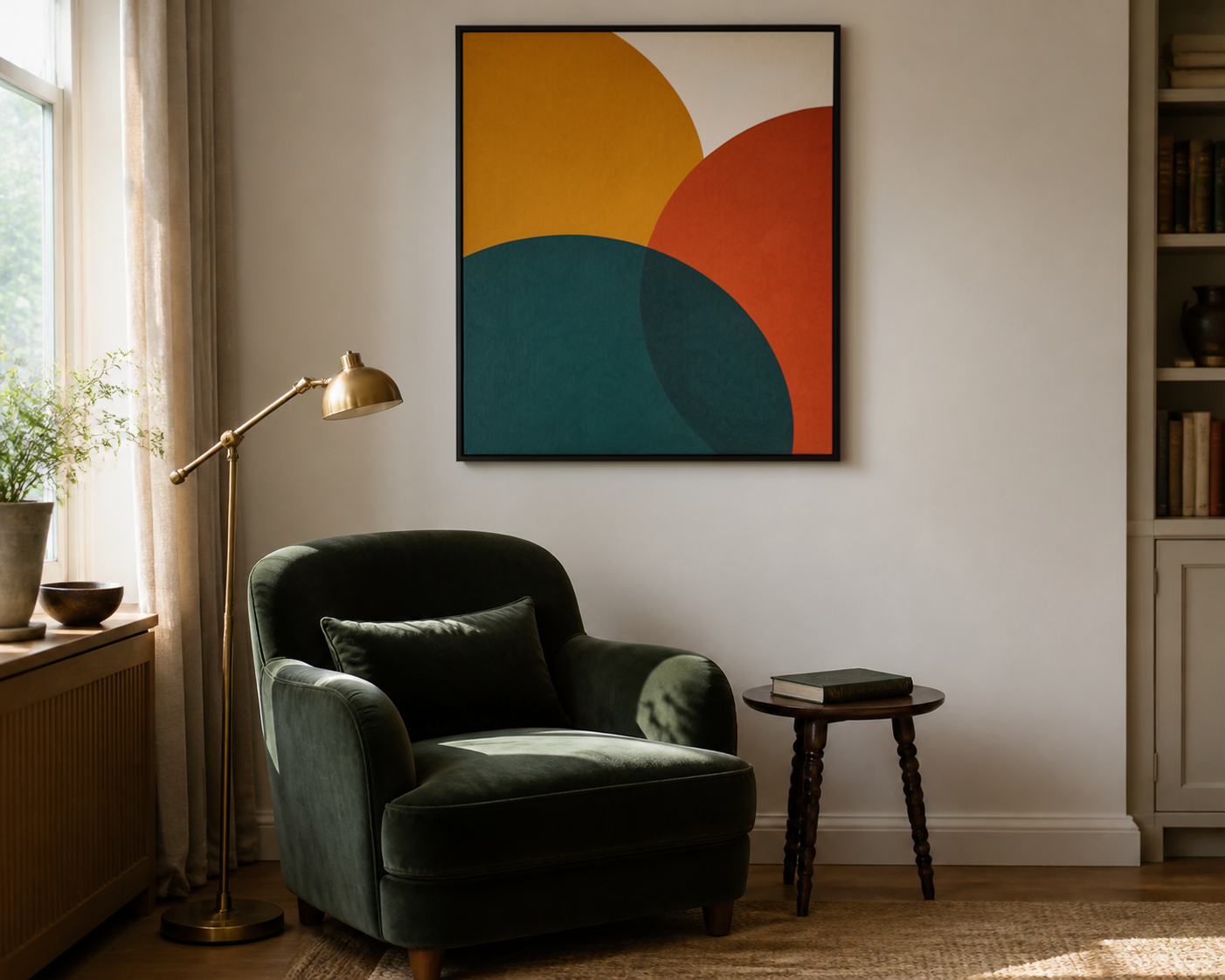 Painting inserted from a reference · open |
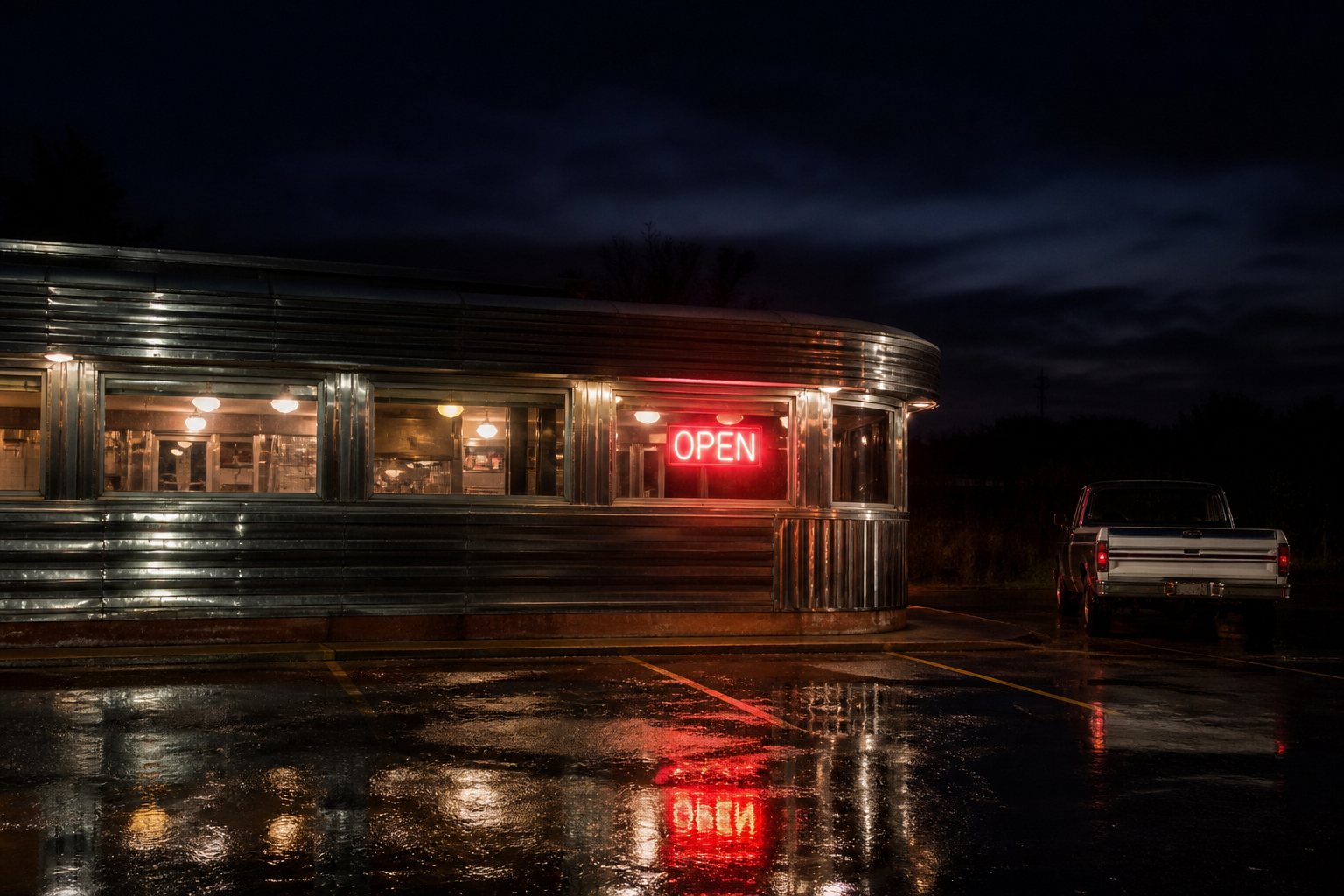
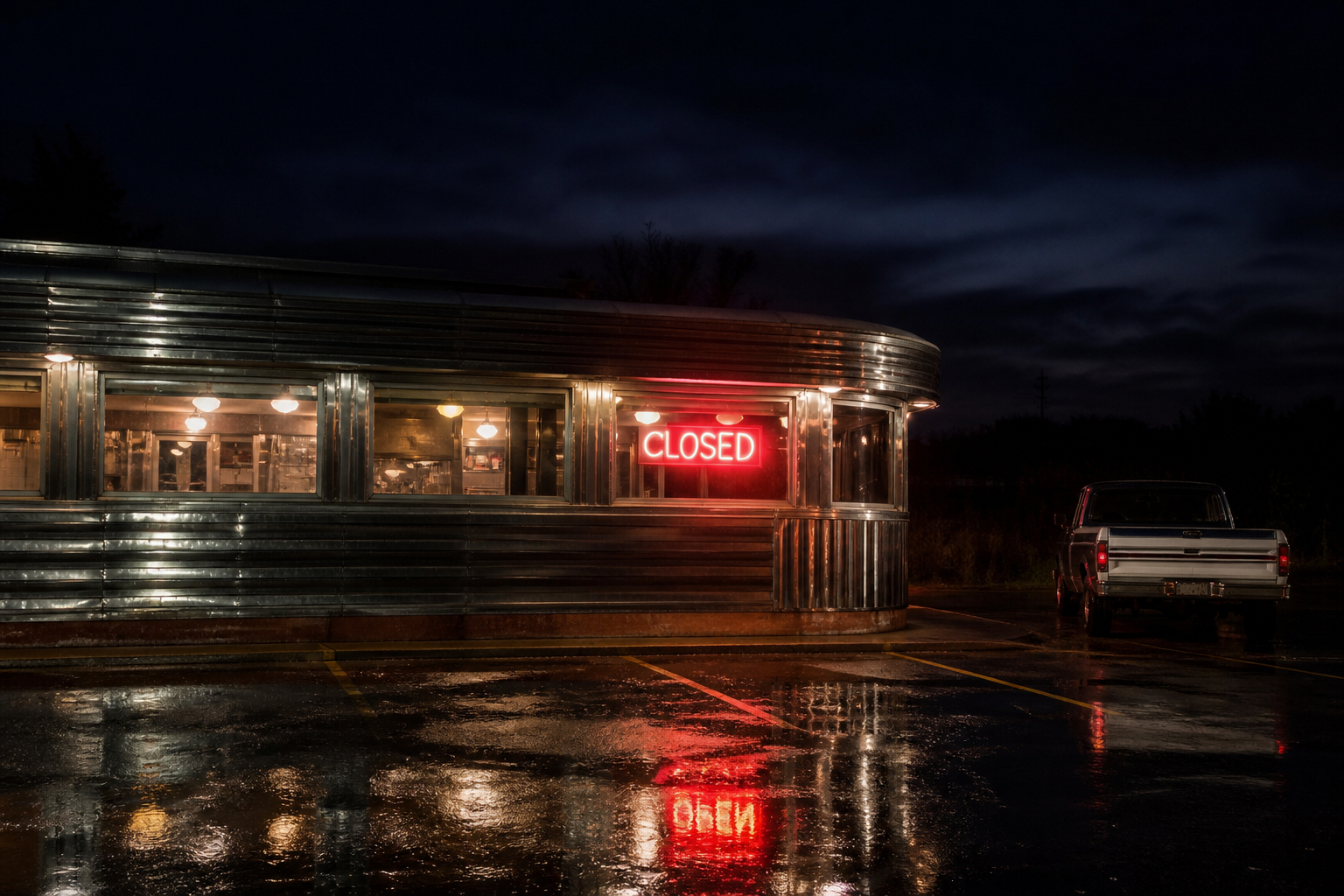
One caveat when changing signs: after the neon sign was changed from OPEN to CLOSED, the wet-pavement reflection still read the old word.
Ideogram V4 (Text to Image)
The base V4 model excels at design work that needs accurate text rendering. The minimum call is just a prompt:
prompt:         "A vintage travel poster for TOKYO, JAPAN, 1950s midcentury modern style"
imageSize:      "square_hd"       // default, 1024x1024
renderingSpeed: "BALANCED"        // default
expansionModel: "Medium"          // default Magic Prompt
The signature feature is in-image typography. Quote the literal words you want rendered. "FRESH BREAD" beats "the words fresh bread": Ideogram's text engine treats quoted strings as the literal type to render. Describe placement and hierarchy alongside the quoted text: which line is the headline, which is a tagline, where on the canvas they sit.
Three speeds trade time for letterform sharpness:
TURBO: fastest. Right for thumbnails and rapid iteration when typography is short and bold.
BALANCED: default. The right middle ground for everyday work.
QUALITY: sharpest letterforms and texture. Use for final delivery, multilingual scripts (Japanese, Arabic, Cyrillic), and intricate layouts.
Turn Magic Prompt (expansionModel) off when literal output matching your wording is essential. Magic Prompt set to Medium or Large can introduce stylistic detail you did not ask for, including stray decorative typography. For final spelling verification on the live model page, leave expansionModel: None.
Six aspect ratios are available: square_hd (1024 by 1024, default), square (512 by 512), portrait_16_9 (576 by 1024), portrait_4_3 (768 by 1024), landscape_16_9 (1024 by 576), landscape_4_3 (1024 by 768). Pick portrait for social, landscape for banners and key art, square for icons and avatars.
Featured Examples
The pinned examples on the Ideogram V4 model page show the text engine across formats. The comic splash below renders "THIS ENDS TONIGHT!" inside a jagged speech bubble plus "SECTOR 9" in a caption box, all baked into the artwork at QUALITY rendering:

Retro print ad, landscape 4:3

Jazz night flyer, portrait 9:16

Tarot card, portrait 3:4

Metal wolf badge, square HD
More on the Ideogram V4 model page: 39 pinned examples spanning posters, brand identity, signage, character cards, retro print, and game key art.
Ideogram V4 Image to Image
The Image to Image variant takes a source image and a prompt, then restyles the source while keeping the underlying composition. The minimum call is a prompt plus a source:
image:    asset_xxx
prompt:   "Transform into a pencil sketch on cream paper with cross-hatching"
strength: 0.85
Below, a photoreal perfume bottle becomes a soft graphite study at strength: 0.85. The bottle's silhouette and gold liquid level stay where they were; the medium and surface treatment swap entirely:

Click to open asset_Fff9MQcbTRYhLkseEniUwmXz on Scenario.
Tuning the Strength Dial
strength is the single most important control. It runs from 0 to 1 and decides how far the result departs from the source:
0.3 to 0.5: subtle. Lighting, color grading, mood adjustments. The subject is preserved.
0.55 to 0.7: moderate. Style and medium swap clearly, the subject's shape and pose stay recognizable. The "CITY STYLE" magazine cover example below used
strength: 0.55.0.75 to 0.95: dramatic. Pose is preserved but the medium, palette, and fine geometry get reinvented. Use for medium swaps that turn a photograph into a print or painting.
Default is 0.8. Lower it when the source must remain identifiable; raise it when you want the model to commit to the new look.
Re-rendering Text in Images
Ideogram's text rendering carries through Image to Image. Quote text inside the prompt and the model bakes it cleanly into the restyle. Below: a watercolor postcard with "VAN LIFE" hand-lettered in the sky, and a magazine cover restyle with "CITY STYLE" set across the top. Lower the strength (around 0.55 to 0.65) on text-heavy restyles so the model has room to draw the type without warping the underlying scene:

"T" magazine cover, strength: 0.55
Featured Examples:
Eight pinned examples from the model page, each linking back to the source asset on Scenario. Same composition, different medium:

Dancer as Y2K rave poster

Red dress as editorial pencil
More pinned restyles live on the Ideogram V4 Image to Image model page.
Ideogram V4 Tiling
The Tiling variant generates seamless textures and patterns that repeat perfectly across any surface. The simplest call needs nothing more than a prompt:
prompt:      "Hand-painted gouache polka dots, mustard yellow on cream"
tilingMode:  "both"          // default, repeats in every direction
imageSize:   "square_hd"     // default, 1024x1024
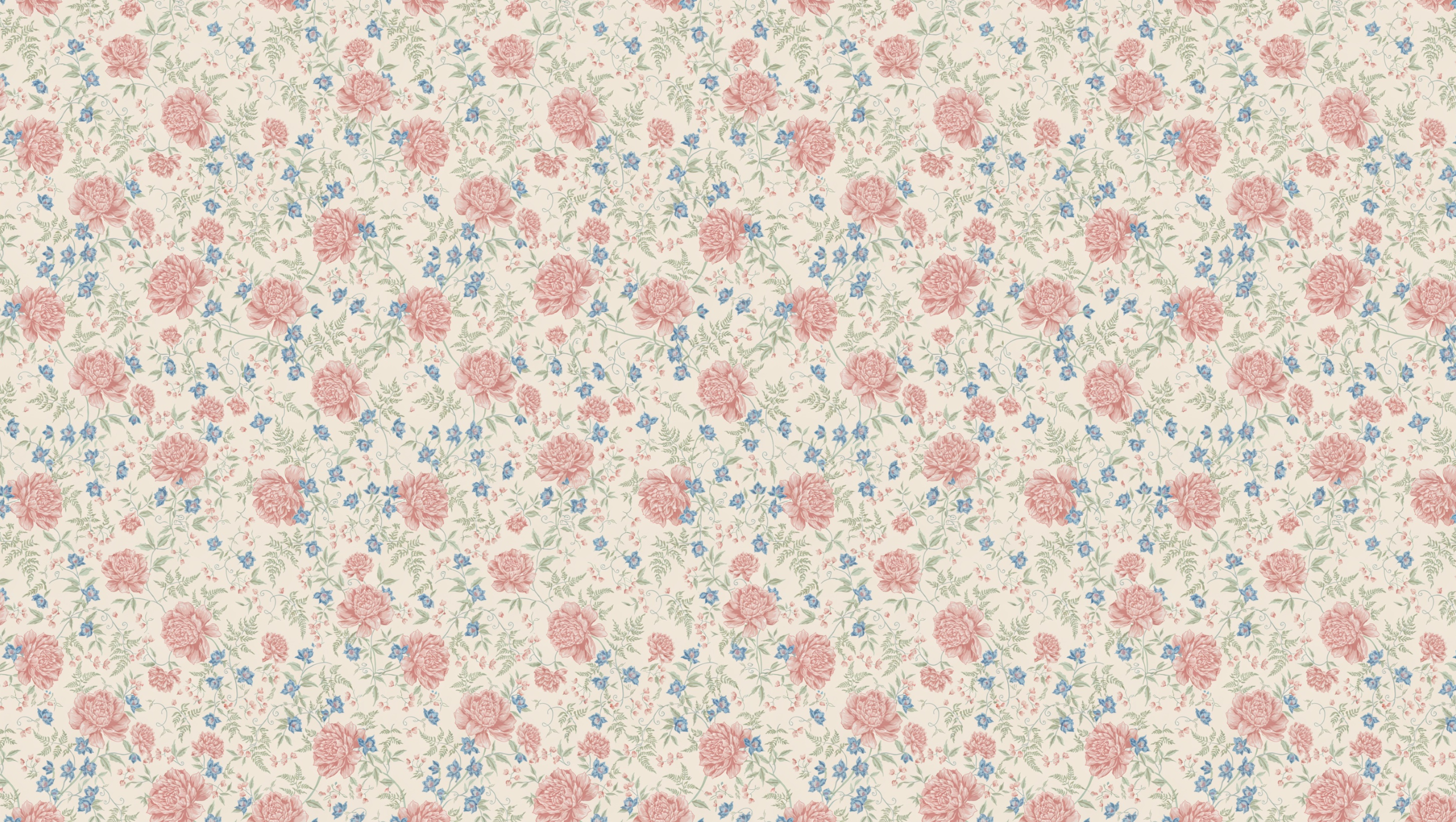
To prove a tile is really seamless, paint it as a CSS background and watch the seams disappear. The block below is one Art Deco tile repeated. Click the tile name underneath to open the original asset on Scenario:
Art deco gold tile (asset_GEqb7PNntRpKVnV76pvVUAeV) repeated 4 by 2 at 200px. No seams visible.
Choosing the Tiling Mode
The tilingMode input decides which axes repeat:
both(default): repeats horizontally AND vertically. Wallpaper, fabric prints, ground textures.horizontal: repeats left-to-right only. Borders, banner backgrounds, marble counter strips.vertical: repeats top-to-bottom only. Vertical wood plank, column patterns, stripe materials.

Featured Examples:

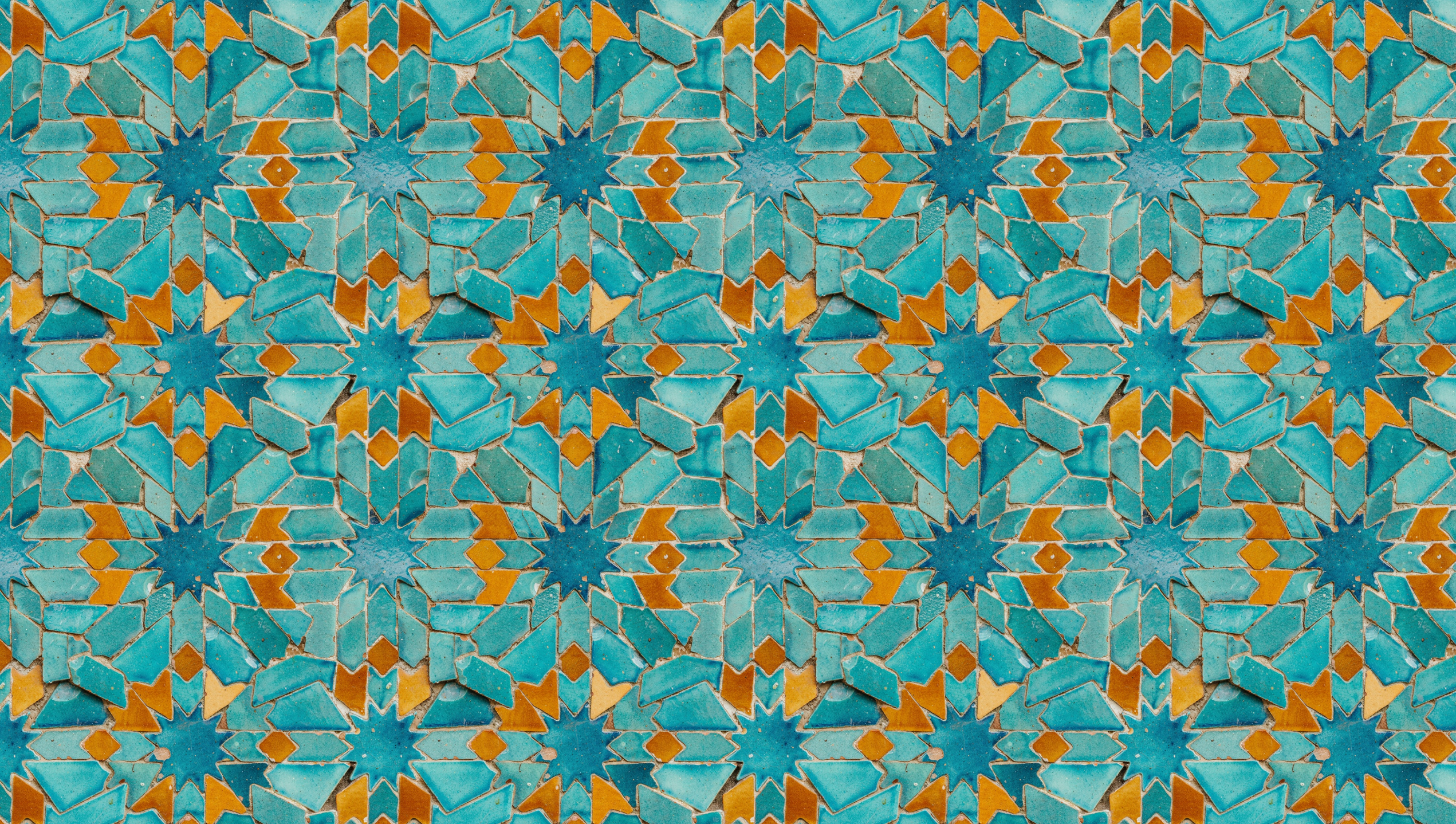
Moroccan zellige mosaic

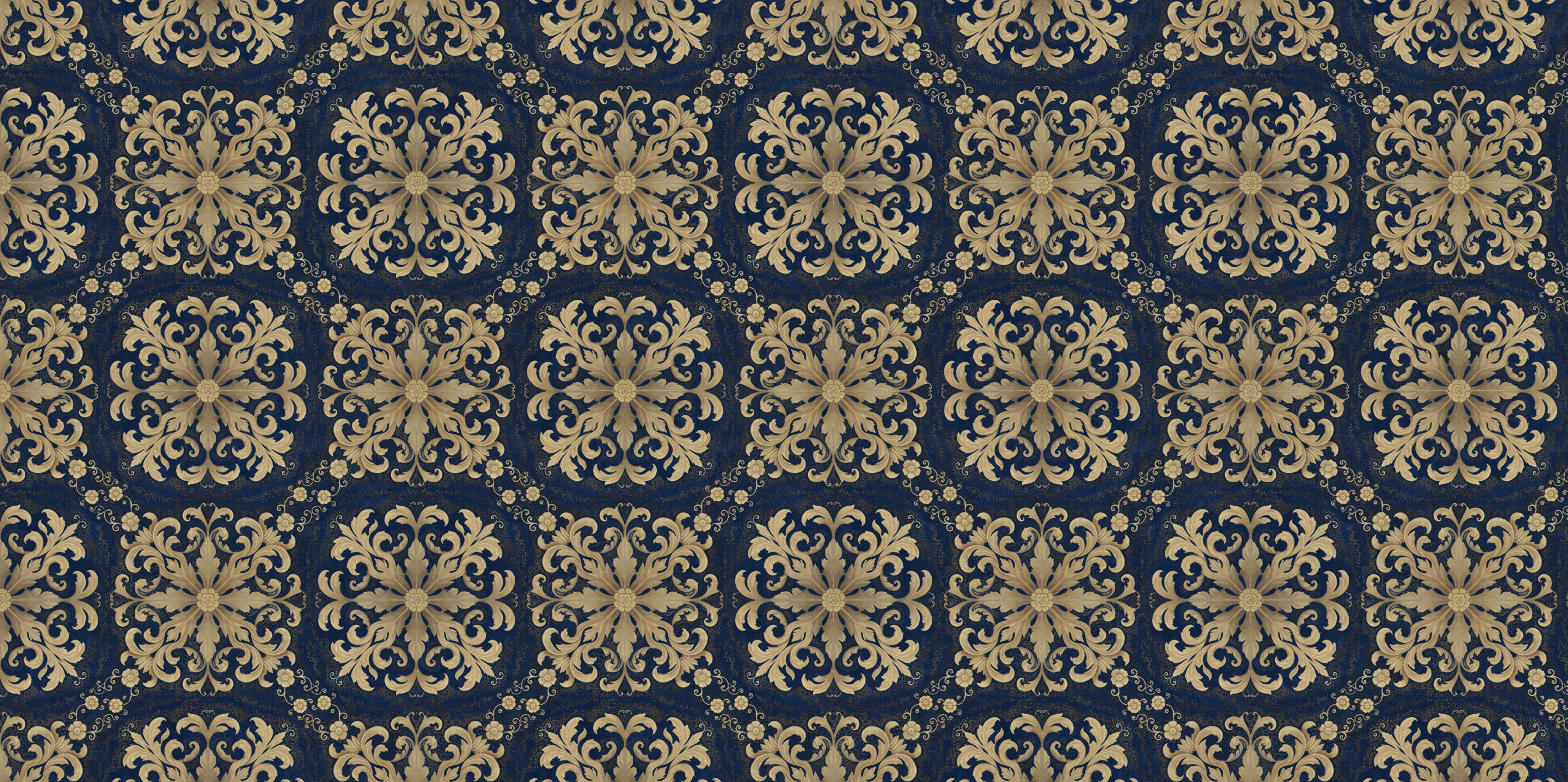
Damask navy and gold

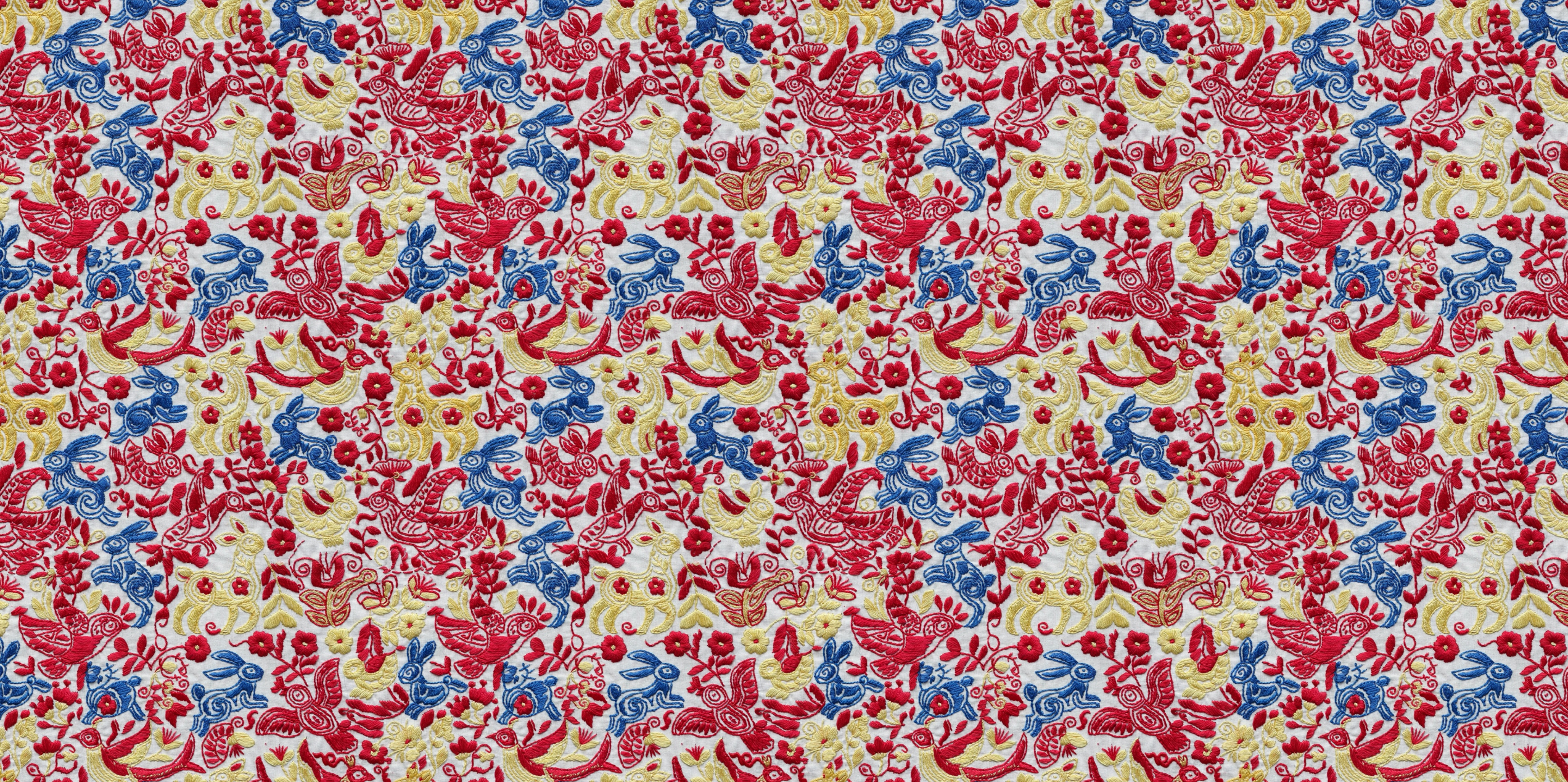
Otomi embroidery
More pinned tiles on the Ideogram V4 Tiling model page.
Optional Image-to-Tile
Pass an image to the image input and Ideogram will convert your reference into a seamless tile rather than starting from scratch. The strength dial controls how far the tile departs from the source: low values (around 0.3) tile the original closely, high values (0.8 to 0.95) treat it as inspiration. Combine with a mask (black-and-white image) to redo only specific regions of an existing tile.
Ideogram V3 Generate Transparent
Generate Transparent runs the Ideogram V3 image model with transparency enabled at the generation level. The alpha channel is produced natively during generation, not by post-processing, so the cutout is clean and part of the original render rather than an approximation applied afterward. The minimum call is a prompt:
prompt:         "Coffee shop logo with 'BREW' text, vintage badge style, warm brown and cream tones, circular design"
renderingSpeed: "BALANCED"   // default
expandPrompt:   true          // default, Magic Prompt
Rendering Speed controls both cost and output quality: QUALITY uses more diffusion steps for detailed output, FLASH uses fewer steps for the fastest, lowest-cost result, and BALANCED is a good default for most production work. Disable Expand Prompt (Magic Prompt) when the output needs to match a specific brief exactly.
Ideogram V3 Layerize Text
Layerize Text analyzes an image, identifies which elements are text, and removes them, returning the background as a clean PNG. There is no mask to draw: the model reads the full image and infers what to remove automatically. It works best on images with clearly readable, typeset text on a distinct background (ad creatives, posters, product labels, game UI); heavily stylized or hand lettering may be removed only partially.
A common pipeline: use Generate Transparent to produce a base visual with a headline and CTA, feed that image into Layerize Text to strip the text, then bring the clean background into Figma, Photoshop, or another compositing tool and place new copy on top, in any language.
Parameters
Ideogram 4.5
prompt
Required, up to 10,000 characters. Describe the subject, style and lighting, then quote every word that must appear. For edits, name the change and list what must stay the same.
referenceImages
Up to 5 images (4 when a mask is used). The first is the source image to edit and the others are references. Leave it empty to generate from the prompt alone.
mask
Optional. White marks the region to edit and black the region to keep. Requires aspectRatio to stay on auto.
aspectRatio
Default auto. source keeps the first reference image's shape. Or choose one of 23 explicit ratios from 3:1 to 1:3, including 16:9, 3:2, 4:5, 3:4, 2:3 and 9:16. Extremes tested: 3:1 (film title) and 1:3 (timeline, 1024 by 3072).
resolution
1K or 2K, default 2K, applied when an explicit aspect ratio is set. 1K exists only for 1:1, 4:5, 3:4, 2:3, 5:8, 9:16, 1:2 and their landscape counterparts.
quality
low, medium or high (default high). Ideogram's own interface also lists a very low tier that requires an image; Scenario does not expose it.
magicPrompt
auto (default), on or off. Off follows the wording literally, which is what menus, infographics, translations and multi-script signs needed.
numOutputs and seed
1 to 8 images per run. A fixed seed reproduces a result or keeps a series consistent.
Ideogram 4.5 Precise Edit
image
Required. The image to edit. The output keeps its size.
prompt
Required. Describe the edit and say what must stay unchanged.
mask
Optional. White marks the region to edit and black the region to keep.
referenceImages
Up to 4 guides (3 with a mask), such as a product to insert or a painting to hang.
quality
low, medium and high work. very_high is listed but failed in testing here, so use high.
numOutputs and seed
1 to 8 per run. Reusing one seed through a multi-step chain kept the identity steady in the makeup and car sequences.
Shared Across the Family
prompt
Required, up to 2048 characters. Describe the subject, style, mood, and any text that should appear. Quote literal strings for in-image typography.
renderingSpeed
One of TURBO, BALANCED (default), or QUALITY. Trades speed for letterform sharpness and texture detail.
expansionModel
One of None, Medium (default), or Large. Whether Ideogram's Magic Prompt enriches your input with extra style detail. None obeys your prompt exactly; Large is the most descriptive.
acceleration
One of none (default), low, regular, high. Extra speed boost on top of renderingSpeed. Keep at none for dense typography and high-detail renders.
numOutputs
Range 1 to 4, default 1. How many variations to generate from the same prompt.
seed
0 to 2147483647. Reusing the same seed and settings reproduces the same image. Leave empty for fresh variation.
Ideogram V4 (txt2img)
imageSize
One of square_hd (default, 1024 by 1024), square (512 by 512), portrait_16_9 (576 by 1024), portrait_4_3 (768 by 1024), landscape_16_9 (1024 by 576), landscape_4_3 (1024 by 768). Match the dimension to the publication format.
Ideogram V4 Image to Image
image
Required. Source image asset on Scenario.
strength
Range 0 to 1, default 0.8. How far the result departs from the source. The most important dial in the model.
imageSize
Default auto matches the source dimensions. Override with any of the seven shaped sizes when the restyle should reshape the canvas at the same time.
Ideogram V4 Tiling
image (optional)
Optional starting image. When supplied, the model converts it into a seamless tile.
strength
Range 0 to 1, default 0.8. How far the tile departs from the input image.
mask
Black-and-white image marking regions to regenerate (white) versus keep (black). Requires an input image.
tilingMode
One of both (default), horizontal, or vertical. Which axes repeat seamlessly.
imageSize
Default square_hd. Six sizes available; portrait and landscape for directional patterns.
Ideogram V3 Generate Transparent
prompt
Required, up to 2048 characters. Describe the subject, style, and color; the alpha channel is added automatically.
negativePrompt
Optional, up to 2048 characters. Elements to exclude, useful for avoiding specific styles, colors, or content types.
renderingSpeed
One of FLASH, TURBO, BALANCED (default), or QUALITY. Trades cost and speed for output detail.
aspectRatio
Default 1:1. Fifteen presets from 1:3 to 3:1, covering Stories, banners, and standard formats.
expandPrompt
Default true. Runs Magic Prompt to expand your description before generation; disable when prompt precision matters more than richness.
imageCount
1 to 8, default 1. Number of images to generate per job.
seed
0 to 2,147,483,647, default random. Fixed seed for reproducible output.
Ideogram V3 Layerize Text
image
Required. The image to remove text from. Works best on designs with clearly legible, typeset text on a distinct background.
prompt
Optional, up to 2048 characters. Guidance to influence how the model identifies and removes text.
seed
0 to 2,147,483,647, default random. Fixed seed for reproducible layerization output.
The schema also exposes font name and font file URL parameters for H1, H2, body, and small text levels. These are passed to the underlying model but do not affect Scenario's output, which is always the background PNG with text removed regardless of font settings. Leave them empty for standard use.
Use Cases
Marketing and brand graphics (V4 base). Posters, lookbook covers, social key art, packaging, signage, UI mockups. Wherever the deliverable carries readable typography baked into the image.
Multilingual typography (V4 base). Japanese calligraphy, Arabic, Cyrillic, Korean, Devanagari, chrome movie titles. The text engine handles non-Latin scripts at QUALITY without falling back to placeholder glyphs.
Editorial restyles and campaign variants (Image to Image). Take one product or character shot and ship multiple stylistic versions for a campaign: editorial pencil, sumi-e, stained glass, risograph.
Concept art and game character mood passes (Image to Image). Generate alternate medium versions of a finalized character for marketing or pitch decks.
Marketing collateral with text overlays (Image to Image). Write the headline INTO the restyle rather than pasting on top. One-shot social posts, postcards, lookbook covers.
Surface design and wallpaper (Tiling). Seamless wallpaper, gift wrap, packaging surfaces. Ships at native 2K.
Fabric and apparel prints (Tiling). Otomi, damask, polka dots, chintz patterns tile cleanly for textile production.
Game-ready ground and material textures (Tiling). Drop into Unity, Unreal, or Blender as a tiling material. The cyberpunk circuit and honeycomb brass examples above repeat without seam artifacts at any UV scale.
Interior and architectural visualization (Tiling). Marble, brick, wood plank tiles slot directly into a 3D scene's UV-tiled materials.
Logo and brand assets (Generate Transparent). Logos, wordmarks, and brand icons with a transparent background ready for any surface, no clipping required.
Sticker and overlay packs (Generate Transparent). Sticker sheets, emoji-style icons, and overlay graphics at scale, up to 8 variants per job.
Design template extraction (Layerize Text). Strip the text from an existing poster, label, or ad creative to produce a reusable background template.
Localization workflows (Layerize Text). Remove text from a finished design, then re-composite with translated copy while the visual layout stays consistent.
Game UI and HUD assets (Generate Transparent). Buttons, badges, and frames with native transparency for direct integration into a game engine sprite sheet.
Beauty and fashion (4.5, Precise Edit). Show a look built product by product, then reuse the same face in covers, expression sheets and campaign layouts.
Automotive and parts (4.5, Precise Edit). Configure a vehicle part by part, and make exploded views, blueprints, catalogs and macro shots with exact labels.
Localization (4.5, Precise Edit). Translate the text in menus, signs and posters without redrawing the image.
Advertising mockups (Precise Edit). Fill blank billboards and screens with real copy in the right perspective.
Games and apps (4.5). Inventory screens, HUDs, onboarding screens and store visuals with readable labels.
Comics, editorial and infographics (4.5). Captions, speech bubbles, timelines and multi-script layouts in one pass.
Tips for Better Results
Quote literal text for in-image rendering. Use double quotes around the words you want rendered:
"VAN LIFE"beats "the words van life". Works in all three variants.Disable Magic Prompt for spelling-critical text. Set
expansionModel: Nonewhen you need the model to obey your wording exactly, especially for brand names, dates, addresses, and prices.Start at Balanced, finalize at Quality. Iterate quickly with
renderingSpeed: BALANCED, then re-render the chosen seed atQUALITYfor delivery. Quality matters most for intricate typography and complex patterns.Image to Image: start at
strength: 0.7and adjust. 0.7 is the sweet spot for a clear stylistic shift that still preserves the source. Push higher for medium swaps; pull lower if the result drifts from the subject.Name the medium concretely, not the "style". "Risograph print, two-color overprint of fluorescent pink and electric blue" outperforms "stylized print look". The more material the prompt names (paper, ink, brush, print process), the more committed the restyle.
Tiling: match tilingMode to the pattern's logic. Marble veins should not loop vertically; wood planks should not loop horizontally. Pick the mode that matches real-world repetition.
Tiling: default to
square_hdunless the pattern has a direction. Square is the most flexible. Reach for landscape or portrait when there is an obvious primary axis.Lock a seed when iterating colors or text. Reuse the seed and change only the color words or the quoted text to keep the composition or pattern structure constant while swapping detail.
Tiling: test the tile by repeating it. Before shipping, paint the tile as a CSS background or load it into a 3D viewer at the intended UV scale. Seams hidden in a single tile become obvious across a four-by-four repeat.
Keep acceleration at
nonefor dense typography. Higher acceleration shaves time but can soften letterforms.Generate Transparent: describe subject, style, and color together. "Coffee shop logo with 'BREW' text, vintage badge style, warm brown and cream tones, circular design, transparent background" produces a well-defined output; short prompts produce less controlled results.
Layerize Text: feed designs with clear, typeset text. Typeset text on a contrasting background produces the cleanest removal. Hand-lettering or text deeply embedded in illustration detail may be removed only partially.
Layerize Text works on any image, not just Scenario generations. Uploaded photos, screenshots, or rendered designs all work as input.
Ideogram 4.5: quote every word and place it. Exact text, numbers and prices came out right across posters, menus, blueprints and catalogs. Add where each element sits and how it looks.
Ideogram 4.5: turn Magic Prompt off for verbatim work. Menus, translations, infographics and multi-script signs were cleanest with it off.
Precise Edit: end with what must stay unchanged. List the face, hair, lighting, background and camera framing (or the building, people and shadows) so they stay identical.
Precise Edit: add one product per step for identity work. Chain the results and keep one seed. The face stayed the same across six makeup steps and two new expressions.
Precise Edit: name the exact place for an object. "Behind the wheel", "above the armchair" and "on the trunk lid" produced correctly placed parts in perspective.
Ideogram 4.5: reuse a finished portrait as image 1. Say to keep the face, freckles and makeup identical, then describe the new layout.
Keep tiny text short. Headlines and labels are reliable; the smallest credit lines can misspell, so proof them.
Use a moderate source size for edits. Ideogram's early-access notes say large uploads are compressed without resizing and fine detail may change.
Known Limitations
Long text passages degrade. All three variants excel at short labels, headlines, and brand words. Multi-sentence paragraphs still produce errors. Keep on-image type concise.
Image to Image preserves composition, not fine geometry. At high strength the model can drift on small details (number of fingers, exact letter shapes in long passages, jewelry detail). Drop strength or use
QUALITYwhen those details matter.Tiling guarantees edges, not perfect symmetry. The edges line up by design, but the pattern within the tile is not always perfectly symmetrical. For strict geometric symmetry, prompt explicitly for it.
Plan access restrictions apply. Some workspaces may not have access to the full Ideogram family.
Layerize Text returns only the background image. The underlying API also returns structured text position/font/color data, but Scenario does not expose it; only the cleaned background PNG comes back as an asset.
Small text can fail in very dense layouts. Body columns on a newspaper page turn into look-alike text, and a tiny credit line was misspelled. Keep dense copy for design tools or proof it.
Longer prompt lists can drop words. One magazine cover line lost its first words ("Sixty Seconds"). Check every line of a multi-line list.
Diagram leader lines can cross. In a twelve-label exploded view, two leader lines crossed. Check label-to-part links.
Precise Edit very_high quality errors. It is listed but failed in testing; use high. Ideogram's own interface also lists a very low tier, which Scenario does not accept.
Masks are guidance. New content can extend past the drawn area, so leave margin and describe the surroundings.
Reflections may not update. Changing a neon sign left the old word in the wet-pavement reflection.
Fine mechanical detail needs checking. Requested slotted brake discs came out as scattered dashes.