MAI Image 2.5: Photorealistic Generation and Editing
Last updated: July 31, 2026
Covers MAI Image 2.5, MAI Image 2.5 Edit, MAI Image 2.5 Pro, and MAI Image 2.5 Pro Edit
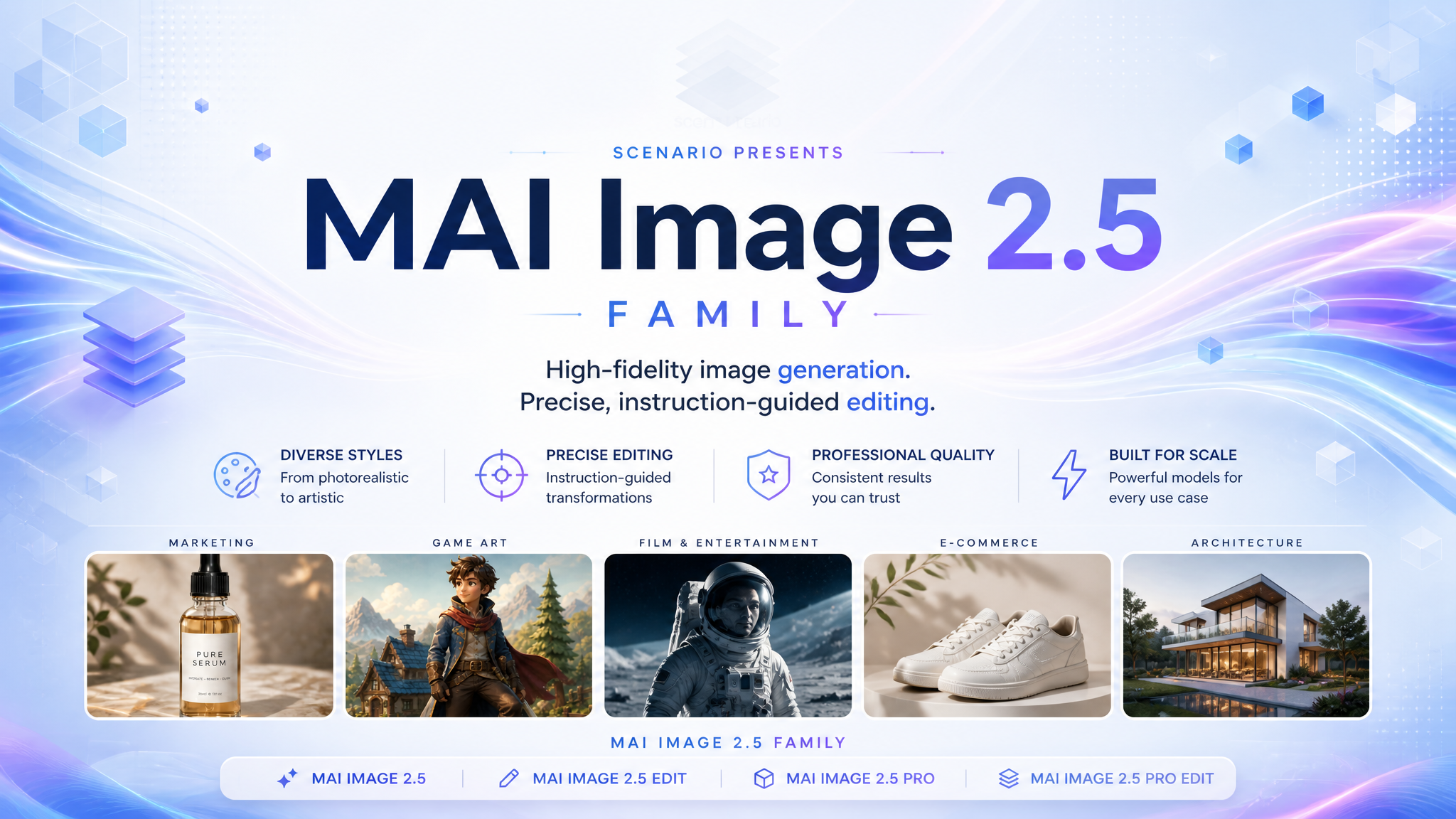
Microsoft's MAI Image 2.5 family on Scenario pairs a text-to-image generator with a natural-language editor. Generate campaign-ready frames from a detailed prompt, then localize palettes, swap backgrounds, restyle layouts, or shift art direction on the same stack. Both models ship through Fal and target marketing, food, fashion, film, and game pipelines where fidelity, embedded type, and controllable edits matter. The family also includes a higher-fidelity Pro tier: MAI Image 2.5 Pro for text-to-image and MAI Image 2.5 Pro Edit for instruction edits, Microsoft's flagship models for hero imagery and surgical changes.
The short version
Generate with MAI Image 2.5: long prompt + aspect ratio.
Edit with MAI Image 2.5 Edit: one reference image + instruction prompt.
Put literal text in quotation marks when words must render inside the frame.
Write prompts with lighting, camera, layout, and mood detail. Short generic prompts underperform.
Step up to the Pro tier (MAI Image 2.5 Pro / Pro Edit) for the family's highest fidelity on hero frames and surgical edits, with prompts up to 5,000 characters.
Which Model Should I Use?
Model | ID | Input | Best for |
|---|---|---|---|
MAI Image 2.5 Generation |
| Text prompt | Magazine covers, food posters, sports ads, fantasy key art, narrative stills, product and editorial layouts with embedded type |
MAI Image 2.5 Edit Editing |
| 1 image + text instruction | Campaign localization, recipe or poster restyles, character re-scening, illustration-to-photo or product-shot conversions |
MAI Image 2.5 Pro Generation |
| Text prompt | Highest-fidelity hero frames: posters, packaging, product and lifestyle shots, key art with embedded type |
MAI Image 2.5 Pro Edit Editing |
| 1 image + text instruction | Precise edits on any image: text swaps, recolor, object replace, relight, season shift, style transfer |
Start on MAI Image 2.5 when you need a net-new frame. Open MAI Image 2.5 Edit when the composition is close but palette, background, headline, or art direction needs a surgical change. On Scenario today, plan on one reference image per edit run; multi-image uploads may fail at the provider even though the schema lists up to twelve slots.
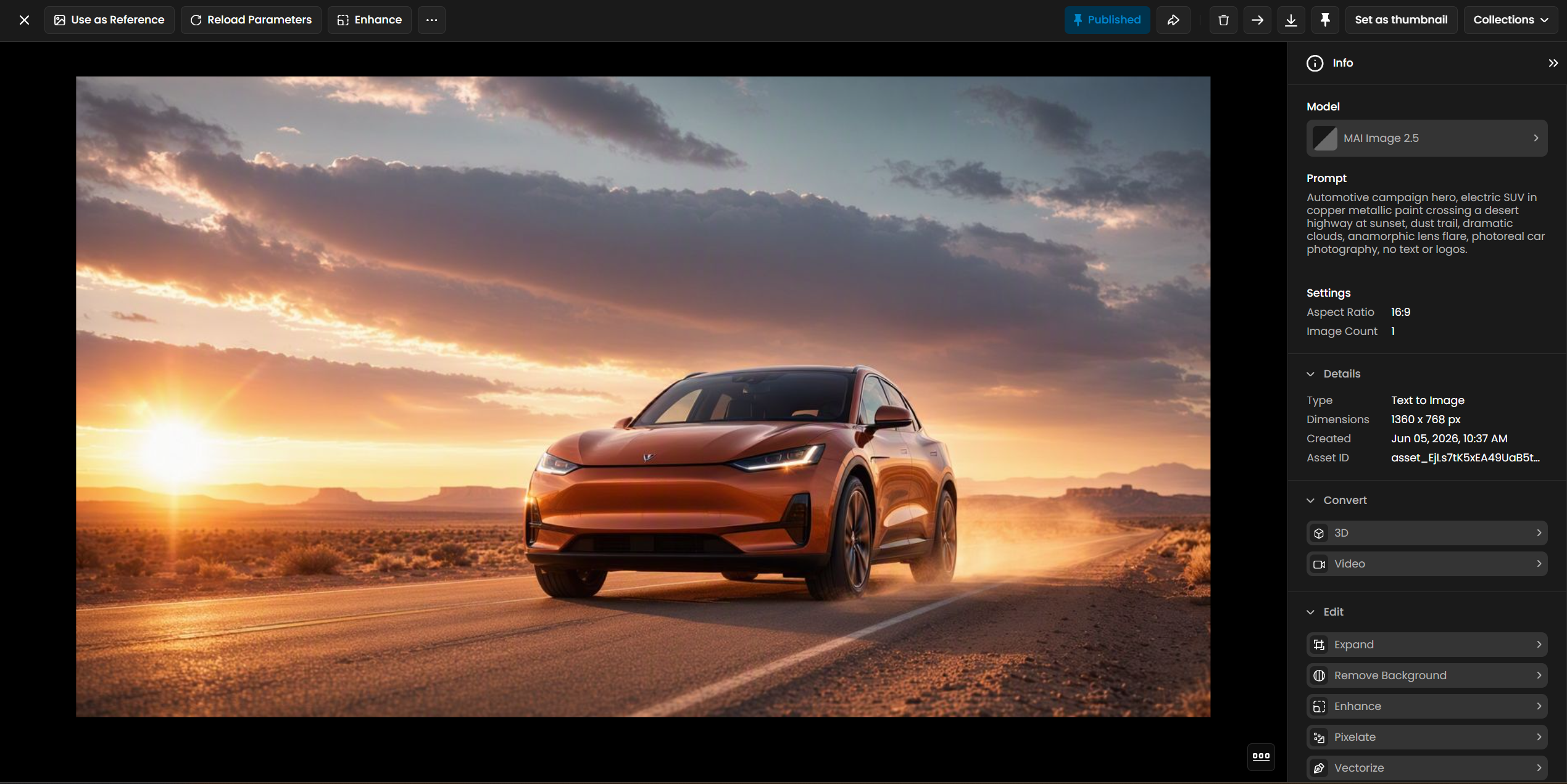
Parameters
MAI Image 2.5 (text-to-image)
Prompt (required). Up to 4,096 characters. Describe subject, style, mood, composition, lighting, and any text that must appear. Quote exact wording for mastheads, headlines, titles, and labels. Long, specific prompts outperform one-line requests.
Aspect Ratio. Default Auto lets the model infer proportions from the prompt. Or lock a preset:
16:9,3:2,4:3,1:1,3:4,2:3,9:16, and others listed in the UI. Match the publish target (9:16 for Stories, 16:9 for banners, 2:3 for editorial covers). Prefer16:9or3:4over21:9or4:5if a run fails (see Limitations).Image Count. 1 to 4 outputs per run.
MAI Image 2.5 Edit (image-to-image)
Images (required). Upload one reference image per run on Scenario: a photo, render, poster, or illustration. Start from high-quality sources such as MAI Image 2.5 or GPT Image 2 when fidelity matters.
Instructions (required). Up to 4,096 characters. Describe the edit in plain language: what to change, what to preserve, and any new text to add. Be explicit about elements that must stay untouched (pose, layout, character design, logo placement).
Aspect Ratio. Default Auto to match the source or infer from the prompt. Presets:
16:9,3:2,4:3,1:1,3:4,2:3,9:16. Edit omits ultrawide21:9and5:4from the generator list.Image Count. 1 to 4 edited variants per run.
MAI Image 2.5 Pro and Pro Edit (higher-fidelity tier)
Same controls, higher fidelity. The Pro tier mirrors the base controls. MAI Image 2.5 Pro is text-to-image; MAI Image 2.5 Pro Edit takes one image plus an instruction.
Prompt (required). Up to 5,000 characters on both Pro models. Quote exact wording for headlines, labels, and titles so it renders in the frame.
Aspect Ratio. Default Auto, plus
16:9,3:2,4:3,1:1,3:4,2:3,9:16(eight options).Image Count. 1 to 4 outputs per run.
How MAI Image 2.5 Works
MAI Image 2.5 is a diffusion-based model tuned for photorealistic output and legible embedded text. On Scenario it is text-to-image only: no reference upload on the generator page.
Microsoft positions the family among top Arena text-to-image and image-editing models at launch (June 2026). Outputs respect a roughly one-megapixel total pixel budget (for example 1024×1024, or wider or taller layouts within that cap).
Verified generation examples
Fashion editorial cover (2:3)
1960s high-fashion magazine cover blending photoreal portrait with fashion-illustration linework. Model in sculptural ivory coat with sharp geometric shoulder wings and sunray pleats across the torso, aloof editorial gaze. Masthead text "MAISON" in bold classic red serif across the top. Date line "SEPTEMBER 1968" upper left. Right column headlines "THE NEW SILHOUETTE" and "ARCHITECTURAL CHIC" in elegant italic serif. Warm aged paper texture, visible pencil sketch strokes in garment folds, premium editorial masterpiece.Food poster (3:4)
Japanese tonkotsu ramen promotional poster. Black ceramic bowl with rich creamy broth, soft-boiled egg halved, chashu pork belly slices, crisp nori, vibrant scallions. Dramatic steam curling upward against a near-black background. Vertical Japanese text "ラーメン" beside the bowl. Michelin-level food photography, award-winning chiaroscuro composition.Athletic campaign (9:16)
Premium athletic brand campaign poster. Male sprinter exploding from starting blocks, chalk dust frozen mid-air, veins and sweat hyperreal. Matte black compression kit with subtle reflective strips. Deep charcoal gradient background with blazing amber motion trails. Large metallic headline "FORGE" top left, subhead "BREAK LIMITS" in sharp modern sans-serif woven into smoke. Cinematic sports photography masterpiece.Fantasy key art (16:9)
Epic fantasy video game key art. Colossal crystal-armored serpent rising from a cracked desert arena, four heroes in dramatic combat poses below, storm clouds and lightning. Title text "ABYSS WARDEN" in bold metallic serif across the top sky. Cinematic Unreal Engine lighting, ultra-detailed VFX, AAA promotional quality.Narrative still (3:2)
Astronaut floating in the ISS cupola, both hands wrapped around a warm mug, eyes on a tablet clipped to the thigh—not looking at Earth. Blue planet fills the curved windows behind, soft rim light on suit fabric. Quiet documentary NASA authenticity, natural film grain, intimate narrative moment, no text.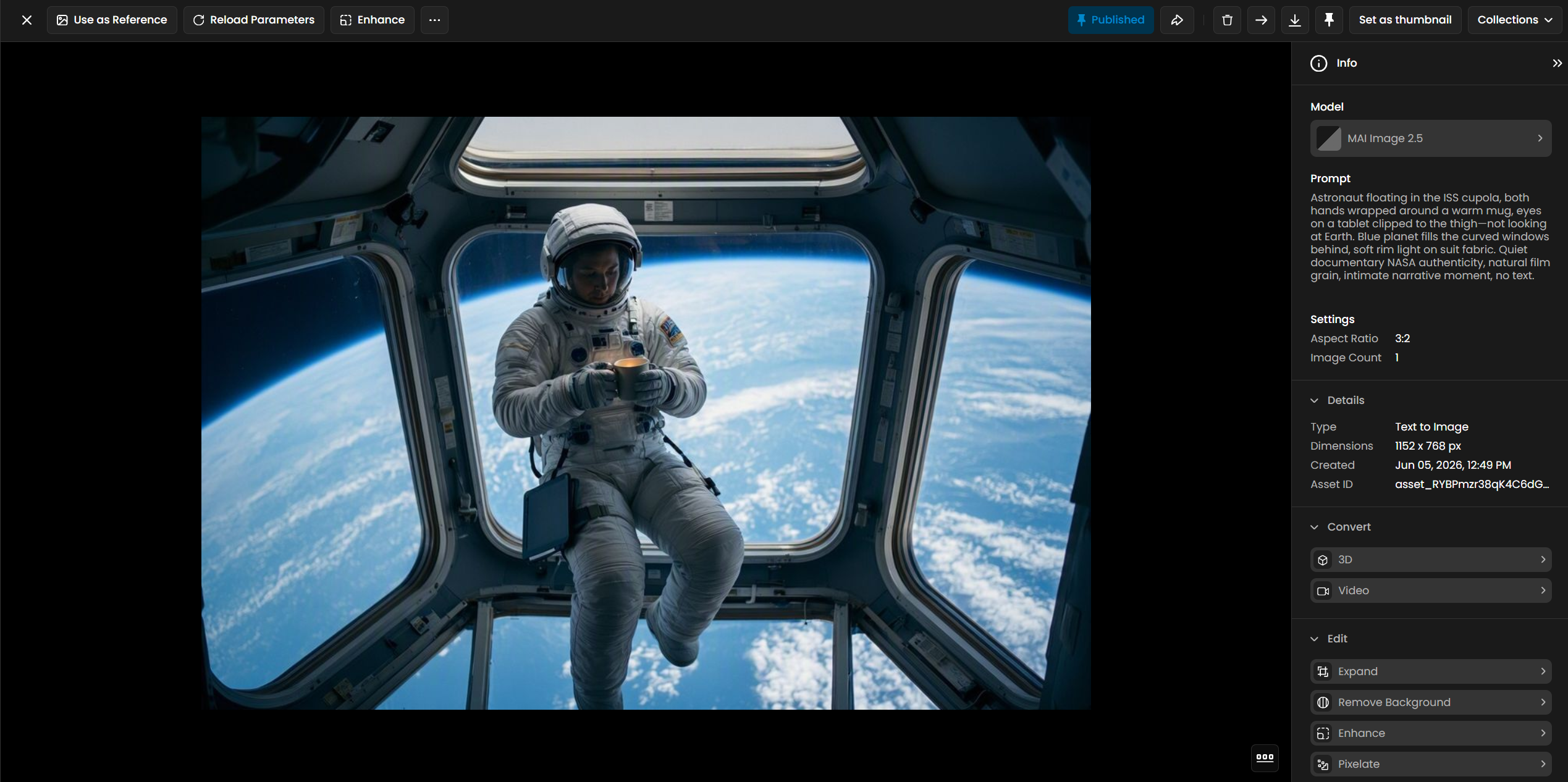
How MAI Image 2.5 Edit Works
Upload the source image, write what should change, generate. The model targets surgical edits: palette swaps, background replacement, layout restyles, art-direction shifts, and headline updates while keeping identity and composition stable across iterations.
Verified edit examples
Campaign localization (from an existing athletic ad)
Localize this campaign for a winter launch: replace the violet energy smoke with icy cyan and white frost particles, swap headline to "BEYOND LIMITS" in brushed silver sans-serif, shift background gradient to deep navy and glacier blue. Preserve the athlete's pose, outfit silhouette, and dynamic composition exactly.Poster restyle (from a recipe layout)
Transform this recipe poster into a dark chocolate soufflé edition: hero dish becomes a rising chocolate soufflé in a copper ramekin, warm autumn palette, title text "DARK CHOCOLATE SOUFFLÉ" in refined serif. Keep the elegant step-by-step layout structure and cream-to-caramel background warmth.Character re-scene (from stylized game art)
Place this tiny sorcerer character drifting above calm bioluminescent ocean waves at night, teal magic trail beneath the skiff, soft moon and stars above. Preserve the blue cloak, glowing yellow eyes, crystal staff, and stylized proportions exactly. Dreamlike roguelike key art, peaceful mood, no text.Illustration to graphite
Convert this watercolor caricature into a polished graphite pencil portrait on white paper: retain the beanie, square glasses, craggy nose, and three-quarter angle exactly. Fine cross-hatching shading, gallery illustration quality, no color.Cartoon to product photo
Turn this cartoon barbarian into a premium PVC collectible figure product photo: glossy painted statue on a circular display base, blister-pack style box blurred in background, studio softbox lighting. Preserve character design, axe, and color palette exactly.Content vs instruction trap: Style and camera notes belong in the prompt. Literal customer-facing copy belongs in quotes so it renders as visible text, not ignored metadata.
How MAI Image 2.5 Pro Works
MAI Image 2.5 Pro is Microsoft's highest-fidelity text-to-image model in the family. It keeps the base model's strengths, legible embedded type and photoreal detail, with extra polish for hero frames and production art. On Scenario it is text-to-image only, across eight aspect ratios and up to four variations per run.
Verified Pro generation examples
Advertising poster with embedded type (3:4)
A clean advertising poster for an artisanal coffee brand. Large legible headline text "MORNING RITUAL" in a warm serif, a subheading reading "Single-origin, small batch, slow roasted," and a small logo lockup reading "NORTHBOUND COFFEE CO." A steaming ceramic cup sits on a linen-textured cream background, soft morning light, generous negative space for the text.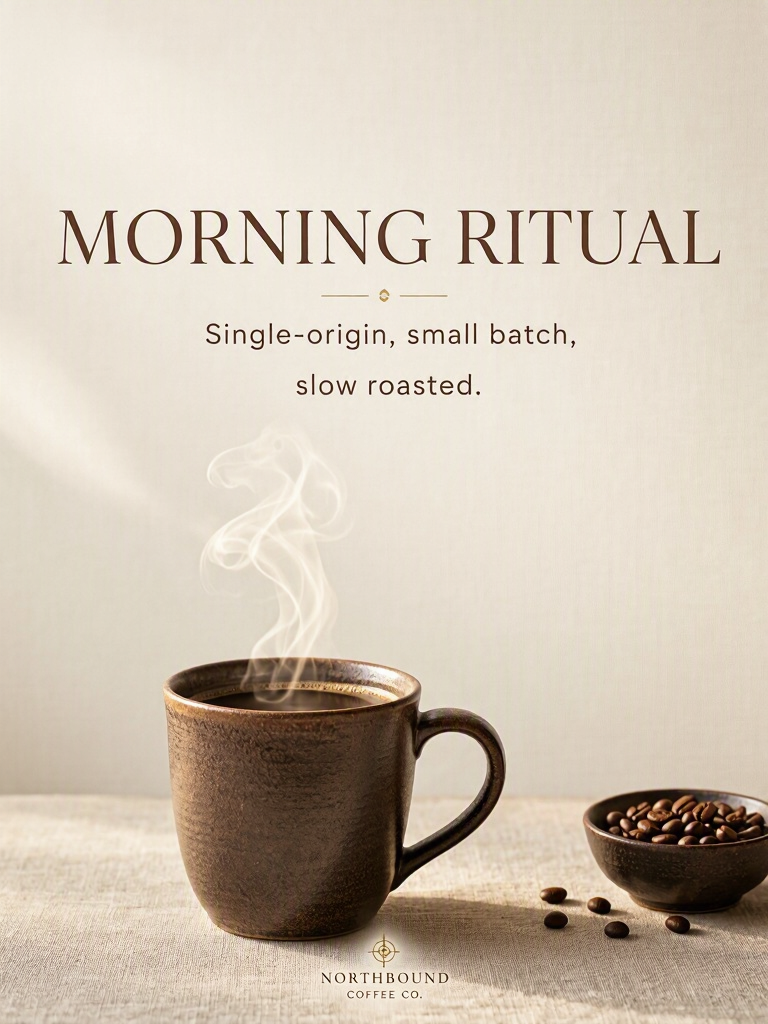
Multi-block headline, subhead, and logo lockup rendered legibly in one pass · Open on Scenario
Photoreal product shot (1:1)
A high-end editorial product shot of a matte-black mechanical wristwatch resting on wet volcanic stone, macro detail on the knurled crown and sapphire crystal, single soft window light from the left, shallow depth of field, cool cinematic grade, luxury advertising aesthetic.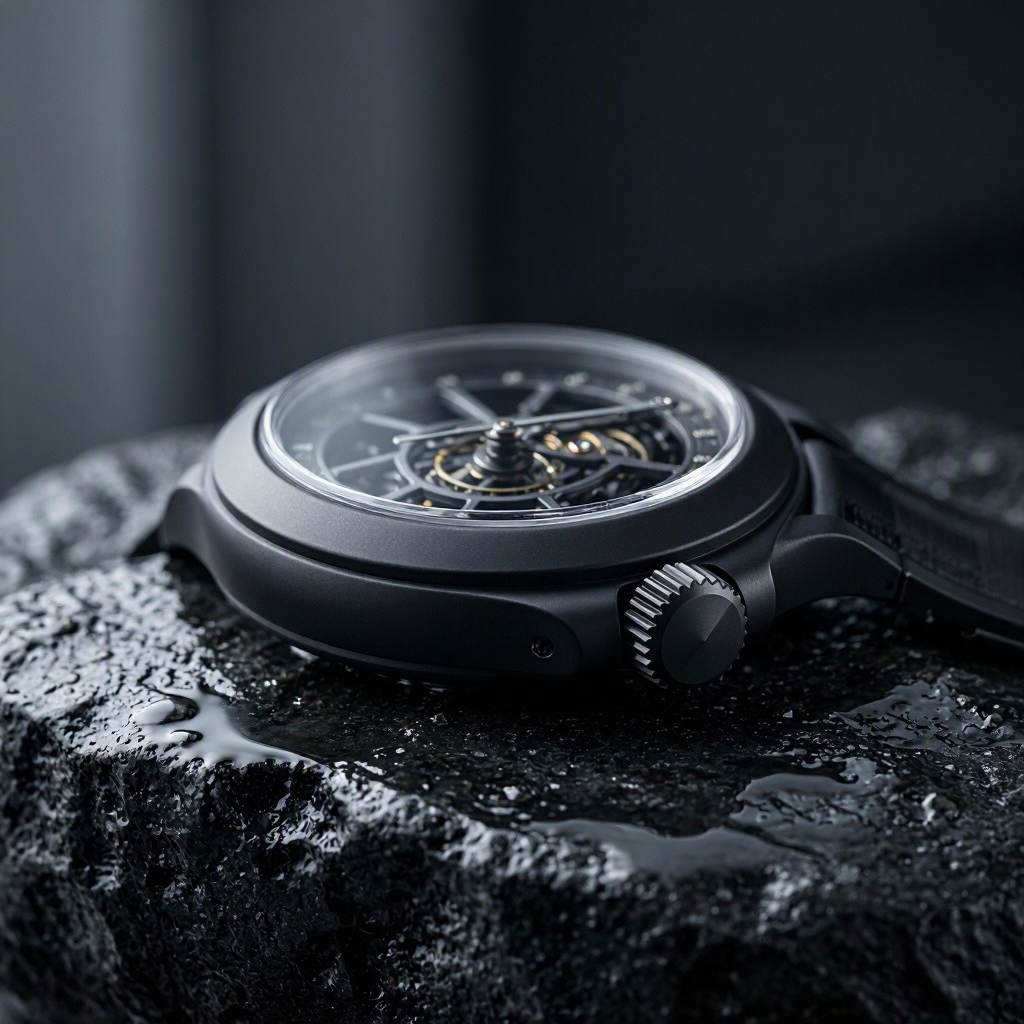
Macro product realism: knurled crown, sapphire crystal, wet-stone reflections · Open on Scenario
Stylized game key art (9:16)
Stylized 3D game key art of a young sky-pirate heroine standing on the prow of an airship, wind in her coat, a mechanical falcon on her arm, dramatic clouds and a golden sunburst behind her. Bold title text at the bottom reading "SKYBOUND". Polished Pixar-meets-Arcane render style, rich rim lighting, cinematic hero composition.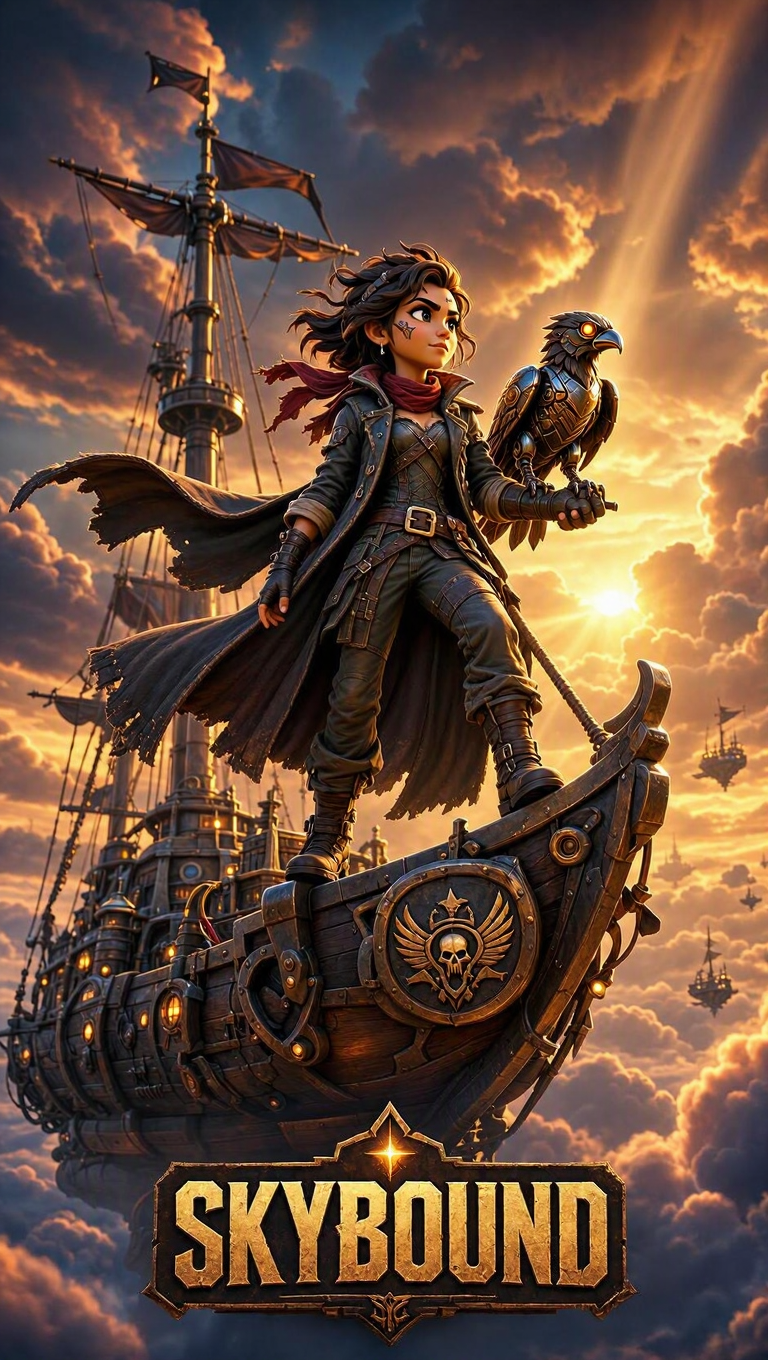
Stylized render plus a clean title treatment for hero key art · Open on Scenario
How MAI Image 2.5 Pro Edit Works
MAI Image 2.5 Pro Edit applies the same instruction-guided editing as the base editor, at the Pro tier's fidelity. Feed one image and describe the change: swap or restyle text, recolor, replace objects, shift lighting and season, or restyle the whole frame, while structure stays put. Each example below edits a pinned example from another Scenario model, so you can see it working on outside source material.
Verified Pro edit examples (before and after)
Text replacement (source: a GPT Image 2 travel poster)
Change the large headline text "TOKYO" to "KYOTO", and change the bottom banner text "JAPAN TRAVEL BUREAU" to "KYOTO RAIL LINES". Keep the vintage screen-print travel-poster artwork, the mountain, red tower, pagoda, bullet train, cherry blossoms, and the woman in the kimono exactly the same.Before | After |
|---|---|
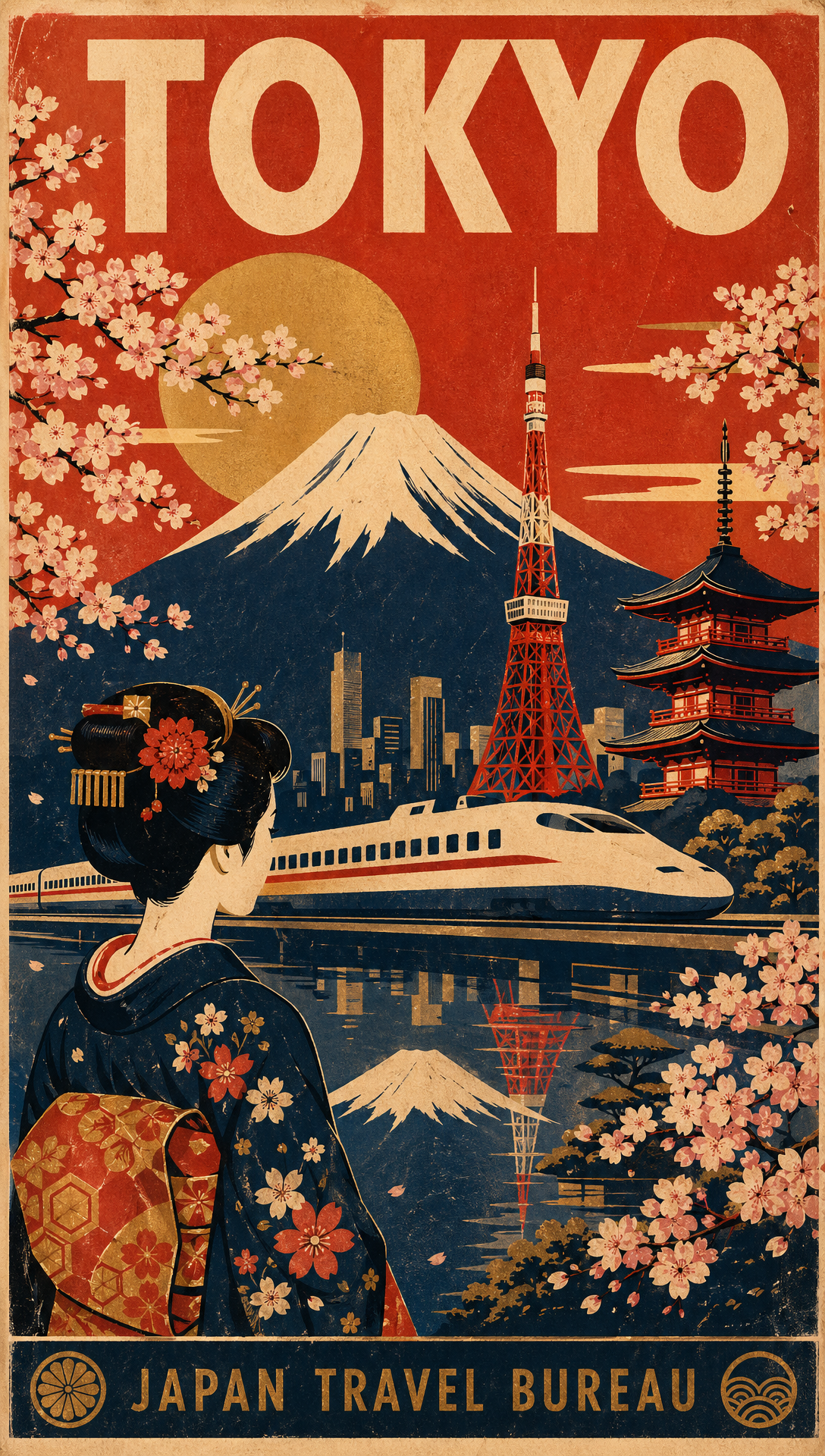 Source poster · Open on Scenario | 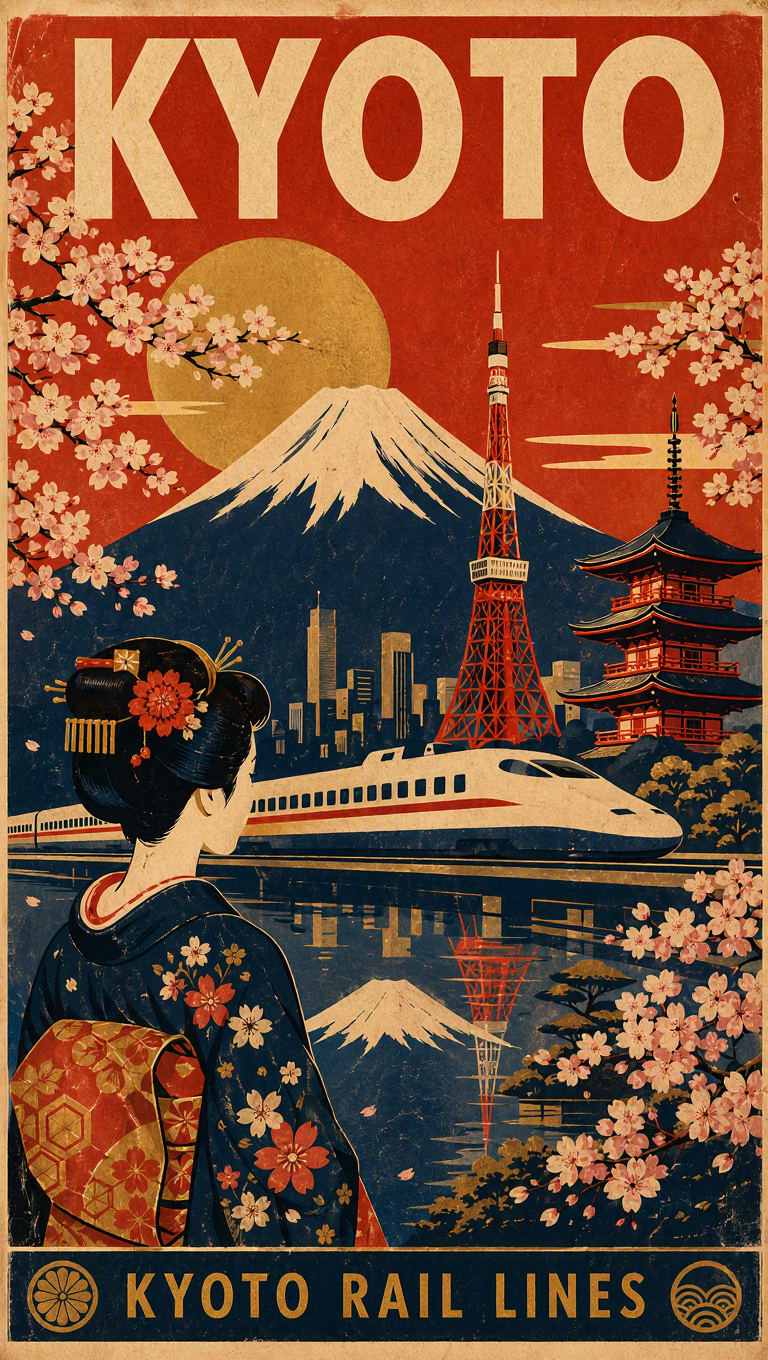 Headline and banner text swapped · Open on Scenario |
Title swap and season change (source: a MAI Image 2.5 key art)
Change the title text "ABYSS WARDEN" to "FROST WARDEN", and transform the stormy scene into an icy blizzard: recolor the crystal dragon and sky to pale glacial blues and white, add falling snow and frost, and keep the four heroes and the dragon in the same poses.Before | After |
|---|---|
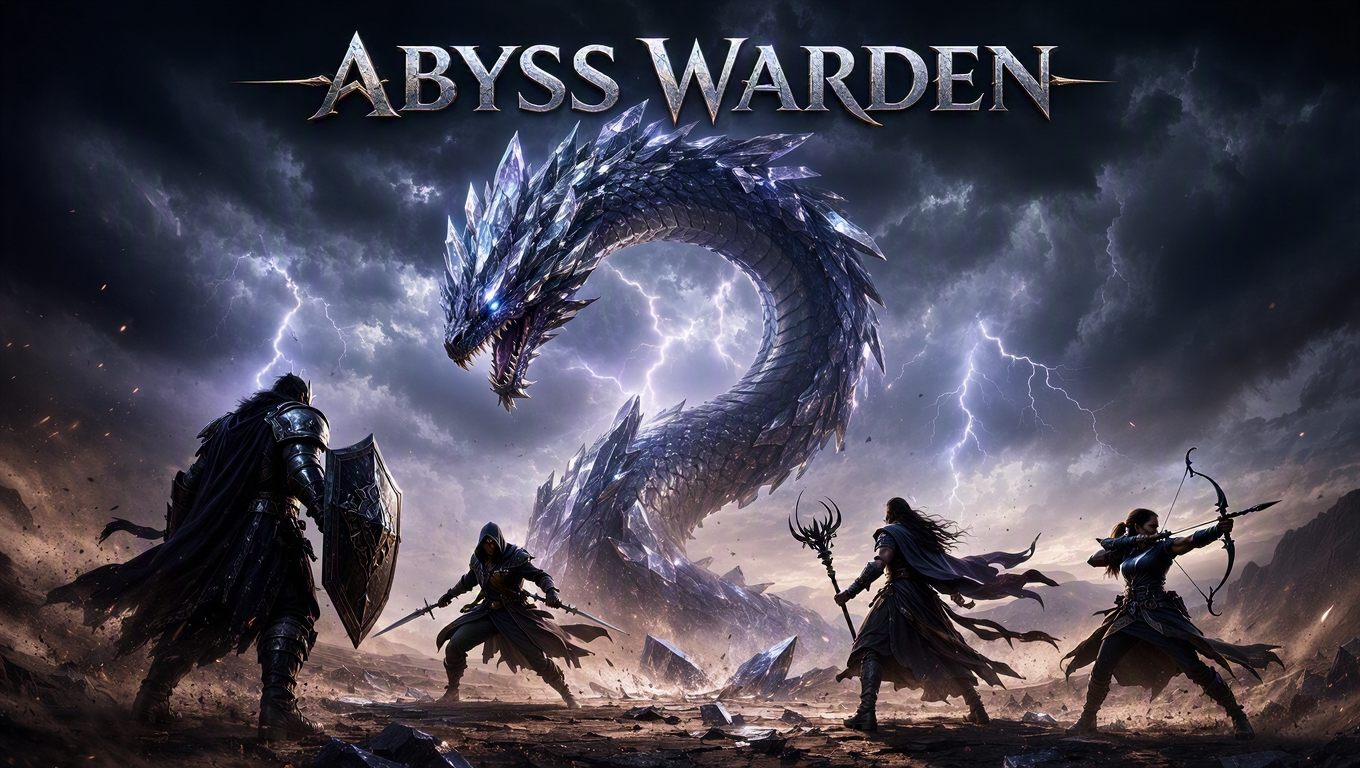 Source key art · Open on Scenario | 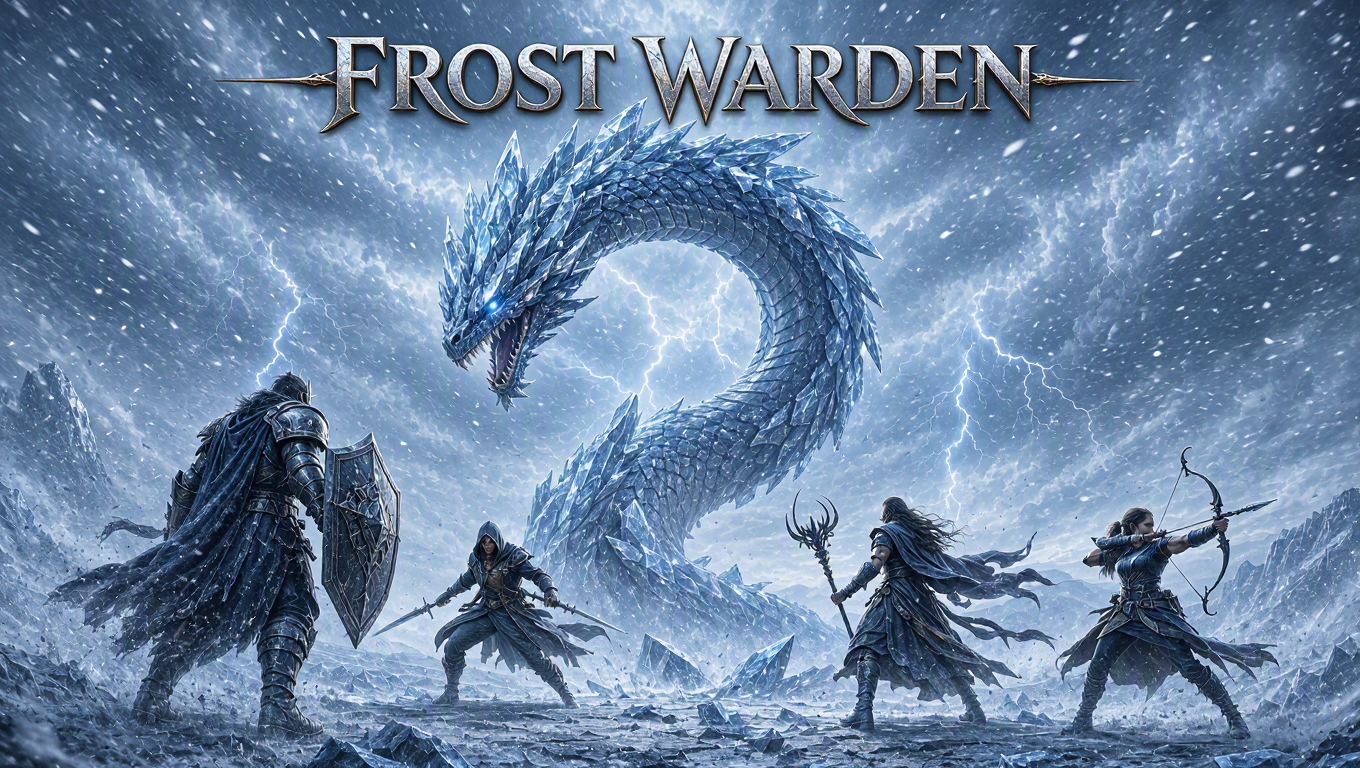 Retitled and reworked into an icy blizzard · Open on Scenario |
Using the Two Models Together
Typical pipeline: generate a hero frame on MAI Image 2.5, then open MAI Image 2.5 Edit for localized fixes without re-prompting from scratch. Useful for seasonal palette swaps, market-specific backgrounds, headline localization, or turning a flat illustration into a photoreal deliverable.
For edit-only workflows, upload your own image or pick one from the Scenario library.
Use Cases
Fashion and editorial: Magazine covers with mastheads, date lines, and column headlines in one generate pass.
Food and beverage: Ramen, pastry, or menu posters with steam, chiaroscuro, and embedded type.
Marketing: Sports and lifestyle campaigns with integrated headlines and motion effects.
Games: Fantasy key art with title treatments; Edit to re-scene characters or convert stylized art to product shots.
Film and narrative: Documentary-style stills with intentional story beats (subject not looking at the obvious focal point).
Localization: Swap palette, season, and headline on an existing ad without rebuilding the layout.
Tips for Better Results
Write long, specific prompts. Name lighting, lens, layout zones, materials, and mood. One-line prompts rarely match pinned gallery quality.
Quote text that must render verbatim. Use
"FORGE"and"BREAK LIMITS"in the prompt, not paraphrases.Set aspect ratio explicitly for final delivery. Auto works for exploration; lock 9:16, 16:9, or 2:3 before handoff.
On Edit, state what to preserve. "Preserve pose, outfit silhouette, and layout structure" reduces drift.
One edit intent per instruction. Split a background swap and a headline change into two runs if results mix.
Use one reference per edit run. Describe products or secondary subjects in prose when dual uploads fail.
Use Image Count for type and layout checks. Generate four variants when composition is right but spelling is off.
Pair generator + editor for campaigns. One master generate, several localized Edit passes on distinct sources.
Known Limitations
~1 MP output cap. No native 2K or 4K on Scenario; GPT Image 2 may fit larger deliverables.
Content moderation on Edit. Some action-heavy scene prompts may flag; rephrase toward environment and mood.
No seed or output format controls. Scenario uses provider defaults.
Plan access may apply. Access restriction level 25 (Generate) and 50 (Edit) on some workspaces.
Cold start. First jobs may sit in
warming-upwhile Fal provisions the endpoint. Submit one job at a time during heavy queues.
Open the models: MAI Image 2.5 · MAI Image 2.5 Edit · MAI Image 2.5 Pro · MAI Image 2.5 Pro Edit