Seedance Models - The Essentials
Last updated: August 7, 2026
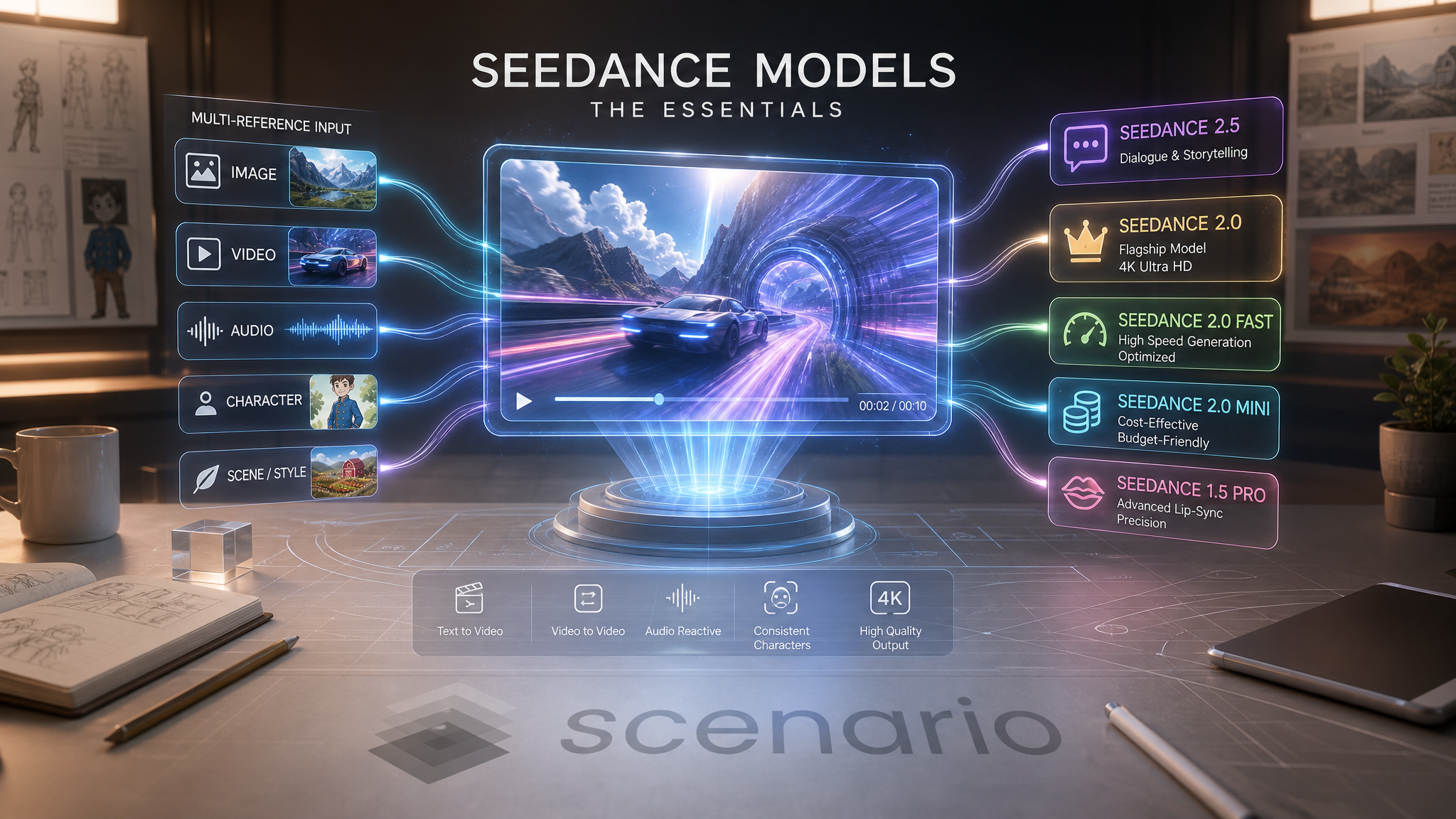
Seedance is ByteDance's family of video generation models on Scenario. The current flagship is the Seedance 2.0 generation, which adds true video-to-video editing, multi-reference input (up to 9 images plus 3 videos plus 3 audio tracks), and generated native audio to what was already a strong cinematic text and image to video base. Seedance 1.5 Pro remains available for lip-sync workflows. The Seedance 1.0 variants are now deprecated in favor of the 2.0 family.
Model Overview
Model | Capabilities | Max Resolution | Duration | Native Audio | Best Use Case |
|---|---|---|---|---|---|
Text, image, and video to video, multi-reference, native dialogue | 720p | 4 to 30s | Yes, with dialogue | Reference-driven storytelling, 30-second shots, spoken dialogue | |
Text, image, and video to video, multi-reference | 4K | 4 to 15s | Yes | Flagship hero deliverables, video editing, cinematic finals | |
Text, image, and video to video, multi-reference | 720p | 4 to 15s | Yes | Speed-optimized iteration at Pro quality | |
Text, image, and video to video, multi-reference | 720p | 4 to 15s | Yes | Budget tier, high-volume drafts and social clips | |
Text and image to video | 1080p | Up to 12s | Yes, with multilingual lip-sync | Talking-character workflows and multilingual voice sync |
Seedance 1 (Pro), Seedance 1 (Pro Fast), and Seedance 1 (Lite) are now deprecated.
Seedance 2.5
Seedance 2.5 is the newest model in the family. It infers its mode from whatever you attach (a prompt, a first frame, references, or a source clip), reaches 30-second shots at 720p, and generates native spoken dialogue alongside music and effects. Its strength is reference-driven control: map up to 30 image references to hold an identity, product, or world across a fully art-directed sequence. Read the full guide: Seedance 2.5: The Essentials.
Seedance 2.0
Seedance 2.0 is the flagship of the family. It is the only tier that reaches 4K output, and it is the first Seedance model to accept a full video as input for editing (video-to-video), as well as multi-image, multi-video, and multi-audio references in a single run. Use it for hero deliverables and any workflow where final quality and resolution matter.
Key Parameters
Prompt: optional if you provide a first-frame image or references. Up to 6000 characters. Reference uploaded files inline with @image1, @image2, @video1, and so on.
First Frame (and optional Last Frame): lock the opening (and optionally the closing) frame of the clip. Mutually exclusive with reference images and videos.
Reference Images: up to 9 images to guide subject identity and style. Mutually exclusive with First Frame.
Reference Videos: up to 3 videos to guide motion, style, or serve as input for video-to-video editing.
Reference Audio: up to 3 audio tracks to influence the generated soundtrack. Requires at least one reference image or video.
Duration: 4 to 15 seconds, or Auto (matches the longest reference video, clamped 4 to 15).
Resolution: 480p, 720p (default), 1080p, or 4K. Only tier that offers 1080p and 4K.
Aspect Ratio: 21:9, 16:9, 4:3, 1:1, 3:4, 9:16, or Auto.
Generate Audio: on by default. Turn off for silent clips.
Seed: optional. Reuse for reproducible results.
Seedance 2.0 Fast
Seedance 2.0 Fast is the speed-optimized sibling of the flagship. It shares the same input surface (text, image, video, multi-reference, audio references) and the same duration range (4 to 15 seconds), but caps output at 720p in exchange for significantly faster iteration. Use it when you are still exploring prompts and want a much quicker turnaround than the full 2.0 tier, and promote the winning prompt to Seedance 2.0 for the final render.
Key Parameters
Prompt, First Frame, Last Frame, Reference Images, Reference Videos, Reference Audio, Duration, Aspect Ratio, Generate Audio, Seed: identical behavior and limits to Seedance 2.0.
Resolution: 480p or 720p (default). No 1080p or 4K output.
Seedance 2.0 Mini
Seedance 2.0 Mini is the budget tier of the 2.0 family. Same flexible input modes and same 4 to 15 second duration, capped at 720p. Use it for high-volume drafts, storyboarding, social loops, and any workflow where credit efficiency matters more than final resolution.
Key Parameters
Prompt, First Frame, Last Frame, Reference Images, Reference Videos, Reference Audio, Duration, Aspect Ratio, Generate Audio, Seed: identical behavior and limits to Seedance 2.0 and 2.0 Fast.
Resolution: 480p or 720p (default). No 1080p or 4K output.
Seedance 1.5 Pro
Seedance 1.5 Pro remains available for text-to-video and image-to-video workflows that need multilingual lip-sync. It generates up to 12 seconds at 1080p with native audio and lip-sync across six or more languages. It does not accept a full video as input (no video-to-video) and does not support multi-image, multi-video, or multi-audio references. For any workflow that does not specifically need lip-sync, prefer Seedance 2.0 or Seedance 2.0 Mini.
Key Parameters
Prompt: text description of the scene.
First Frame and Last Frame: optional image anchors for the opening and closing frames.
Duration: up to 12 seconds.
Resolution: up to 1080p.
Native Audio: with multilingual lip-sync.
Deprecated: Seedance 1.0 Variants
Seedance 1 (Pro), Seedance 1 (Pro Fast), and Seedance 1 (Lite) are deprecated and kept only for backwards compatibility. Migrate new workflows to the 2.0 family:
Seedance 1 (Pro): replaced by Seedance 2.0 Mini.
Seedance 1 (Pro Fast): replaced by Seedance 2.0.
Seedance 1 (Lite): replaced by Seedance 2.0 Mini.
Working with References
The Seedance 2.0 family accepts three kinds of references simultaneously, up to the per-kind limits: up to 9 reference images, up to 3 reference videos, and up to 3 reference audio tracks. Reference audio requires at least one image or video reference to be present.
Two input modes are mutually exclusive:
Frame mode: First Frame (with optional Last Frame). The clip opens from a locked image and, optionally, ends on another locked image.
Multimodal mode: Reference Images plus Reference Videos plus Reference Audio. The model uses the references as guidance without pinning any single frame.
Inside the prompt, point to specific uploads with @image1, @image2, @video1, @audio1, and so on. This lets the prompt refer to individual references without ambiguity, for example: "The character from @image1 walks through the environment from @image2, moving with the pacing of @video1, scored to @audio1."
Video-to-Video Editing (Seedance 2.0 Family Only)
All three 2.0 tiers accept a full video as a reference. This unlocks:
Motion transfer: reuse the motion arc of a reference clip with a new subject and style.
Style transfer on a beat: keep an existing performance intact and only shift its look.
Extension and variation: feed a reference clip plus text and produce a new variant that respects its pacing.
Seedance 1.5 Pro and the deprecated 1.0 variants do not support this.
Prompting Tips
Write the moment, not the setup. "The blacksmith mid-strike, sparks flying, hammer at the top of the arc" beats "a blacksmith working". Give the model a specific second.
Use @-references in the prompt. When you upload multiple images or videos, tell the model which is which: "the outfit from @image2, the pose from @image3".
Match duration to the beat. 4 to 6 seconds for reactions and reveals, 8 to 10 for narrative beats, 12 to 15 for one-shot scenes with setup, turn, and land.
Set Auto duration when using a reference video. The model will bill and clamp to the reference clip's length.
Draft on Mini or Fast, finish on 2.0. Iterate quickly on the smaller tiers, promote the winning prompt to the flagship for the final 1080p or 4K render.
Turn off Generate Audio for silent clips. If you plan to score the clip in post, save credits by disabling the native audio track.
Use Cases
Games: in-game cinematics, character reveal trailers, boss reveals, marketing shorts with dialogue.
Advertising: product spots with baked-in voice-over, seasonal ad variants of an approved cut, market-specific restyles.
Film and animation: pre-vis with sound, animatics with scratch dialogue, mood exploration on live-action plates, storyboards animated for pitches.
Marketing: repurposing existing clips for new campaigns without a reshoot, product hero orbits, spokesperson variants across markets.
Social media: vertical hero clips with dialogue and ambience baked in, one-pass content workflow.
Talking characters (Seedance 1.5 Pro): multilingual character dialogue with lip-sync, avatar-style explainers.
Known Limitations
Duration ceiling. Even the flagship tops out at 15 seconds per run. For longer beats, generate multiple clips and edit them together.
Frame mode and multimodal mode are exclusive. You cannot combine a First Frame image with Reference Images or Reference Videos in the same run.
Reference audio requires an image or video reference. Audio alone is not accepted.
1.5 Pro does not support video-to-video. For clip editing and multi-reference workflows, use the 2.0 family.
Multilingual lip-sync is 1.5 Pro only. The 2.0 family generates native audio but does not offer the same lip-sync guarantee across languages.