Luma Ray 3.2: The Essentials
Last updated: October 5, 2026
Covers Luma Ray 3.2, Luma Ray 3.2 Edit, and Luma Ray 3.2 Reframe.
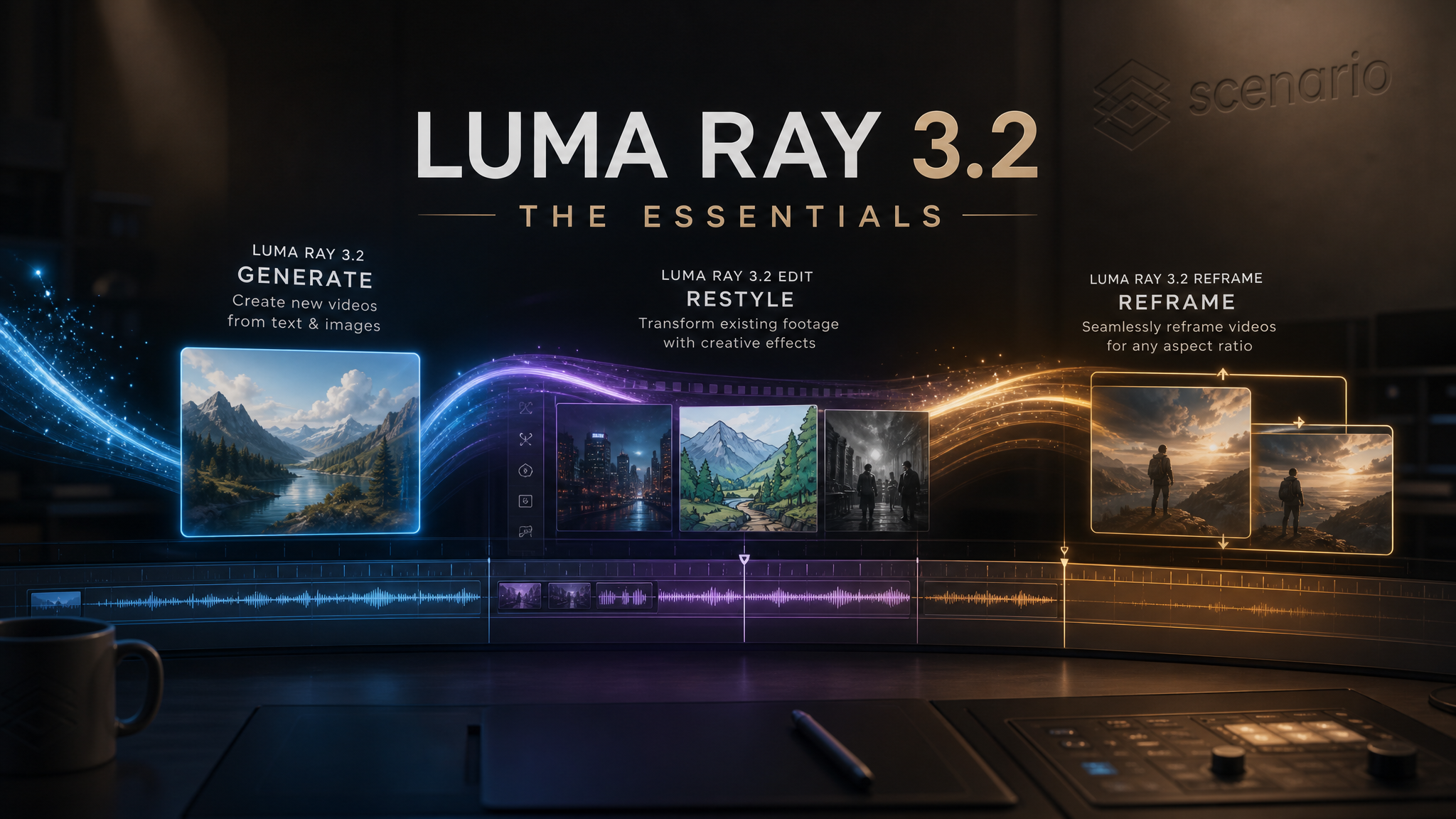
The Ray 3.2 family from Luma Labs is Scenario's cinematic video toolkit. Three models, one shared lineage:
Ray 3.2 generates new video from text or from a start (and optional end) image, up to 1080p and 10 seconds, with HDR and seamless loop modes.
Ray 3.2 Edit restyles an existing video while preserving its motion and timing. Nine edit-strength presets span subtle adhere to full reimagine, with optional face, pose, depth, normals, and trajectory conditioning.
Ray 3.2 Reframe converts any video to a new aspect ratio by outpainting the missing canvas with prompt guidance, turning 16:9 footage into 9:16, 1:1, or 21:9 without cropping.
The three models share Luma's cinematic look and the same provider compliance posture (enterpriseStatus: Ready, temporary input retention). Combine them in a pipeline: generate on Ray 3.2, restyle on Ray 3.2 Edit, then reframe for a different deliverable surface, all on Scenario.
Video generated using Luma Ray 3.2
Which Model Should I Use?
Model | ID | Best for |
|---|---|---|
| Generation from text or image. Up to 1080p, 5 or 10 seconds, HDR, loop, start and end keyframes. Six aspect ratios from 9:16 to 21:9. | |
| Restyle an existing video. Nine edit-strength presets (Adhere 1-3, Flex 1-3, Reimagine 1-3), plus face, pose, depth, normals, and trajectory controls. Auto Controls picks settings for you. | |
| Aspect ratio change without cropping. Outpaints the missing canvas with prompt guidance. Pick a target ratio (9:16, 3:4, 1:1, 4:3, 16:9, 21:9) and the model fills the new space. | |
Veo 3.1 Lite / Pro |
| Google's cinematic video models. Pick Veo for higher prompt adherence to specific motion direction; pick Ray 3.2 for HDR, seamless loops, and Luma's signature look. |
Default to Ray 3.2 for new shots and creative direction, Ray 3.2 Edit when you already have footage and want to restyle it, Ray 3.2 Reframe when the only change is aspect ratio. The three chain together cleanly: Generate → Edit → Reframe in one project.
How to Use the Models
Ray 3.2 — Generation
The minimum call is a prompt. Everything else has sane defaults (5 seconds, 720p, 16:9, no loop, no HDR):
prompt: "A lone surfer paddles toward a glassy point break at golden hour,
slow handheld camera, warm volumetric light, cinematic 35mm look"
// duration: "5s", resolution: "720p", aspectRatio: "16:9" defaults
Pass a startFrame image to animate from a specific opening. Pass both startFrame and endFrame to bookend the motion: the model interpolates the camera and subject between the two stills. Anchor frames are not available at 10 second duration.
prompt: "The lighting shifts from blue hour to full sunrise as the camera
slowly dollies forward across the bay"
startFrame: asset_xxx   // opening still
endFrame:   asset_yyy   // closing still
duration:   "5s"        // 10s not allowed with anchor frames
Set loop: true for a seamless looping clip (good for ambient backgrounds, hero loops on a landing page, and social tiles). Set hdr: true at 720p or 1080p when the deliverable needs richer contrast and color, for example for film, broadcast, or any HDR-capable surface. Both flags are mutually exclusive with 10 seconds.
Ray 3.2 Featured Examples
Three pinned outputs. Open each on Scenario to see the prompt and inputs:
More pinned outputs on the Luma Ray 3.2 model page.
Ray 3.2 Edit — Restyle Existing Footage
Edit preserves the motion and timing of a source video while changing its look. The model takes the source as video and a prompt that describes the visual change. Pick an editStrength preset to control how far the result drifts from the original:
Adhere 1-3: Stay close to the source. Use when you want a subtle restyle (palette swap, grade change, light wardrobe edit).
Flex 1-3: Allow moderate changes. Use when you want a stronger restyle but the source identity and composition should still read through.
Reimagine 1-3: Full creative transformation. Use when the source is closer to a motion reference than a final shot, and you want a fresh interpretation.
Higher numbers within each band push further in that direction. Set autoControls: true if you want the model to pick the preset for you (and skip the manual editStrength field; they are mutually exclusive).
prompt: "Restyle the shot as a vintage 16mm film with warm tungsten lighting,
heavy grain, and a 1970s color palette. Preserve the actor's blocking and
camera motion."
video: asset_source_clip
editStrength: "flex_2"
resolution: "1080p"
Advanced Conditioning
For tighter control on what should be preserved vs. reinterpreted, enable any combination of:
Face Control: lock face identity through the edit. Use when actors must remain recognizable across the restyle.
Pose Control: lock skeleton or pose. Set strength to
precise(default) orcoarse. Use for choreography, sports, or any motion that must replay exactly.Depth Control: lock scene geometry. The
depthControlBlurslider (0 to 1) trades geometric fidelity for creative freedom; higher values let the model bend space.Normals Control: lock surface normals.
normalsControlAugmentation(0 to 1) controls how far the model reinterprets surface geometry.Trajectory Control: lock motion trajectory.
trajectoryControlSparsity(0 to 1) controls how many motion anchors to use; higher = fewer anchors and more freedom.
Guide-frame images give the model a visual target. Use either a single startFrame (one anchor) or up to 64 keyframes with explicit frame indexes (multi-anchor). The two modes are mutually exclusive.
Ray 3.2 Edit Featured Examples
More pinned outputs on the Luma Ray 3.2 Edit model page.
Ray 3.2 Reframe — Aspect Ratio Conversion
Reframe takes an existing video and outpaints the missing canvas to fit a new aspect ratio. Instead of cropping (which loses content) or letterboxing (which adds bars), the model generates plausible new pixels around the source frame, guided by a prompt that describes how the new canvas should look.
prompt: "Extend the kitchen scene to the left and right, keeping the same
warm tungsten lighting, copper cookware on the back wall, and a window
with afternoon light spilling in."
video:        asset_source_clip   // a 16:9 source, for example
aspectRatio:  "9:16"              // target ratio
resolution:   "1080p"
Reframe shines when:
You shot landscape and need vertical for social.
You shot vertical and need a wide for a hero placement.
You have approved footage and a new format requirement landed late.
The result preserves the original frame in its native dimensions and adds context around it. Write the prompt to describe what should fill the new area (extend the existing setting, blur into shadow, add an environment detail). Vague prompts result in vague extensions.
Ray 3.2 Reframe Featured Examples
More pinned outputs on the Luma Ray 3.2 Reframe model page.
Parameters
Ray 3.2 — Generation
prompt
Required. Up to 6000 characters. Describes the video: subject, motion, mood, style, setting, and camera direction. Concrete and specific outperforms vague.
startFrame
Optional image. The first frame of the generated video. Switches the call to img2video; the model animates forward from this still.
endFrame
Optional image. The last frame of the generated video. Requires a startFrame; the model interpolates motion between the two stills. Not available at 10 seconds duration.
duration
5s (default) or 10s. 10 seconds is incompatible with Loop, HDR, and anchor frames (start or end).
resolution
540p, 720p (default), or 1080p. HDR requires 720p or 1080p.
aspectRatio
One of 9:16, 3:4, 1:1, 4:3, 16:9 (default), 21:9. Match the target deliverable surface.
loop
Boolean, default false. When true, the output plays back as a seamless loop. Not available at 10 seconds.
hdr
Boolean, default false. When true, the output is high dynamic range with richer contrast and color. Requires 720p or 1080p and is incompatible with 10 seconds.
Ray 3.2 Edit — Restyling
prompt
Required. Up to 6000 characters. Describes the visual change to apply. Motion and timing are preserved by default.
video
Required. The source video to edit.
startFrame
Optional single guide-frame image. Mutually exclusive with keyframes.
keyframes
Optional multi-anchor guide frames. Each entry pairs a keyframeImage with a keyframeIndex (source frame position). Up to 64 entries. Mutually exclusive with startFrame.
editStrength
Nine presets: adhere_1, adhere_2, adhere_3, flex_1, flex_2, flex_3, reimagine_1, reimagine_2, reimagine_3. Default adhere_1. Cannot be used together with autoControls.
autoControls
Boolean. When true, the model picks the best edit settings for your source and prompt. Disable to set editStrength manually.
faceControlEnabled / poseControlEnabled / depthControlEnabled / normalsControlEnabled / trajectoryControlEnabled
Booleans. Each enables a specific conditioning channel: face identity, body pose, scene depth, surface normals, motion trajectory.
poseControlStrength
precise (default) or coarse. Controls how strictly the source pose is preserved when Pose Control is on.
depthControlBlur / normalsControlAugmentation / trajectoryControlSparsity
Number, 0 to 1. Fine-tunes the corresponding conditioning channel. Higher values give the model more geometric or motion freedom.
resolution
540p, 720p (default), or 1080p.
hdr
Boolean, default false. HDR output. Requires 720p or 1080p.
Ray 3.2 Reframe — Aspect Ratio
prompt
Required. Up to 6000 characters. Describes how the new canvas area should be filled.
video
Required. The source video to reframe.
aspectRatio
Required. Target ratio: 9:16, 3:4, 1:1, 4:3, 16:9, 21:9.
resolution
540p, 720p (default), or 1080p.
Use Cases
Cinematic key art and trailers. Generate hero shots at 1080p HDR on Ray 3.2; edit with Reimagine presets to test alternate looks on the same blocking; reframe to 21:9 for theatrical and 9:16 for social.
Game cinematics and capsule art. Animate a hero still with
startFramefor in-game cutscenes or store capsule loops. Setloop: truefor store hero tiles.Restyling approved footage. The director loves the take but wants a different palette or era. Ray 3.2 Edit with Adhere or Flex presets preserves the performance while changing the look. Layer Face Control on if recognizable actors are involved.
Aspect ratio variants for cross-platform. Cut one 16:9 master, then Reframe to 9:16 for Reels/TikTok, 1:1 for feeds, 21:9 for premium hero placements. No cropping, no letterboxing.
Motion-locked restyles. Choreography, fight scenes, or sports footage where the exact motion must replay. Enable Pose Control (
precise) and pick an Adhere preset.HDR deliverables. Broadcast, premium streaming, OLED-targeted ads. Enable
hdrat 720p or 1080p (and skip 10 seconds duration).Seamless background loops. Landing-page hero loops, retail screen backgrounds, conference filler.
loop: trueat 5 seconds.Multi-shot continuity. Use
startFrame+endFrameon Ray 3.2 to bookend two stills that come from elsewhere in the project; the model bridges them with consistent camera motion.
Tips for Better Results
Lead with motion. Ray 3.2 is a cinematic motion model first. Write the prompt as a one-shot brief for a DP: subject, camera direction, lighting, mood. Skip narrative scaffolding the model cannot render.
Pin the look with anchor frames. Pass a
startFrameto lock the opening composition. AddendFramewhen you need a specific arrival, for example a logo reveal or product hero.Pick Adhere first, escalate only if needed. On Ray 3.2 Edit, start at
adhere_2and review. Promote to Flex or Reimagine when the restyle clearly needs more freedom. Adhere protects the source better than the higher bands.Use Auto Controls when you have not yet locked the brief. Let the model pick a sensible edit configuration for the first few iterations; lock
editStrengthmanually once you know the direction.Enable Face Control for talent. Any restyle that includes recognizable actors should turn on Face Control. Otherwise the face identity tends to drift, especially at Flex and Reimagine bands.
Match Reframe prompt to the source environment. Reframe quality depends on the prompt describing the same scene the source is in. "Extend the rooftop bar to the left, keeping the same neon signage and night sky" beats "fill the canvas".
Reach for HDR on hero deliverables only. HDR is gorgeous on a 1080p hero plate; it is wasted compute on a 540p social preview. Pair it with the resolution that earns it.
Loop at 5 seconds. Seamless loops are not available at 10 seconds. Plan the loop length accordingly.
Known Limitations
10-second clips disable Loop, HDR, and anchor frames. The longer-duration mode is mutually exclusive with the other premium features. Pick 5 seconds when you need loop, HDR, or start/end frames.
HDR requires at least 720p. Not available at 540p.
Edit Strength and Auto Controls are mutually exclusive. Pick one. If both are set, Auto Controls wins.
Guide Frame and Keyframes are mutually exclusive on Edit. Use a single
startFrameor akeyframesarray, not both.Reframe quality depends on the prompt. Vague prompts produce vague extensions. The new canvas needs descriptive direction, especially for textured backgrounds and complex environments.
Six aspect ratios, not arbitrary. Generation and Reframe are limited to
9:16,3:4,1:1,4:3,16:9,21:9. For other ratios, pick the closest and crop downstream.Subprocessor and data retention. Both models flow through Luma Labs as a sub-processor with temporary input retention. Check the Luma licensing terms if your workflow has strict data residency or retention requirements.
Restricted access tier. All three models sit at access tier 75 (higher restriction). Confirm permissions before integrating into customer-facing pipelines.