Train an Edit LoRA: Overview
Last updated: October 23, 2026
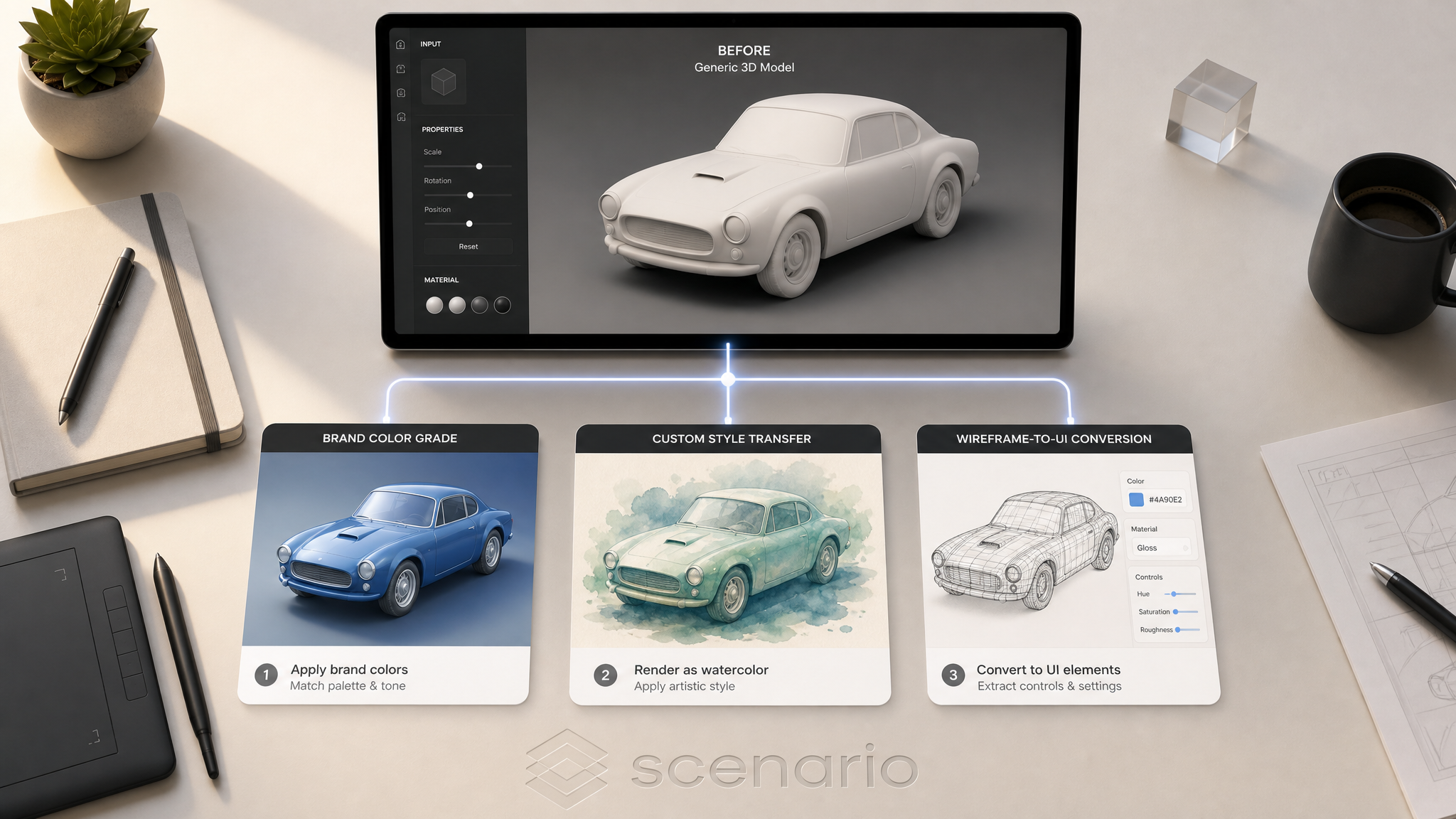
An Edit LoRA teaches Scenario a repeatable transformation: turning any input image into a desired output. Where a single-image LoRA learns "what to generate," an Edit LoRA learns "what to do to a given image." The training data is built from before/after image pairs, and the captions are instructional rather than descriptive.
This article covers what Edit LoRAs are good for, which base family to pick, and how the workflow differs from standard LoRA training. For dataset construction, see Building Edit LoRA Training Sets.
Before you start: training needs a Pro, Max or Enterprise plan on the organization selected in the context switcher, and at least 5 pairs (the most you can add is 12 on Pro, 25 on Max and 50 on Enterprise). Test pairs are optional. See Requirements in Basics of Model Training.
When to train an Edit LoRA
Train an Edit LoRA when:
You have a specific transformation you want to apply repeatedly: a brand color grade, a custom style transfer, a wireframe-to-UI conversion, a character-replacement recipe.
You need consistent results across many inputs: the same output style every time.
You can produce clear before/after examples of the transformation.
The transformation is not already covered by foundation models. Generic effects like "make this watercolor" or "remove the background" already work without a custom LoRA.
If you only need to generate a subject, style, character, product, or environment, train a single-image LoRA instead. See Basics of Model Training.
Picking the right family
Edit family | Pick when |
|---|---|
Flux 2 Edit ⭐ | Default for new edit LoRAs. Best raw fidelity on transformations. Variants: Dev / Klein 9B / Klein 4B by quality and cost. |
Qwen Edit | When the surrounding context (background, untouched regions) must remain intact during the transformation. |
Flux Kontext | Established option for teams with existing Kontext workflows in production. |
All three families share the same dataset structure (before/after pairs) and captioning convention (instructional). LoRAs are not interchangeable between them. Pick the family that fits your goal and stick with it for related models you might want to merge later.
For the broader decision context, see Choose Your Base Model Family.
How it differs from a standard LoRA
| Single-image LoRA | Edit LoRA |
|---|---|---|
Training data | Individual images of one subject or style | Before/after image pairs |
Caption style | Descriptive ( | Instructional ( |
What's learned | What to generate | What to do to an input |
At inference | Generate from prompt | Apply transformation to a source image plus prompt |
Minimum dataset | At least 5 images (5 to 15 recommended) | At least 5 pairs (5 to 15 recommended) |
Dataset basics
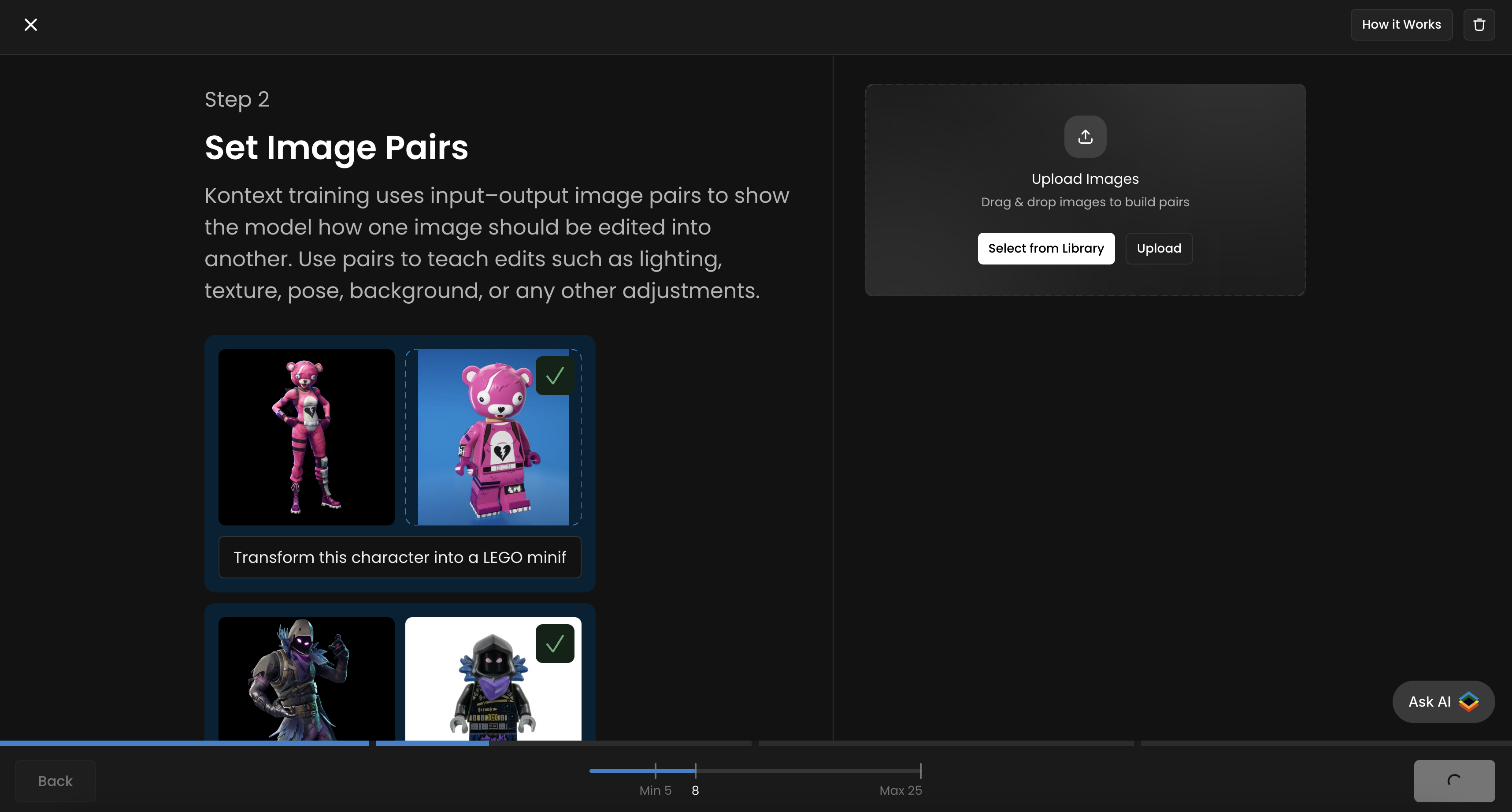
Pairs: each training example is a before image, an after image, and an instructional caption describing the transformation.
Size: 5 to 15 pairs is the sweet spot. You need at least 5; the maximum is 12 on Pro, 25 on Max and 50 on Enterprise. Quality and consistency matter more than volume.
Resolution: 1024 x 1024 minimum on both before and after.
Consistency of transformation: every pair must demonstrate the same transformation. Inconsistent pairs teach the model nothing usable.
The BACKWARD method: the simplest way to build a clean Edit LoRA dataset is to start with the desired AFTER images and generate the BEFORE images by reversing the transformation with AI editing tools. See Building Edit LoRA Training Sets for the full method.
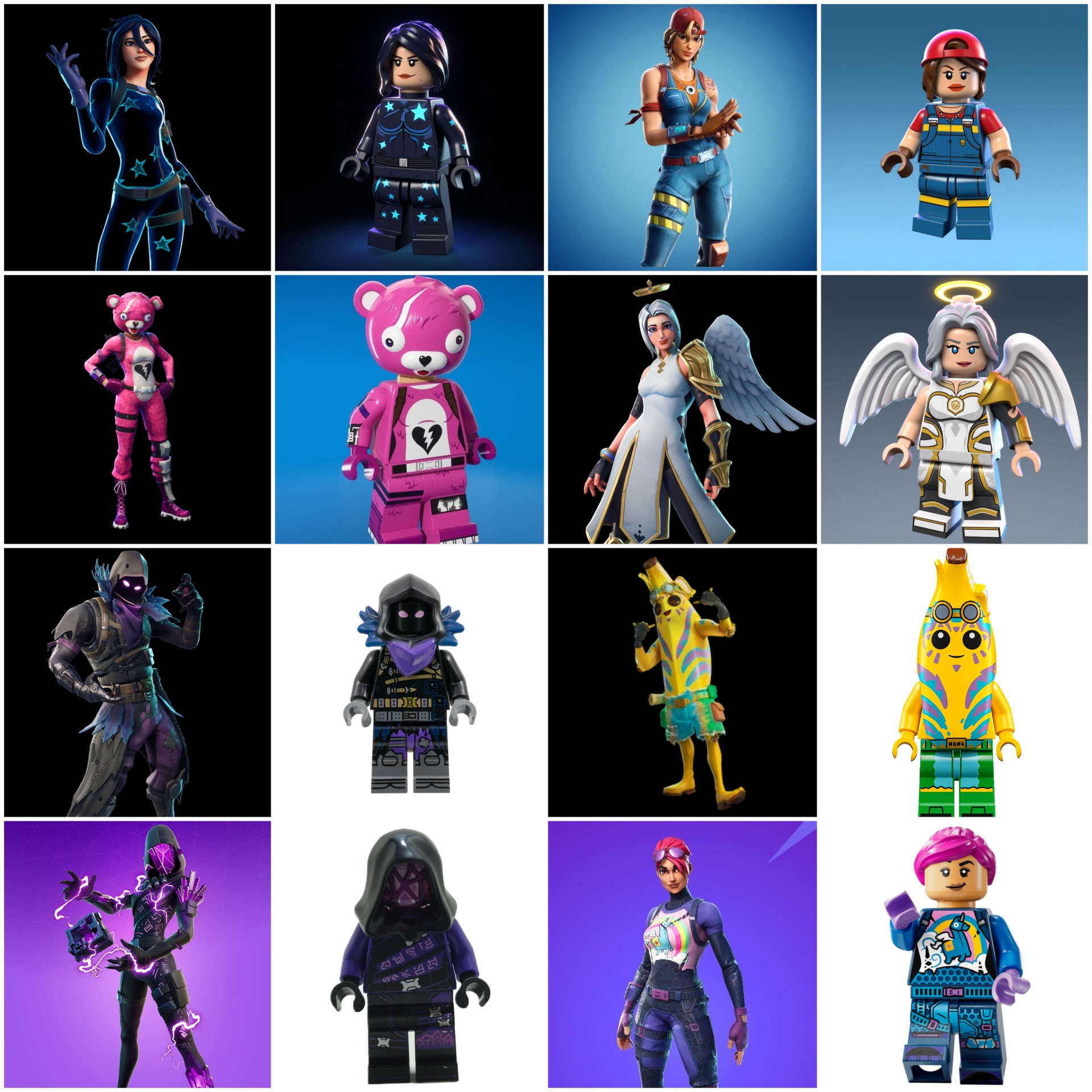
This Flux Kontext LoRA is designed to transform any Fortnite character into a LEGO minifigure. Each training pair includes a before image (Fortnite character) and an after image (LEGO version). The caption/instruction used is: “Transform this character into a LEGO minifigurine” (same for all pairs).
Captioning convention
Edit LoRA captions are instructional. They should follow a consistent pattern across every pair in the dataset.
Pattern: [action verb] [transformation description] [optional trigger word]
Examples:
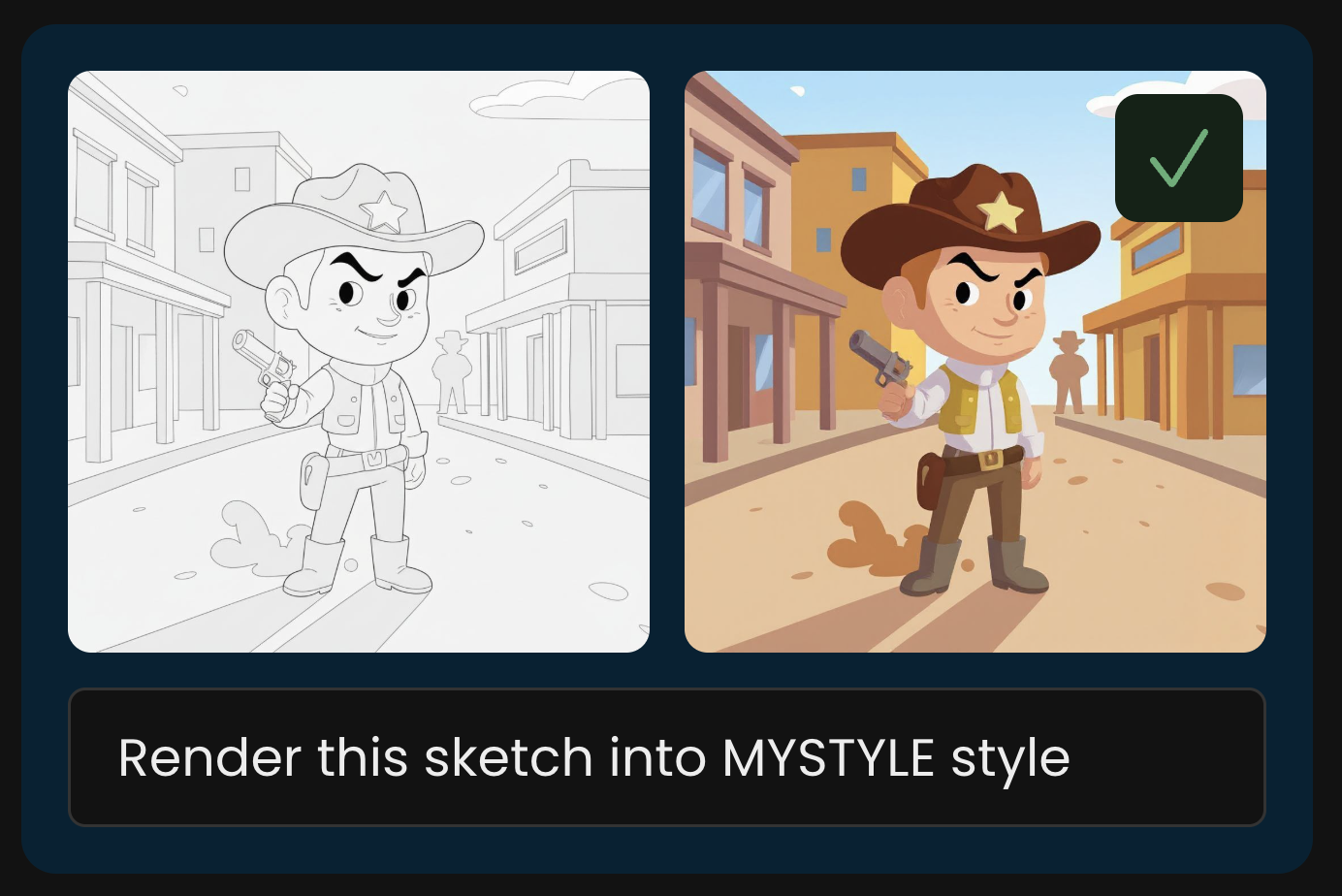
Transform this image into MYSTYLE styleRender the sketch in MYSTYLE styleReplace the person with MYCHARACTERApply MYBRAND color grade to this photoConvert this wireframe into MYDESIGNSYSTEM interface
Use the same verb structure and the same trigger word across all captions in a dataset. Inconsistency at this layer is the most common cause of weak Edit LoRAs.
For deeper captioning guidance (when to use trigger words, when to drop them, family-specific notes), see Advanced Captioning.
Set Test Prompts
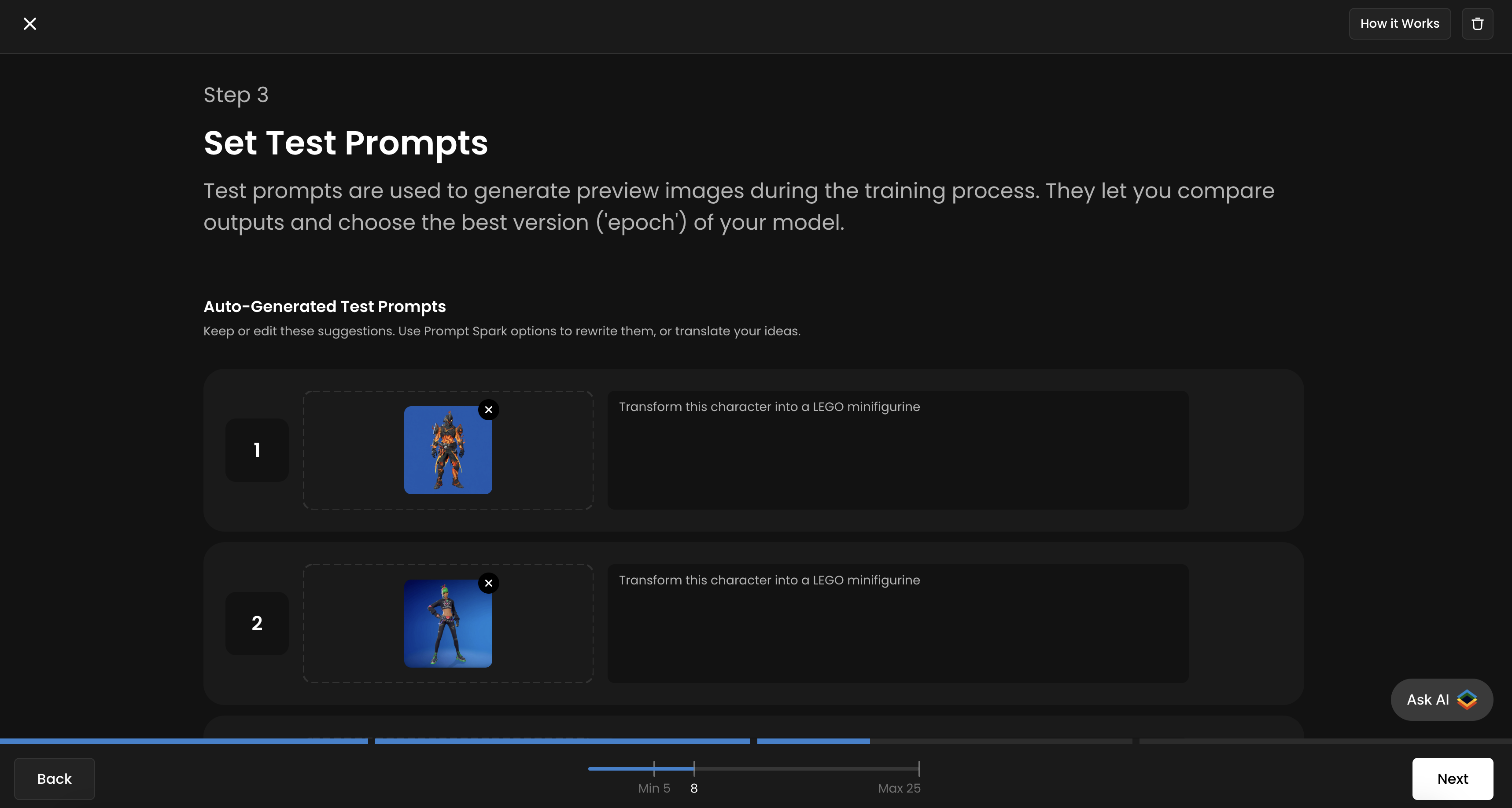
Scenario allows you to add up to four test prompts to track your training progress and evaluate the quality of each epoch. It’s recommended to use all four slots for more accurate monitoring throughout the training process. You’ll then be able to compare different epochs side by side and select the best-performing one.
For each slot, upload a new “input/before” image that is not part of your training dataset, and provide the corresponding prompt or instruction next to it. You will see the corresponding “output/after” image generated for each epoch.
Training configuration
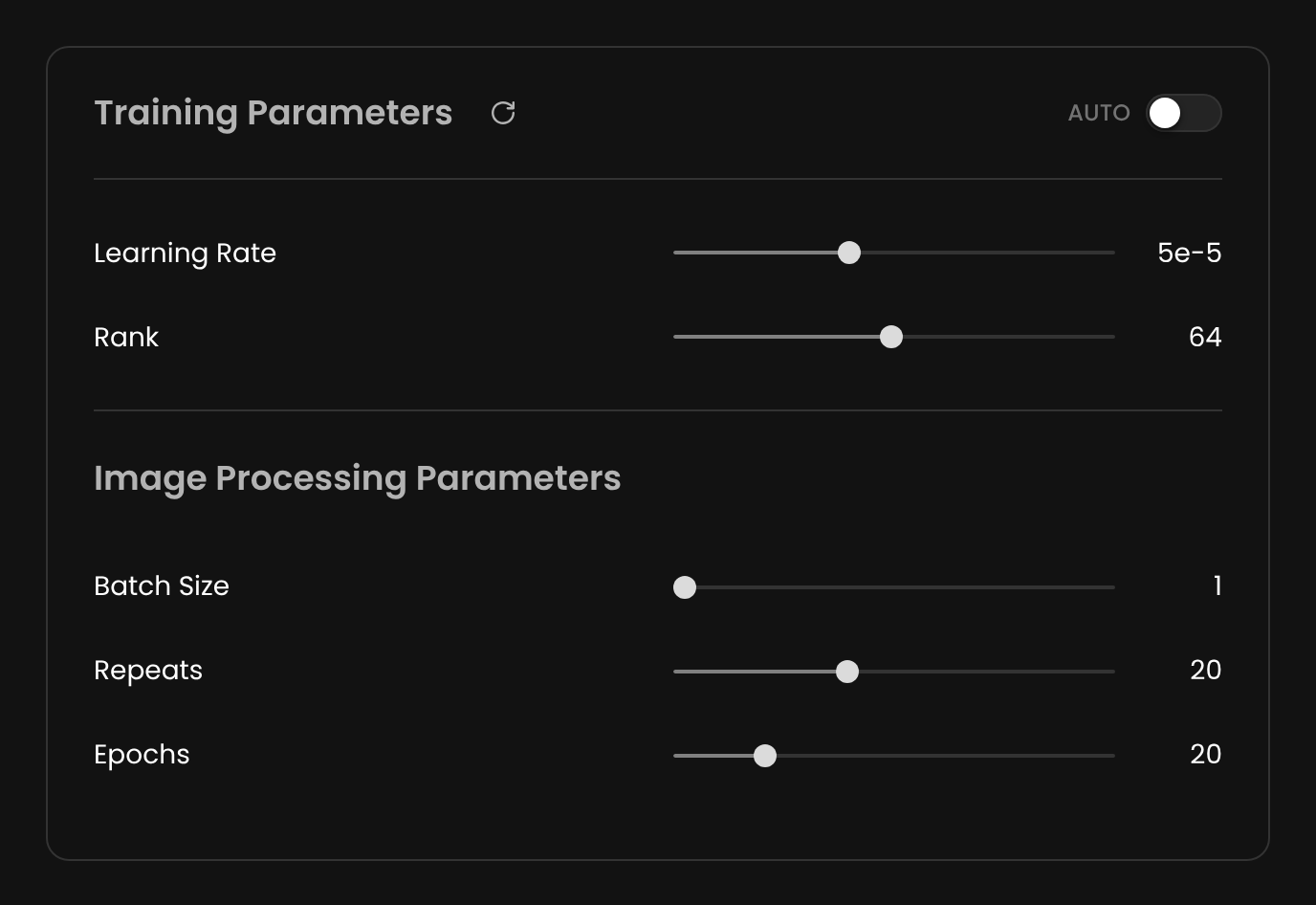
Defaults work for most edit runs:
Learning Rate:
5e-5Rank:
64Batch Size:
1Repeats:
20Epochs:
20
Add up to four test pairs (a before image plus the instruction you'd give it) so each epoch generates against them. Use pairs that are NOT in your training set: that's the only honest test of whether the model generalizes.
For deeper parameter tuning, see Advanced Training Parameters.
Training duration
Edit LoRA training takes 30 to 45 minutes for small datasets, up to several hours for larger or higher-fidelity runs. Smaller variants (Klein 4B, Klein 9B) are faster than Dev.
Workflow summary
Pick your family (Flux 2 Edit / Qwen Edit / Flux Kontext). See Choose Your Base Model Family.
Build your dataset of before/after pairs. See Building Edit LoRA Training Sets for the BACKWARD method.
Caption every pair with a consistent instructional pattern.
Configure. Defaults work for most cases.
Set up to four test pairs for epoch comparison.
Train and compare epochs. Pick the version that applies the transformation cleanly without overfitting to specific training inputs.
Use it in Edit with Prompt. The LoRA activates when paired with an input image and an instruction matching your training captions.
Examples of Effective Training Pairs
These are some examples of possibly training pairs from simple to elaborate
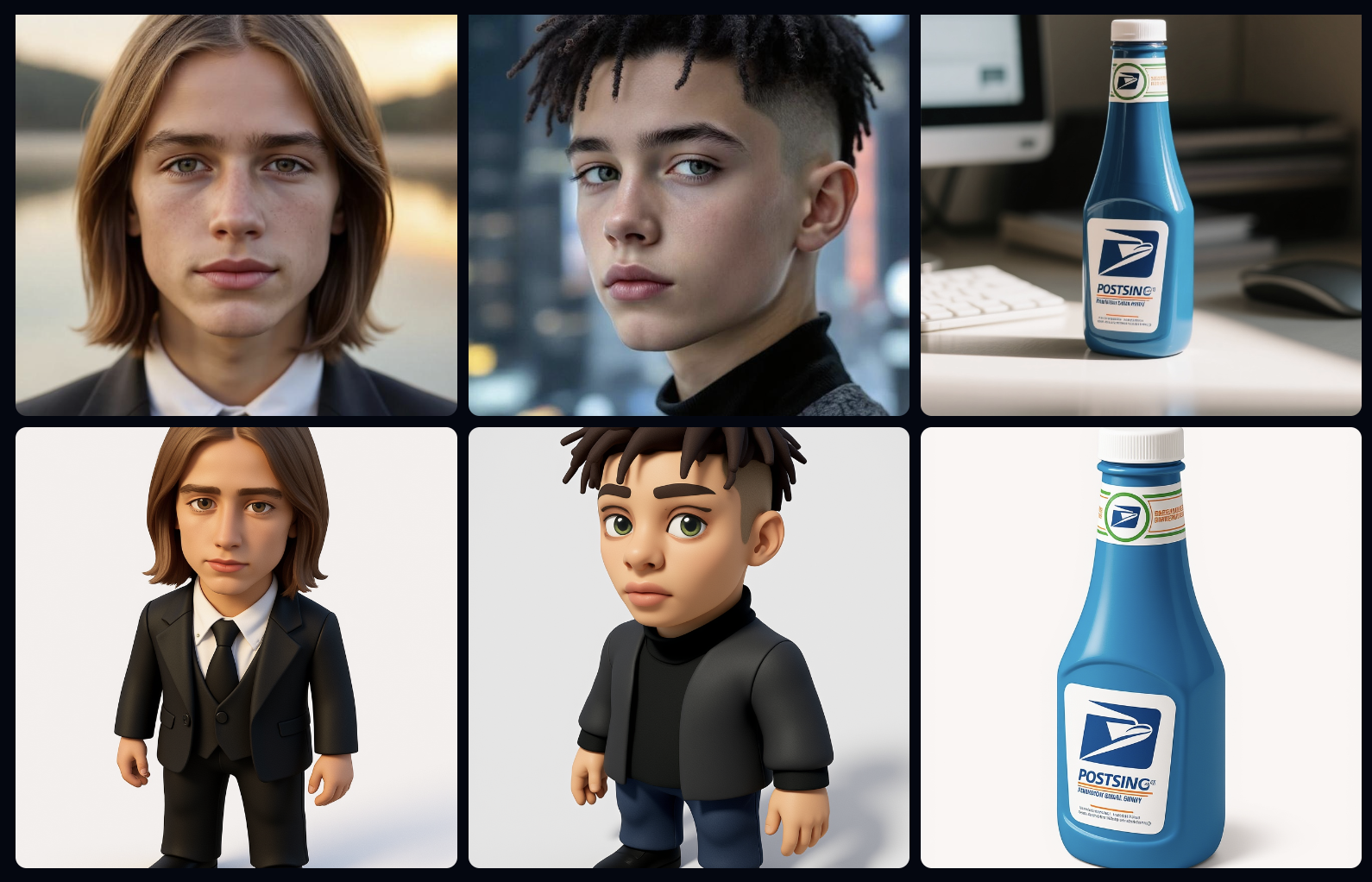
Instruction: “Create 3D game asset, isometric view version of this [person/object].”
Such a Kontext LoRA will take a realistic image and transform it into a stylized 3D character or object, suitable for use in games or animation pipelines.
Instruction: “Add broccoli hair to this person.”
This Kontext LoRA is trained to apply a highly specific transformation — turning any person’s hair into a whimsical “broccoli hair” version. It demonstrates how LoRAs can learn niche, humorous, or exaggerated stylistic conversions.

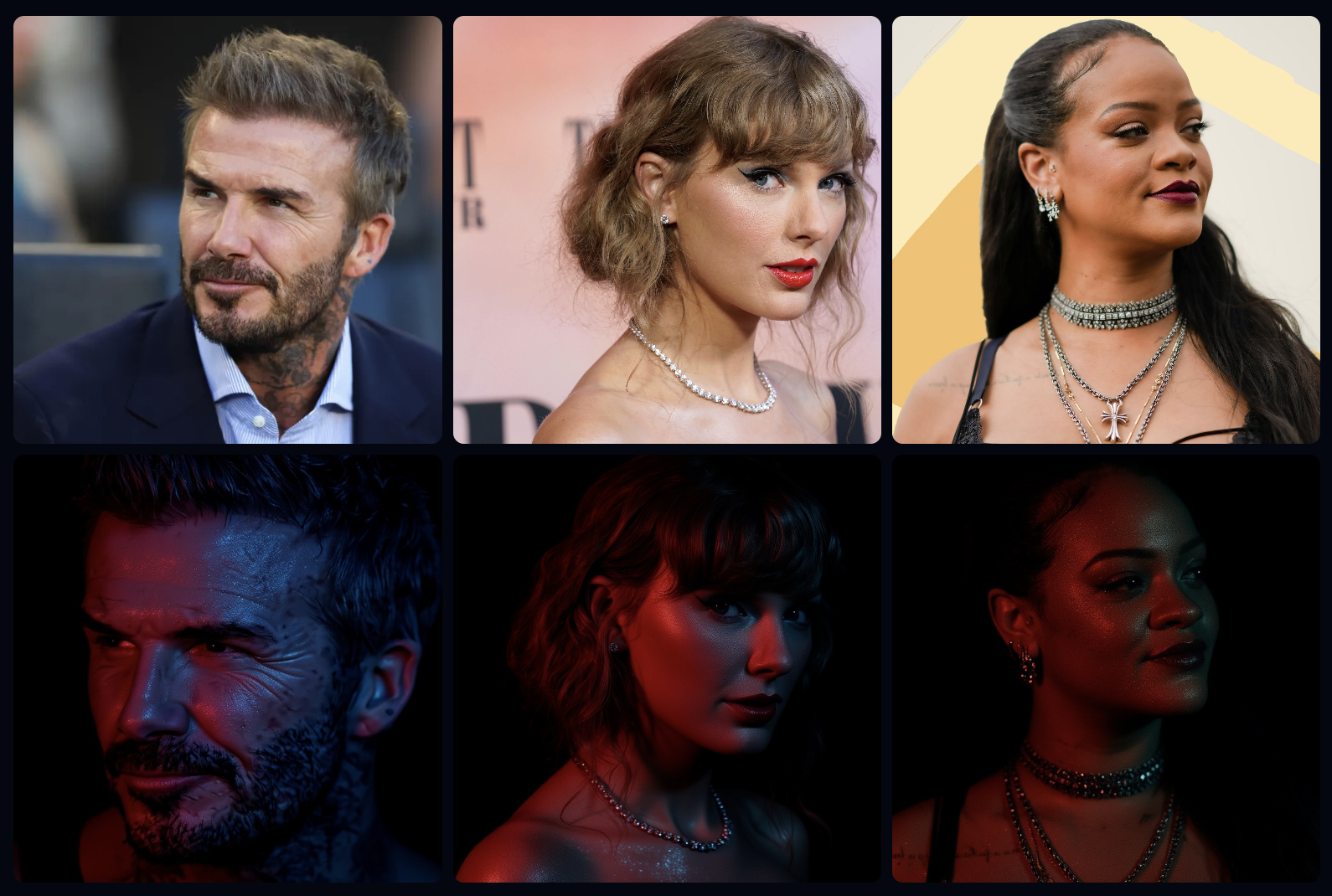
Instruction: “A Glittering Portrait of this person.”
This LoRA adds cinematic lighting, reflective skin highlights, and stylized color grading, producing a polished “red-carpet” or “editorial photography” effect across portraits.
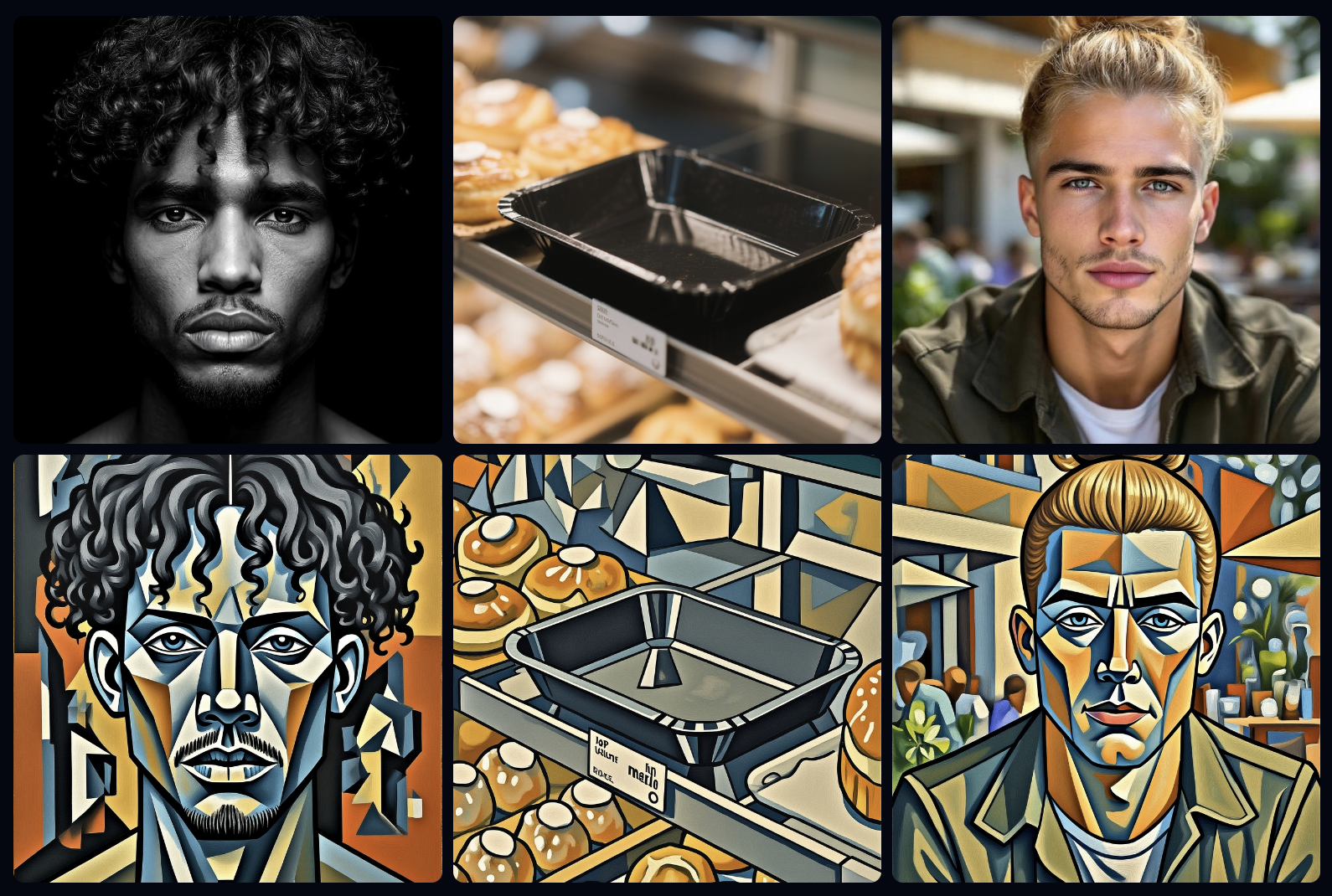
Instruction: “Transform into geometric cubist painting style.”
This LoRA reinterprets the input in a Cubism-inspired visual language, breaking forms into angular shapes and bold color planes. It teaches the model to generalize an abstract art transformation across different subjects — portraits, objects, or environments.