Kling Video to Audio: The Essentials
Last updated: June 19, 2026
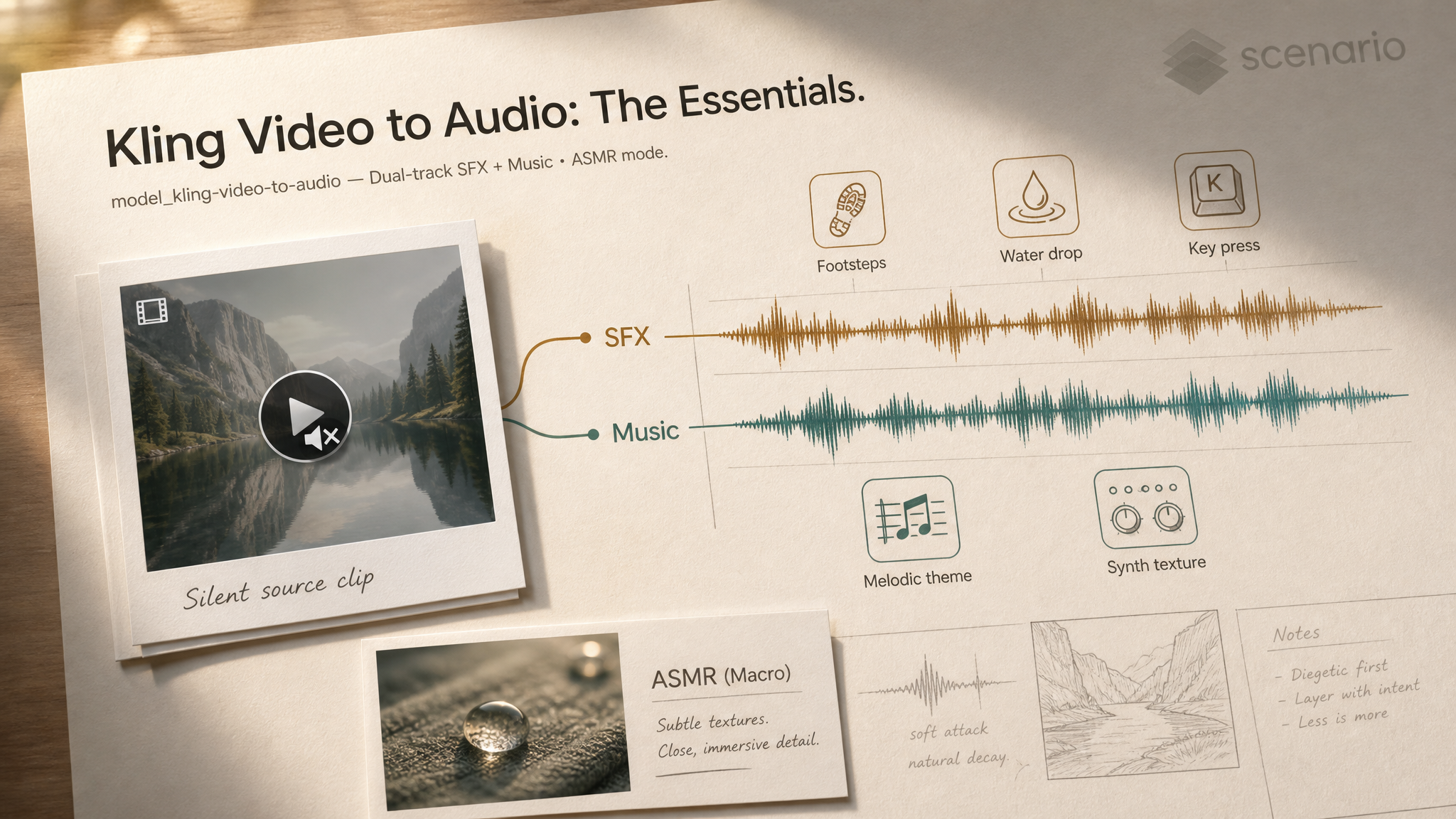
Kling Video to Audio takes a short silent video and generates a synchronized audio track aligned to the picture. Unlike most video-to-audio models that produce one undifferentiated soundscape, Kling exposes two independent prompts: one for sound effects, one for background music. You can write both, either, or neither. An optional ASMR mode tilts the result toward close-up tactile detail for product macro, beauty, and craft videos.
Which Model Should I Use?
Model | ID | Best for |
|---|---|---|
Kling Video to Audio |
| Dual-track scoring (SFX + music) in one call, optional ASMR mode. 3 to 20 second clips. |
MM Audio 2 |
| Single-prompt foley and ambient sound for silent video. No separate music track. |
Foley Control |
| Foley and ambience with optional 2 to 4 second reference audio for style transfer. Fine-grained duration, steps, and guidance controls. |
LTX-2.3 Pro Audio to Video |
| Opposite direction: drives video FROM an audio clip. Voice cadence controls pacing. |
Use Kling when the cut needs BOTH sound effects AND background music in one pass, or when the ASMR tactile detail matters. Use MM Audio 2 or Foley Control when you only need diegetic foley and want finer style control over the sound itself. Use LTX-2.3 Pro Audio to Video when you have the audio first and need motion to follow it.
How to Use the Model
How Kling Video to Audio Works
The minimum call needs a video. Both prompts are optional, so you can also pass an empty prompt to let the model infer the soundscape entirely from the picture:
video:                 asset_xxx     // the silent source clip (3 to 20 seconds)
soundEffectPrompt:     ""            // optional
backgroundMusicPrompt: ""            // optional
asmrMode:              false         // default
Kling analyses the visuals (motion, environment, materials) and aligns the generated audio to picture-level events: a foot hits the floor, a car door slams, a wave crests. When prompts are supplied, they bias the result toward the words you used; when both are empty, the model picks what it thinks fits the scene.
Featured Examples
Six pinned outputs from the model page. Open each link to play the synced result on Scenario:
Video outputs (audio aligned to picture):
Audio-only outputs (.mp3, mux back to picture downstream):
30 pinned examples total on the Kling Video to Audio model page, mixing video-with-audio outputs and audio-only outputs.
Sound Effects vs Background Music
Most video-to-audio models give you one prompt for the whole track. Kling gives you two, and they map to different layers:
soundEffectPrompt: the diegetic layer. Specific events in the picture. Footsteps, glass shatter, fabric rustle, rain on metal, distant traffic, keyboard typing.backgroundMusicPrompt: the non-diegetic layer. Genre, mood, tempo, instruments. "Calm acoustic guitar," "lo-fi hip hop beat," "tense cinematic strings," "synthwave 110 BPM."
Write either, both, or neither. Two prompts work together, two separate tracks get mixed:
soundEffectPrompt:     "footsteps on gravel, distant crows, wind in dry grass"
backgroundMusicPrompt: "tense cinematic strings with a low drone, slow build"
If the clip is purely musical (a dance reel, a music video cut), leave soundEffectPrompt empty so the foley layer does not fight the score. If the clip is purely diegetic (a craft tutorial, a product macro), leave backgroundMusicPrompt empty so the SFX has room to breathe.
Writing Good Sound Prompts
Both prompts cap at 200 characters. Treat them like one-sentence direction notes for a sound designer:
Name the specific events, not the genre. "Sneakers on wet asphalt, occasional puddle splash" beats "city walking sounds." Specific named events synchronize to picture more reliably than abstract atmosphere.
List the layers in order of importance. The first item in the prompt gets the strongest emphasis. Lead with the most picture-critical sound.
For music, name the instruments and tempo. "Solo nylon-string guitar, slow, melancholic" beats "calm music." Add BPM when timing matters.
Skip directorial verbs. "Build tension," "create excitement" do nothing. Describe the sound itself.
// good
soundEffectPrompt:     "claws on concrete, low growl, fabric tear"
backgroundMusicPrompt: "minimal piano, three notes, 60 BPM, lots of space"

// less effective
soundEffectPrompt:     "scary monster sounds"
backgroundMusicPrompt: "build suspense"
ASMR Mode
Set asmrMode: true when the clip is a close-up of materials, fabric, food, skin, or product detail. The model emphasizes fine tactile detail: paper crinkle, glass tap, brush bristles, water droplets, slow chewing, soft whisper-range ambience.
ASMR mode is most effective on macro shots and slow movement. It does less for wide action scenes, where standard mode handles the broader sound design better.
video:                 asset_macro_perfume_pour
soundEffectPrompt:     "glass on marble, liquid pour, soft droplets"
asmrMode:              true
Parameters
Required
video
The silent source video. Required. Must be 3 to 20 seconds long and under 100MB. Any video asset on Scenario works.
Prompts
soundEffectPrompt
Up to 200 characters. Comma-separated list of specific sound events you want in the foley layer. Optional. Leave empty when the clip is purely musical or when you want the model to infer SFX from the picture.
backgroundMusicPrompt
Up to 200 characters. Describes the genre, mood, instruments, and tempo of the music bed. Optional. Leave empty when the clip is purely diegetic (tutorial, craft, product macro) and you do not want a score competing with the SFX.
Mode
asmrMode
Boolean, default false. When true, emphasizes fine close-up tactile detail. Use for product macro, beauty, food, and craft videos. Leave off for wide action, dialog-driven, or motion-heavy clips.
Use Cases
Short-form social. Drop in a 6 to 15 second TikTok or Reels cut and ship it with both diegetic SFX and a music bed in one call. No external editor pass required.
Marketing reels and ad spots. Generate the music bed and the brand-relevant SFX (product clicks, fabric rustle, water pour) on the same render. Faster iteration than scoring against picture in a DAW.
Gameplay overlays and let-plays. Add ambient music plus action SFX to silent gameplay clips without breaking the player commentary you already have on another track.
Product macro and beauty. Pair ASMR mode with macro shots of fabric, glass, food, or cosmetics. Soft tactile detail without a Foley artist.
Concept reels and pitch decks. Score storyboards or animatic reels with mood music and rough sound design to communicate intent before locking the final mix.
Wildlife and nature clips. Ambient bed (wind, distant water, birds) plus event SFX (wings, branches, animal calls) on a single render.
Tips for Better Results
Use one prompt at a time when the clip leans one way. Pure music videos: only fill
backgroundMusicPrompt. Pure tutorials: only fillsoundEffectPrompt. Two prompts can fight each other on clips that do not need both layers.Lead with the picture-critical sound. The first item in
soundEffectPromptgets the strongest emphasis. If a glass shatter is the moment of the cut, write "glass shatter, distant crowd, wind" rather than "wind, distant crowd, glass shatter."Name instruments and tempo for music. "Solo nylon-string guitar, slow, 60 BPM" outperforms "calm music." For score moods, name a reference style ("Hans Zimmer string ostinato," "Bonobo downtempo electronics") to anchor the output.
Reach for ASMR mode on macro and material shots. The tactile detail multiplier only pays off when the picture is close enough to show fabric weave, surface texture, or liquid motion. Wide shots do not benefit.
Keep clips toward the shorter end first. The 3 to 20 second range is wide; start with 5 to 8 second cuts for the cleanest sync, then push longer once the prompt is tuned.
Skip directorial language. "Build tension," "create excitement," "feel epic" do not direct the model. Describe the sounds themselves (volume, instruments, events, frequency range).
Iterate prompts before re-rendering. Sound design tweaks are about word choice, not parameter sweeps. Adjust the SFX or music prompt and re-run rather than chasing the same prompt with different seeds.
Known Limitations
20 second cap on input video. For longer clips, split the video into 15 to 20 second segments, score each, and cross-fade in post.
100 MB max file size. Compress before upload if the source is uncompressed master quality. H.264 at a moderate bitrate is plenty for the model to read picture-level events.
Dialog is not generated. The model produces SFX and music only. For spoken word, run a TTS model (or ElevenLabs Dubbing for a translated track) and composite the dialog in afterward.
Lip sync is out of scope. Kling Video to Audio is not a lip-sync model. For talking-head animation that needs synced mouth movement to a voice track, use a dedicated lip-sync model like Sync-3 Lipsync.
Both prompts at once can mix in unintended ways. If a music bed leaks into the SFX track (or vice versa), drop one prompt or simplify both. Two short, specific prompts mix more cleanly than two long, dense ones.
ASMR mode is style-biased. Turning it on for a wide action shot can dampen broad SFX. Use it on macro and material-focused clips only.
The output is one audio track per run. The two prompts produce one mixed result, not two separable stems. To stem-separate SFX from music post-render, run an audio-source-separation tool afterward.