Scenario Analytics API
Last updated: October 2, 2026
How to create and use an organization-level Analytics API key to query usage & spend across every project
What it is. The Analytics API key is an organization-level, read-only credential built for one job: pulling usage data — Compute Units (CU), job counts, and per-user / per-model / per-project breakdowns — programmatically. It's the same data behind the Analytics settings page, exposed for BI tools, finance reporting, or internal cost dashboards.
Analytics key vs. project key
Project API key | Analytics API key | |
Scope | A single project | Whole org — all projects |
Access | Read + write | Read-only (usage data) |
Use for | Generate assets, train, run models | Reporting, billing, dashboards, BI/SIEM ingestion |
Returns | Jobs, assets, models | CU totals, job counts, per-user/model/asset breakdowns |
Use the Analytics key anywhere you'd otherwise screenshot the dashboard. Never embed a write-capable project key in a reporting script when this read-only key will do.
Create the key
Open Settings → Organization → Analytics → on the 🔑 Analytics API key card (top of the page), click Create key

Give it a name (e.g.
finance-bi-monthly) → Create key.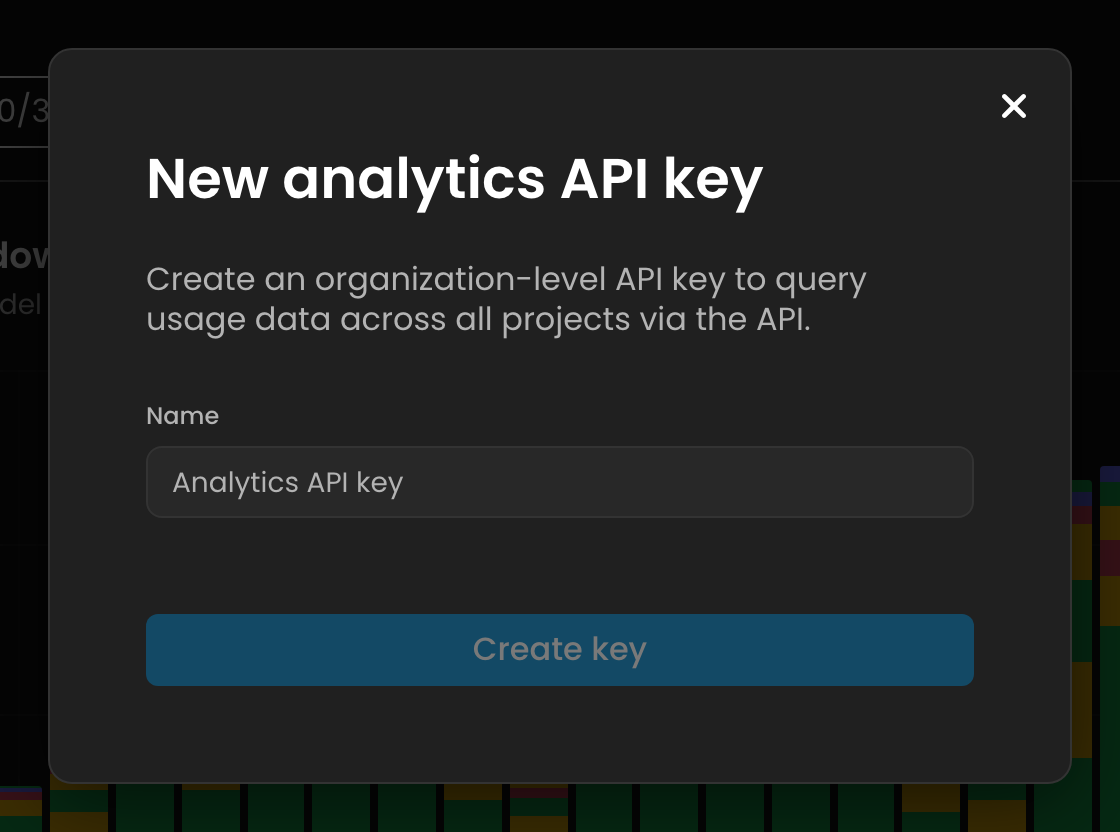
Copy the secret immediately — it's shown once. Store it in a secret manager / env var, never in source control.
Org admin only. Because the key sees every project's spend, only organization admins can mint it. Rotate it from the same panel if it leaks; treat it like a billing credential.
Authenticate & call
Scenario's REST API base URL is https://api.cloud.scenario.com/v1 and uses HTTP Basic auth. Pass the key as the username and the secret as the password (cURL's -u does the base64 encoding for you):
# Org usage for May 2026 (Basic auth: key:secret)

curl -u "$SCENARIO_KEY:$SCENARIO_SECRET" \
"https://api.cloud.scenario.com/v1/usages?startDate=2026-05-01&endDate=2026-05-31"

# Equivalent explicit header
curl "https://api.cloud.scenario.com/v1/usages?startDate=2026-05-01&endDate=2026-05-31" \
-H "Authorization: Basic $(printf '%s:%s' "$SCENARIO_KEY" "$SCENARIO_SECRET" | base64)"
Query parameters
Param | Description |
| ISO date ( YYYY-MM-DD ) — inclusive lower bound |
| ISO date — inclusive upper bound |
| Scope to one project instead of the whole org |
| Scope to one team/workspace |
Verify the exact path/auth for your account. The public docs route analytics-API access through your Customer Success Manager, so the precise route ( /v1/usages ) and whether your key is Basic vs. Bearer may differ for enterprise orgs. Confirm against your live API reference or CSM before wiring it into production. The following response shape is taken from live org data and is accurate.
Response shape
A successful call returns JSON with headline totals plus three pre-aggregated breakdowns. Real excerpt (org, May 2026), trimmed for length:
{
  "totals": { "totalCU": 93910.5, "users": 4,
  "startDate": "2026-05-01", "endDate": "2026-05-31" },

  // CU per user (userId prefixed apiu_ = an API key, not a human)
  "consumption": [
    { "userId": "c452b444…", "value": 91944.5, "total": 91944.5 },
    { "userId": "apiu_x89E…", "value": 944, "total": 944 }
  ],

  // spend by model — sorted desc, with friendly names
  "modelUsages": [
    { "modelName": "Seedance 2.0", "totalCU": 32792, "totalJobs": 56, "totalApiKeyCU": 0 },
    { "modelName": "GPT Image 2", "totalCU": 19956, "totalJobs": 645, "totalApiKeyCU": 0 }
  ],

  // output volume by asset kind
  "assetUsages": [
    { "kind": "image", "total": 1388, "totalApiKey": 36 },
    { "kind": "video", "total": 544 }, { "kind": "3d", "total": 32 }
  ]
}
Field Meaning
Field | Meaning |
| Compute Units consumed in the window = your spend metric |
| CU per user; |
| CU + job count per model; |
| Count of outputs by kind (image / video / 3d / audio) |
CU is the universal billing unit across all 80+ models — compare a Seedance video job and a GPT Image job on one axis.
Divide org-wide CU by your plan's CU rate to get currency.
Pull it from code
Python Node
import os, requests

r = requests.get(
  "https://api.cloud.scenario.com/v1/usages",
  params={"startDate": "2026-05-01",
  "endDate": "2026-05-31"},
  auth=(os.environ["SC_KEY"],
  os.environ["SC_SECRET"]),
)

data = r.json()
print(data["totals"]["totalCU"])
for m in data["modelUsages"][:5]:
  print(m["modelName"], m["totalCU"])
Node / TypeScript
const auth = Buffer.from(
  ${process.env.SC_KEY}:${process.env.SC_SECRET}
).toString("base64");

const res = await fetch(
  "https://api.cloud.scenario.com/v1/usages?" +
  "startDate=2026-05-01&endDate=2026-05-31",
  { headers: { Authorization: Basic ${auth} } }
);
const data = await res.json();
console.log(data.totals.totalCU);
Common use cases & tips
Monthly finance report — cron on the 1st, query last month, push
modelUsages+consumptioninto a sheet or Looker/Metabase.
Cost alerts — poll daily, alert when
totals.totalCUcrosses a threshold (cron + Slack webhook).Per-team chargeback — loop projects via
projectIdto attribute CU back to each team.Human vs. automated — split
totalCUagainsttotalApiKeyCUto see integration- vs. people-driven spend.
Tip: the Scenario MCP usage tool exposes this same data for ad-hoc questions; the Analytics API key is the path for your own systems on a schedule.