Platform Workflows
Last updated: April 9, 2026
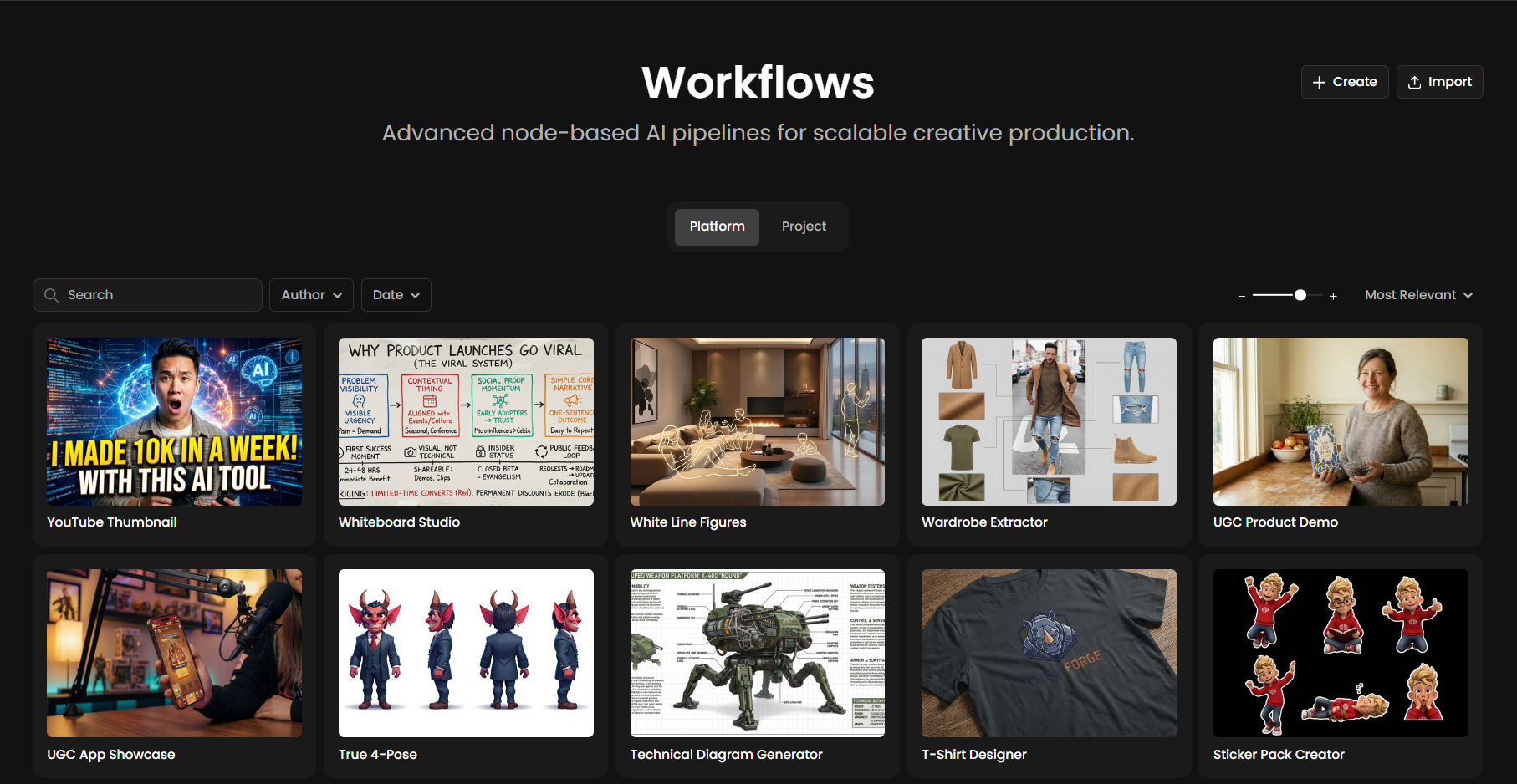
Start creating in seconds
Not sure where to begin? Platform Workflows are pre-built pipelines designed by Scenario, ready to use and easy to customize.
Each workflow combines the right nodes, and calibrated settings to accomplish specific creative tasks. No setup required, just add your inputs and run.
Think of them as starting points: use them as-is to save time, or duplicate them to learn how they work and make them your own.
Find what you need
The library allows you to discover and organize production pipelines through several intuitive navigation tools:
Search Bar: Quickly find specific workflows by typing their name (e.g., "YouTube Thumbnail") directly into the search field.
Browse Tabs: Toggle between the Platform tab for pre-built Scenario pipelines and the Project tab to access your own private, node-based workflows.
Filter Menus: Narrow down your results by using the Author and Date dropdown menus located next to the search bar.
Sorting & View: Use the Sort dropdown (e.g., "Most Relevant") to reorder tiles and the Scale Slider to adjust the size of workflow previews for easier scanning.
How to Use a Platform Workflow
Follow these steps to transition from a template to a customized production pipeline:
Browse & Select: Explore the library and choose a workflow from the Platform Workflows tab.
Open in Editor: Click the workflow to load its node graph onto your canvas.
Duplicate to Project: Click the Duplicate Workflow button at the top of the editor to save a copy into your private Project tab. This step is essential to unlock full editing and customization capabilities.
Add Inputs: Drag and drop your images or video, or enter text directly into the blue Input nodes.
Run Workflow: Hit the Run button to execute the pipeline and watch the data process through the nodes.
Download Results: View your final assets in the Output nodes and save them to your device.
Your Launchpad
Platform Workflows are designed to get you creating immediately. But they are also powerful learning tools.
Each one reveals how experienced creators structure their pipelines, which models work well together, and how to chain operations effectively. Use them to deliver results today—and study them to build better custom workflows tomorrow.